Manual Match Screen - Make Columns Adjustable

It appears that then when your screen resolution is above 100%, the Manual Match Screen Payee column only displays three or 4 characters making it hard to match transactions.

It would be helpful if these columns were adjustable.
Comments
-
It would be helpful if these columns were adjustable.
0 -
Concur.
If, by any chance you're using View / Use large fonts, try temporarily turning it off to get a useable screen layout … at least until this Idea gets enough votes to be considered for implementation by the programmers.
Everybody reading this discussion, please vote and comment!
0 -
I did that and it doesn't work. Thanks anyway.
0 -
Come on people - Help me out - Vote for this feature….
0 -
I certainly voted for this. But in reality, this should be a common practice for any window with columns. What's more the dialog should be resize able. And if isn't a "temporary dialog", more of a window the size and position should be remembered. This just common good GUI policy.
1 -
I like Chris_QPW comment. I would guess we could find multiple violations of "good GUI policy" in this software
1 -
I can't believe this is an issue! One of the more important columns in this dialog box is ignored?? The date column is TWICE as wide as the date. The number column is blank - don't use a transaction number. BUT WHO I wrote a $200 check (or debit or credit charge) to is essentially unreadable??? It is annoying and a productivity thief. Please fix this oversight! (It has been a festering sore for years. Come on quicken.)
1 -
Hello All,
Thank you for taking the time to visit the Community to provide your feedback.
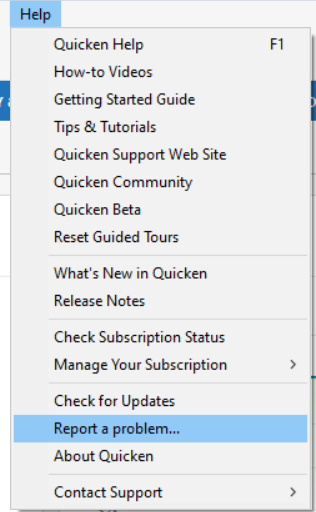
We have forwarded this issue to the proper channels to have this further investigated. In the meantime, we request that you please navigate to Help > Report a problem and submit a problem report with log files attached and (if you are willing) a sanitized copy of your data file in order to contribute to the investigation.
Please also provide additional information. Which setting(s) are triggering this unwanted behavior? Is it a screen resolution directly on the computer monitor, or a setting on the computer? What display resolution and scaling are you using? Are you using any accessibility features, such as Magnifier, larger fonts, etc.?
While you will not receive a response through this submission, these reports will help our teams in further investigating the issue. The more problem reports we receive, the better.
Thank you!
(CTP-16192)
Quicken Kristina
Make sure to sign up for the email digest to see a round up of your top posts.
0 -
Thank you for forwarding this request to the proper channels.
The OP's issue must have something to do with screen resolution and/or magnification settings.
Here's what my screen looks like, as one would expect: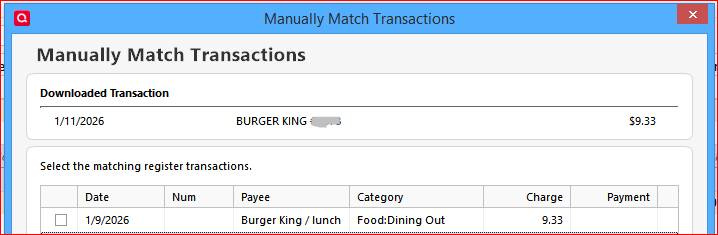
My screen resolution is 1600*900 on a 17" laptop display.
I do not use View / Use large fonts.
Control Panel / Display setting "to make text and other items smaller or larger" is set to "smaller" (100%).HTH.
1 -
Hello @REvelyn01, @fcwilson, & @heisescott,
To be able to investigate this issue, we do need you to send a problem report with log files attached. Please navigate to Help > Report a problem and submit a problem report with log files attached and (if you are willing) a sanitized copy of your data file in order to contribute to the investigation.
Please also provide additional information. Which setting(s) are triggering this unwanted behavior? Is it a screen resolution directly on the computer monitor, or a setting on the computer? What display resolution and scaling are you using? Are you using any accessibility features, such as Magnifier, larger fonts, etc.?
Thank you!
Quicken Kristina
Make sure to sign up for the email digest to see a round up of your top posts.
0 -
Hi Kristina, I have done as you requested. I was unable to include the screen show that shows the issue, so I will attach it here….
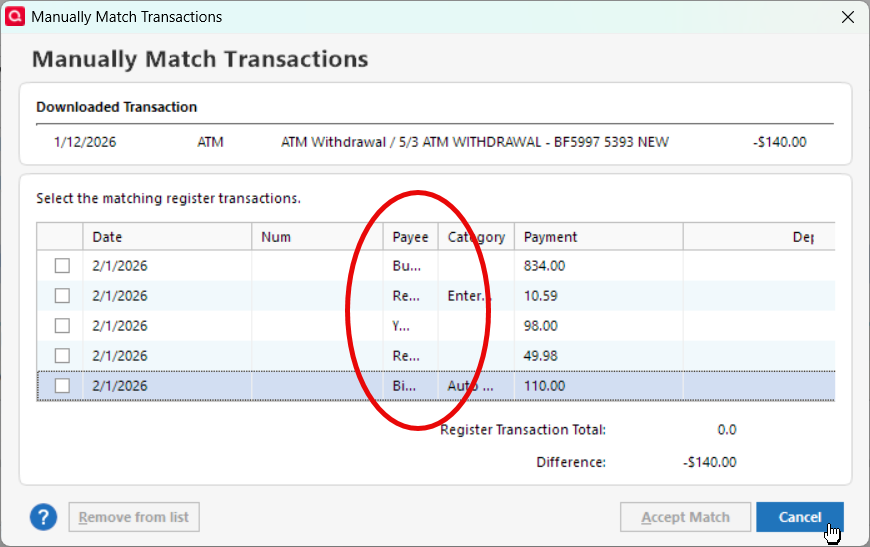
Let me know if you can not see the screenshot
1 -
Thank you for the follow-up,
I added that information to the ticket.
Thank you!
Quicken Kristina
Make sure to sign up for the email digest to see a round up of your top posts.
0 -
Any update on when this will be fixed ?
0 -
Thank you for the follow-up,
Unfortunately, our teams don't give ETAs. I checked the ticket. There are no new updates yet.
Thank you!
Quicken Kristina
Make sure to sign up for the email digest to see a round up of your top posts.
0