Can't delete recurring bill reminders

I have two recurring bill reminders that I can't seem to delete. I've deleted them from my list of bill and income reminders in Tools, but they still show up as a reminder in my Bills and Income tab. I've tried to delete them from there as well, but they still show up up the next time I open Quicken. I'm using version R65.29
Comments
-
Hello @ldylwyrva,
Thanks for sharing these details!
To help narrow this down, could you please share a screenshot of how these reminders appear in your Bills & Income tab?
If needed, please refer to this Community FAQ for instructions on how to attach a screenshot. Alternatively, you can also drag and drop screenshots to your response if you are not given the option to add attachments.
Also, can you confirm the following:
- Do they show up in Tools > Manage Bill & Income Reminders, or only in the Bills & Income tab?
- Are these Manual Bill Reminders or Online Bill Reminders?
- Where is your Quicken data file stored? Is it on your local hard drive (C: Drive) or a cloud-based/external drive (e.g.: OneDrive, DropBox, USB, etc.)?
- Please provide the exact file path as shown in the example below.

- Please provide the exact file path as shown in the example below.
- When did this issue first start occurring?
- Were there any significant changes to your system or software before the issue began (updates, new installations, etc.)?
Check back and let us know! Thank you.
-Quicken Anja
Make sure to sign up for the email digest to see a round up of your top posts.0 -
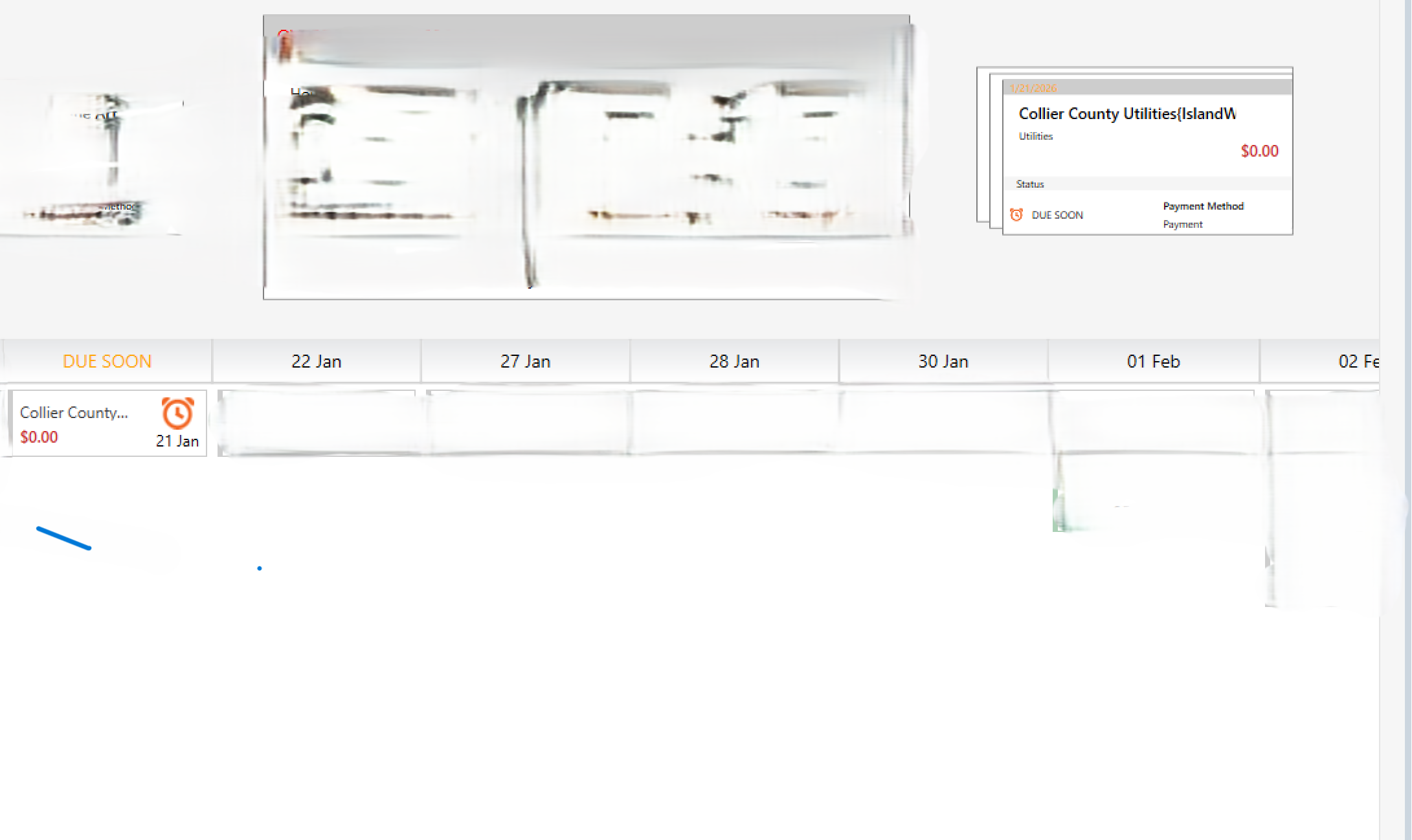
Hi, this is how the reminder shows up on the Bill and Income tab. It also appears in Tools> Manage Bill & Income Reminders
If I click "delete this instance and all future instances" on the Bill and Income tab, it will also be deleted in the Tools>Manage Bill & Reminders list, but will reappear in both places the next time I log in to Quicken.
These are manual bill reminders.
My Quicken files are on my local C drive, following the example of the path in your illustration.
I can't pinpoint exactly when I first noticed this happening, but probably about a month or two ago. I haven't made any significant changes to my software or system.
Hope this additional information helps. Thanks.
0 -
- Are you Syncing to Mobile/Web? Is the Sync option in Edit / Preferences / Mobile & Web turned on?
AND - do you actually use the Mobile app on your smartphone or the Quicken on the Web browser-based app?
The Sync process has been suspected of a number of weird things happening with Quicken, up to and possibly including reminders coming back to life after deletion. Could your problem be caused by Sync?
• If you answer "yes" to the 1st question and "no" to the 2nd question, turn Sync off completely. You don't need it. The Sync process should only be used in conjunction with the Quicken app for Smartphones or the Quicken on the Web browser app. It cannot be used as a replacement for backing up and restoring your Quicken data file.
• If you answer "yes" to both questions, try to Reset Sync so that the current cloud sync file is replaced with a fresh complete copy
Do note that a full Sync process may take many minutes to complete.How to reset Sync to Cloud
• Log out of your mobile app, then do this on your desktop / laptop:
• Go to Edit / Preferences / Mobile and Web
• Click the "Reset your cloud data" link and follow the instructions until it is complete.
• Sync your desktop file to the cloud
• Now log back into your mobile appHow to turn off Sync to Cloud for the current data file
• Go to Edit / Preferences / Mobile and Web
• Change the Sync radio button and set it to OFF1 - Are you Syncing to Mobile/Web? Is the Sync option in Edit / Preferences / Mobile & Web turned on?
-
I use the Sync function, so I reset it and the deleted reminder seems to be gone for now. Thank you. Hopefully, it will not return again.
1 -
Thanks for the update! Keep an eye on it, and hopefully those reminders stay gone for good.
Thank you!
-Quicken Anja
Make sure to sign up for the email digest to see a round up of your top posts.0 -
I had the same issue as has been reported by many others since at least last October with deleted manual bill reminders reappearing daily. That began happening recently with my Q4 IRS payment. Regardless of what I did to delete or skip/ignore the payment reminder, it would show up again the next day.
I performed the "sync" reset you described above and then closed the program, reopened, and performed an "one-step update" and it did not reappear. So your suggestion of re-syncing the web data seems to be the solution for this recurring issue.
Thanks!
1 -
@ldylwyrva and @LewisMc ,
thanks for confirming that this really is a problem related to Sync to the cloud processing.Now, if only the programmers could fix this problem and get rid of this bug!
0 -
I had this same issue. I have followed your instructions, and the problem has currently been solved. I will monitor and if it is not resolved I will come back.
0 -
@jtmyrand Thanks for chiming in and letting us know that the instructions provided by @UKR was able to resolve the issue for you! Glad to hear it's working now.
-Quicken Anja
Make sure to sign up for the email digest to see a round up of your top posts.0

