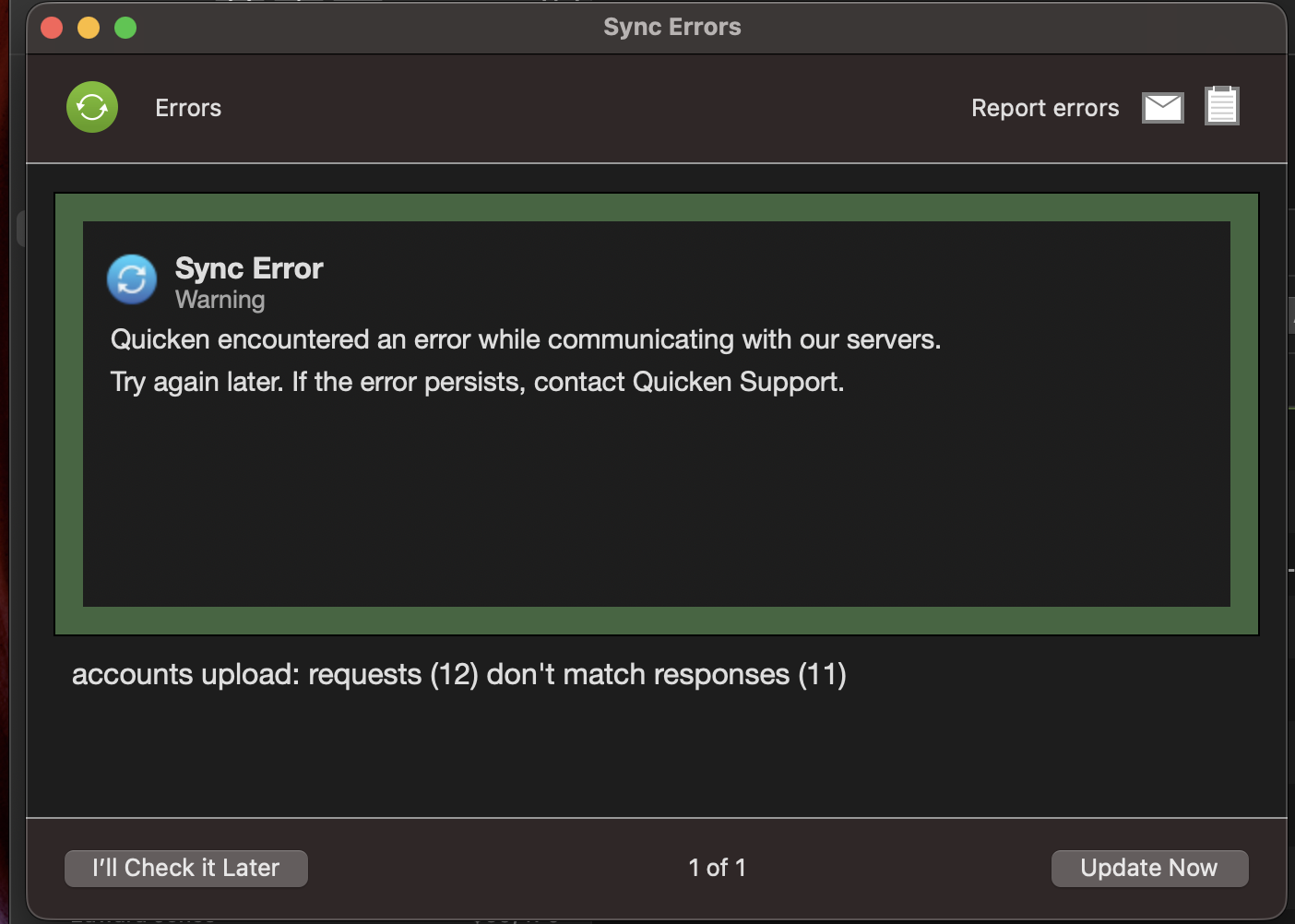
Sync Error

I started receiving a Sync Error when performing an update immediately after updating to Quicken Classic Deluxe 8.4.2 for macOS
Sync Error
Warning
Quicken encountered an error while communicating with our servers.
Try again later. If the error persists, contact Quicken Support.
accounts upload: requests (76) don't match responses (50)
Details:
Quicken Classic Deluxe (macOS)
Version 8.4.2
macOS 26.2
Comments
-
I also have the same error immediately after updating to Quicken Classic Deluxe 8.4.2 for MacOS.
0 -
Upgraded to 8.4.2 just now, no trouble syncing afterwards.
0 -
I have three data sets. Two synch normally. One does not.
0 -
I was able to solve my problem. I first disconnected all my accounts but that did not correct the error. I then reloaded a data set backup from before I upgraded to 8.4.2. That eliminated the error. I was able to reconnect to all accounts and the error did not recur.
2 -
I have been receiving the exact same Sync Error message since updating to version 8.4.2 of Quicken Classic Deluxe using Mac OS 15.7.3 several hours ago.
1 -
I have been receiving the exact same Sync Error message since updating to version 8.4.2 of Quicken Classic Deluxe on MacBook Pro macOS Tahoe 26.4
0 -
I had the same error after the same update. I don't use mobile or the web so never had sync turned on. Called Quicken Support. They had me turn sync on and then off again. Error went away. Don't Worry, Be Happy!
4 -
I'm also getting the Sync error after updating on Mac OS.
0 -
I just tried this. For me, it got rid of the Sync error, but totally screwed up the balances on my credit card accounts. I had to delete/re-add the credit card accounts in order to see the correct balances.
0 -
Sorry to hear that. Didn't cause any problem for me.
0 -
Experienced exactly the same error on my MacBook Pro. Seems like the latest update has a problem
0 -
Same problem after just updating to 8.4.2 - Quicken Deluxe Mac - macOS Tahoe 26.2
0 -
Hello All,
Thank you for letting us know you're encountering this issue. This is a known issue. To track the status of the issue, please bookmark this Community Alert:
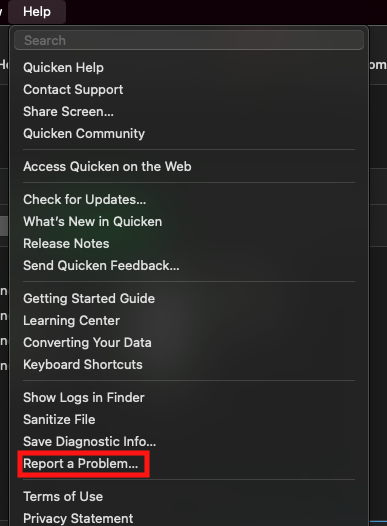
To help us investigate the ongoing issue, please navigate to Help>Report a Problem and send a problem report with log files attached.
To troubleshoot, if you are seeing an "accounts upload: requests number:(#) don't match responses number: (#)" error, try the following steps:
- Steps for the error "accounts upload: requests number:(#) don't match responses number: (#)":
- Click on "Quicken" in the top left corner
- Select "Settings"
- Go to "Mobile, Web & Alerts"
- Click on "Accounts"
- Take note of the accounts that are Sync'd.
- Click on the "none" button to uncheck all accounts
- Click on "Update" or Run an update to check if the error persists
- If the error no longer appears, you can re-select the desired cloud sync accounts. You should no longer encounter this error after re-syncing
- If the error persists, leave all accounts unselected for Cloud Sync and check again after 24-48 hours.
- You can re-enable your desired accounts for sync after an update does not present the error.
If you are not seeing the error listed above, then I recommend that you contact Quicken Support directly for further assistance, as they are able to escalate the issue as needed. The Quicken Support phone number can be found through this link here. Phone support is available from 5:00 am PT to 5:00 pm PT, Monday through Friday.
Thank you!
(Ticket#9173985/CBT-1005)
Quicken Kristina
Make sure to sign up for the email digest to see a round up of your top posts.
1 - Steps for the error "accounts upload: requests number:(#) don't match responses number: (#)":
-
I did a restore from yesterday's latest backup file. Then did the download. No errors occurred.
1 -
I never got this error message before the last update. I do not have Sync turned on because I want as little of my financial information on the cloud as possible. The only solution you're website offers doesn't apply because my Sync is turned off, always has been. Quicken still connects to my various accounts and downloads transactions, but then this error message pops up all the time now. How can I stop this message? Thanks
 1
1 -
Hello @miletown,
Thank you for letting us know you're encountering this issue. I merged your post with the ongoing discussion on this issue. Please see my earlier post for troubleshooting steps:
Thank you!
Quicken Kristina
Make sure to sign up for the email digest to see a round up of your top posts.
0 -
Thank you, Quicken Kristina. That resolved the matter in my case.
0 -
Thank you @Allen101 , this solved my problem as well. Fortunately, I have it set to do an automatic backup every time I save. I was able to restore from one that was only a couple of hours old and so I lost no data.
0 -
Quicken Kristina
I wish to express my profound appreciation to the Quicken Community and the Quicken Support Team for their prompt and effective response to this issue. Let this be a learning experience for all involved.
1 -
Sync Error
Warning
Quicken encountered an error while communicating with our servers.
Try again later. If the error persists, contact Quicken Support.Accounts upload: requests (29) don’t match responses (28)
** I have tried most of the trouble shooting steps suggested by Quicken, but I am still getting this error. I do not want to mess up my accounts, and the detailed transaction notes tied to them. Has anyone figured this out?
0 -
I am getting the same error, started after Quicken updated to the latest release , Mac 8.4.2 (Build 804.59835.100) macOS 26.2)
0 -
After the latest Quicken update I have been getting Sync errors.
Has anyone else? This appears to be a Quicken communication caused problem and I have not seen yet how this affects my quicken balance accuracy but know it can't be good.
I've attached a screen shot of the error.
1 -
See this other thread:
Quicken Mac Subscription • Quicken user since 19930 -
I just updated to 8.4.2 for Quicken Classic for Mac. The message said "accounts upload: requests (11) don't match responses (10). What is up?
0 -
Yes I had this error. I had to re-logon to my accounts for correct downloads. This fixed the error.
1 -
I wish Quicken would simply address the issue and release another update.
3 -
@Quicken Kristina I am in the same situation as @miletown. Your troubleshooting steps do not work for me because I do not have Sync turned on, so there is no list of accounts in Settings > Mobile, Web & Alerts. I am using Quicken Classic Deluxe for Mac, version 8.4.2 (Build 804.59835.100) on MacOS 26.2 and also started experiencing this issue after updating to the latest version.
1 -
Thank you for your reply,
Since the troubleshooting steps did not correct the issue, please contact Quicken Support directly for further assistance, as they have access to tools that we can't access on the Community and they're able to escalate the issue as needed. The Quicken Support phone number can be found through this link here. Phone support is available from 5:00 am PT to 5:00 pm PT, Monday through Friday.
I apologize that I could not be of more assistance!
Quicken Kristina
Make sure to sign up for the email digest to see a round up of your top posts.
0 -
I was in the same situation having never turned Sync on. Quicken Support had me turn it on and then off again. That solved the problem for me.
1 -
Yeah…. same issue here. They should roll back the recent update.
I just tried to roll back to the last version of Quicken.app/Content/ from my Time Machine (saved on Jan 10) and the recovery worked, but when I tried to run it, it told me that my data file was incompatible with the version I was using and prompted me to update, so I did, and the same issue arose.
Someone has some SPLAININ to do.
0