Can no longer open Quicken by clicking QDF file

I used to be able to just double-click on my Quicken data (QDF) file to open Quicken. After a Quicken update a couple months ago it stopped working. I can still open my file by starting the Quicken application. Then then opens my file.
Does anyone know a remedy? I'm on Windows 10.
Here is what happens if I double-click the QDF:
1) This displays:
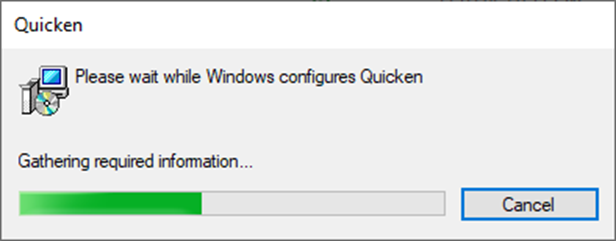
2) Then this:
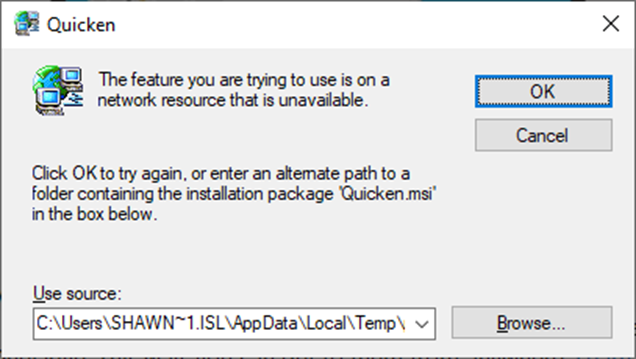
I have tried to find a Quicken.msi file on my system but no luck, so I Cancel. Then the following two messages appear and I just press OK and exit.
3)
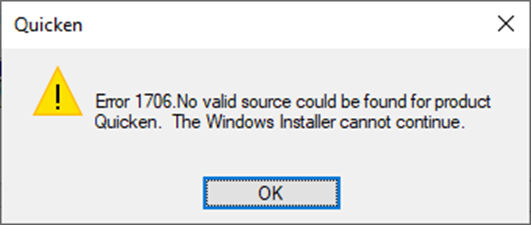
4)
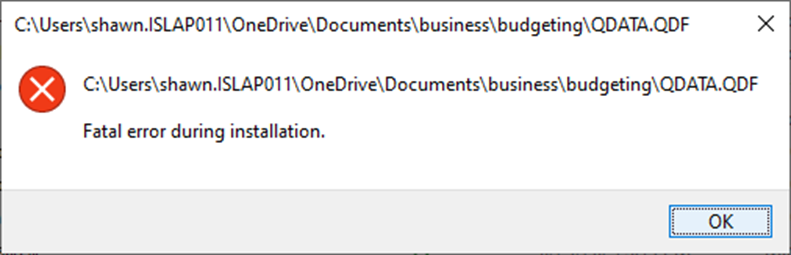
[Edited - Readability]
Answers
-
Patient to doctor: Doc, it hurts when I do this.
Doctor to patient: Well, don't do that.
Launch the Quicken application to open your file. I would also recommend that you locate your data file outside a Onedrive path. The recommended location is C:/users/[your user name]/documents/Quicken/.
0 -
I've always opened it by clicking directly on the file. Saying don't do it that way isn't a solution. I was aware I can open the file by launching the application to open it. Being able to open a file by double-clicking it is standard Windows functionality and if it isn't working there's a reason. I do appreciate your effort to help.
So … problem solved. Read on.
I was able to work with a live agent in chat. They had me uninstall and reinstall Quicken, after which double-clicking the QDF file began working again. I believe Quicken does recommend not locating your file(s) in a cloud destination, but I do have it in my OneDrive documents folder and it does work that way.0 -
Hello @montybaker,
Thank you for sharing your experience and the resolution you got from Quicken Support!
For anyone else encountering this issue, you can find instructions on how to uninstall Quicken in this article:
For information on downloading and installing Quicken, please see this article:
Thank you!
Quicken Kristina
Make sure to sign up for the email digest to see a round up of your top posts.
0


Categories
- All Categories
- 6 Product Ideas
- 34 Announcements
- 249 Alerts, Online Banking & Known Product Issues
- 19 Product Alerts
- 266 Welcome to the Community!
- 301 Before you Buy
- 1.5K Product Ideas
- 55.8K Quicken Classic for Windows
- 16.9K Quicken Classic for Mac
- 1K Quicken Mobile
- 834 Quicken on the Web
- 129 Quicken LifeHub