Quicken Updates messed up PNC / Discover Card downloads

About a month or so ago, Quicken installed an update in which my downloads cease to work. 2-3 weeks later, another update installed and the downloads were fixed…. I thought. Just recently my downloads are stuck in the Online Center with no way to import them to the register. Anyone else seeing this? Any fixes?
Answers
-
Hello @jbondi,
Thank you for reaching out! To clarify, does the One Step Update Summary claim that the transactions downloaded, or is it acting like there were no new transactions?
If you haven't already done so, a good starting point to troubleshoot this issue is following the steps in this article:
I look forward to your reply!
Quicken Kristina
Make sure to sign up for the email digest to see a round up of your top posts.
0 -
This is where my downloads end up; in the Online Center. Unable to accept them into the register.
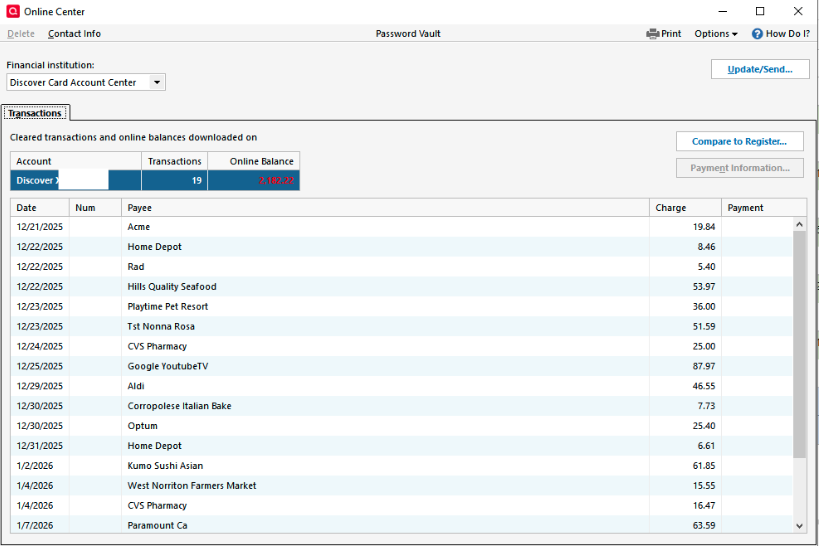
[Edited - Removed Partial Account Number]
0 -
Thank you for your reply,
What happens when you try to accept them into your register? Do you see any error messages/codes? What do you see on the One Step Update Summary?
I look forward to your response!
Quicken Kristina
Make sure to sign up for the email digest to see a round up of your top posts.
0 -
I can only "Compare" to register. No errors or codes. This is what I see in One Step Update Summary. Not sure why "zzz" is in front of my credit card.
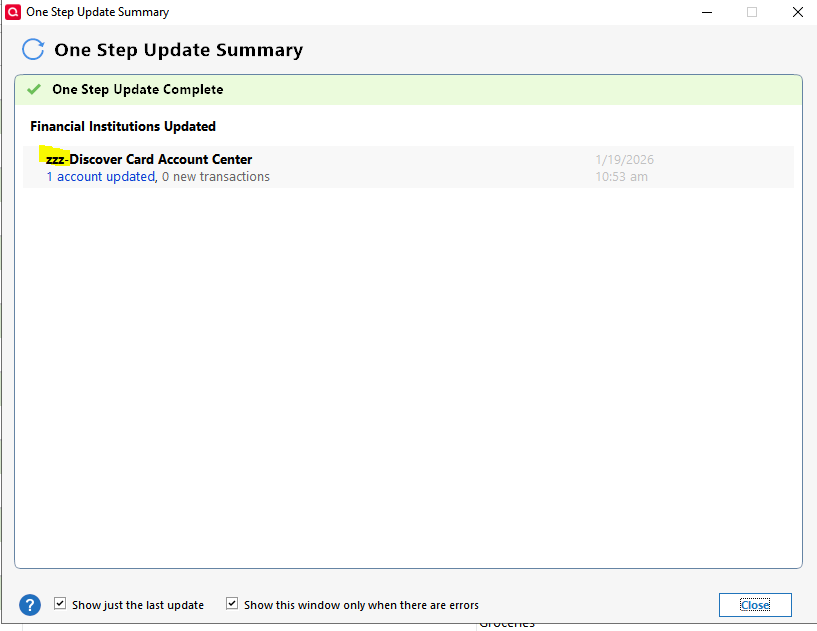
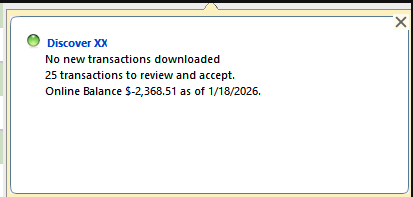
[Edited - Removed partial account number]
0 -
Thank you for your reply,
The zzz in front of the name indicates that the connection option is either no longer active or soon to be retired. It is possible that's the reason your downloads aren't going into your register.
To troubleshoot, please backup your file, deactivate the problem account, then go to Tools>Add Account and try connecting using the Discover Card connection option.
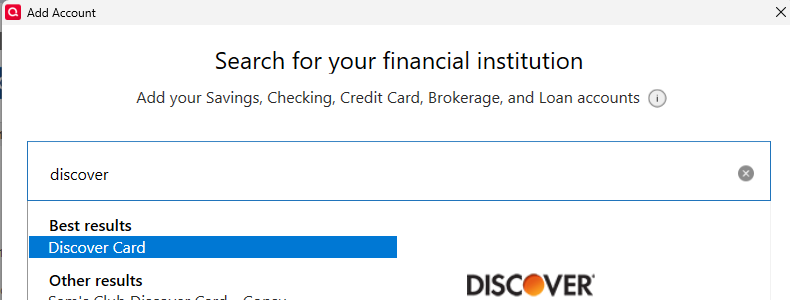
Once you get to the add/link screen in Quicken, make sure to carefully link your account to the existing nickname in Quicken.
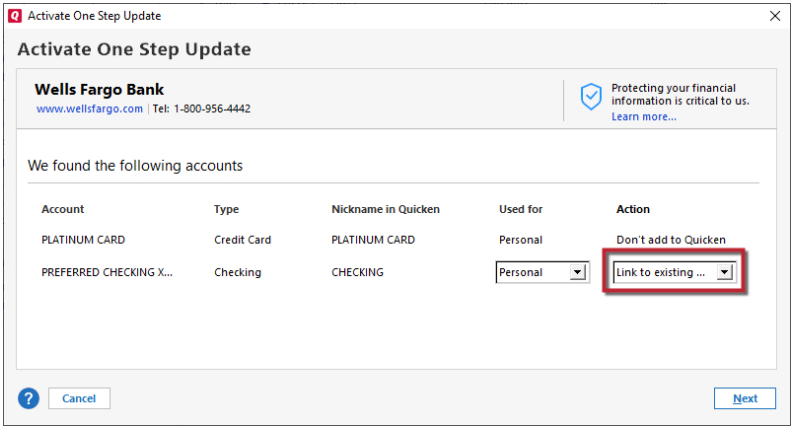
Please let me know how it goes!
Quicken Kristina
Make sure to sign up for the email digest to see a round up of your top posts.
0 -
Thanks. Just went thru updating my Discover card, but my transactions are still not going into the register. Same with my 2 PNC accounts. There's got to be more to this. Thanks for your help.
0 -
Thank you for your reply,
Since the previous troubleshooting steps did not resolve the issue, this may be a file-specific problem. To start troubleshooting for file issues, I suggest that you try validating your data file. Please save a backup file prior to performing these steps.
Validate:
- File
- Validate and Repair File...
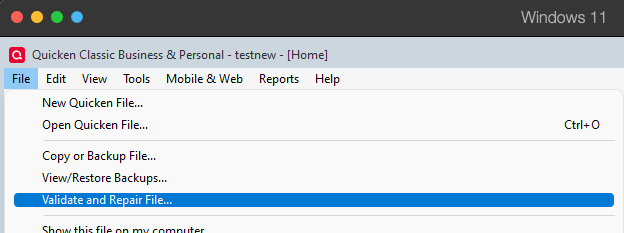
- Validate File
- Click OK
- Close the Data Log
- Close Quicken (leave it closed for at least 5 secs)
- Reopen Quicken and see if the issue persists.
I hope this helps!
Quicken Kristina
Make sure to sign up for the email digest to see a round up of your top posts.
0 -
I followed your instructions for both my PNC and Discover accounts and the issue did not get corrected.
0 -
Thank you for your reply,
Since the validate and repair didn't correct the issue, the next step is to try restoring a backup from before the problem started. Then, test if the issue happens in that newly restored file. If the issue is resolved in that file, then use it as your main file going forward. If the issue is not resolved, then return to your main file. For instructions on switching between Quicken files, please click here.
Thank you!
Quicken Kristina
Make sure to sign up for the email digest to see a round up of your top posts.
0 -
I'm about to download a fresh copy of Quicken and start from scratch!
0 -
Thank you for the update,
Please let us know how it goes!
Quicken Kristina
Make sure to sign up for the email digest to see a round up of your top posts.
0 -
Just installed a fresh copy of Quicken after deleting every copy of "Quicken" files and registry entries. Restored my accounts from a backup I did right before I removed Quicken. PNC bank accounts seem to be ok, but my Discover Card account is not working. Tried re-adding it and after signing into Discover, I get this:

Any ideas?
0 -
Thank you for the follow-up,
That error is typically caused by something blocking communication between the financial institution and Quicken. Which browser are you using? Do you have browser extensions, such as pop-up and ad blockers, paused? Have you tried temporarily setting a different browser as your default?
Thank you!
Quicken Kristina
Make sure to sign up for the email digest to see a round up of your top posts.
0 -
Hello @jbondi,
We haven't heard back from you in a while. Do you still need assistance?
Check back and let us know! Thank you.
Quicken Kristina
Make sure to sign up for the email digest to see a round up of your top posts.
0 -
Hello again,
Checking in once more before this thread is closed.
Let us know if you still need assistance.Thank you!
Quicken Kristina
Make sure to sign up for the email digest to see a round up of your top posts.
0
