How Stable is Windows Quicken R66.18?

I have a Windows 10 machine…thought I might finally test the waters with R66.18. I have stayed on R62.16 since last April due to the various issues posted in this forum in newer versions of Quicken.
I installed R66.18 using the Mondo patch this morning. It seemed to work ok until I tried Lifetime Planner 'Change Assumptions' where I get the below screenshot…
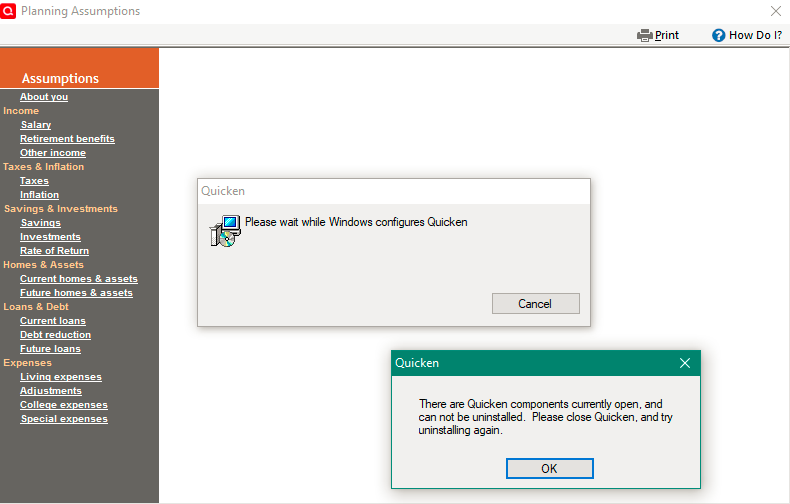
Similar prompts pop up if I open the Tax Planner, so back to R62.16 I will go…
- Deluxe R62.16 on Win 10 Pro 22H2. I don't use Bill Pay, Online Backup, Cloud Sync, Mobile & Web.
Comments
-
You've most like got an incomplete installation of R66.18.
Try downloading and installing the R66.18 Mondo from here:
BTW, I've had no problems with R66.18, other than my general distaste for the LTP because of bugs in it.
Q user since February, 1990. DOS Version 4
Now running Quicken Windows Subscription, Business & Personal
Retired "Certified Information Systems Auditor" & Bank Audit VP2 -
Thanks for the suggestion, however as a rule, I only ever perform an update when a Mondo patch is available.
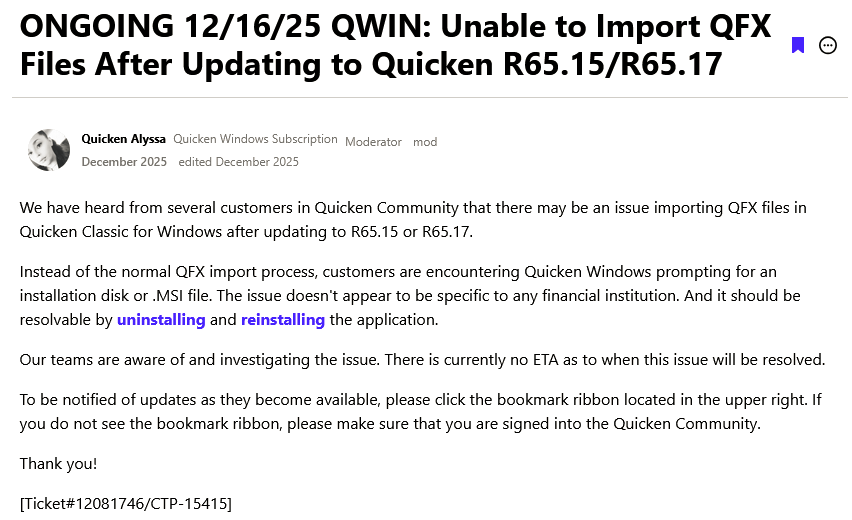
I believe the issue may in fact be related to the following (as yet unresolved) issue…
- Deluxe R62.16 on Win 10 Pro 22H2. I don't use Bill Pay, Online Backup, Cloud Sync, Mobile & Web.
1 -
Hello @TangledWeb,
Thank you for reporting the issues you are running into.
I think you are right, this could be related to the known issue. Did uninstalling/reinstalling the software resolve the issue?
Looking forward to your response!
Quicken Alyssa
Make sure to sign up for the email digest to see a round up of your top posts.
1 -
Hello Alyssa,
Thanks for your help! Uninstalling/reinstalling does not resolve the issue. I have performed an R66.18 uninstall/reinstall on two separate occasions, each time with the same result above.
My process for uninstall/reinstall on each occasion is:
- Uninstall Quicken using Revo uninstaller. Run 'QCleanUI' for good measure.
- Turn WiFi off and reboot.
- Install Quicken using a local copy of 2019 subscription installation exe file. Do not launch Quicken from installation program.
- Update Quicken using a local copy of Mondo patch for the version I am installing. Do not launch Quicken from installation program.
- Turn WiFi back on.
- Launch Quicken by clicking on my *.QDF file.
- Deluxe R62.16 on Win 10 Pro 22H2. I don't use Bill Pay, Online Backup, Cloud Sync, Mobile & Web.
0 -
Thank you for following up with additional context.
What happens when you open Quicken using the application icon?
Please follow these steps to Uninstall.
Windows 10
1. Click the Start button and select the Control Panel. In Windows 10, the Control Panel is located in the Windows System folder in the Start menu.
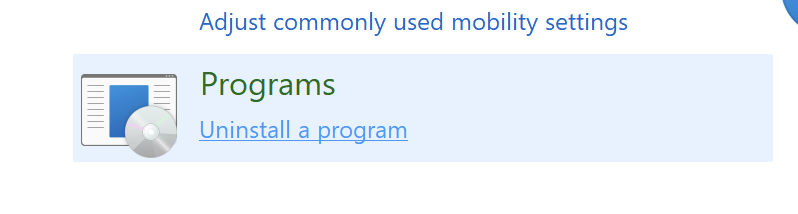
2. Under Programs, click on Uninstall a Program.
3. Find Quicken in the list of programs. They are alphabetically ordered. Highlight it by clicking on it once.
4. Click on Uninstall at the top of the list and follow through the prompts until the program is removed.
And these to Reinstall. Then, open Quicken using the application icon, and tell me if you get the same error.
Looking forward to your response!
Quicken Alyssa
Make sure to sign up for the email digest to see a round up of your top posts.
0 -
Hello Alyssa, thank you for the suggestion.
However, when a Mondo patch does not result in an installed version of Quicken that is able to run without prompts such as…

…that is enough to make me stop, and revert to 62.16 which does not exhibit the issue.
PS - I tried again today and R66.23 still generates the installation/reinstallation prompts.
- Deluxe R62.16 on Win 10 Pro 22H2. I don't use Bill Pay, Online Backup, Cloud Sync, Mobile & Web.
0 -
Thank you for following up.
Due to the nature of this issue, it is recommended that you contact Quicken Support directly for further assistance, as they can walk you through troubleshooting steps in real-time and escalate the situation as needed.
The Quicken Support phone number can be found through this link here. Phone support is available from 5:00 am PT to 5:00 pm PT, Monday through Friday. Chat support is available at the same times, 7 days a week.
Thanks again!
Quicken Alyssa
Make sure to sign up for the email digest to see a round up of your top posts.
0


Categories
- All Categories
- 6 Product Ideas
- 34 Announcements
- 248 Alerts, Online Banking & Known Product Issues
- 19 Product Alerts
- 265 Welcome to the Community!
- 301 Before you Buy
- 1.5K Product Ideas
- 55.8K Quicken Classic for Windows
- 16.9K Quicken Classic for Mac
- 1K Quicken Mobile
- 834 Quicken on the Web
- 129 Quicken LifeHub