When I try to update my data the one step update starts but freezes and does not do anything.

What is wrong with my one step update, it always freezes and will not run? I even restored a backup copy and it will not run either. What happen?
Answers
-
Hello @Robroy7,
Thank you for visiting the Community to report the issues you are running into.
I have some follow-up questions for you:
- How long has this issue been happening?
- Were there any significant changes/events around the time this began?
- Like Quicken updates, Windows updates, computer crashes, etc?
- Where is your data file located?
- You can see this by going to File and looking toward the bottom of the menu. The first file listed is the one you are currently in. The file location will be shown there, and that is what we are looking for.
- Is your file being synced/backed up by any third-party services like OneDrive, Dropbox, or Carbonite?
We also have a Support Article that covers this issue. Please review it and apply the suggested steps therein. Here is the first one:
In some circumstances, Quicken for Windows may start to slow down, freeze, or crash during the One Step Update process when updating connected accounts. While the actual cause of the performance dip or crash can be hard to isolate, we do have a list of possible fixes and troubleshooting steps to try.
Find and deactivate the affected account
Sometimes, a specific connected account can be the issue and slow down all others when performing a One Step Update. Below are the steps to find the affected account, deactivate it, and then reconnect it to Quicken.
- From the Account List, select the first connected account.
- Click the Actions (gear) icon in the upper right of the transaction window.
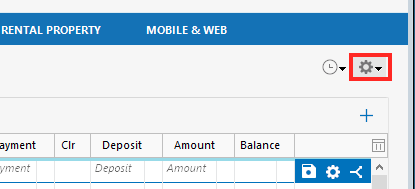
- Choose Update now.
- Repeat the process for each connected account until you find the one freezing during the update.
- Deactivate and reactivate the affected connected account.
- Attempt the One Step Update again.
Let us know how it goes!
Quicken Alyssa
Make sure to sign up for the email digest to see a round up of your top posts.
0 -
Same issue, one step locks, and this started yesterday, 3/5/26. Cannot download anything to my accounts.
[Edited-Readability]
0 -
Thank you for adding to this discussion and reporting the issues you are having.
Please review my previous post.
Answer the questions and check out the linked support article. Once you get there, you would follow the recommended steps in the article.
Let us know how it goes!
Quicken Alyssa
Make sure to sign up for the email digest to see a round up of your top posts.
0 -
having the same issue. Tried all the recommended fixes with no luck
0 -
Hello @Jeff Hitz,
Thank you for letting us know you're also seeing this issue. To help troubleshoot, please provide more information:
- How long has this issue been happening?
- Were there any significant changes/events around the time this began?
- Like Quicken updates, Windows updates, computer crashes, etc?
- Where is your data file located?
- You can see this by going to File and looking toward the bottom of the menu. The first file listed is the one you are currently in. The file location will be shown there, and that is what we are looking for.
- Is your file being synced/backed up by any third-party services like OneDrive, Dropbox, or Carbonite?
You said you tried all the recommended fixes. To clarify, did you follow the troubleshooting in the article linked below?
I look forward to your response!
Quicken Kristina
Make sure to sign up for the email digest to see a round up of your top posts.
0


Categories
- All Categories
- 6 Product Ideas
- 34 Announcements
- 248 Alerts, Online Banking & Known Product Issues
- 19 Product Alerts
- 265 Welcome to the Community!
- 301 Before you Buy
- 1.5K Product Ideas
- 55.8K Quicken Classic for Windows
- 16.9K Quicken Classic for Mac
- 1K Quicken Mobile
- 834 Quicken on the Web
- 129 Quicken LifeHub