Ally accounts no longer posting activity since 1/1/26

I have three separate Ally savings accounts and an Ally CD. Since the beginning of 2026 two of the Ally savings accounts continue to download and post interest automatically as they always have. The other Ally savings account, and the CD, have stopped doing so. Any ideas?
I am using Quicken Deluxe for Windows 11 on my pc.
Many thanks.
Answers
-
Hello @Barbara C,
Thanks for reaching out to tell us about this issue!
To better assist you, could you please provide the following details?
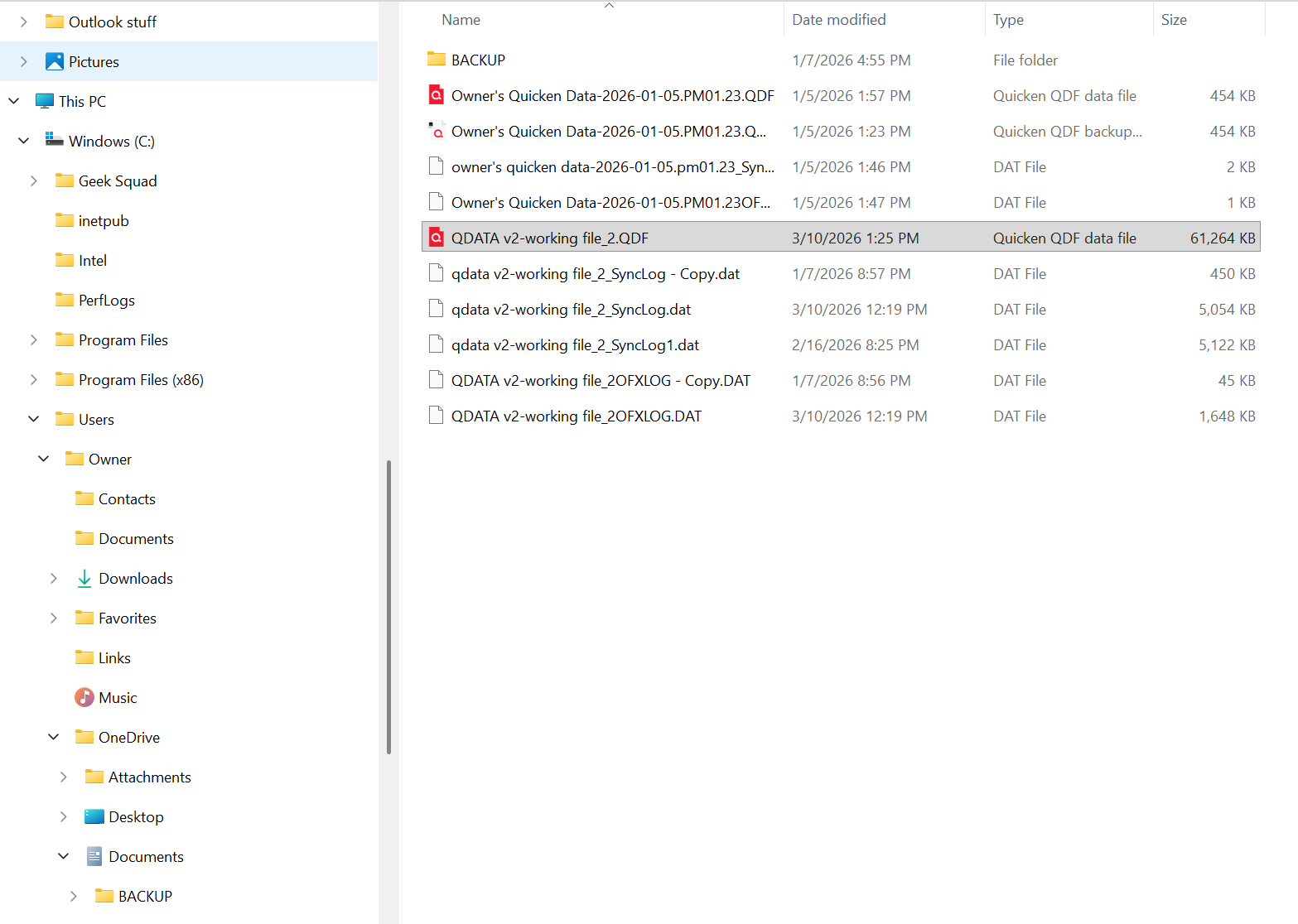
- Where is your Quicken data file stored? Is it on your local hard drive (C: Drive) or a cloud-based/external drive (e.g.: OneDrive, DropBox, USB, etc.)?
- Please provide the exact file path as shown in the example below.

- Please provide the exact file path as shown in the example below.
- Have you attempted any troubleshooting steps so far? If so, what were they?
- Are you using a VPN while updating your accounts? If so, does disabling it make any difference?
- Do you have any antivirus or malware protection software running that may be interfering with Quicken? If so, have you tried temporarily disabling it to see if the issue persists?
- Were there any significant changes to your system or software before the issue began (updates, new installations, etc.)?
- To clarify; has the accounts in question only stopped posting interest, or stopped downloading all together? If the latter, does simply nothing download, or do you also receive any specific error code/message? If so, please include the code/message.
Your answers will help us diagnose the issue more effectively.
Looking forward to your response!
-Quicken Anja
Make sure to sign up for the email digest to see a round up of your top posts.0 - Where is your Quicken data file stored? Is it on your local hard drive (C: Drive) or a cloud-based/external drive (e.g.: OneDrive, DropBox, USB, etc.)?
-
Hi, Quicken Anja. Thanks for the speedy response. I will try to answer your queries as best I can.
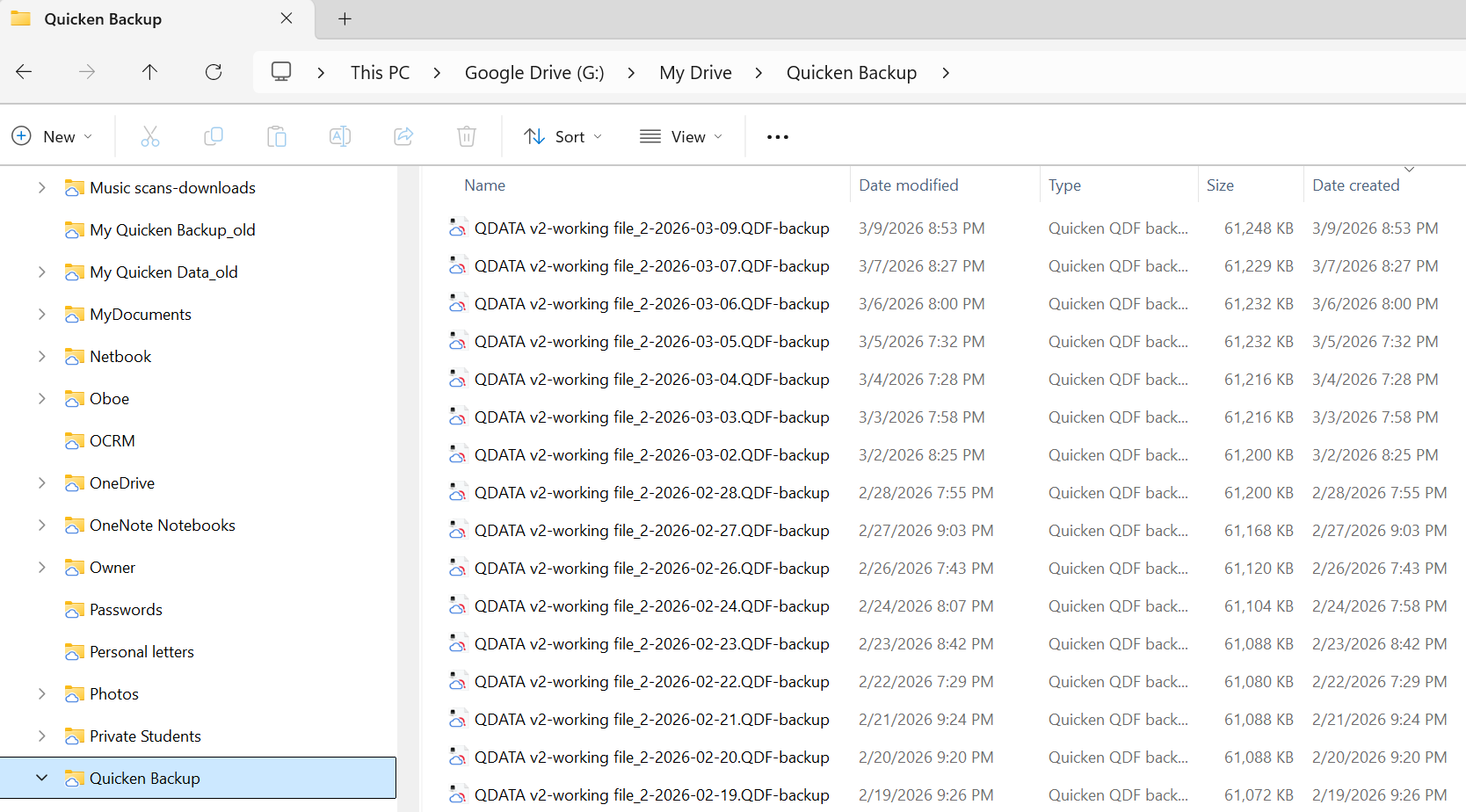
My Quicken data files are backed up to my Google drive.
But while I'm working, they live on my c:\ drive:
I have not tried any trouble-shooting texts on my own. (I'm too afraid of messing something up.)
I am not using a VPN.
I am running Windows Security.
Yes, at the very end of 2025 my hard drive crashed and a new hard drive was installed. However, as I mentioned two of my Ally savings accounts continued to download monthly interest postings (January, February, March of 2026) but my third Ally savings account did not. My Ally CD interest also stopped posting. I have made no other transactions in any of my Ally accounts.
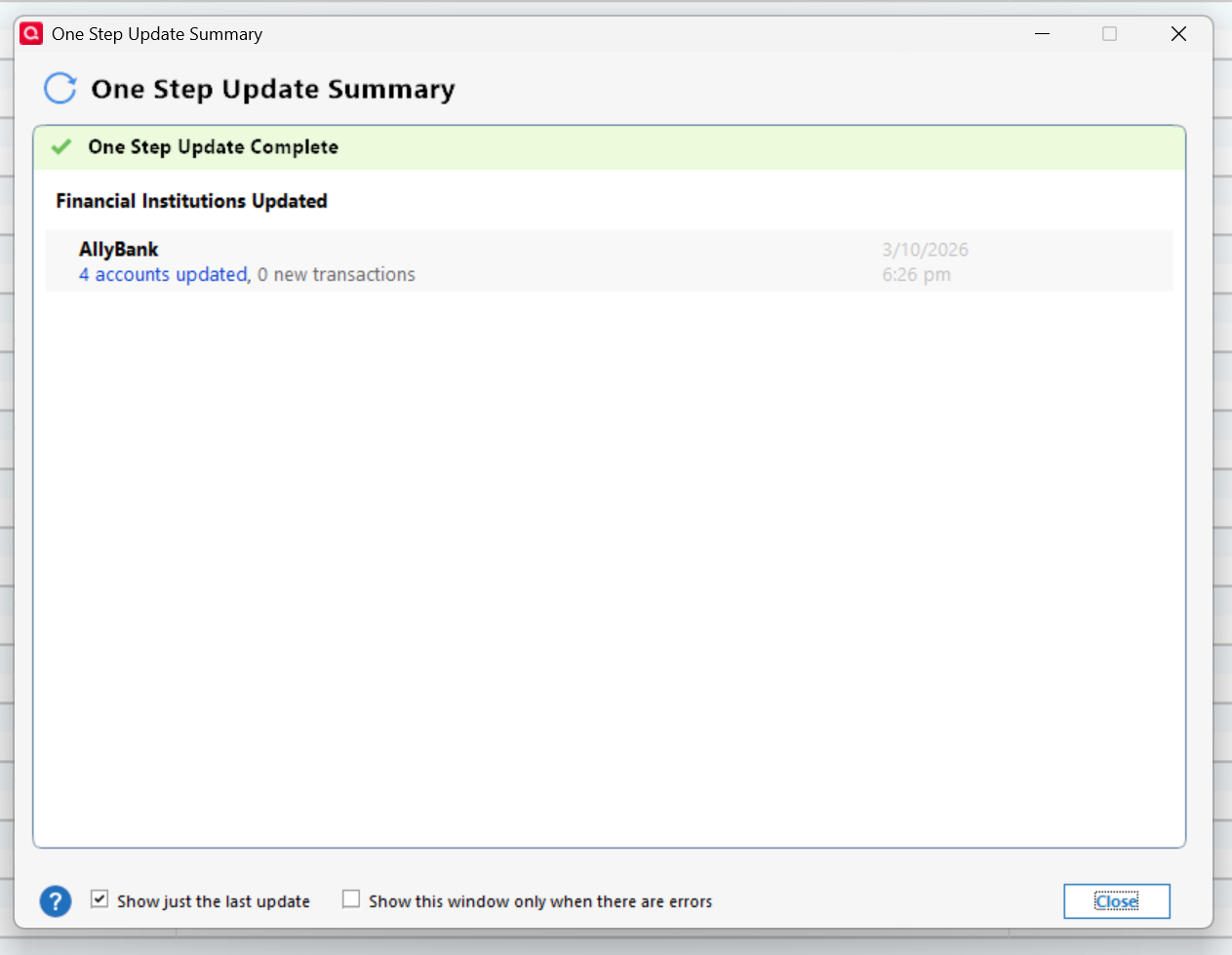
I have received no error codes. When I run a One Step Update for the Ally accounts, this is the result:
I appreciate your expertise and guidance.
Thanks,
Barbara
0 -
@Barbara C Thanks for following up!
Missing transactions—especially when no error code appears—can happen for a few different reasons. Below are some things to check which you can also review in more detail in this support article.
First, for a one-time occurrence:
- Sort order or filters: Make sure your account register is sorted by Date (click the top of the Date column) and click Reset at the top of the register to clear any filters.
- Pending transactions: Check your Huntington Bank website—transactions that are still pending may not download until they clear.
- Download window: Some banks only allow downloads for the last 90–200 days. Older transactions may need to be manually downloaded via Web Connect.
- Matching or renamed transactions: Sometimes downloaded transactions match incorrectly to existing entries and don’t appear as new.
- Deleted or moved transactions: If a transaction was deleted or moved to another account, it will not download again automatically.
If this happens frequently:
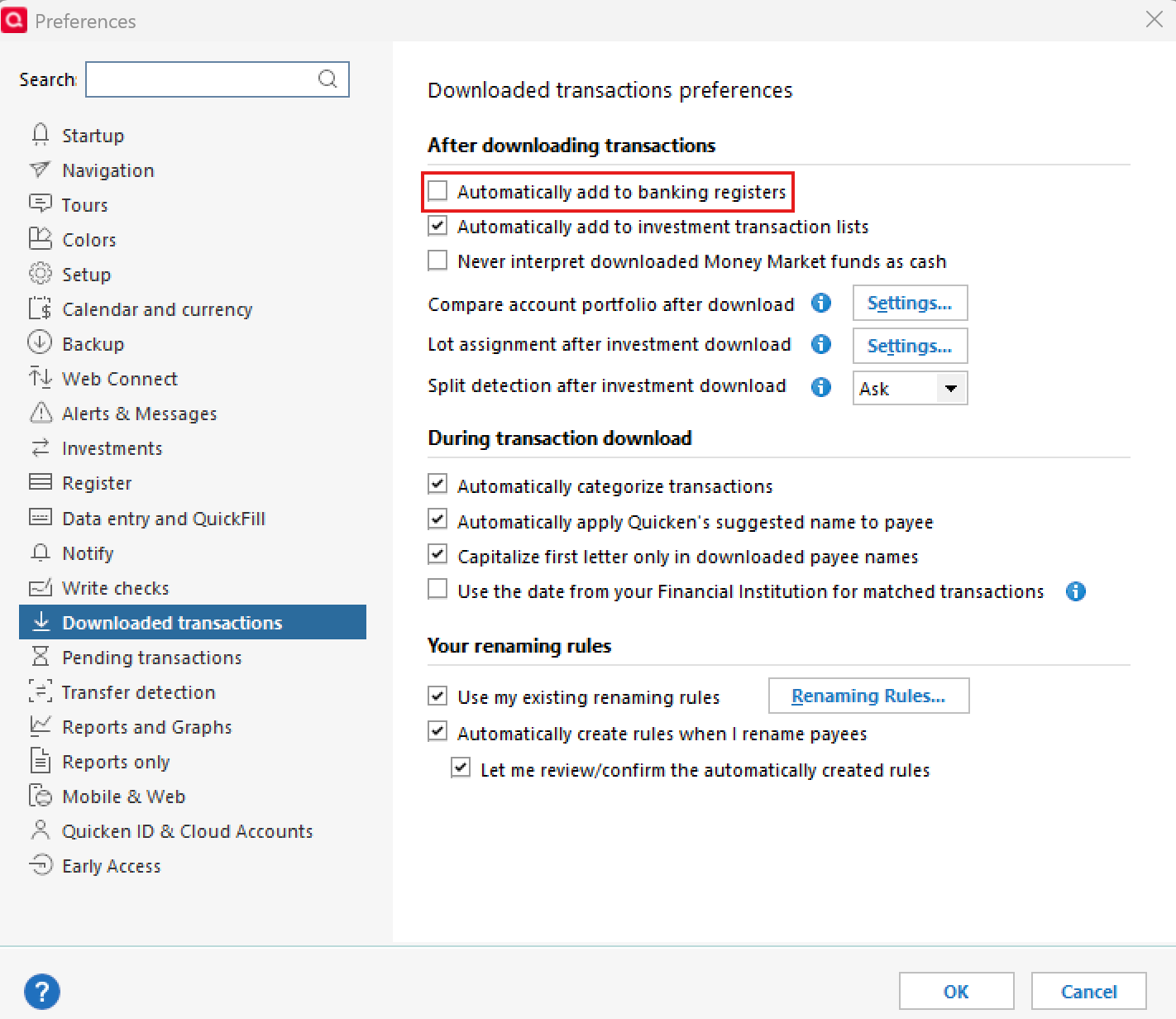
- Go to Edit > Preferences > Downloaded Transactions and ensure Automatically add to banking registers is unchecked.
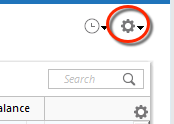
- Use the Actions Gear Icon in the register and select Update Now to refresh online account information.
- Check that the Sort Order is by Date and click Reset to remove filters.
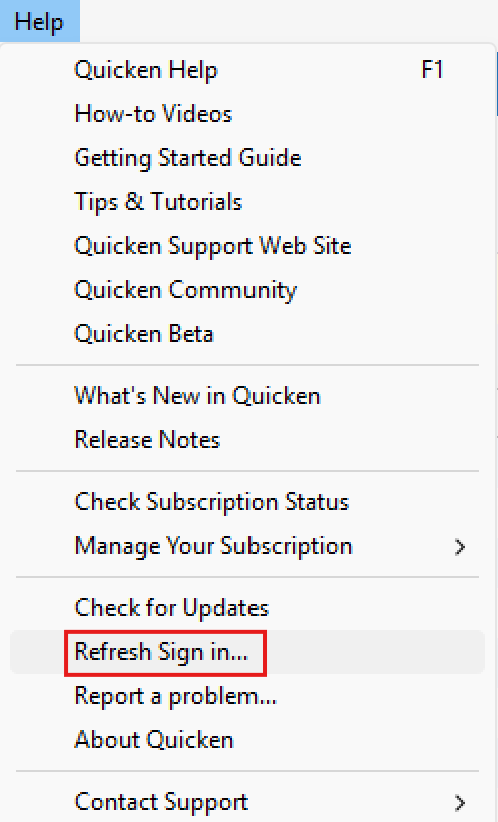
- Refresh your login session via Help > Refresh Sign In, then try One Step Update again.
- Verify that downloaded transactions aren’t hidden by checking Tools > Account List > Show Hidden Accounts.
If none of these steps resolve the issue, please reach out to Quicken Support for further assistance.
Thank you!
-Quicken Anja
Make sure to sign up for the email digest to see a round up of your top posts.0 -
Hello again,
We haven't heard back from you in a while. Do you still need assistance?
Were you able to follow the guidance provide above, or contact Quicken Support?Thank you!
-Quicken Anja
Make sure to sign up for the email digest to see a round up of your top posts.0 -
Hello again,
Checking in once more before this thread is closed.
Let us know if you still need assistance.Thank you!
-Quicken Anja
Make sure to sign up for the email digest to see a round up of your top posts.0 -
Hello again,
Due to the lack of response, I went ahead and closed this post.
If you still require assistance, please feel free to start a new post.
Thank you!
-Quicken Anja
Make sure to sign up for the email digest to see a round up of your top posts.0
