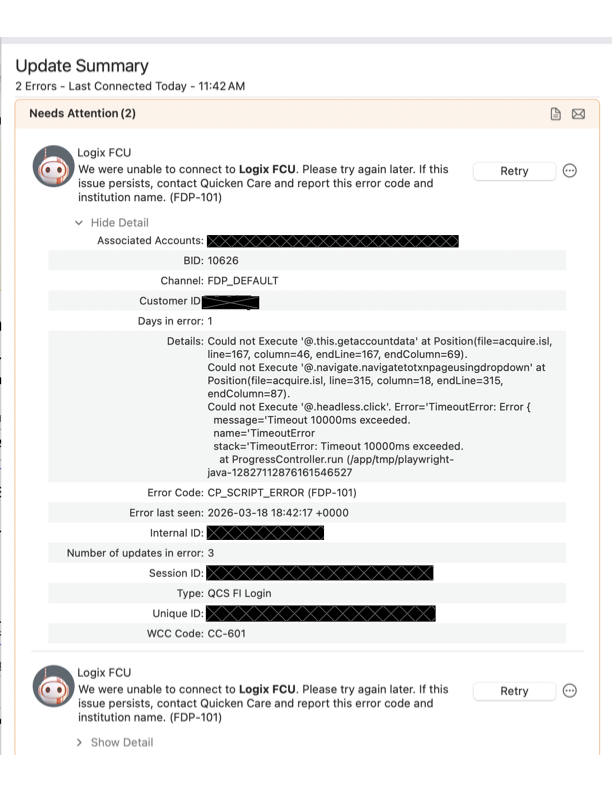
Are we having issues connecting to Logix FCU? haven't been able to connect at all today (5 accounts). all other banks are connecting fine.
Hello @in2ndo,
Thanks for reaching out!
The FDP-101 error occurs when Quicken is unable to connect to your bank to receive transaction information. This can sometimes happen if something on the bank’s side is blocking Quicken from connecting.
Here’s what you can try:
For more details, you can also refer to the official FDP-101 support article.
Thank you!
@Quicken Anja
I just spoke to Logix Customer Support. She checked and said they are not having any problems internally and that it must be a Quicken problem and call them. According to her, no one else has called Logix regarding this.
Just called Logix as well. They said they are aware of the problem, and opened the ticket with Quicken earlier today. No ETA to resolution.
Also experiencing no connection across two separate Logix accounts. It's been at least 3 days since the last successful connection.
I am having the same issue/error message. Hopefully this can be resolved quickly.
It worked for me on Tuesday at about 8:44am Pacific time on my Windows 11 system.
spoke to quicken this morning and they are collecting info., to work out the problem with Logix. So, no ETA for a fix.
Thanks for the update @in2ndo - but shouldn't Quicken be keeping us updated? Still not working for me.
Since I haven't updated Quicken recently, I assume it is Logix that's changed something on their end, that broke the integration. Still, would be nice to hear from Quicken.
Hello All,
Thank you for taking the time to visit the Community to report this issue, though we apologize that you are experiencing this.
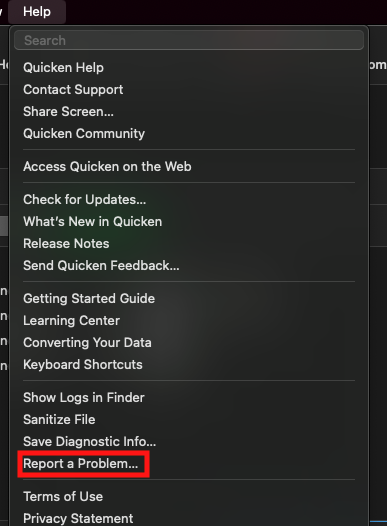
We have forwarded this issue to the proper channels to have this further investigated. In the meantime, please navigate to Help > Report a problem and submit a problem report with log files attached in order to contribute to the investigation.
While you will not receive a response through this submission, these reports will help our teams in further investigating the issue. The more problem reports we receive, the better.
We apologize for any inconvenience! Thank you.
(CBT-1080)
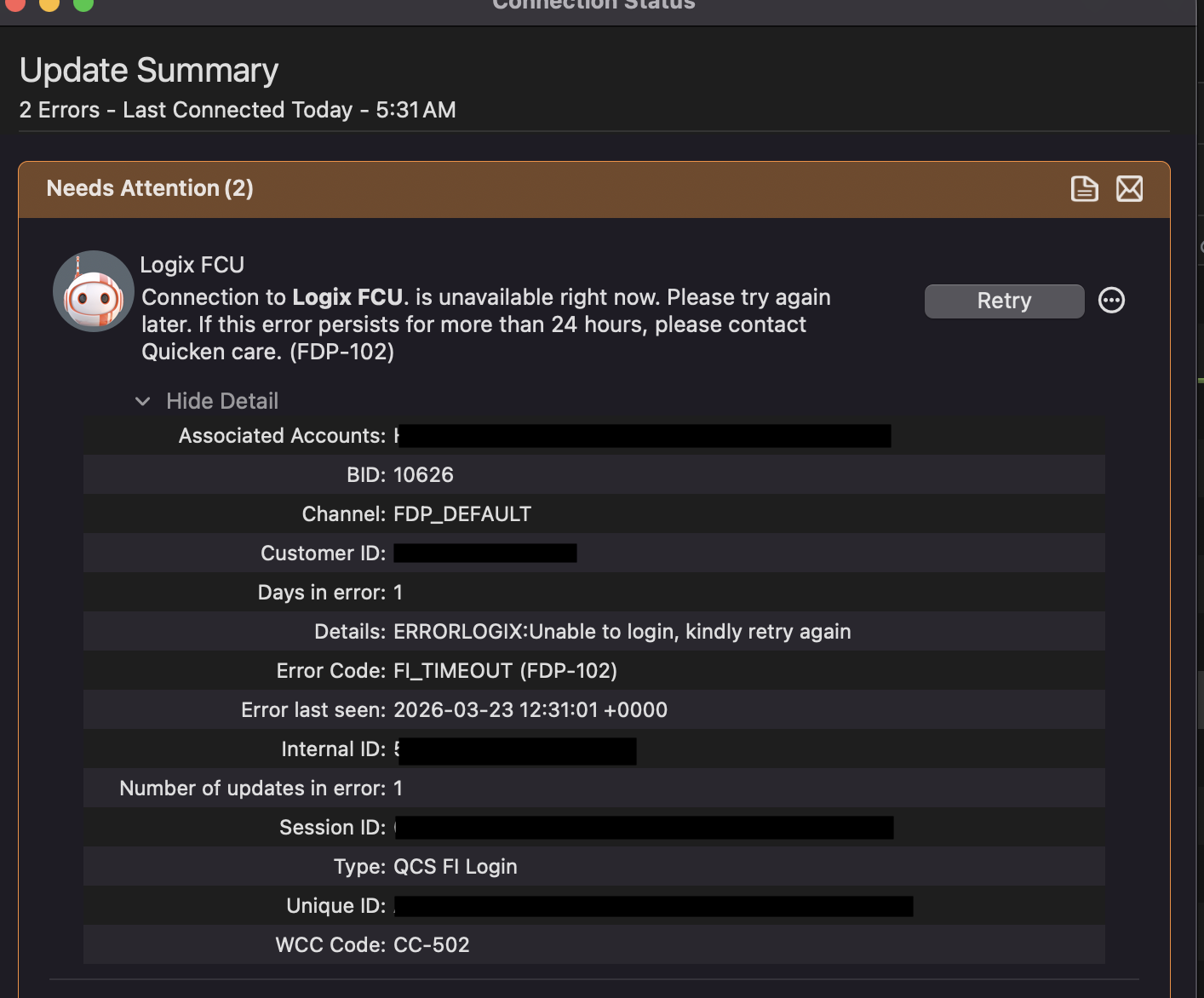
Error has changed to (FDP-102) and WCC Code: CC-502. sent to Quicken.
This issue has been escalated internally, though we do not have an ETA on resolution at this time. While the investigation remains ongoing, please refer to this Community Alert for any and all available updates and information.
We appreciate your patience in the meantime! Thank you.
My 5 Logix accounts updated this morning without an error. Hopefully it’ll stick.
Thanks for the update! I’m glad to hear it’s working for you now. Please let us know if anything changes. In the meantime, the Alert will remain open.
I, too, can report that I can connect to Logix without error. First time in a week.
Thanks for confirming! That's good to hear.
Yay! My transactions downloaded too. Many thanks.
Happy to hear that, thanks for confirming!
Worked for me as well this morning. Once again, I believe the issue was on the Logix's end. Why do I think that? Simple: integration broke all of a sudden without my updating Quicken.
@helixloop
You may be right but you should know that the Quicken app does not connect directly to Logix. Quicken uses Intuit as an integrator for EWC+ connection types which Logix uses. So, there still could have been an issue outside of Logix (or a combination of both). Just FYI.