Citibank - can't add new account

I need to add a new Citibank credit card (I already have 2 in Quicken) but the process fails during the Citibank website authorization process. The URL that attempts to open after authorizing on the Citibank website fails.
"HTTP Status 400 - Bad Request" is the error message that appears with a URL of "https://services.quicken.com/oauth-redirect/" (there is more token data after the slash as well but I am not including all of it here).
I reported this to Quicken through the Windows application but have not heard back.
Comments
-
If you haven't done so already, I'd say it's time to contact Quicken Support on the phone during posted hours of operation and report this issue. Let them do a screen share session with you to review the situation on your computer, to determine the nature of the problem and to figure out how to fix it.
Help / Report a Problem does not cause immediate action. You need to call it in.0 -
Hello @rush1967,
Thanks for sharing the details.
Before diving into troubleshooting, can you confirm which browser you’re using for the Citibank authorization?
We recommend using Chrome as your default browser as it’s generally the most compatible with Quicken’s online account connections.
If you are using Chrome and still seeing the “HTTP Status 400 – Bad Request” error, you can try the following:
- Clear your browser cache and cookies
Sometimes an older or cached session with the bank can break the redirect:- In Chrome: Settings > Privacy and Security > Clear Browsing Data
(Select Cookies and Cached Images/Files)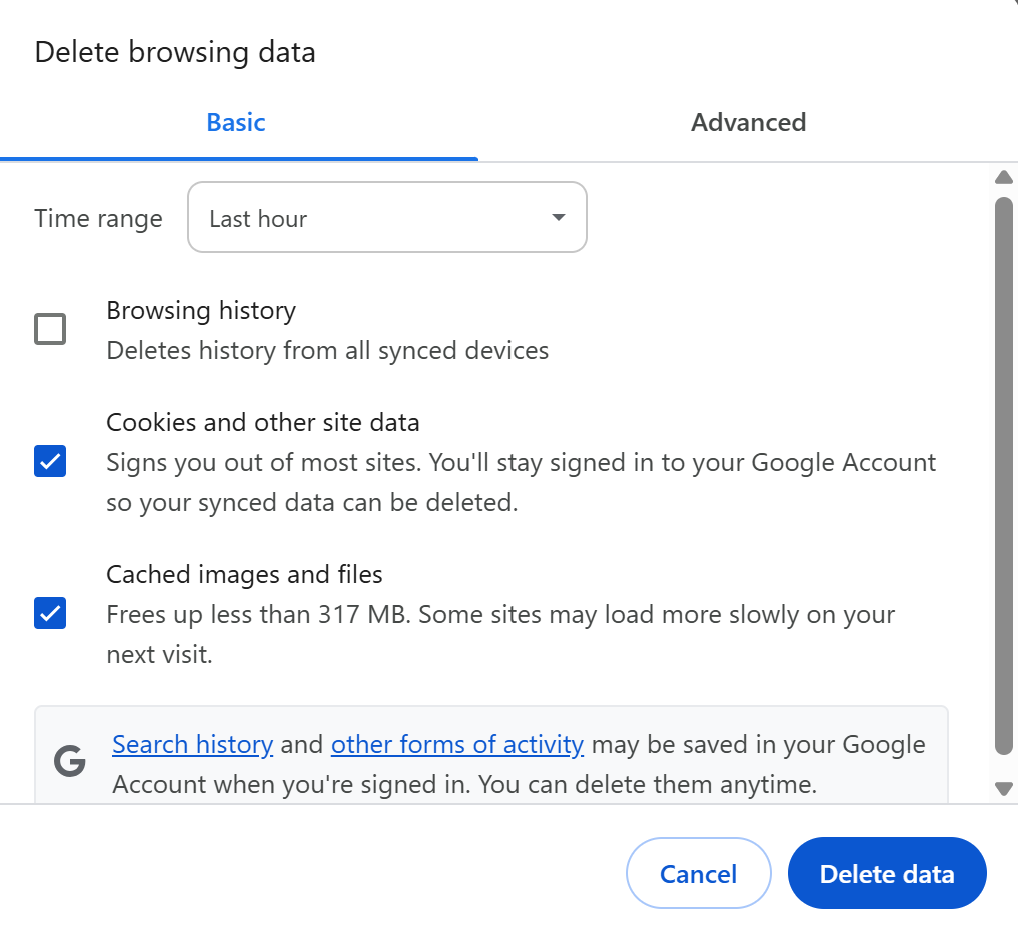
- Then fully close Chrome and try the reauthorization again.
- In Chrome: Settings > Privacy and Security > Clear Browsing Data
- Check for browser extensions that may interfere
Ad blockers, script blockers, and privacy extensions can prevent the redirect from completing. Temporarily disable these before retrying. - Try a different browser temporarily
Even though Chrome is recommended, switching your default browser for the reauthorization can help identify if the issue is browser-specific. For example, you could try Microsoft Edge:
Windows Settings > Apps > Default Apps > Set Edge as default
Then restart Quicken and attempt the Citibank authorization again.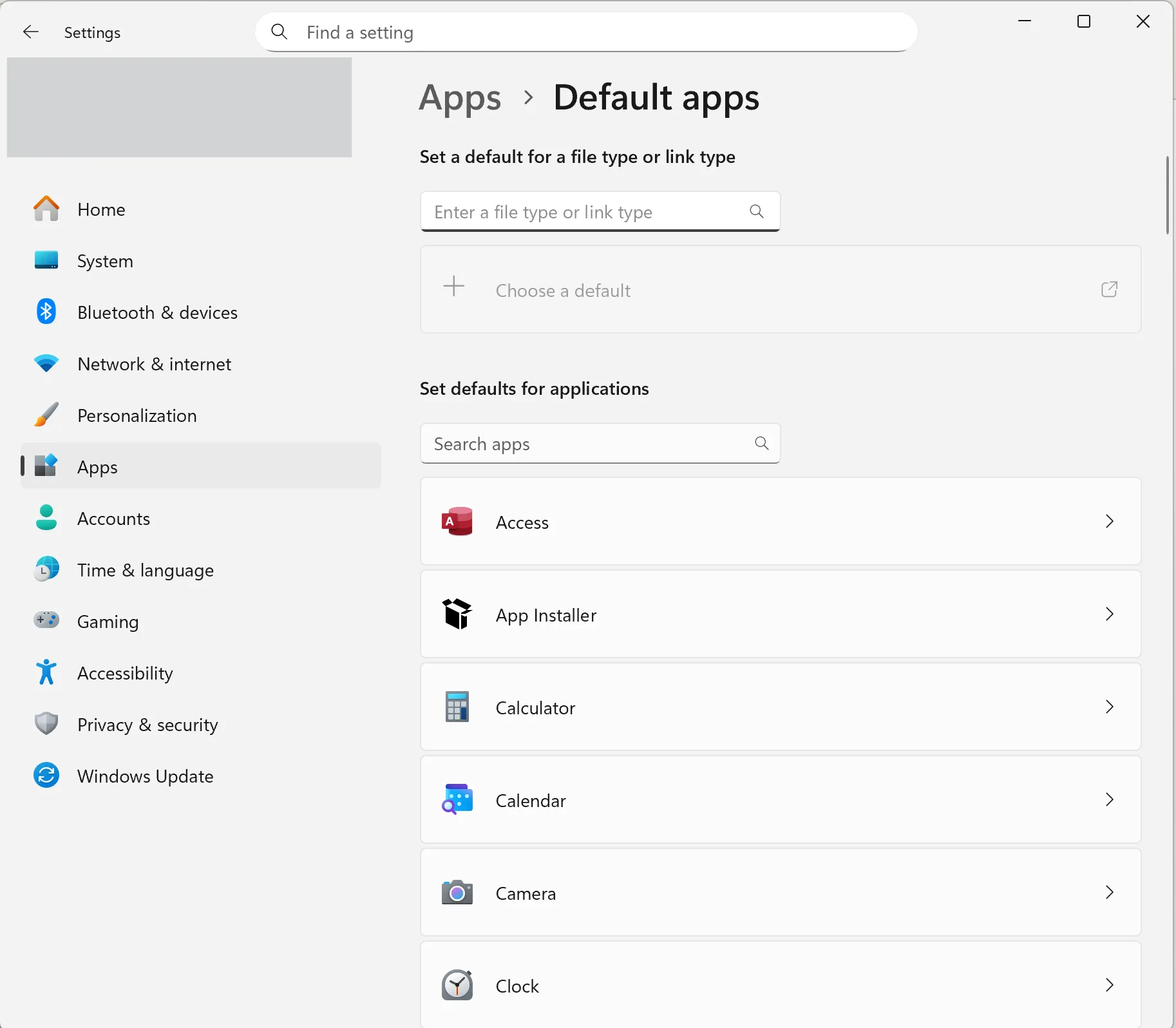
If the same error appears even after trying the above, this likely points to an issue on Citibank’s side, and you may need to wait and retry later or contact Citi support directly.
Hope this helps!
-Quicken Anja
Make sure to sign up for the email digest to see a round up of your top posts.1 - Clear your browser cache and cookies
-
Anja,
Thanks you for the quick reply. My default browser is Chrome. I followed your recommended steps in #1 & #2 and I was able to complete the Citibank authorization process. I don't know if the browser clearing or disabling of my ad blocker resolved the issue as I performed all those steps before trying the authorization again.
My issue is now resolved. Have a great day!
0 -
Thanks for the update! Glad to hear the issue has been resolved.
-Quicken Anja
Make sure to sign up for the email digest to see a round up of your top posts.0

