Lost Ability to Download Transactions for TIAA 403B Account

Starting either Mar 31st or Apr 1st, Quicken update transactions stated the TIAA does not recognize account. I then disconnected and when I try to reconnect Quicken asks for login information but then nothing happens with no displayed error message.
Answers
-
Hello @ROWBoat275,
Thank you for reporting the issues you are running into.
After reviewing your connections internally, I am unable to see a connection to TIAA. This could just mean that you are using the Direct Connect connection method.
I have some follow-up questions for you:
- Do you know which connection method you are using?
- Which instance of TIAA are you selecting when trying to reconnect?
- Are you using a VPN, Antivirus, or Firewall?
- If so, you could try temporarily disabling it.
Additionally, screenshots of what you are seeing may be helpful. Like the screen you are getting stuck on. If needed, please refer to this Community FAQ for instructions on how to attach a screenshot. Alternatively, you can also drag and drop screenshots to your response if you are not given the option to add attachments.
Looking forward to your response!
Quicken Alyssa
Make sure to sign up for the email digest to see a round up of your top posts.
0 -
- I am 90% sure that I was using Express Connect but I am not sure since I disconnected to retry. When I try to reconnect with Express Connect and Direct Connect I enter the User Name and Password but then Quicken tries and stops with no messages
- I am trying to connect to the plain TIAA option which is what worked before, I tried TIAA Brokerage and TIAA CREF Brokerage and get a CC-555 code
- No VPN and only standard Microsoft Windows Firewall/Antivirus services. Nothing has been changed since it worked on Monday the 30th
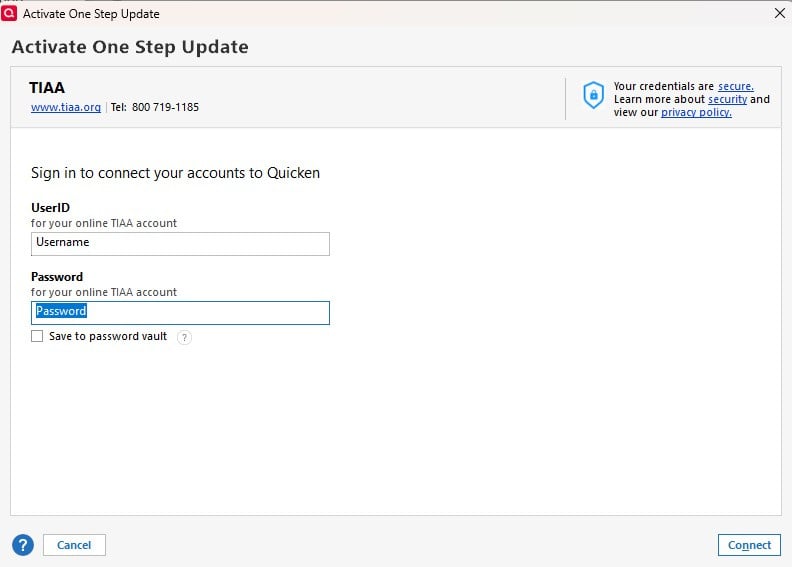
- There is nothing to provide for a screen shot, I enter the Username/Password information (see below) and hit Connect but nothing happens and the screen just disappears.
Is there anything is the SyncLog or DataOFXLOG files that would be useful?
Thanks for the response
Richard
 0
0 -
One more comment, accessing the account directly with a browser has no issues.
0 -
Thank you for following up.
When I try to connect to TIAA in my own Quicken, I do not get the same result you are seeing. That makes me think this issue is specific to your computer or your Quicken file. To determine if this issue is file-related, please try adding the account to a new Quicken file.
Creating a new file
1. Choose File menu > New Quicken File.

2. Select New Quicken File.

3. Click OK.
4. In the File name field, enter the name of the new file, then click Save.

Don't use any of these characters: * ? < > | " : \ / (asterisk, question mark, left and right angle bracket, pipe, straight quotation marks, colon, BACKSLASH, FORWARD SLASH). Also, don't add the .qdf extension; Quicken does that for you.
5. Sign in with your Quicken ID. If you are prompted to create a Quicken ID but already have one, click Sign In under the Create Account prompt.
6. Select if you want to use Mobile.
7. Click Add Account and attempt to add the TIAA account here.
If needed, please see the article linked above for instructions on how to switch back to your original file.
Let us know how it goes!
Quicken Alyssa
Make sure to sign up for the email digest to see a round up of your top posts.
0 -
Tried it but got same response (i.e. Nothing)
0 -
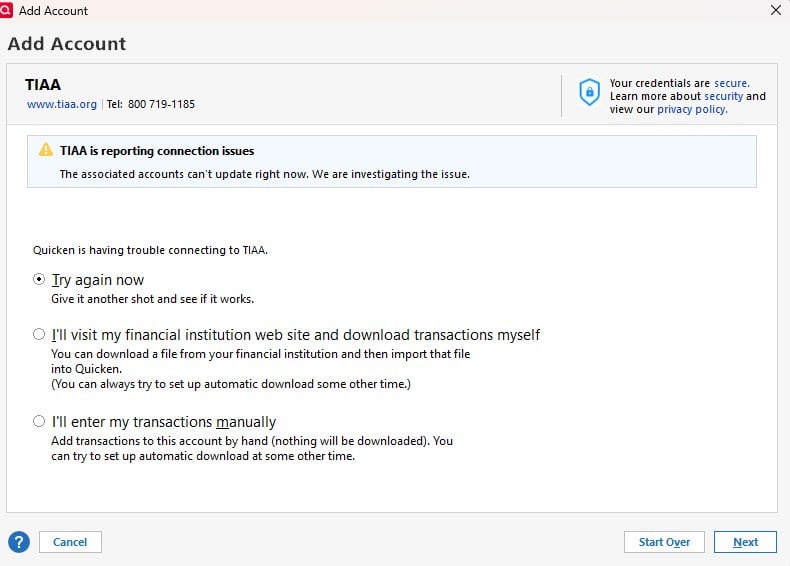
Tried a second time and got this
 0
0 -
Went back to my original account and got nothing trying twice
0 -
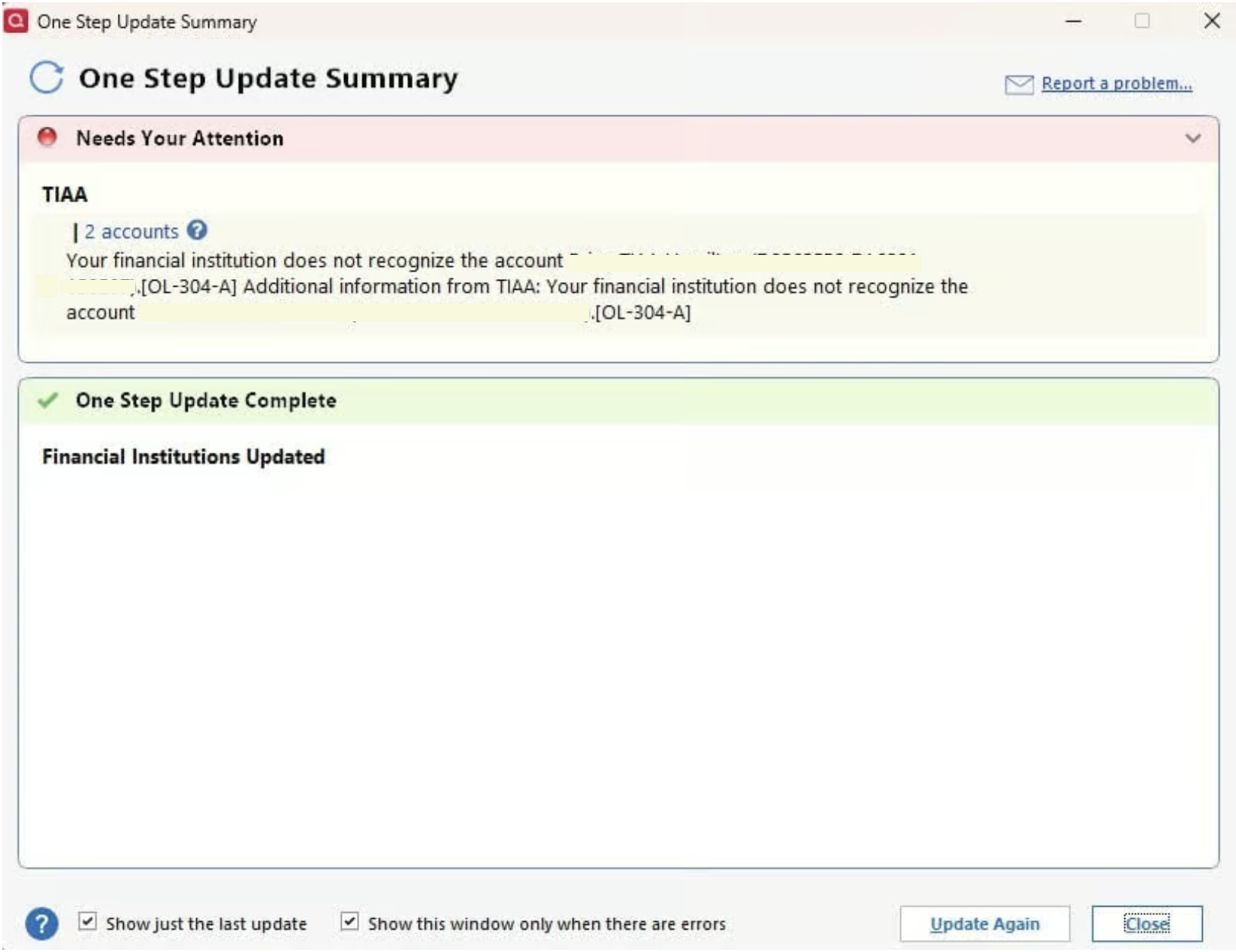
I restored a Backup File from Mar 28th and tried to update TIAA and got the following error
[Edited-Screenshot]
0 -
Thank you for testing that out.
The OL-304-A error you are seeing after restoring a backup is a Direct Connect error.
I checked your attempts to connect these internally, and I can see you got other errors when trying both TIAA Brokerage and TIAA instances.
I am thinking that the various errors indicate an issue with the financial institution. We do have an Open Alert for this bank. You are not getting the same error, but this could all be related.
Due to the nature of this issue, it is recommended that you contact Quicken Support directly for further assistance, as they can walk you through troubleshooting steps in real-time and escalate the situation as needed.
Thanks again!
Quicken Alyssa
Make sure to sign up for the email digest to see a round up of your top posts.
0
