Quicken updates and reauthorizations cause problems

I'm about ready to stop using Quicken. I have several Vanguard brokerage accounts that used to download detailed transactions. After quicken updates I'm told that vanguard only offers simple downloads, i.e. the total value of the portfolio but no transactions. I tried to manually fix one of the accounts when this happened, and now that brokerage account will not show a proper value unless I make big manual adjustments, such as adding dollars that do not correspond to any real transaction.
Recently Vanguard required me to reauthorize my Discover card accountant the provided link does not work. I got this error.
I'm spending way too much time trying to fix how quicken works with my accounts and it's not accurately showing me my accounts or transactions.
I believe almost all brokerages now offer to show me all of my holdings if I link them, which I'm not crazy about, but it might be as good as using Quicken.
Comments
-
Hello @JeffMacQkn,
Thank you for reaching out.
Recently Vanguard required me to reauthorize my Discover card accountant the provided link does not work. I got this error.
Did you mean that Quicken required you to reauthorize your Discover card account? What error are you seeing when you try to reconnect the account? Are you seeing the error in the screenshot below?
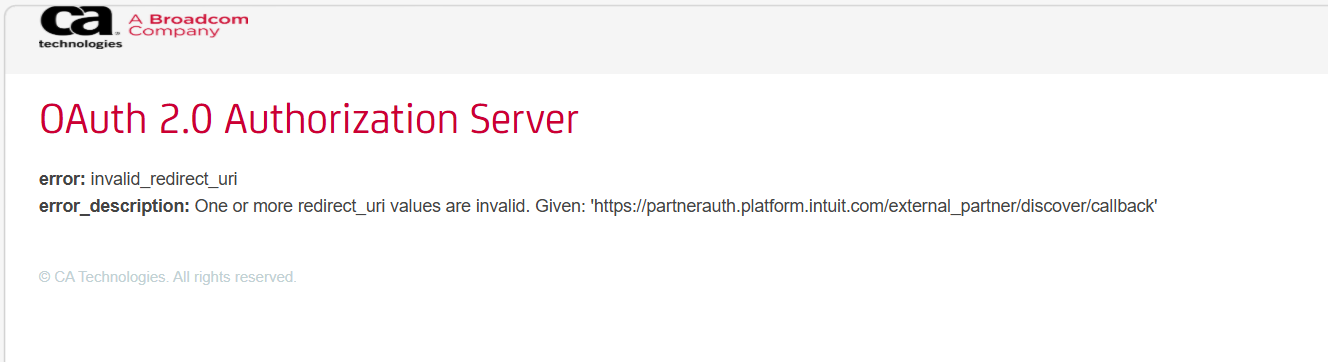
If you are, then it's an issue that just started recently:
If that's not what you're seeing, then please provide additional details so I can help troubleshoot.
To help troubleshoot the Vanguard issue, I checked our internal tools, and it looks like you're connected to Vanguard using Quicken Connect, which usually supports only Simple Investing. Have you tried connecting using Direct Connect?
If you haven't, then please backup your Quicken file and deactivate your Vanguard accounts. Then, go to Accounts>Add Account… and search for Vanguard. Select Vanguard and click Continue.
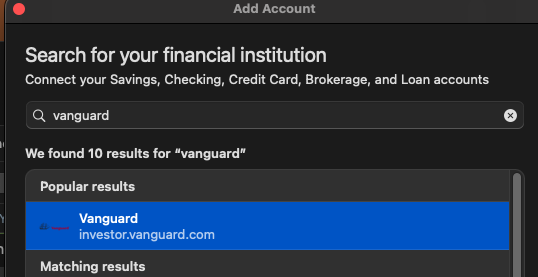
Review the information screen, then click Continue. On the next screen, click the Advanced button.
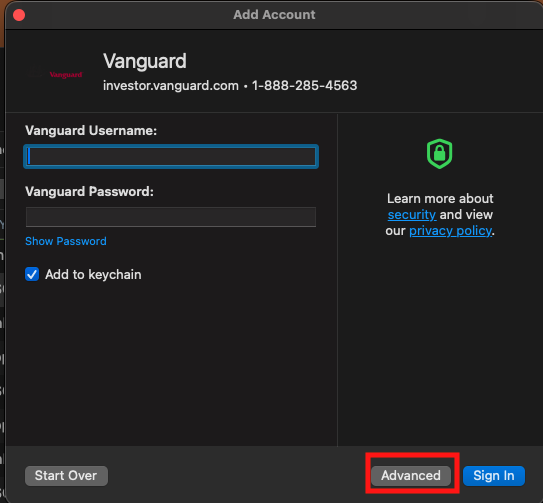
Make sure Direct Connect is selected, then follow the prompts.
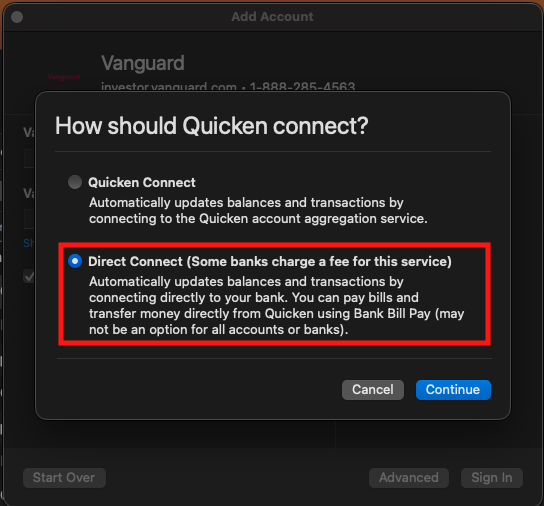
Make sure to carefully link your accounts with the existing ones in Quicken.
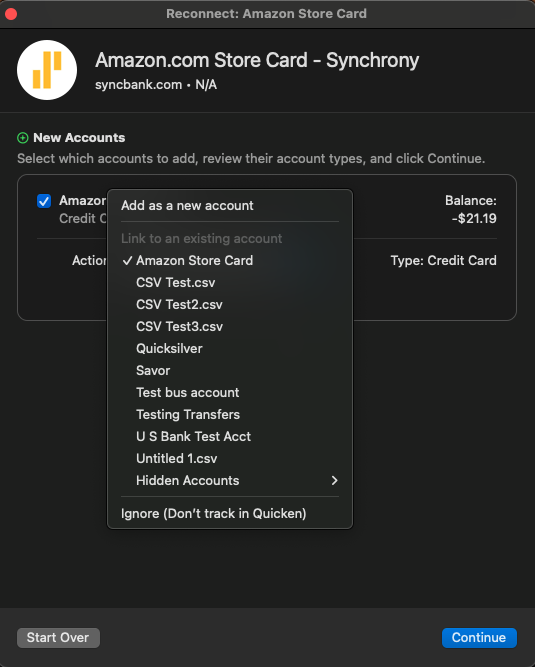
If the accounts are still Simple investing, select one of the accounts, and navigate to Accounts>Settings…. Check the Investment Tracking Method section on the Details tab.
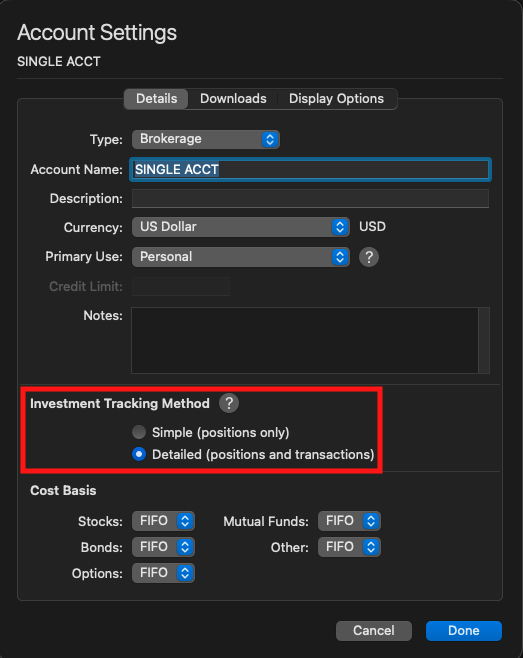
If Detailed is an option, then you should be able to switch. If it is not an option, then I recommend contacting Vanguard directly for assistance.
I hope this helps!
Quicken Kristina
Make sure to sign up for the email digest to see a round up of your top posts.
0
