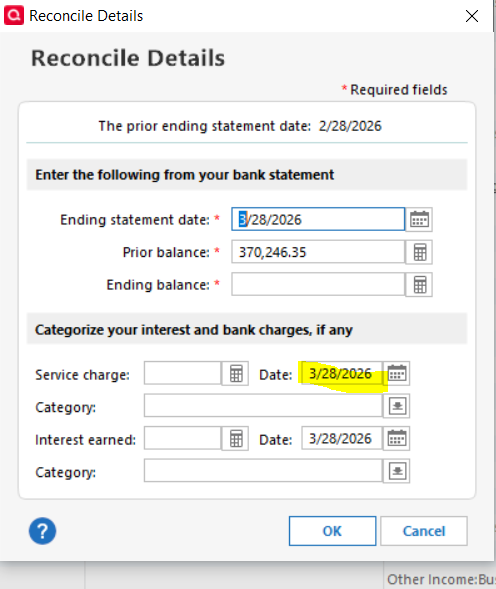
Fix the reconciliation date issue [Edited]

With all the updates you do, why can't you fix this simple thing?
Yes, I know I can shift H to correct the dates, but why should I have to?
Months have set end dates, so program them in.
[Removed-Third-Party Software] does not have this issue, so do whatever that program does.
Thanks,
Long-time Quicken and [Removed-Third-Party Software] user.
Comments
-
@brett5355 Not all banks issue statements on precisely month-end. Many end their statements on the same day every month, or on the last business day of a month.
So, your request is simply not practical.
And if your bank truly issued a statement dated 2/28 (as shown in your graphic), they're an anomaly as that day was a Saturday.
Q user since February, 1990. DOS Version 4
Now running Quicken Windows Subscription, Business & Personal
Retired "Certified Information Systems Auditor" & Bank Audit VP-1 -
Hello All,
This is a known issue that has already been escalated internally, and our teams are actively working on a resolution though we do not have an ETA available at this time.
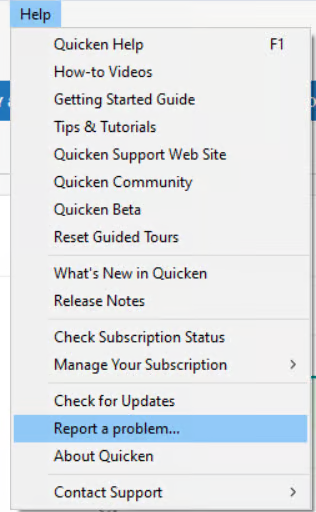
To contribute to the ticket, please submit screnshots, log files, and if possible a sanitized data file via Help > Report a problem so we can add your details and files to the ticket.
Please let us know once you have done so.
Thank you!
(CTP-16422)-Quicken Anja
Make sure to sign up for the email digest to see a round up of your top posts.0 -
This has nothing to do with a bank statement. All statements from any bank or broker I deal with, and there are many, uses the last day of the month as the month end. Again [Removed-Third-Party Software] always has the last day of the month in their reconciliation.
0 -
@brett5355 Your title and your example were about reconciliation … which is based upon info from your bank of which the statement is the only reliable source. THAT's when it's in writing.
Anything/everything else is subject to change until the statement is issued.
And, even your graphic says "ending statement date".
So, you appear to be waffling re: your complaint.
Q user since February, 1990. DOS Version 4
Now running Quicken Windows Subscription, Business & Personal
Retired "Certified Information Systems Auditor" & Bank Audit VP0 -
I am not talking about a downloaded reconciliation but the process in Quicken where you do a reconciliation based on the bank statement at the end of the month. I am consistent when I say that some months the end of the month is the wrong date as I show in the picture. I am not waffling one bit.
0 -
I just sent that report.
0 -
I have NEVER in 40+ years in banking known of a bank statement to be dated as-of a weekend or holiday date … no matter what the last day of the month is.
Show us the top (date info) of that 2/28/26 stmt (referenced in your graphic) and prove me wrong.
Q user since February, 1990. DOS Version 4
Now running Quicken Windows Subscription, Business & Personal
Retired "Certified Information Systems Auditor" & Bank Audit VP0 -
Thank you for sending that over.
I will get it added to the escalation ticket.
Thanks again!
Quicken Alyssa
Make sure to sign up for the email digest to see a round up of your top posts.
0


