Automatic Payments of Credit Card Accounts Not Downloading from Fidelity (Q Mac)

For the past several months, automatic credit card payments are showing as paid in the credit card accounts but show a red arrow indicating "invalid transfers." The corresponding payments are not being downloaded from my Fidelity brokerage account. All other automatic deposits and payments are being downloaded. I think this all started when I also added these payments to "Bills & Income". I have since deleted those payments, but that hasn't fixed the problem. This is very annoying to say the least. I would appreciate any help anyone can provide. Thank you.
Comments
-
Hi @wab49,
Thank you for reaching out to the Quicken Community.
To help us better understand the issue, I have a few questions:
- Could you please upload a screenshot of the issue you’re experiencing?
- When did the issue start?
- Have you tried restoring a backup from before the issue started?
I’ll be looking forward to your reply.
Quicken Carlos
Make sure to sign up for the email digest to see a round up of your top posts.
0 -
Hi Carlos,
The issue started several months ago. I manually fixed the latest issues yesterday so I can't send a screenshot until it happens again. I'm not ready to go backwards with a restore just yet.
Thanks for your response.0 -
Hello @wab49,
Thank you for providing an update and for clarifying. Since you’ve manually fixed the latest issues, just keep an eye on it and if the invalid transfers reappear, capturing a screenshot at that time will be very helpful for us to further investigate and troubleshoot.
Thank you!
-Quicken Anja
Make sure to sign up for the email digest to see a round up of your top posts.0 -
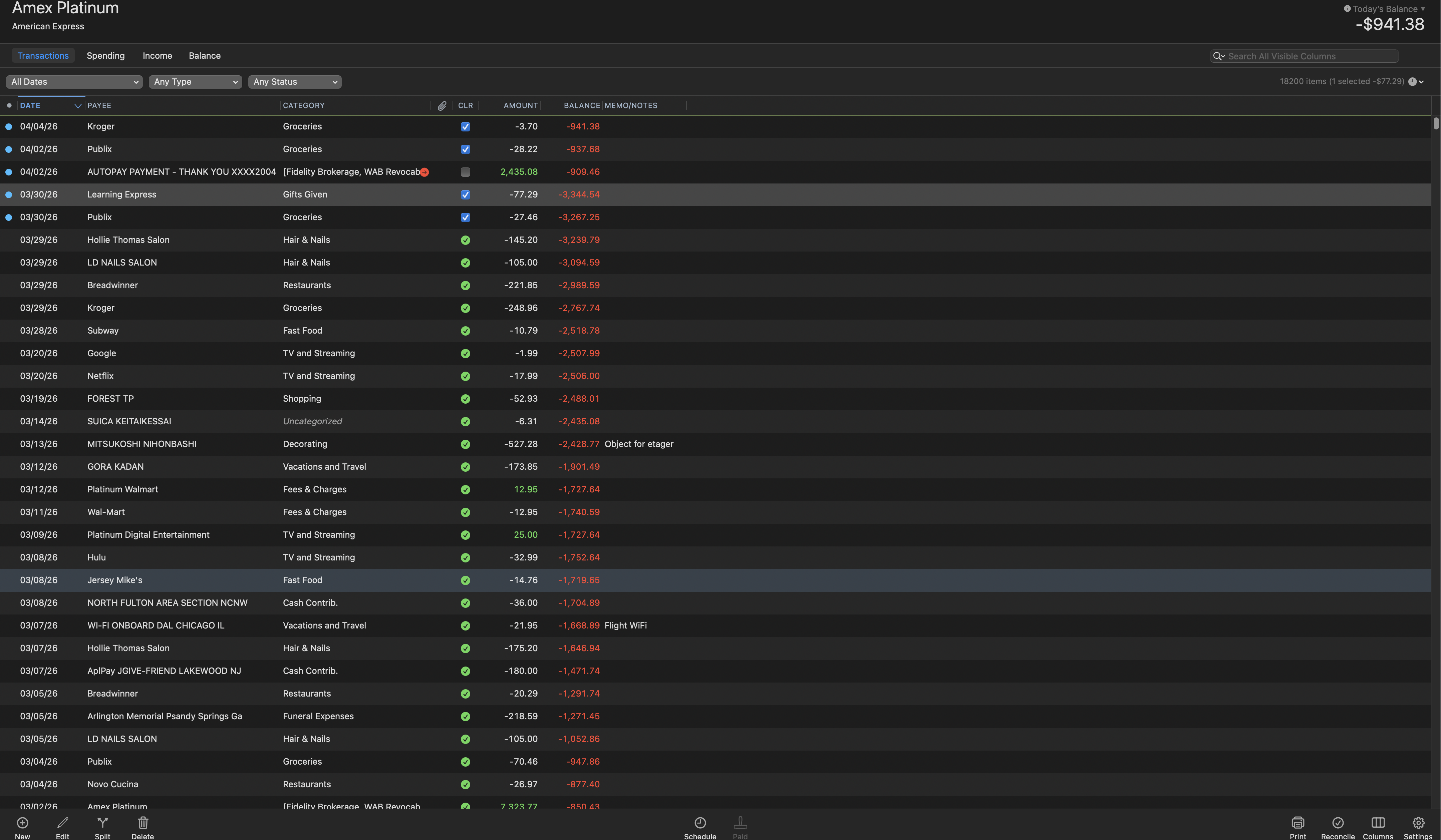
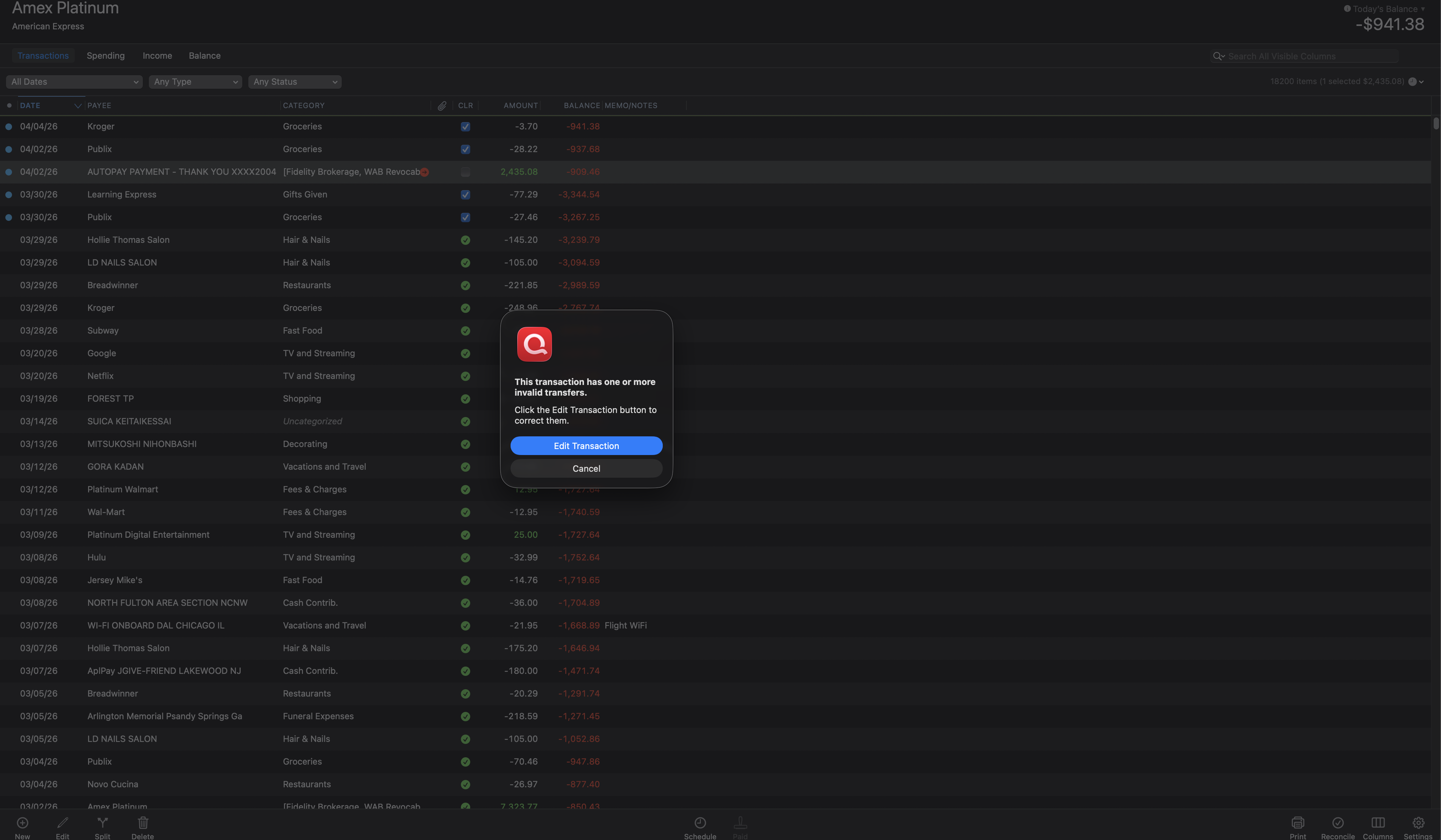
The problem has happened again and I have included two screenshots. It is the auto-payment to the Amex account. The first screenshot shows the red arrow and second one shows what happens when I click the red arrow. In the past the matching payment would download from Fidelity. That is no longer happening. All other automatic payments and deposits are downloading correctly. I believe all this started when I added Amex payments to the "Bills and Income" window. I've turned this off. Nevertheless, Quicken is no longer downloading the Amex payments from my Fidelity Brokerage account.
0 -
Hi @wab49,
Thank you for sharing those screenshots, they are very helpful!
To help us understand why this is happening, I recommend adding a column called Transfer:
- Go to Columns and check the box for the Transfer option.
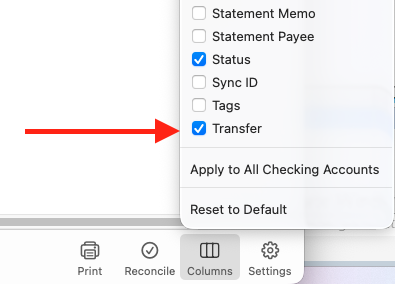
- Once the column is visible, check if the account in the Transfer column matches the account shown in the Category column.
- If the Transfer column is empty, please select the same account that appears in the Category column to ensure the transfer matches.
Let me know how it goes. I look forward to your reply!
Quicken Carlos
Make sure to sign up for the email digest to see a round up of your top posts.
0 - Go to Columns and check the box for the Transfer option.
-

Thank you. See above. It does match but has the same red arrow.
0 -
Thanks for your reply, @wab49,
I tested this on my end but wasn’t able to replicate the issue.
Since you removed the payment from Bills and Income, I suggest trying this on a test file to see if the same behavior occurs. Here’s how:
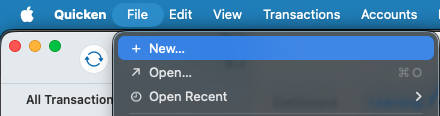
- Go to File > New…
- Click Start from scratch, then Next
- Change the file name to Test, then click Next
- Add the two accounts to test the behavior
Let me know how it goes!
Quicken Carlos
Make sure to sign up for the email digest to see a round up of your top posts.
0 - Go to File > New…
-
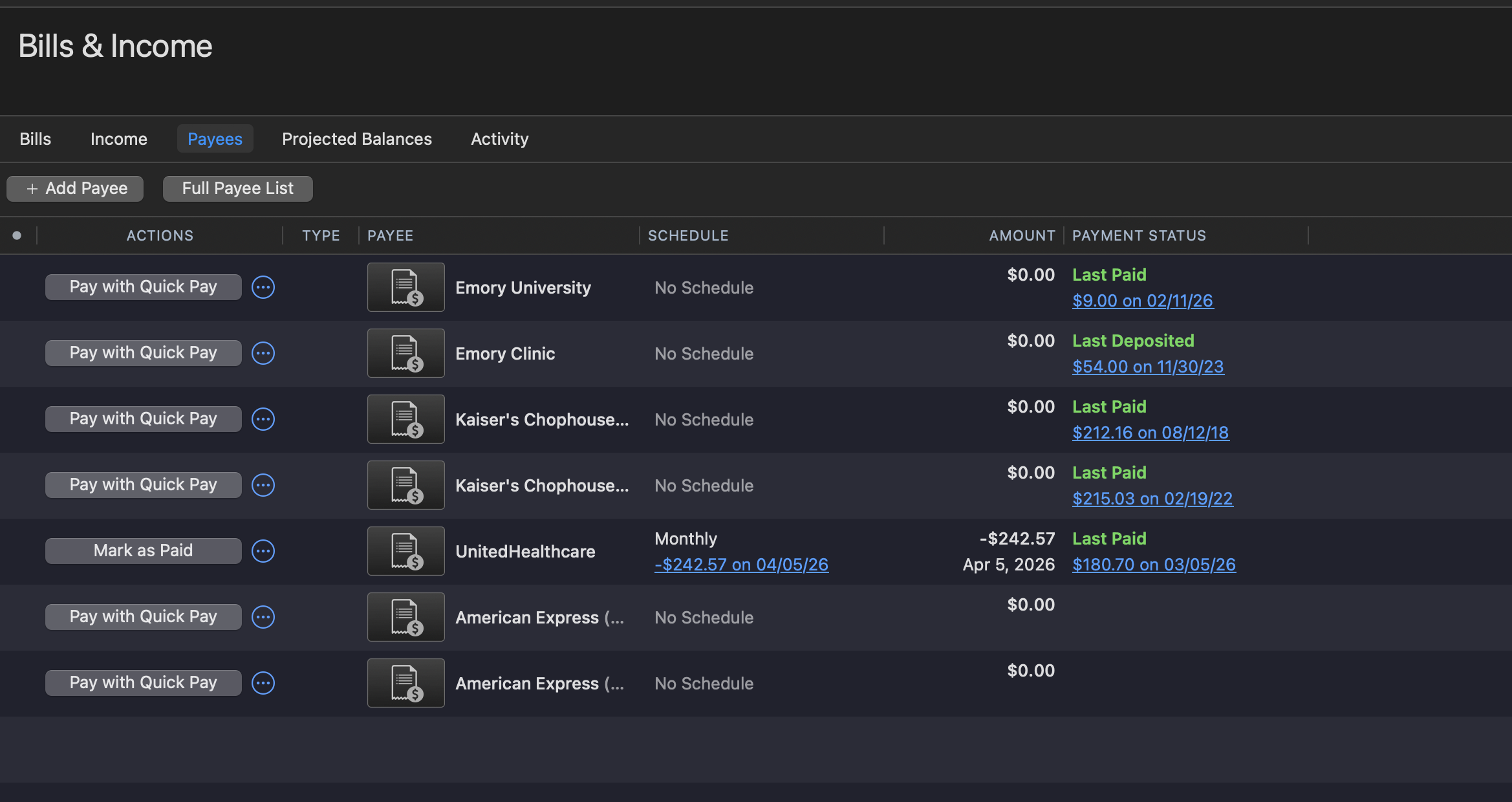
That seemed to work normally. I noticed that it asked me if I wanted to add Amex as an e-bill. I think that when I did that in my real file is when this trouble started. As you can see, Amex is still listed as a payee under Bills & Income. Is there any way to remove it from there to see if that fixes the problem?
0 -
Hi @wab49,
Thank you for letting me know that it worked in the test file.
To remove the reminder, please go to the three dots next to the bill and select Delete series.
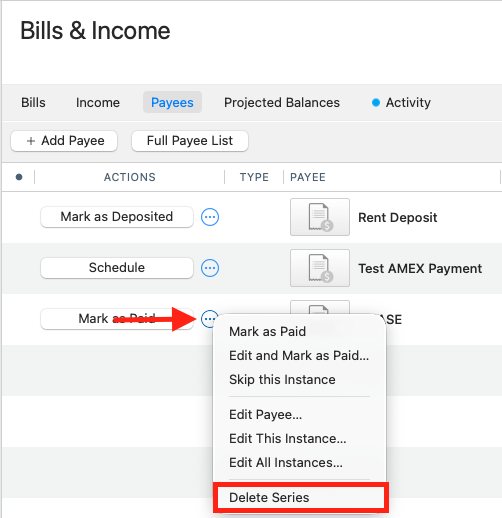
Then, try again and let me know how it goes. I look forward to your reply!
Quicken Carlos
Make sure to sign up for the email digest to see a round up of your top posts.
0 -
American Express is not listed under "Bills." It's listed under "Payees." The three dots don't give me an option to delete from that list. Somehow this is blocking the bill payments that are automatically being paid from Fidelity to be downloaded to Quicken.
0 -
@wab49,
Thank you for letting me know. I’ve just updated the picture from the previous comment.Is the option to delete the payee grayed out? If so, I suggest the following:
- Go to Window > Payees & Rules.
- Search for American Express.
- Uncheck the box under Bills & Income Payee.
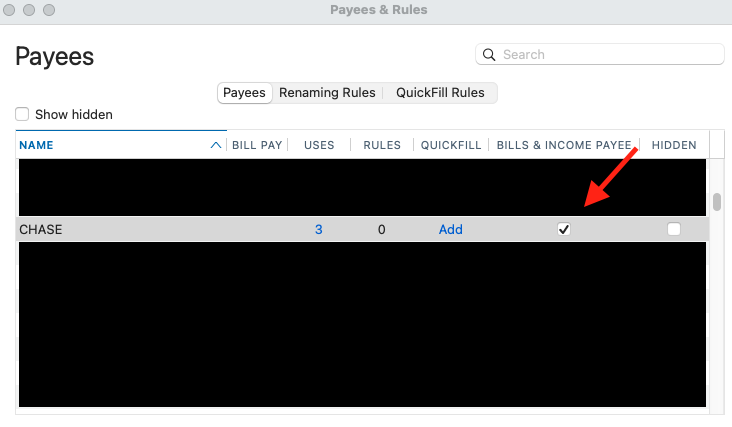
That should removed American Express from the Payee section.
Let me know how it goes!Quicken Carlos
Make sure to sign up for the email digest to see a round up of your top posts.
0 -
I've been able to remove American Express from the Payee section. So far the transaction remains unmatched. I guess I won't know for sure what is going to happen until the next American Express payment comes occurs. I have two Amex cards and this has been happening with both, so we'll see and I'll let you know. If this doesn't fix it, I guess we're stumped.
0 -
Hi @wab49,
Thanks for your reply!
Glad to hear that the steps above removed the payee from the Bills and Income section.
I will be here, waiting to hear how things go when the next payment occurs.Quicken Carlos
Make sure to sign up for the email digest to see a round up of your top posts.
0

