Fidelity money market download issues

My Fidelity money market download is not working correctly. I looked in the long list of existing list issues but didn't see this so adding to the list.
My account contains 2 money market funds (FZFXX, FDLXX) both of which are set to be treated as cash. I keep track of cash in a linked account.
When I download transactions, dividend payments for both money market funds are categorized with Action "Div" and with the Transfer Account set to the linked checking account. However, there are no corresponding transactions in the linked checking account.
If I double-click on the dividend transactions and then click "Enter/Done" without changing anything else, their Action is changed to DivX and the transactions show up in the linked checking account.
Another bug: When Quicken detects the discrepancy in the linked checking account (before the Div transactions are changed to Divx), it puts up a warning and then automatically adds a deposit "Establish cash balance transaction" with the full balance (not the discrepancy). This is added to the previous balance, causing it to be ~2x what it should be.
Comments
-
I have similar issues. I often have to change div to divx same as you to get the linked account to enter the cash. However the brokerage account does not zero out causing a double count.
0 -
Thank you for letting us know you're seeing these issues. To help troubleshoot, please provide more information:
- When did you first notice this issue?
- Does this happen in all your Fidelity accounts that have a linked checking account in Quicken?
Another bug: When Quicken detects the discrepancy in the linked checking account (before the Div transactions are changed to Divx), it puts up a warning and then automatically adds a deposit "Establish cash balance transaction" with the full balance (not the discrepancy). This is added to the previous balance, causing it to be ~2x what it should be.
I suspect that is related to the first issue you mentioned. Quicken automatically creates an adjustment to account for the change in the cash balance because the transfer transactions appear as Div instead of DivX until you select the Edit option, after which they change to DivX.
I look forward to your reply!
Quicken Kristina
Make sure to sign up for the email digest to see a round up of your top posts.
0 -
I think it started happening last week when I added FDLXX as the second "treat as cash" security. When I did that, it appears that some of the old "DIVX" transactions for FDLXX were changed to DIV (and removed from the linked cash account). It also created a balance adjustment and a placeholder entry for FDLXX. The old FZFXX transactions were not changed. Now newly downloaded transactions for both FDLXX and FZFXX are showing up as Div not Divx.
This does not happen in my other Fidelity account, but that only has one security set to "treat as cash."
I agree the second issue is related to the balance discrepancy however Quicken is entering it incorrectly. For example, when the register balance is $990 but the online balance is $1000, it flags the discrepancy. But then Quicken is adding a "establish cash balance transaction" for $1000 which changes the register balance to $1990.
0 -
Thank you for your reply,
I recommend contacting Quicken Support directly for further assistance, since they have tools we can't access in the Community and can escalate the issue as needed. The Quicken Support phone number can be found through this link here. Phone support is available from 5:00 am PT to 5:00 pm PT, Monday through Friday.
I apologize that I could not be of more assistance!
Quicken Kristina
Make sure to sign up for the email digest to see a round up of your top posts.
0 -
I tried that before. I'm not going to spend 2 hours on the phone going through inane steps to report a bug. The list of Fidelity bugs is a mile long right now—Please just add this one to the list. Otherwise, I'll wait for you guys to whittle down the list and hopefully catch this one along the way.
0 -
Thank you for your reply,
Did you contact Support about this issue recently? If you have, did they provide you with a ticket number?
Please just add this one to the list
To report the issue, we first need enough information for our teams to be able to investigate it. If contacting Support isn't a viable option for you, then please navigate to Help>Report a Problem and send a problem report with log files attached. Please also include screenshots of the issue. Note: Problem reports allow a maximum of 10 attachments. If you need to send more than 10, you can unselect any file with OLD in the name, or you can send a second problem report.
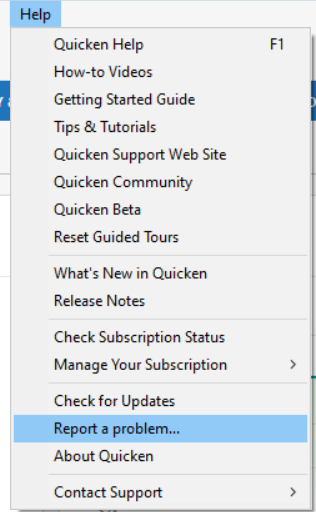
If you send a problem report, please reply to this discussion to let me know.
Thank you!
Quicken Kristina
Make sure to sign up for the email digest to see a round up of your top posts.
0
