Barclays QFX Issues

This discussion was created from comments split from: Missing Transactions with Barclays Bank Delaware, No errors (Edited).
Comments
-
Same here. Until recently, I've been successful with downloading transactions (QFX file) from Barclays and automatically importing to that respective credit card register in Quicken. Now, when I open the QFX file, I receive an error:
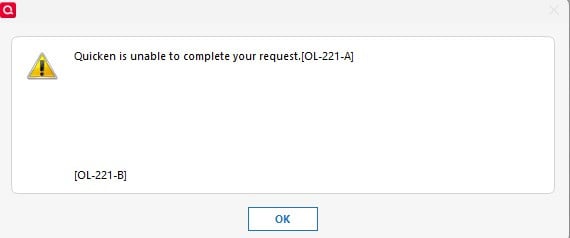
Quicken is unable to complete your request.[OL-221-A]
[OL-221-B]
I've called Barclays support, and they know nothing about it, nor can they offer any assistance. I can successfully download and import transactions via QFX file from all my other financial institutions, including other credit card companies. I think the only "solution" at this point is to drop Barclays, close that account, and use another credit card.
3 -
2 items:
a) Barclays did some kind of upgrade to their customer website on April 06 (?).
Since then, I have been unable to download transaction.
b) Got this from Barclays………just today……..
"
Please be informed that we no longer use Quicken download format. We suggest to use the Adobe format to download your statement to view your transactions.
"
2 -
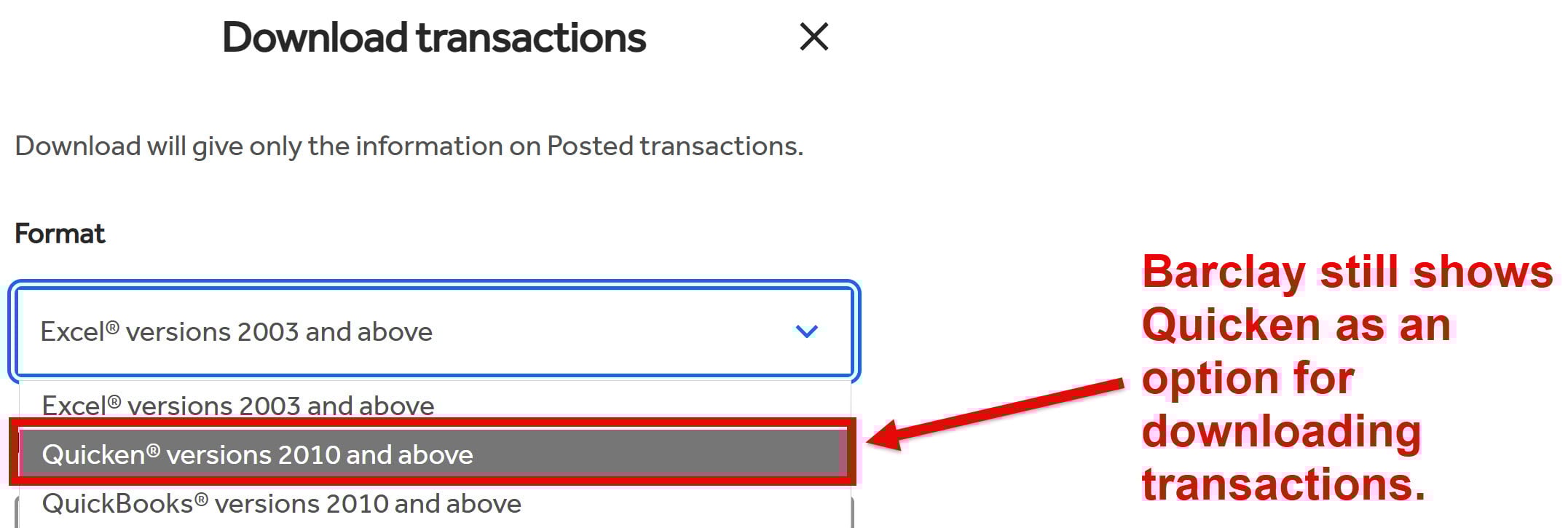
I called Barclays customer support twice, and both times I was told they know nothing about the problem. If they no longer support downloading transactions in a QFX file, why is "Quicken 2010 and above," which is QFX, still one of the options on the Barclays website? Are they familiar with the concept of "change management"? Asking for a friend… ;-)
3 -
Using H&B version R66.28 here. QFX import worked with my previous download on March 17. With the latest download on April 13, I recieved OL-221A and OL-221-B errors when trying to import the file. Comparing older QFX files to the current one, I see that the <FID> and <INTU.BID> changed sometime between March 17 and April 13 from 4351 to 4348. I tried editing the QFX file to change the number back to 4351, but import still fails with the same errors.
0 -
Last good download was April 3rd. Barclays transaction downloads fail with both Webconnect and QFX.
0 -
First time I have had this issue with Barclay's (JetBlue Card) in several years. From what it sounds like it was a matter of time. Started not working for me about 5 days ago. Tried everything from refreshing the account to manually downloading and importing the transactions. When I tried that I get OL-221-A as an error message.
0 -
If Barclays has decided to no longer support downloading to Quicken, I will close our accounts with them and switch to another credit card company. I'm sure they couldn't care less about that, and that's OK.
1 -
I just checked (5:10PM CDT on 4/14/2026), and Barclay still shows Quicken as an option for downloading transactions.
 0
0 -
I've been using web connect with Barclay for years. A few days ago I started getting this error when I click on the QFX file:
"Download unavailable! Quicken is unable to update this account because Web Connect support for your financial institution has been either temporarily, or permanently discontinued. [CC-885]
is this going to be fixed?
0 -
I finally got mine to load manually but it took quite the process. ChatGPT says it's a malformed .qfx file from Barclays Bank. The fix I used was go online, select the date range I needed in Quicken, download the file as Quicken 10 and above, select dates and download .qfx file. Open that qfx file in notepad and copy out the contents paste to ChatGTP and tell it to convert it to .csv file with a header in the following format - Date,Payee,FI Payee,Amount,Debit/Credit,Category,Account,Tag,Memo,Chknum after that go into Quicken - > File → File Import → Banking Transactions → from .CSV File - It will pop up a window browse to where you saved the CSV file to and direct it into your credit card account. Not an easy, straightforward method, but it worked for me, and I had a bunch of transactions more than I manually wanted to type in.
[Edited-Readability]
2 -
I tried to download the missing transactions from Barclays to a QFX file. That doesn't work either! That's got to be important info on the issue. And very annoying. Manual entering is the only thing left and a major pain
0 -
I have the same issue with Barclays bank. QFX file download doesn't work when trying to import the file and automatic download doesn't work. No errors are generated it just doesn't download the transactions. I tried deactivating the account and reactivating many times. No luck.
0 -
Still having same issue. I can not believe you cannot at least fix the QFX import process to have something.
0 -
Hello All,
Thank you all for posting the issues you are running into.
We have attempted to separate Missing Transactions issues from QFX issues. This thread is for QFX Issues. You can see the discussion on Missing Transactions here, if needed.
We have an Open Alert for this issue, and you can bookmark it to stay updated on progress/changes as they occur.
This has been escalated internally. We do not have an ETA as to when this will be resolved. We apologize for the inconvenience and appreciate your patience as we work through this with Barclays.
Thanks again!
Quicken Alyssa
Make sure to sign up for the email digest to see a round up of your top posts.
0 -
Spoke to Barclays about this issue and they stated it was due to a Quicken update in March (i.e. my Quicken software was not up to date). It is interesting that Quicken can read my balance due at Barclays but transactions do not come through. For the moment it looks like I will suspend the use of my Barclays GM card until this is resolved..
1 -
Thank you for reaching out to the bank and updating this discussion with your experience.
Please continue to refer to the alert linked in my previous post to stay up to date on this situation.
Thanks again!
Quicken Alyssa
Make sure to sign up for the email digest to see a round up of your top posts.
0 -
Just checked and still the same problem.
0 -
Quicken Alyssa
Make sure to sign up for the email digest to see a round up of your top posts.
0 -
I manually downloaded Barclay transactions in a .QFX file. Attempted to manually import them to Quicken. Received this error message: "Quicken is unable to update this account because Web Connect support for your financial institution has been either temporarily, or permanently discontinued [CC-885]."
0 -
[Removed-Duplicate Post]
0 -
I am also getting this error with my Barclay file when trying to import it. This started this week when Barclay implemented the new format for downloading transactions to import into Quicken on their website. I have reported this to Barclay Card also.
 0
0 -
Hi @prossiter01,
Thank you for following up and letting us know that you’re receiving an error during the import process.
The OL-221 error may be caused by incorrect system date and time settings. Please try adjusting these settings in Windows:
- Click the Start button, then open Control Panel. (In Windows 10, Control Panel is located in the Windows System folder in the Start menu.)
- Select Clock, Language, and Region, then click Date and Time.
- Click Change date and time to ensure the correct settings are selected.
If you continue to receive this error after updating your date and time settings, it may indicate an issue with the QFX file itself. In that case, you will need to contact your bank for further assistance.
I hope this helps! Let us know how it goes.
Quicken Carlos
Make sure to sign up for the email digest to see a round up of your top posts.
-1 -
Just to keep this at the top, I'm also having the problem not being able to download transactions since Apr 6, or import transactions as a QFX file. As of today, it isn't fixed for me.
0 -
As of this morning, still experiencing the issue when trying to use a downloaded QFX file or Update Now feature from the Quicken dropdown menu. Definitely not resolved. Quicken Classic Deluxe on Win 11.
0 -
Hello All,
This Alert has been marked resolved as of yesterday.
If you’re still encountering the issue, we recommend reaching out to Quicken Support for further assistance.
Thank you!
Quicken Alyssa
Make sure to sign up for the email digest to see a round up of your top posts.
0 -
Agree with others, as of today, Sunday April 19th at 12:00 PM EST, this is not resolved. Will not download via Quicken Connect and if I manually attempt to download transactions, the downloaded QFX file is still giving the following error message:
Quicken is unable to update this account because Web Connect support for your financial institution has been either temporarily, or permanently discontinued [CC-885].
0 -
Agree with everyone else.. the download issue has not been resolved. I follow the links to the other thread and they just say resolved.. no directions or helpful information on resolution or ability to comment on that thread that the issue is indeed not resolved. :(
0 -
Hello All,
Thank you for continuing to update this discussion and for reporting that this issue is not resolved for you.
As stated in my previous response and in the alert linked there, if you are still experiencing this issue, you should call Quicken Support directly for further assistance.
This is an important step in reporting this issue. Our support team has access to tools we do not have in the Community, and they can process a new escalation if needed.
Thank you all!
Quicken Alyssa
Make sure to sign up for the email digest to see a round up of your top posts.
0 -
I was able to download a .QFX file today and import is successfully into Quicken. It still does not do an automatic download as had worked previously.
1 -
I was also able to download a QFX file from Barclays this morning and import worked. Hurray! But the Update Now download still doesn't work.
1


