Why does the Balance table in Projected Balances not add the current balance to the table? (Q Mac)

Hello,
I have used (and still use) Quicken for Windows for more than 15 years, but I bought a Mac Mini last year and started also using QC for MacOS. I use them both now and maintain them separately, at last until I get a Macbook for travel…
For years, I have used the Bill & Income>Projected Balances table to plan spending and avoid shortfalls. The feature in MacOS and Windows is a different experience. In MacOS, the table at the bottom shows a Balance column, but it is a Net Balance from today, not an actual balance. I have looked all through the software and can't seem to find a way to have this table column show the actual projected balance. Yes, the chart at the top shows the correct balance, but I'd like them to match. It is easier for me to follow the column rather than interpret the graph and have to hover over the predicted points.
Does anyone know a way to have this reflect actual balance? In the Windows version, it does show the actual balance in the table.
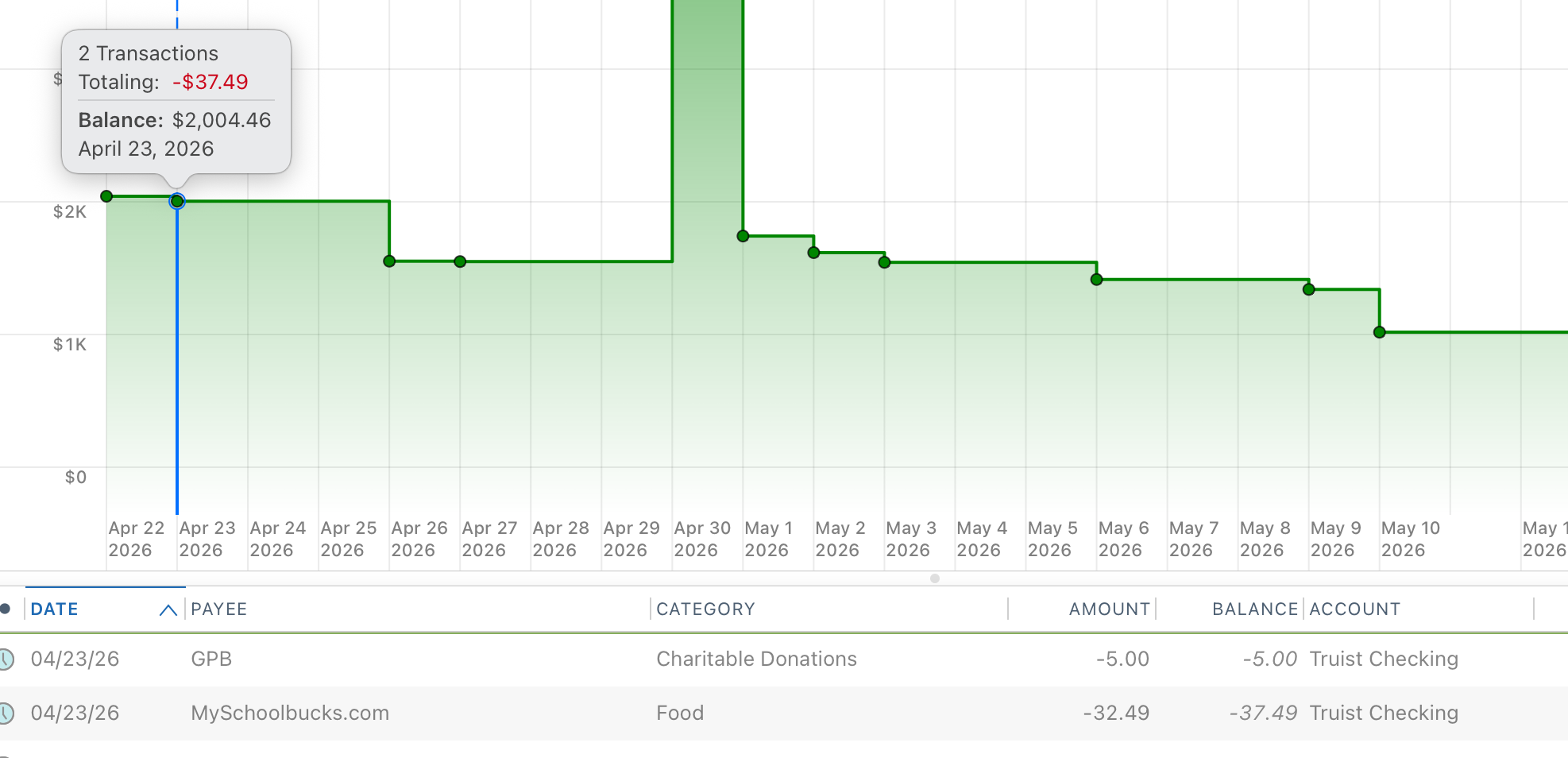
See the screenshot. The next two transactions total for $37.49 and the balance table shows that amount instead of the total balance of $2,004.46.
Any help would be appreciated.
Answers
-
It seems that the only way to get the Balance column to show an actual balance (and not just a delta from today's balance) you need to be looking at an individual account. By default that page is set to All Accounts, and if you change it to any of the other All xxx Accounts settings the Balance column behaves the same. But if you change the All Accounts pulldown to an actual account (say, your checking account) then the Balance column shows the projected balance for that account.
0 -
That screen shot was from just one account (checking) selected, so that's not fixing it for me. I've tried toggling the various account views and it doesn't change it to show actual balance.
0 -
I guess you're right. I thought I was seeing the actual balance displayed for one account, but going back & looking again I'm not seeing it now.
0 -
That Projected Balances view will only show the sum of those scheduled transactions.
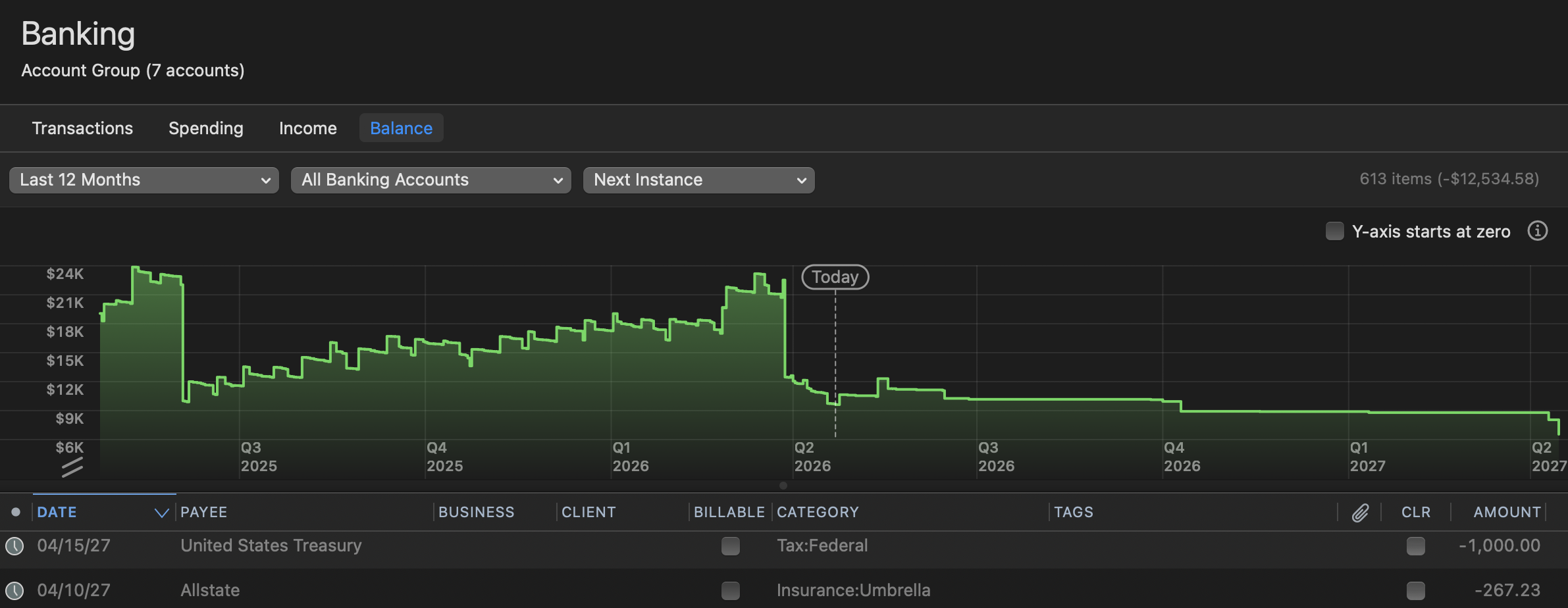
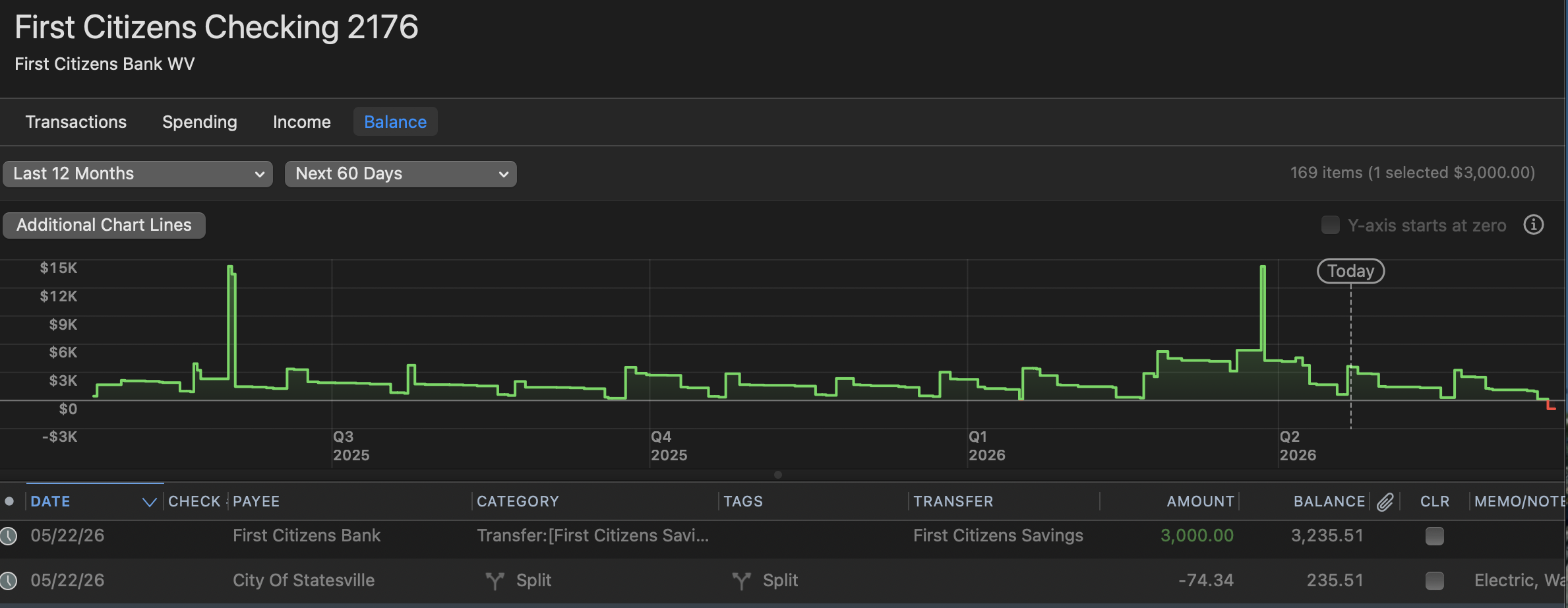
While you can only do this for banking accounts (not investments, but that shouldn't matter as you won't have schedtransx in those accounts), I think you want to be looking at the "Balance" graph in either each account or in an account grouping like "Banking". This will graph the total.
You can adjust the filters to suit your needs such as showing next 60 days instead of next instance.
Will that work?
 0
0 -
How do you get to that Balance Graph? I'm not seeing it.
EDIT: Never mind. I found it was hidden on mine and after right clicking that area I was able to click Show Balance. That seems like a flaw. It shouldn't be hidden by default.
EDIT2: And then I just found out it is a premium feature not available in Quicken Deluxe. SMH. Back to the same problem. As mentioned previously, this is something that just works correctly in the Windows version so I do believe it is a flaw in the Mac version.
0 -
@billbillw For a long time, there was no functional difference between Deluxe and Premier in Quicken Mac, unlike in Quicken Windows. In the past year or two, the developers have been slowly trying to create more distinction between Quicken Mac Deluxe and Premier by making some new features which only work if you have Premier. So it's not a "flaw", but rather a deliberate marketing/sales decision.
Of course it's logical that Deluxe users may feel that certain desirable features which require Premier should be made available to Deluxe users — I just don't see that as likely because they need to create more Premier-only features to encourage users to step up from Deluxe to Premier.
Quicken Mac Subscription • Quicken user since 19930 -
Well, again, I'll point out that the Balance column should show the Actual Balance, not a Net Balance change. I don't care about having the extra features, I just want the Projected Balance table to show the actual balance. In Windows, it has always shown the actual balance. I don't see why this is hard to implement or why it is different between the two operating systems.
0

