VUG stock split doubled shares

win version of quicken - schwab transaction
Comments
-
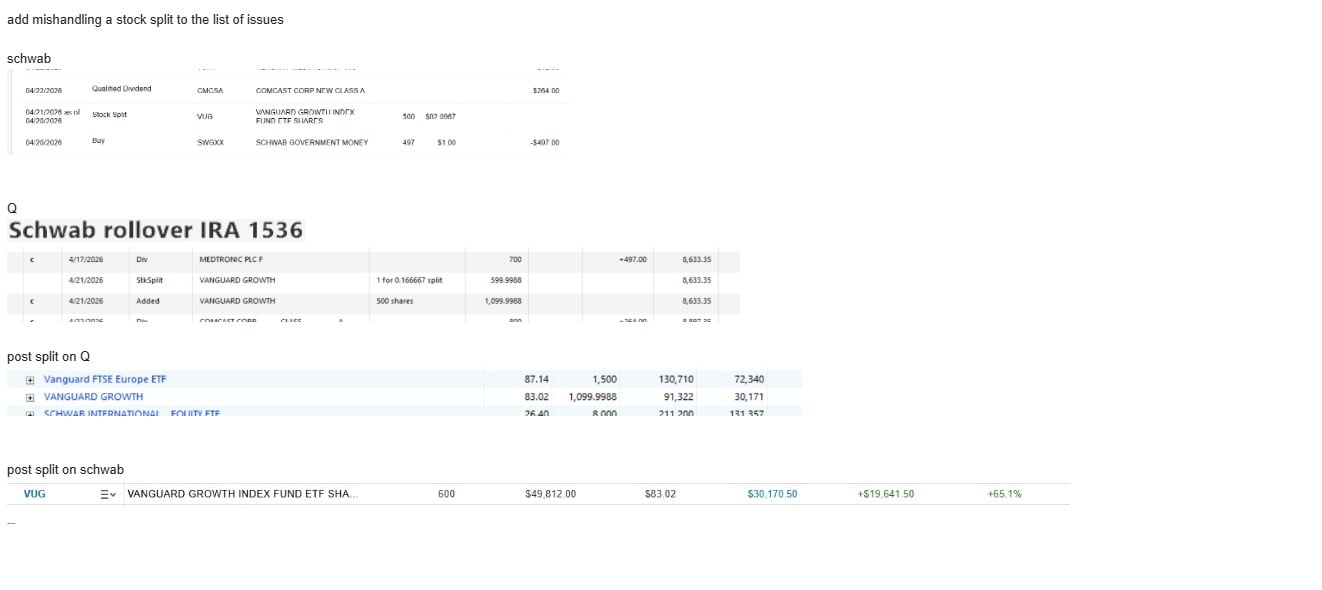
the Added 500 shares is incorrect and should be deleted.
Edit the StkSplt transaction to be 6 for 1 rather than 1 for 0.166667.
2 -
Schwab, inappropriately, sent an "Add Shares" transaction rather than a "Stock Split". Their fault, but they're not the only brokerage that does such.
But the StkSplit that you had already input didn't/couldn't match with the Add, is why you ended up with a doubled quantity.
Q user since February, 1990. DOS Version 4
Now running Quicken Windows Subscription, Business & Personal
Retired "Certified Information Systems Auditor" & Bank Audit VP0 -
updated today - got this
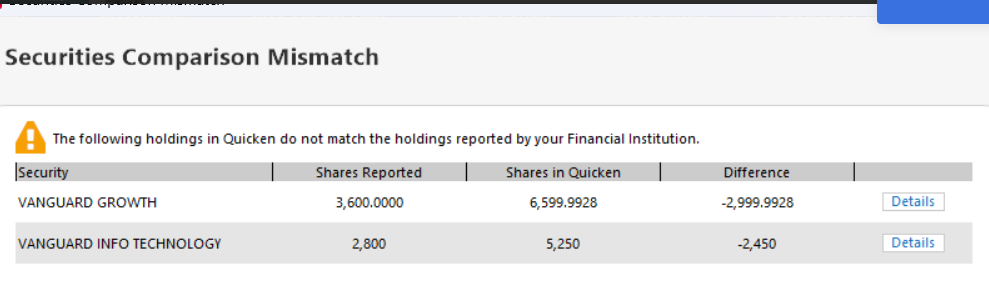
this in transactions
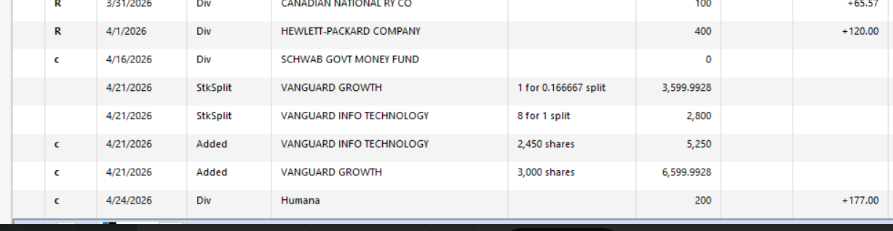
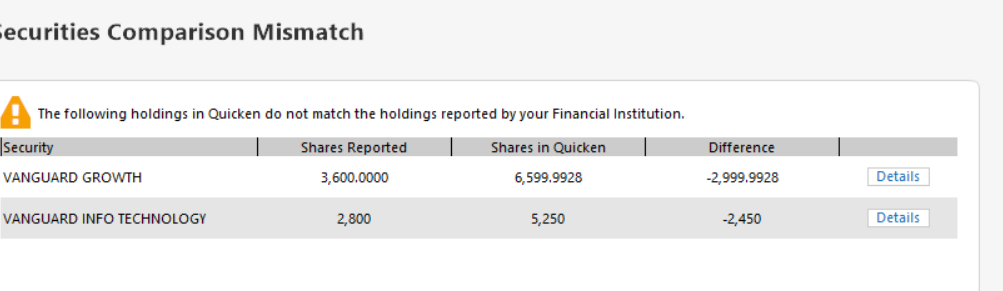
this from online center comparison
FYI, I did not enter any of these transactions. I did delete one that I thought would balance the systems.
As a former IT exec, I am dumbfounded that these types of errors, from major brokers (Schwab, Fidelity), are an ongoing problem for quicken. Just curious, has Quicken outsourced development?
Len
0 -
At what point do you expect Quicken to be more knowledgeable about your finances than your chosen financial institution? If your FI sent an Add Shares to Quicken, why on earth would you expect Quicken to ignore it or override it?
The investor is supposed to be in control and know or learn what is correct. If the FI sent a 1-for-0.166667 stock split, the user needs to see that as creating a problem and correct it to a 6-for-1 split. If the FI sends an Add Shares for the increase in share count creating a problem, the investor needs to see that as a problem and delete that bogus transaction.
1 -
I also received an Added transaction from Vanguard for the VUG split on 4/21. This was in addition to a StkSplit like the one above, which apparently came from Quicken's quote provider. The split adjusted price was recorded starting on 4/22. When I accepted the Added, I got a dialog asking if this was actually an Added, a split, or something else.
To record this split correctly, I did the following:
- Deleted the downloaded StkSplit
- Selected the Split option for the Added and selected 6 new shares for each old share
- Edited the price history for 4/21 to divide each of the prices by 6.
QWin Premier subscription0 -
@Jim_Harman curious why you would delete the stock split and retain the Add Shares. Is there some advantage to the Add Shares?
Quicken user since Q1999. Currently using QW2017.
Questions? Check out the Quicken Windows FAQ list0


