OL-297-A error from UBS Financial Services

I'm getting the OL-297A error from UBS Fin Serv for the past few days, and can't download transactions. What's up?
Comments
-
Hi @AbeK,
Thanks for reaching out to the Quicken Community!
After reviewing this internally, I could not find the error in your account. Could you please confirm the connection type: Direct Connect or Web Connect? To check:
- Go to the account in question
- Click the gear icon in the upper-right corner
- Select Edit Account Details > Online Services
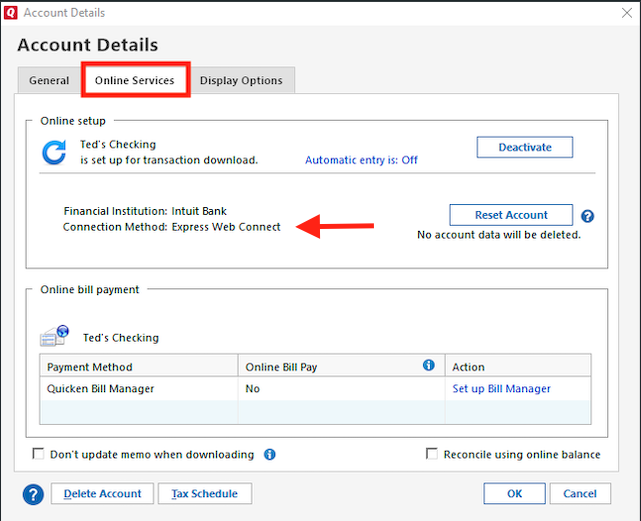
I also recommend following the steps in our support article for OL-297-A by updating your internet security settings:- Click the Start button and open the Control Panel
- Windows 10: Located in the Windows System folder in the Start menu
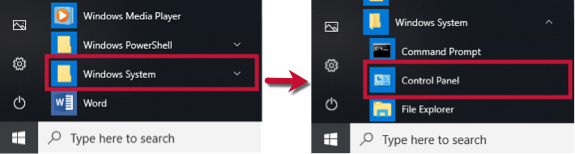
- Windows 11: Go to the Start menu and select All apps.
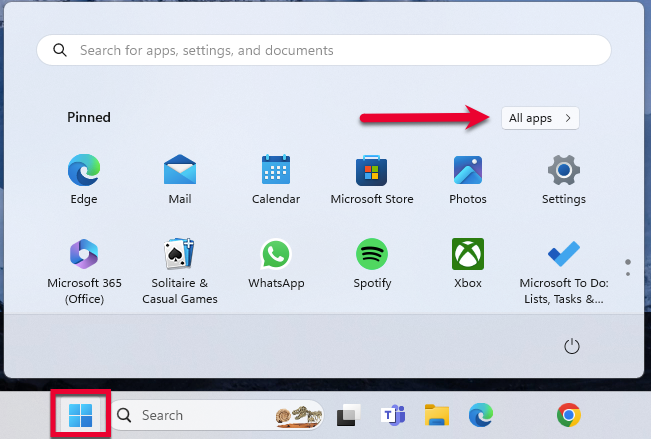 Then, go to Windows Tools and select Control Panel.
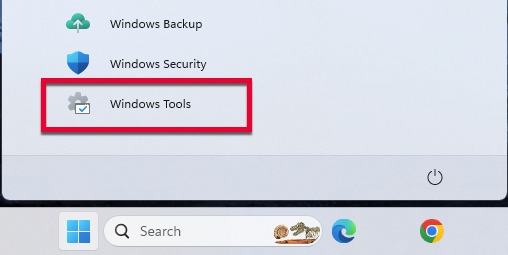
- Windows 10: Located in the Windows System folder in the Start menu
Select Network and Internet, then Internet Options
Go to the Advanced tab
Scroll down to the Security section
Verify that TLS 1.2 is checked- If not, check it
- If it is already checked, continue with the next step
Click Apply, then OK
Try updating your accounts in Quicken againLet us know how it goes. I look forward to your reply!
Quicken Carlos
Make sure to sign up for the email digest to see a round up of your top posts.
0
