Life time planner - getting "Navigation Cancelled" error frequently

I am trying to change my assumptions in Lifetime Planner and the links open up Quicken's browser popup and says "Navigation to the web page cancelled". If I choose the full browser option I see the web page it's trying to go to is http://qw.exe/qw?wndid=10050.
Answers
-
QW.exe is the executable for your Q program … not a website.
SO, when you click Help, About Quicken, what shows as your Q product and the Release of that product.
Q user since February, 1990. DOS Version 4
Now running Quicken Windows Subscription, Business & Personal
Retired "Certified Information Systems Auditor" & Bank Audit VP0 -
I am getting it fairly regularly also with R67.7.
Generally does not happen the first time I click 'Change Assumptions' on the planner but can happen the second or third time etc. Also can occur if I click on any of the Plan Assumptions like 'About You' etc..
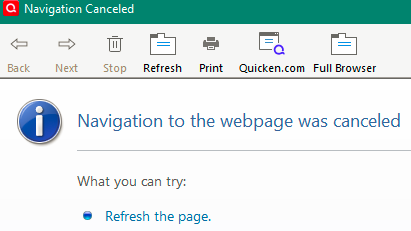
By exiting Quicken and restarting, the problem will go away … temporarily … until the next time it starts happening.
In the past I have seen this issue more related to the Quicken side of things rather than the version of Quicken installed.
- Deluxe R67.7 on Win 10 Pro 22H2. I don't use Bill Pay, Online Backup, Mobile & Web. Cloud Sync is off.
0 -
Many of the LTP pages are displayed using Quicken's internal web browser. The "Navigation cancelled" message usually means that the browser's cache has been corrupted.
Close Quicken then use Windows Explorer to navigate to C:\Programdata\Quicken and rename the Cache folder. The Programdata folder is hidden by default. If you do not see it in Windows Explorer, click on the View menu, select Show, and select Hidden items. If Quicken does not find the Cache folder, it will create a new one.
Please let us know if this resolves the problem.
QWin Premier subscription0

