Reauthorization of Chase accounts every day (Quicken Windows)

For the past few days I have been required to reauthorize my Chase accounts after EVERY update. What's going on here?
Comments
-
Hi @dmhump1,
Thanks for taking the time to reach out to the Quicken Community!
I understand how frustrating this situation can be. After some internal research, I did find an error that may be causing the issue (PAUTH_INVALID_TOKEN). Before proceeding with any troubleshooting, I strongly recommend creating a backup of your file.
Please follow the steps below:
- Go to the Tools menu and select Account List.
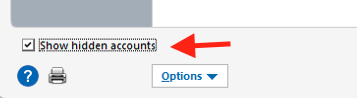
- In the Account List, click Show Hidden Accounts (if available in the lower left).
- Select the account you want to deactivate, then click Edit.
- In the Account Details window, click the Online Services tab.
- Click Deactivate next to the service you want to disable.
- Click Yes to confirm.

- Repeat these steps for all Chase accounts until they are disconnected.
- Close Quicken.
To stop sharing access (Chase website):
- Log in to your account on the Chase website.
- Click the menu in the upper-left corner.
- Select Security & Privacy.
- Click Linked apps & websites.
- Click the arrow next to Quicken.
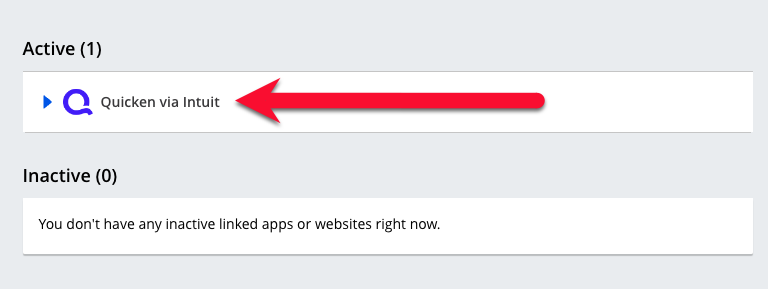
- Select Stop sharing data to remove all access, or choose Edit sharing to adjust specific permissions.
Once access has been revoked, reopen Quicken and try reconnecting your accounts.
- Go to Tools > Add Account.
- Select your bank for the deactivated account(s).
- If prompted, choose the connection method.
- Enter your credentials and click Connect.
- When the list of accounts appears, select Link next to each account you want to reconnect.
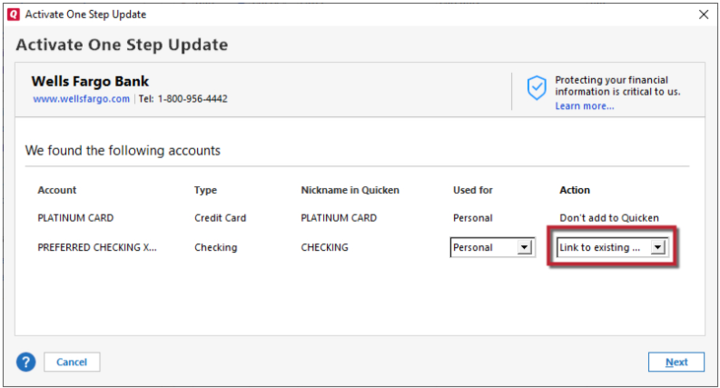
- Click Next, then Done.
Note: If the accounts are joint and appear in the secondary set of credentials during the authorization process, only select those that belong to the main set of credentials.
I hope this helps! Please let us know how it goes.
Quicken Carlos
Make sure to sign up for the email digest to see a round up of your top posts.
0 -
Thank you. I had to reauthorize again today (4th day in a row). One of the accounts had been deactivated. I'm currently traveling and will try your solution when I return and will let you know the results.
0 -
Hi @dmhump1,
Thanks for following up!
I recommend deactivating all Chase accounts in Quicken by following the steps above for each account before reconnecting them. This helps ensure a clean reconnection process and can prevent potential issues.
If you run into any problems, please let us know.
I look forward to your reply!
Quicken Carlos
Make sure to sign up for the email digest to see a round up of your top posts.
0 -
I did what you suggested yesterday and this morning there were no error messages. Fingers crossed.
For anyone else who might need this, I will add that when you go through this process of un-sharing access, Chase displays a warning about processing payments, etc. I use Quicken only to keep track of things, not to pay bills or execute transactions directly, so that warning didn't apply to me. But it may to others.0 -
Hi @dmhump1,
Thanks for following up and for sharing that helpful information, it will benefit other users who may encounter the same issue.
I checked my internal tools, and the status for Chase accounts looks good. I recommend continuing to monitor things, and if you encounter any errors or issues, please don’t hesitate to reach out again.
We’re happy to help!
Quicken Carlos
Make sure to sign up for the email digest to see a round up of your top posts.
0
