What’s Going On Between Fidelity and Quicken?
Comments
-
I upated Fidelity to EWC+ end of July. Initially had the issue of downloaded shares rounding to 2 places. I manually corrected all those around mid-Aug. Never went back to Direct Connect and haven't had any issues since. OSU has worked fine for me using EWC+
“Never stop dreaming,never stop believing,never give up,never stop trying, andnever stop learning.”
Quicken user since 19932 -
As of this morning 9/12/25 (and I do daily updates) Quicken is once again asking me to reauthorize my Fidelity accounts. After I do old transactions are downloaded and balances are off, but in addition after deleting them balances remain off, some by as much as 35% lower. Accounts were already using EWC+ and showing zzz as the download accounts for over a month without issue.
I have rolled back to yesterdays version and turned off fidelity downloads and all other accounts download fine although my Citi account di pick up a few old transactions but when they were deleted the balance was correct.
When can I turn back on Fidelity? Without it, this software is tanked for me after 20+ years.
Windows 11 Quicken R64.25 Build 27.1.64.25
4 -
I received the suggestion to transition to Fidelity this am. When I did, it made a mess. CD's off by 1000 (know issue after I googled it). Duplicate transactions which do not "match" even though they are identical to existing transactions. I believe this is another known issue being worked on. Even after accounting for this, I'm still off in the total balance in several accounts. I gave up trying to fix it, restored my prior file, and downloaded with prior method - all good for now. The funny thing is that when I clicked to download this second time it did not pop -up with a transition suggestion. In any case, I suggest you stop the pop-up suggesting to transition other users until ALL issues have been resolved and fully tested with a small focus group in a TEST environment (not live). If you have an estimated date as to the deadline for transitioning, please post it so we can plan accordingly. Otherwise, please state it is undefined until further notice. Please keep us informed. Thanks.
1 -
Did latest update.
Required me to reauthorize Fidelity accounts.
Now, transactions aren't downloading.
I've restarted Quicken and no difference.
Please help
2 -
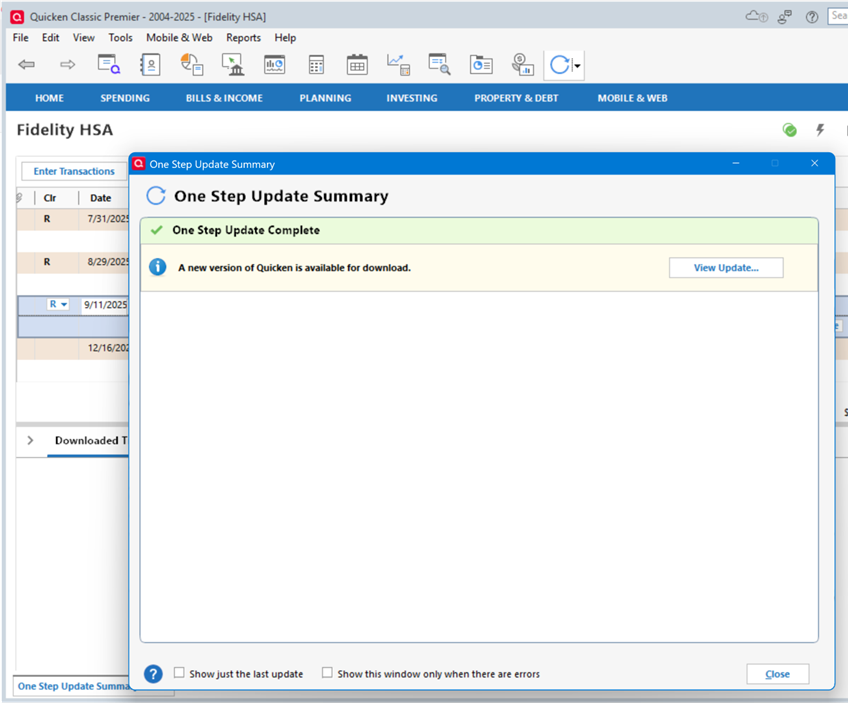
Now that Quicken has updated the Fidelity Transaction Download format to Express Connect +, my OSU now starts the update process, says it completes the update process, but does not show that the update has actually occurred. The download date shown on the account page in the upper left also indicates that the download did not actually occur. The only download that occurred was during the initial conversion, after Fidelity asked for Re-authorization, when I received about 9 transactions that had already been downloaded, cleared, and reconciled months ago. PLEASE FIX THIS.
Using Quicken Premier R63.21, Windows 24H2 all patches.
Reported through Quicken, cannot send database as it is too big.
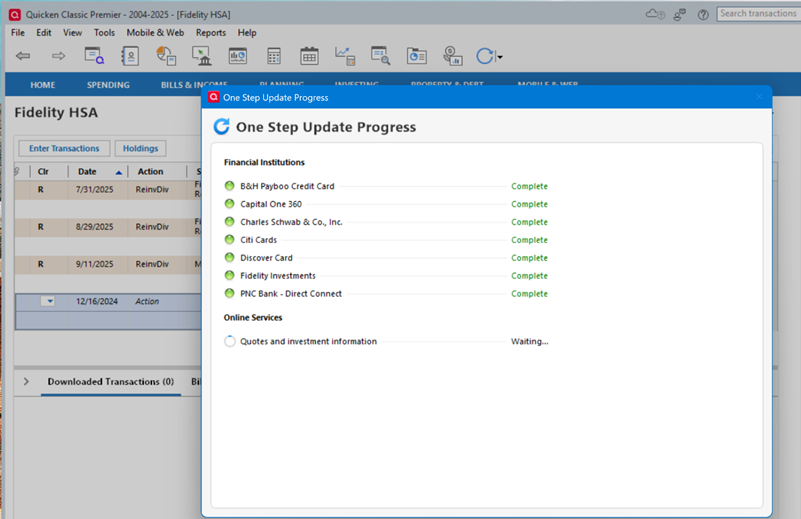
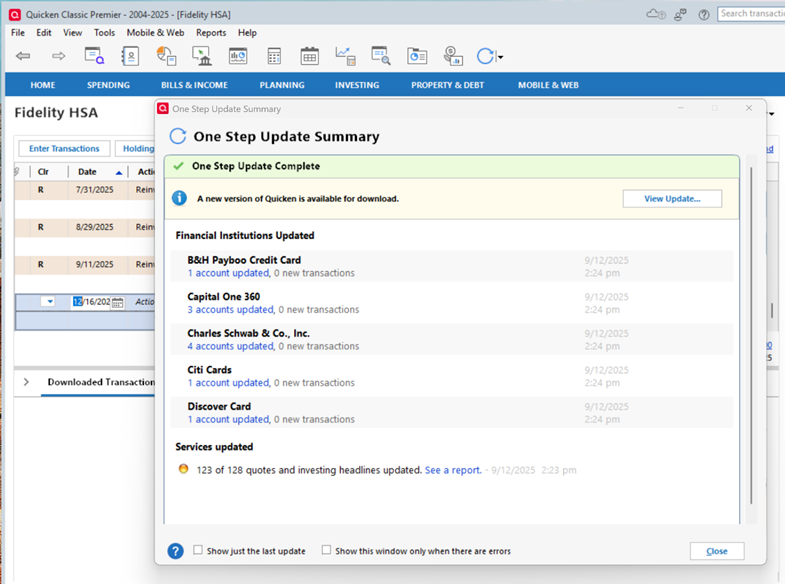
Update results from "update transactions" on the account page:
 1
1 -
WBajwaQuicken Windows Subscription Member ✭✭✭4:13AMedited 4:18AMThis morning, Quicken presented a message to convert accounts to a "New" connection method from "zzz-Fidelity Investments - DC." Version of Quicken is: R64.25, Build 27.1.64.25However, I did not update the connection method. Anyone who has updated to the new connection method, please share your thoughts on it.I have 2 data files (duplicates) connected to 9 institutions for a total of 20 accounts. All use EWC+ except for Barclays using EWC, and Fidelity using DC. Other than Citibank, most work fine.
There's a 6-week-old 24-page discussion on the connection migration of Fidelity from DC to EWC+. It's a huge ongoing mess. I and most users still using DC won't change to EWC+ until it's fixed or we are forced to. Quicken is dead quiet on the status, progress, and target date for fixing the issues.
I'd be cautious about changing connection methods before searching the Community pages.
1 -
This link (UPDATED 9/12/25 Fidelity Updates) talks about the issues that Fidelity and Quicken have been working on regarding the EWC+ connection method.
Note today's update states that most of the issues have been resolved. I have not been able to validate today's update, yet, but plan to try doing that in a couple of test files this weekend.
Quicken Classic Premier (US) Subscription: R66.23 on Windows 11 Home
1 -
The same thing happened to me today 9-12-2025. Quicken said I had to reauthorize with Fidelity. It took me through several screens including a Fidelity login and agreement on Fidelity. Then Quicken connected to Fidelity and downloaded today's (9-12-25) investment update. There was a long list of updates and I accepted them.
My Quicken investments no longer match what is on Fidelity. Whatever happened really screwed things up. I rolled back to yesterday's Quicken version. Then I told Quicken to update my accounts from Fidelity but this time I did not go through the reauthorization. My Quicken investing was updated correctly and it matches with what is on Fidelity.
How long can I hold off with this Fidelity reauthorization until Quicken fixes itself ??
Quicken Classic Premier version R64.25 build 27.1.64.25
Windows 7 Professional
0 -
Here is a follow-up to my message immediately above.
I went through the Fidelity reauthorization process again and Quicken acted exactly as I describe above. It said I was reauthorized and downloaded a bunch (15+) of transactions with dates in the past, going back about 3 weeks. This time I went through all of these previously processed transactions and deleted them one by one.
Next, I told Quicken to update my Fidelity investments again. Now there is a small key-shaped icon next to my Fidelity account on the 'One Step Update Settings' screen. Clicking on that opens a pop-up window that says 'Express Web Connect+' and words saying "Fidelity Investments requires you to sign in using their secure authentication system to connect to Quicken. Once you sign in you need not enter your password every time to perform a One Step Update."
So, presumably I am reauthorized to use the new Quicken-Fidelity sign-on connection method, and another couple hours of my life given to fixing Quicken.
.
1 -
I too have this problem with Quicken and Fidelity re-authorization. I am waiting for Quicken to give us a fix. Why use a product you cannot depend on?
0 -
I too got the prompt for Fidelity migration - for the very first time.
This was surprising, since the Quicken product alert was just updated a few hours ago, and said the fixes were still rolling out. And, that the CD pricing issue was not yet fixed.
I can see why people have thought the migration is mandatory. You have to notice you can press "Remind me next time", but the wording suggests you have to reauthorize. In fact, after I did select "Remind me next time", I started getting prompted to update my Fidelity password in the vault, and I was worried that the DC connection was severed. I was, however, able to ignore that and ultimately update Fidelity via DC without having to update the vault or anything else.
And I can see why people are being snared already. Not everyone reads the product announcements here. And for some people like me, this may be the very first time they've seen this prompt, and have no knowledge of the migration problems. So, they just click Reauthorize.
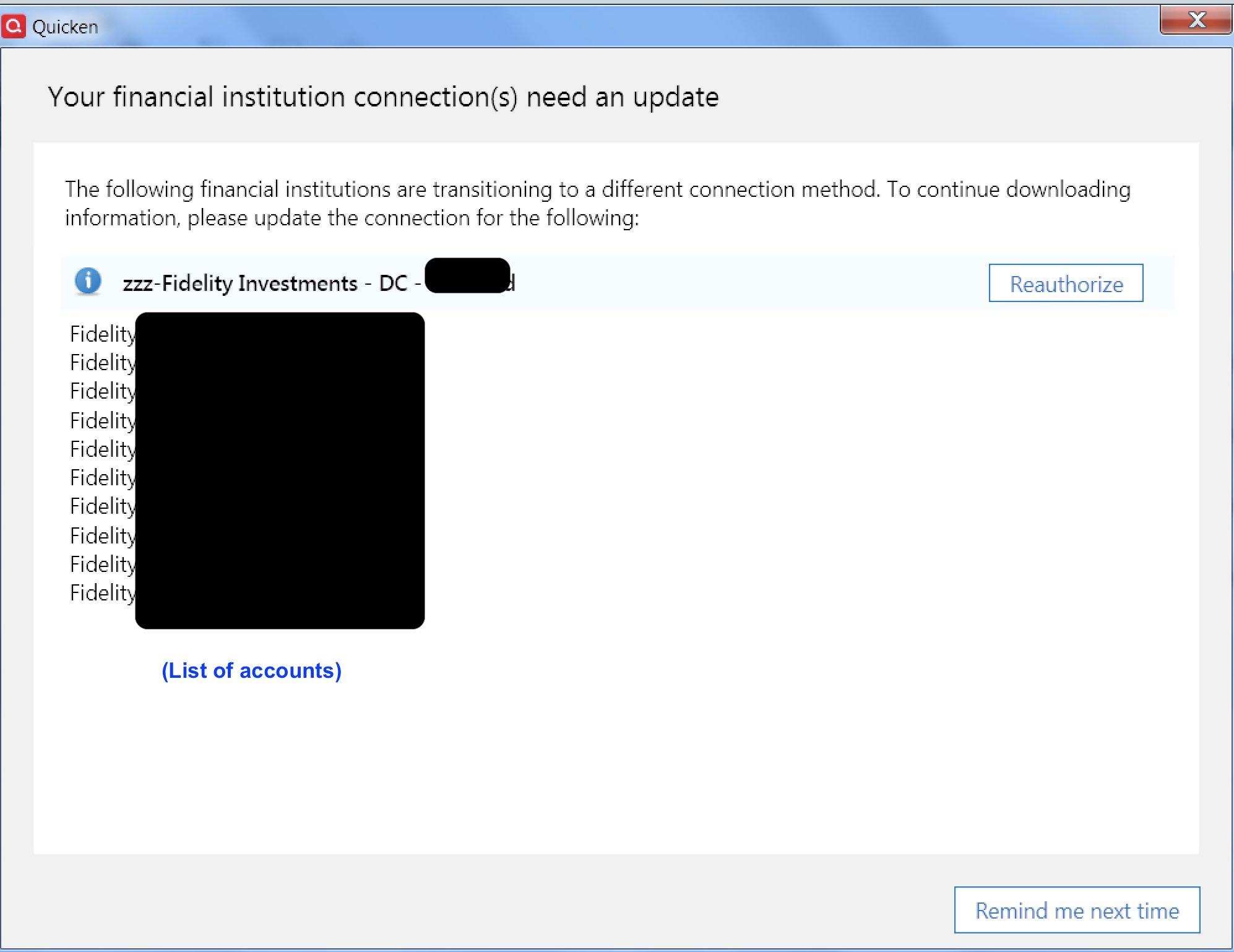
As soon as I got the prompt, I thought "Really, so soon?" And now that people are reporting problems, it does seem like it's too soon.
2 -
I would like to try a test as well, but was under the impression that if I change connection for my Fidelity accounts to EWC+, even in a test file, it will be changed for all datafiles, including my good file, going forward. Is that not the case?
Deluxe R66.23, Windows 11 Pro
0 -
So many Fidelity problems after doing this "reauthorize" step:
- I sell a lot of Cash Secured Puts. The old method correctly recorded the short sale as "ShtSellX" and the buy to cover as "CvrShrt." Now they're simply "SoldX" and "BoughtX." This screws up my stats, which is why I use Quicken in the first place.
- My cash is held in the Fidelity Money Market, but has always been correctly reported as Cash (I don't have to sell the money market to use cash or buy it to deposit cash - it's transparent). Now it's reported as shares in the Money Market, interest payments are reported as "Reinvdiv" instead of the correct "Div," and I get an error every time stating the number of shares I have in quicken (0) does not match the number being reported (more than 0).
- I also got 2 months of old transactions that I had already downloaded when I first reauthorized. I recognized and deleted them, but I see others are accepting them and screwing up their whole account.
Is there any way to roll back?
Quicken Classic Deluxe R64.25 Build 27.1.64.25
Windows 11 Home
2 -
I think that might be true if you use a simple Windows copy of your primary data file as your test file. Windows copies have the same data file ID and share the same Cloud Account and runtime.dat file so there is a lot of cross-talk that will occur between the test file and the primary file. And for those who are also using QWeb and/or QMobile there is a really good chance of screwing up the data in those as well as in the primary and test files.
But there are 2 ways to set up a test file that will not create any of those issues because the data file ID will be unique and that creates its own unique Cloud Account and runtime.dat file. So there is no cross-talk with the primary data file and and there will be no sync connection with the primary data file's QWeb and/or QMobile.
- File > New Quicken File: This sets up an entirely new data file so setting it up will need to be done from scratch. (Although some of the preferences that are saved in the software…not in the primary data file…will also be present in the new file.)
- File > Save a Copy or Backup File > Create a Copy or Template (what I call a Quicken copy): This makes an exact copy of the primary data file but it will be given a unique file ID, Cloud Account ID and runtime.dat file so it has no connection to the primary file's QWeb and QMobile. Because of these changes the financial institutions connections will be broken and need to be set up, again.
Since the EWC+ migration began I've set up test files both ways to see if there are any differences in how EWC+ downloads and what differences in the data exist. In parallel I've continued to keep DC set up with my primary data file and it has been working well.
Unfortunately, neither of these options will provide a perfect view of what will happen when actually migrating the primary file Fidelity accounts to EWC+ because they will give no insight into what influence the primary file's Cloud Account, runtime.dat file and QWeb/QMobile might have on that migration process. But both options should provide a really good view of what happens when trying to set up entirely new Fidelity connections with EWC+.
Quicken Classic Premier (US) Subscription: R66.23 on Windows 11 Home
1 -
I am having the same issues after following the steps for migration. Does Quicken recommend to deactivate and try again?
0 -
This is good info. So, theoretically, if I use method 2 you described and the copy works without issues, I could just start using the copy as my production datafile. Otherwise, I could use my original datafile until future testing on copies shows the problems are gone. Correct?
Deluxe R66.23, Windows 11 Pro
0 -
I took Boatnmaniac’s advice when this Fidelity problem first appeared in July and reverted to an older DC file. That has worked very well as all my Fidelity accounts have downloaded properly. I’m very hesitant to update to EWC+. Will keep following to see Boatnmaniac’s testing results; hopefully Fidelity and Quicken can finally get this corrected.
Thanks again0 -
I followed Boatnmaniac's steps and made a template copy and just reconnected Fidelity. It allowed me to get an idea of the steps I will need to take to get the balances in sync once again. It's a good way to do a practice run without affecting the original datafile.
Right away, I noticed that SPAXX is not being treated a a core cash account. It is a linked cash account and will not allow me to set the core cash account.
I wish Quicken had a more consistent GUI behavior. I can select multiple downloaded transactions to delete in a cash account but not in an investment account. Why?
Deluxe R66.23, Windows 11 Pro
0 -
Yes, method 2 will allow you to do that. I have done that on numerous occasions over the years since method 2 was introduced as a feature.
What's nice about method 2 is that it not only allows you to set up new connections and test them out but it can also resolve some file corruption issues that Validate and Super Validate can't fix.
Quicken Classic Premier (US) Subscription: R66.23 on Windows 11 Home
0 -
Question regarding Fidelity COre account, Quicken is treating money market fund core cash as separate investments after changing to EWC+.
Is there a way to get Quicken to handle these as cash again instead of investment holdings?
Deluxe R66.23, Windows 11 Pro
1 -
I'm also having problems after doing the Fidelity reauthorization today. One thing I noticed is that the Quote/Price and Market Value of all CD's in the Fidelity account has been divided by 100. To recover from this problem I restored to a backup I made just before doing the Fidelity reauth.
0 -
I updated to 64.25. Prior to this I have been using the zzz-Fidelity Investments - DC with no issues. It asked me for my latest cash positions for each investment account which was confusing. So I added cash positions and all my account totals were wrong. I also got 3 months of transactions. At this point I exited and opened my last saved file and have been using that. I did another update today (9/13) and I had only the most recent downloaded transactions. My account totals are close, I'll check them again Monday. But I had to do a CTL ALT DEL and close with the task manager as it never completed the download, spun for 10 minutes. When I reopened the file it was as above. Don't plan to update to the new connection until I have to.
2 -
I (and others) have noted and reported Core Account MMF handling issues in this forum that seems to not have gotten much traction: How Fidelity's EWC+ recognizes and treats the Core Account MMFs appears to be very broken and does not reflect the MMF variables that are at play with regard to Core Accounts management across multiple investment accounts. This is not identified in the Updates from Quicken as an issue at all, much less that it has been resolved or still needs to be resolved.:
- Fidelity offers a few different MMFs to be designated as the Core Account: SPAXX, FDRXX and FZDXX are 3 of them but there might be some more.
- Each investment account can have a different MMF selected as the Core Account. But it seems that Quicken only recognizes a single MMF as the Core Account account for all investment accounts.
- A MMF selected as the Core Account in one investment account can also be present in other accounts as a non-Core Account holding.
- For instance, I have 9 investment accounts and there are 3 different MMFs that have been selected as the Core Accounts for them. I can have only 1 MMF as the Core Account per account but in each account I can also have holdings of the other Core Account MMF options held as normal securities.
- When setting up EWC+, Quicken will select a MMF that is the Core Account and ask if I want to change how the value of that MMF is shown in Quicken. Sometimes what Quicken identifies as the Core Account in the popup has been SPAXX (which is the most common Core Account option) but other times it has selected FDRXX or FZDXX…all 3 of which I have as Core Accounts and as non-Core Account holdings.
- One issue with how this process works is that Quicken does not identify which account I am being asked to make the decision for about how the Core Account value is to be reported. So I am left guessing and that is a recipe for error.
- Another issue is that once I make the decision about how the Core Account value is to be reported in Quicken then the other popups like this for other accounts only show that same MMF as the Core Account option, even when the other accounts might have a different MMF as the Core Account. So effectively, it does not appear that Quicken recognizes that more than one MMF can be selected in a portfolio (but only 1 MMF Core Account per investment account). This creates a terrible mess with regard to MMF holdings and Cash Balances in some accounts because the wrong MMF in an account in Quicken is now treated as the Core Account and the correct MMF is not. I've not found a way to resolve these MMF holdings and cash balance issues.
- On some accounts the Online Services tab of Account Details gives me opportunity to change how the Core Account value is to be reported in Quicken. But this option is not available for all accounts so there is no Core Account handling reversion possible for these other accounts.
For me, unless and until management of the Core Accounts is fixed I cannot allow my Fidelity investment accounts to be migrated to EWC+ in my primary data file.
Quicken Classic Premier (US) Subscription: R66.23 on Windows 11 Home
5 -
This thread seems to be focused on the Windows product and I am on a Mac and still having issues with MMF's as someone just pointed out.
0 -
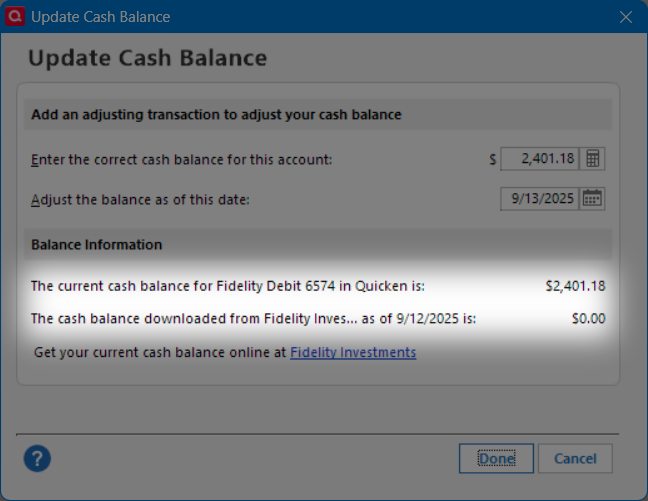
Yes. I am staying away from an actual migration hoping that the core account issues will be resolved. Currently, Quicken says that the cash balance download is $0.00 for every Fidelity account since it is treating the core funds as securities. One Quicken alert seems to imply this issue is fixed, while another alert seems to contradict it. If it is the same issue, it is NOT fixed.
Deluxe R66.23, Windows 11 Pro
0 -
@Boatnmaniac Are you involved in testing all this for Quicken? I sincerely doubt that anyone who is, if you are not, has anywhere near the understanding of the issues that you do.
And as an aside, I am now truly amazed and baffled that Quicken would release this AGAIN with so many flaws after creating a month of mayhem for so many users. Lesson has not been learned. And this time I cut no slack. Complex. mission critical software products need to be properly vetted before releasing them on users. This has not been.
All imnho, of course.
1 -
When setting up EWC+, Quicken will select a MMF that is the Core Account and ask if I want to change how the value of that MMF is shown in Quicken. Sometimes what Quicken identifies as the Core Account in the popup has been SPAXX (which is the most common Core Account option) but other times it has selected FDRXX or FZDXX…all 3 of which I have as Core Accounts and as non-Core Account holdings.
"
I was never given this option when converting to EWC+.
Deluxe R66.23, Windows 11 Pro
1 -
Someone on this discussion mentioned that I have the option of not reauthorizing. I tried that, but it wouldn't let me download the old way. It seems to be the new way, via reauthorizing, or no way.
[Edited - Readability]
0 -
That option applies only when you still have the DC connection method enabled. Then during OSU if you get a popup asking you to reauthorize there is a link on the lower right of that popup that says, "Remind me later". Click on that link and the popup goes away and DC will continue to be the connection method.
If your account is not set up with DC then this option will not be available to you and the only connection method that will be available will be EWC+.
Quicken Classic Premier (US) Subscription: R66.23 on Windows 11 Home
0 -
When did you set up the EWC+ file? I first got that option in late August after I'd updated to R64.19 and had run OSU. I think (not sure) that it might have been with a new test file.
Quicken Classic Premier (US) Subscription: R66.23 on Windows 11 Home
0