Bug with Memorized Payees and Investments
This has been going on for a while with several iterations with Classic Quicken but I just came across it again so I figured I would report it.
I track my HSA with Quicken. It uses a combination of cash and securities. When I make a payment to a doctor/pharmacy, I use the "Withdraw" action. When I start typing the name of a Payee the memorized Payee list pops up and all the fields fill in (Name, Category, Comment, and Amount). I then update the Amount field with the correct dollar amount. However, when I click "Enter/New" or "Enter/Done", the Amount value entered into my register is always the value from the original memorized payee. I have to go back into the transaction, click "Edit", update the amount again, and then click "Enter/Done" to get the proper value. This is frustrating to say the lease, especially if I have multiple entries to make.
The interesting thing is that after some experimentation (I'm in IT so I tend to troubleshoot) is that, if I select a memorized Payee, Tab through every field to reach the Amount field, enter the proper value, THEN click "Enter/New" or "Enter/Done", the transaction gets entered with the proper values into the register. Selecting the fields with my mouse, even in the same order as if I were tabbing, produces the original, buggy result. The transaction gets entered with the previous Amount value even though I entered a new one.
I haven't experimented with any of the other actions available (Deposit, Inc, Buy, Sell, etc.) to see if this is also the case but I wanted to let the devs know about it so they can look into it. Thanks!
Comments
-
Hello @MGSaeba,
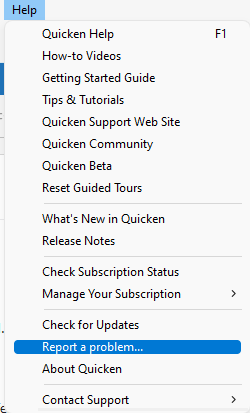
Thank you for reaching out! This issue has already been reported to our teams for further investigation and resolution. To contribute to the investigation, please navigate to Help>Report a Problem and send a problem report with log files attached.
Please post to this discussion to let me know when you've sent the problem report, so I can add you to the ticket!
Thank you!
(CBT-729)
Quicken Kristina
Make sure to sign up for the email digest to see a round up of your top posts.
0 -
"The interesting thing is that after some experimentation (I'm in IT so I tend to troubleshoot) is that, if I select a memorized Payee,
Tab through every field to reach the Amount field, enter the proper value, THEN click "Enter/New" or "Enter/Done", the transaction gets entered with the proper values into the register."This bug has frustrated the hell out of me for years. Can't count how many times I've had to go back, find and correct an error because I hadn't noticed that the amount I entered had gotten replaced by the memorized one. I, too, use the "tab through" workaround, although I've taken to tabbing through twice. Sometimes once is not enough.
0 -
Please see this discussion for more on this topic
QWin Premier subscription0
Categories
- All Categories
- 56 Product Ideas
- 36 Announcements
- 223 Alerts, Online Banking & Known Product Issues
- 22 Product Alerts
- 701 Welcome to the Community!
- 671 Before you Buy
- 1.2K Product Ideas
- 53.7K Quicken Classic for Windows
- 16.3K Quicken Classic for Mac
- 1K Quicken Mobile
- 813 Quicken on the Web
- 111 Quicken LifeHub