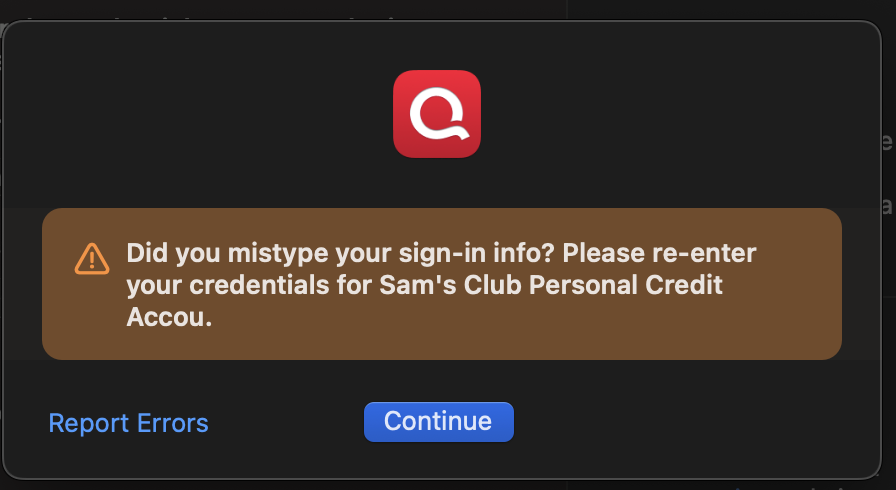
"Did you mistype your sign-in info?"
Quicken Classic Deluxe for Mac - macOS 15.6.1 - Version 8.3.3 (Build 803.58927.100)
I've had my UFB Direct and PNC banks account connected successfully to Quicken for a couple years but a couple weeks ago both stopped updating and I got this pop up. I've worked with Quicken support several times concerning this. They have since fixed it with PNC but my UFB still will not update. Also I recently tried to add my Synchrony credit card accounts (Lowe's and Care Credit) and got the same pop-up. My last attempt with Quicken online help was frustrating, the online help people evidently are scripted and keep asking me to do the same steps I've done several times before. Has anyone else experienced this and has anyone had success in getting it fixed.
Comments
-
Hello @Jim Cheyne,
Thank you for sharing your experience, though I am sorry your interactions with support have been frustrating.
We do have a bot that answers chats, but we also have human agents. While we do not use scripts, we do have support articles we use for troubleshooting. This could explain why they were asking you to do the same steps.
After reviewing your connections internally, I can see that you are getting an FDP-103. This error occurs when your financial institution tells Quicken that your login credentials are incorrect. In this case, this would be the Support Article that applies to this error.
I can see your recent interactions with support, and I can see that this issue was escalated on your behalf. I will follow up with this team tomorrow, as they are not in on weekends, and ask them to follow up on the last email you sent. Either way, I will let you know as soon as I have an update.
Hope this helps!
Quicken Alyssa
Make sure to sign up for the email digest to see a round up of your top posts.
0 -
Hello again @Jim Cheyne,
I have spoken with my team. Can I have you submit new log files by going to Help>Report a problem>Send to Quicken?
Once you have sent them over, let me know so I can update the team handling the escalation.
Thank you.
Quicken Alyssa
Make sure to sign up for the email digest to see a round up of your top posts.
0 -
Thanks, I have submitted new log files.
Also, note that I'm experiencing the same issue when trying to add Synchrony Credit Cards to my Quicken.
0 -
Thank you for submitting those. I have informed the team handling that escalation. You can expect communication in regard to that issue to continue through email, so keep an eye out for that.
For Synchrony Credit Cards, that would be handled separately. I can see you have tried connecting to many different instances of Synchrony and are getting an FDP-103 with all of them. Please follow the steps in this Support Article. If the steps don't resolve the issue, please contact Quicken Support so they can process another escalation if needed.
Thank you.
Quicken Alyssa
Make sure to sign up for the email digest to see a round up of your top posts.
0 -
Also, getting this error on all my Synchrony accounts.
0 -
Hello @JoeyMaggard,
Thank you for adding to this discussion.
After checking your connections internally, I am not seeing any errors present on our end. Are you still experiencing an issue? If so, please provide more information.
- How long has this issue been happening?
- Are you getting a FDP-103 error, or something different?
- Are these Synchrony-branded cards through different instances in Quicken, like Home Depot, Guitar Center, Care Credit, etc? Or are you using one of these Synchrony instances?
Additionally, screenshots of what you are seeing might be helpful. If needed, please refer to this Community FAQ for instructions on how to attach a screenshot. Alternatively, you can also drag and drop screenshots to your response if you are not given the option to add attachments.
Looking forward to your response.
Quicken Alyssa
Make sure to sign up for the email digest to see a round up of your top posts.
0 -
I am getting this error when I try to re-add these accounts to Quicken. I have tried Care Credit and Sam's Club Personal Credit. Get the did you mis-type error. You are not seeing errors on your end because after following the instructions and disconnecting the accounts, they won't re-connect. There are non connection errors when Q doesn't even try to connect. The accounts are in a manual state until Q and Synchrony can get their respective acts together. This became a problem when Synchrony changed something on their end with the sign-in a couple of months ago. I keep submitting reports once a week, but has improved yet.
1 -
I'm having the same issue with Synchrony and also UFB Direct. Qkn supposedly working on it.
0 -
Hello @Jim Cheyne & @JoeyMaggard,
Thank you both for adding to this discussion.
After reviewing your connections internally, I can see that you are both getting FDP-103 errors. These errors occur when your financial institution tells Quicken that your login credentials are incorrect or there are outdated login credentials stored in Quicken for Mac and/or the Keychain app.
First, you will need to deactivate all the accounts with the affected financial institution:
- Open Quicken.
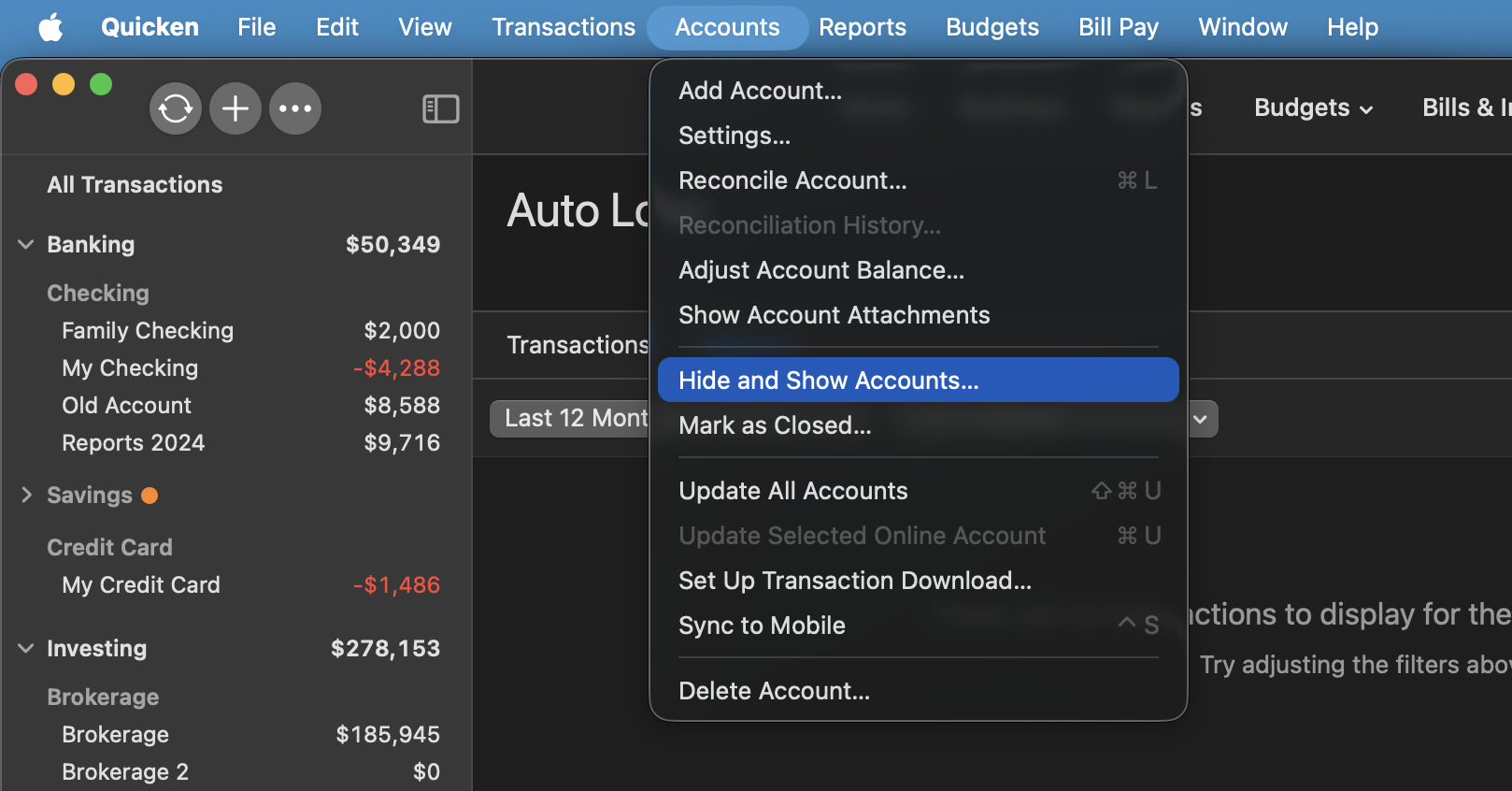
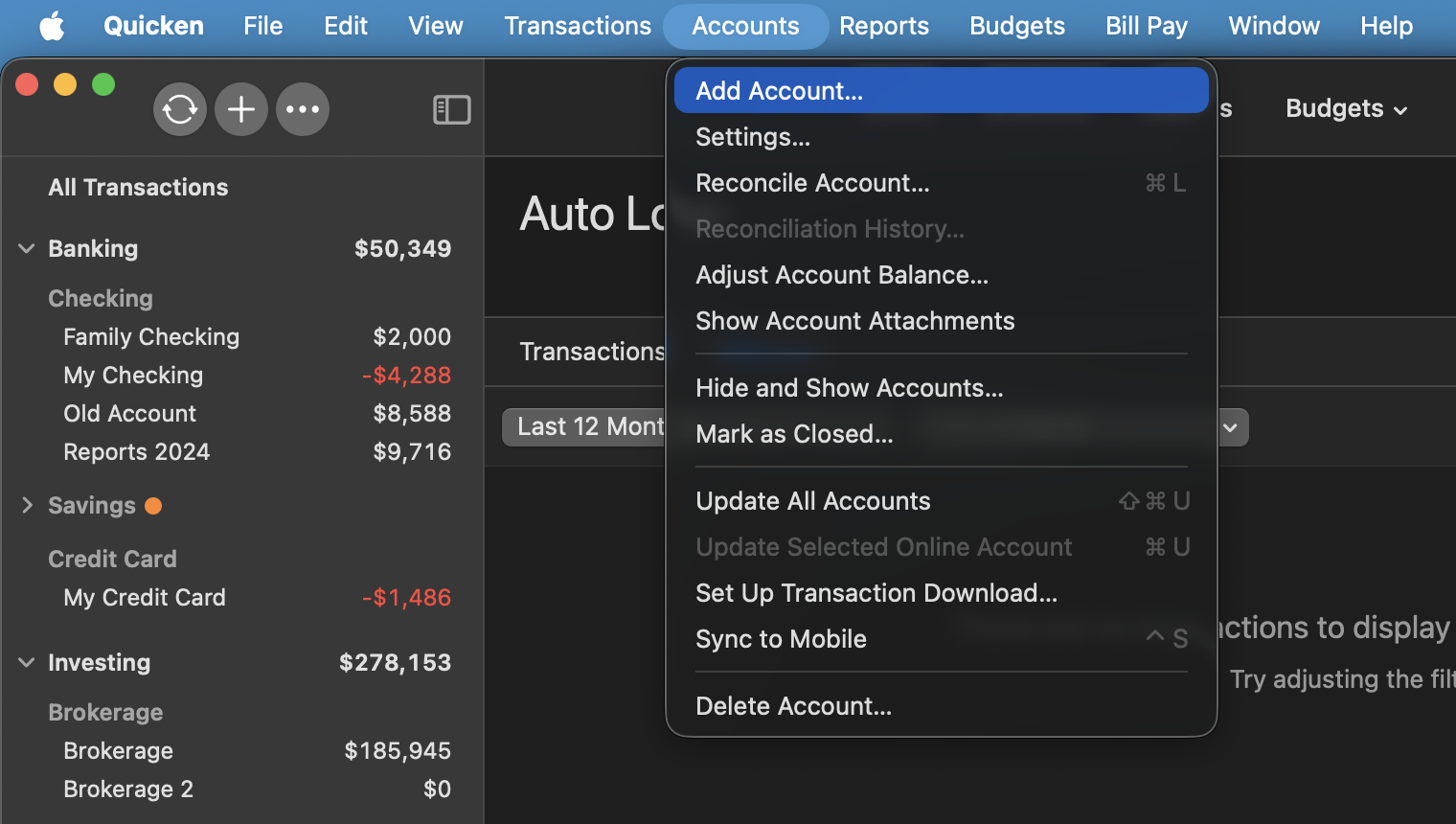
- Go to the Accounts menu and choose Hide and Show Accounts.
- Uncheck any accounts with this specific financial institution (FI) that are hidden in Lists.
- When complete, click on the account name for your account(s) in the Accounts toolbar in Quicken.
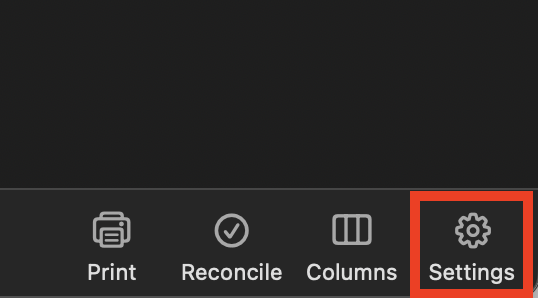
- Click the Settings icon in the bottom right corner of the screen.
- Select the Downloads tab.
- Click on Disconnect Account.
- Click Done. Do this on each account with this FI.
- Quit Quicken.
Second, delete Quicken passwords from the Keychain:
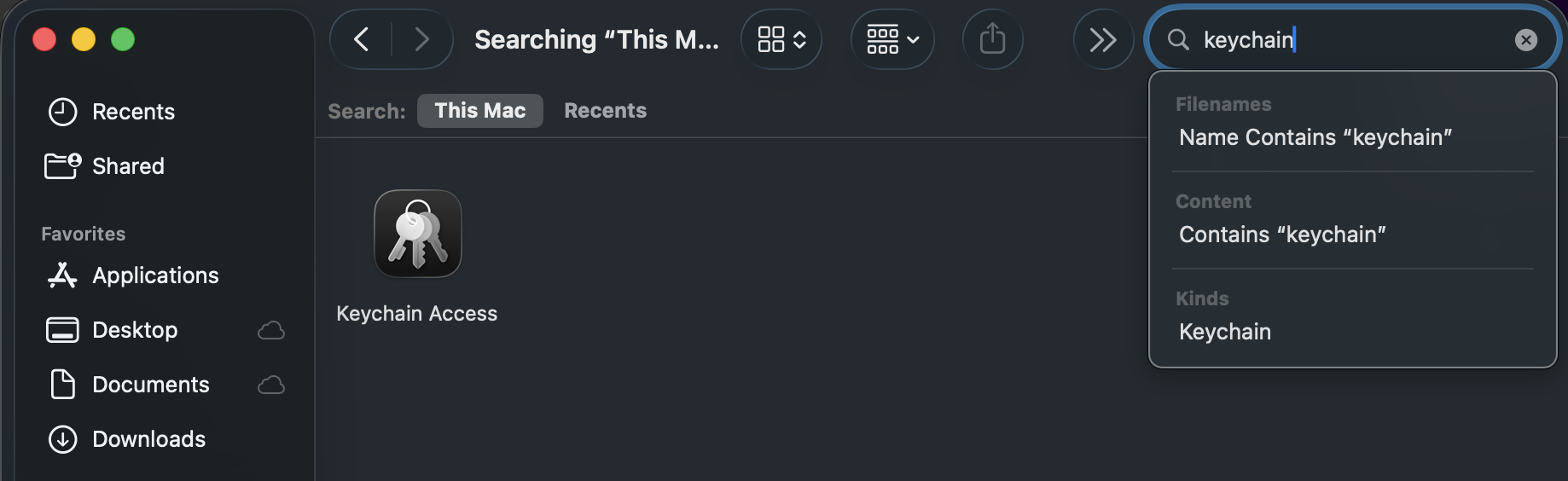
- Open Finder and type "Keychain Access" into the Search bar in the upper-right corner.
- Double-click the Keychain Access icon in the Finder window.
- If prompted to open the Passwords app, select Open Keychain Access instead.
- On the left panel in the Keychain app, set the Keychains to login and the Category to Passwords.
- Find and delete any entries that show Quicken or Quicken Connect and this FI name.
- Quit the Passwords app and open Quicken.
Third, re-add the accounts:
- Go to Accounts > Add Account.
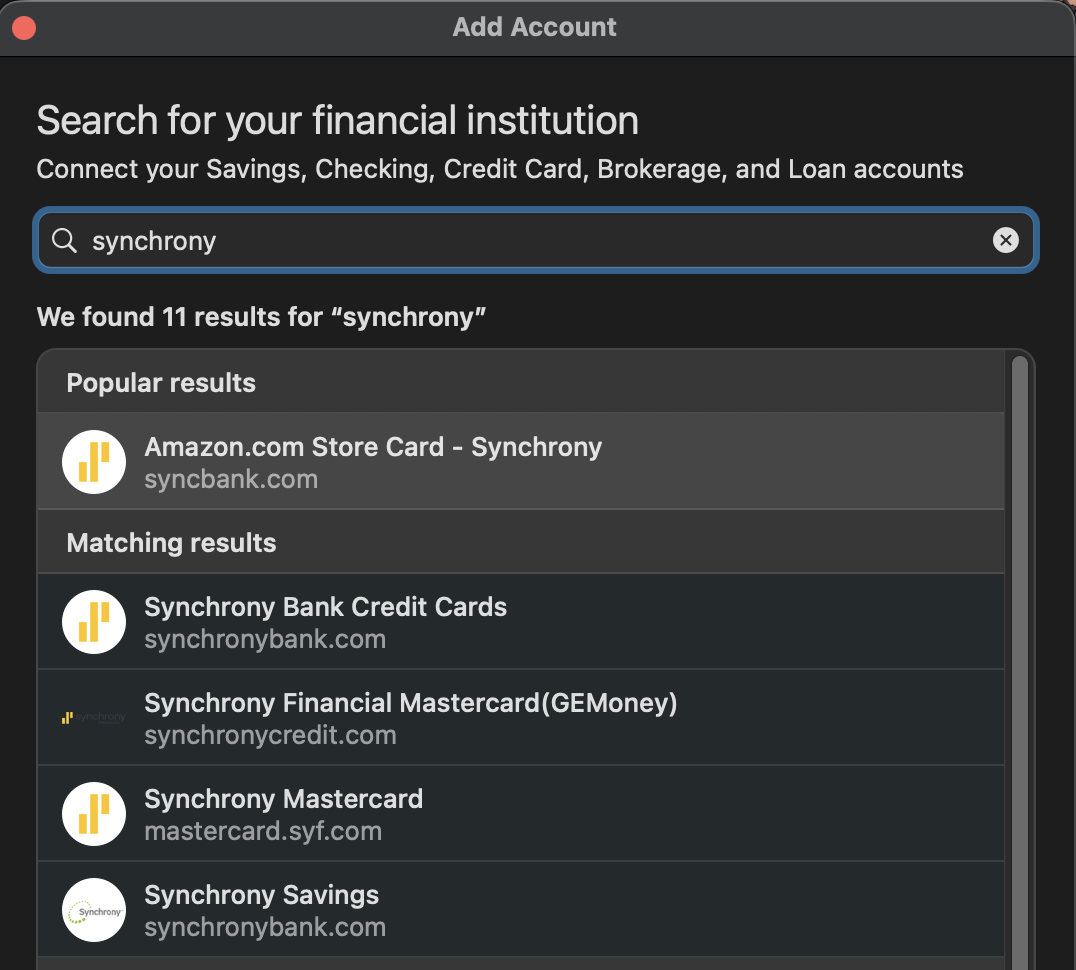
- Type the name of the financial institution and make the appropriate selection.
- Enter your login credentials and click Continue.
- When Quicken has returned all accounts discovered for this FI, very carefully LINK each of the found accounts to the appropriate account you already have set up in Quicken.
If the steps above do not resolve the issue, please contact Quicken Support directly for further assistance.
Thank you!
Quicken Alyssa
Make sure to sign up for the email digest to see a round up of your top posts.
0
Categories
- All Categories
- 60 Product Ideas
- 36 Announcements
- 219 Alerts, Online Banking & Known Product Issues
- 21 Product Alerts
- 704 Welcome to the Community!
- 671 Before you Buy
- 1.2K Product Ideas
- 53.9K Quicken Classic for Windows
- 16.4K Quicken Classic for Mac
- 1K Quicken Mobile
- 812 Quicken on the Web
- 115 Quicken LifeHub