QFX import broken after update to R65.17 (Vanguard OL-221) [Edited]

Subject says it… everything had been working fine, but after updating this morning, when I attempt to import QFX from either Huntington Bank or Vanguard, Windows Installer comes up trying to install some new component. If Quicken's running, it complains that it's running, and if it's not it complains that it can't find the quicken.msi installation file.
Comments
-
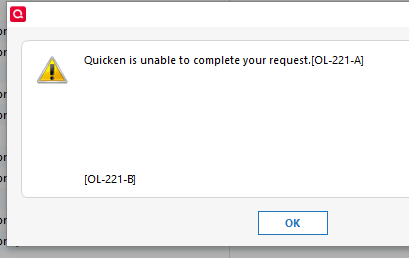
Note, the Windows installer is what I get for double-clicking the QFX. If I try to use File > Import > QFX, the result is an OL-221-A and -B
 0
0 -
Hello @SaaS_is_annoying,
Thanks for sharing the details! There is currently an open ticket tracking the issue you described (CBT‑931). Some users have reported that uninstalling and reinstalling Quicken has resolved the problem for them, so I suggest trying that to see if it helps in your case.
However, after you have uninstalled and before you proceed with reinstalling, please open your Windows File Explorer and navigate to This PC > C: Drive > Program Files (x86) and delete the folder titled "Quicken" (doing so does not affect your data files).

After you have deleted this folder, go ahead and try reinstalling.
Regarding the OL‑221‑A/B errors, please see this support article for more information. However, try the instructions provided above first and let us know if reinstalling resolves the problem or if the errors continue.
Thank you!
-Quicken Anja
Make sure to sign up for the email digest to see a round up of your top posts.1 -
One of my Vanguard accounts shows the blue dot flag after updating transactions that would normally shows transactions that have been downloaded but need to be processed. However, there are no such transactions showing in the Downloaded Transactions window.
Clicking on Tools | Online Center lists a 5/21/2025 transaction in this account. When I click on Compare to List nothing happens.
That transaction does show in the register.
This account has been problematic in the past and I had to update transactons with a *.qfx import. Today I get the Quicken OL-221-A when trying to import a QFX file for this account.
What are my next steps to resolve this? Thank you for support.
[Merged Post]
0 -
Reinstalling seems to have fixed Huntington, but Vanguard is still giving the OL-221.
0 -
Or rather, using the online update says it's successful (but not downloading a transaction from yesterday that Vanguard's website says has cleared), while the QFX is giving the OL-221
0 -
@SaaS_is_annoying thanks for following up, and @Laptop Elf—I’ve merged your post with this thread since you’re describing the same issue as the OP.
Regarding the OL‑221 errors with QFX files, as mentioned in the article I linked in my earlier response:
Web Connect (Importing a QFX file from your bank's website) – Receiving this error when downloading a QFX file directly from your bank's website indicates an issue with the file itself. You will need to contact your bank to resolve this issue.
However, since both of you are also experiencing issues with automatic online connectivity, we will be forwarding this issue to the proper channels for further investigation.
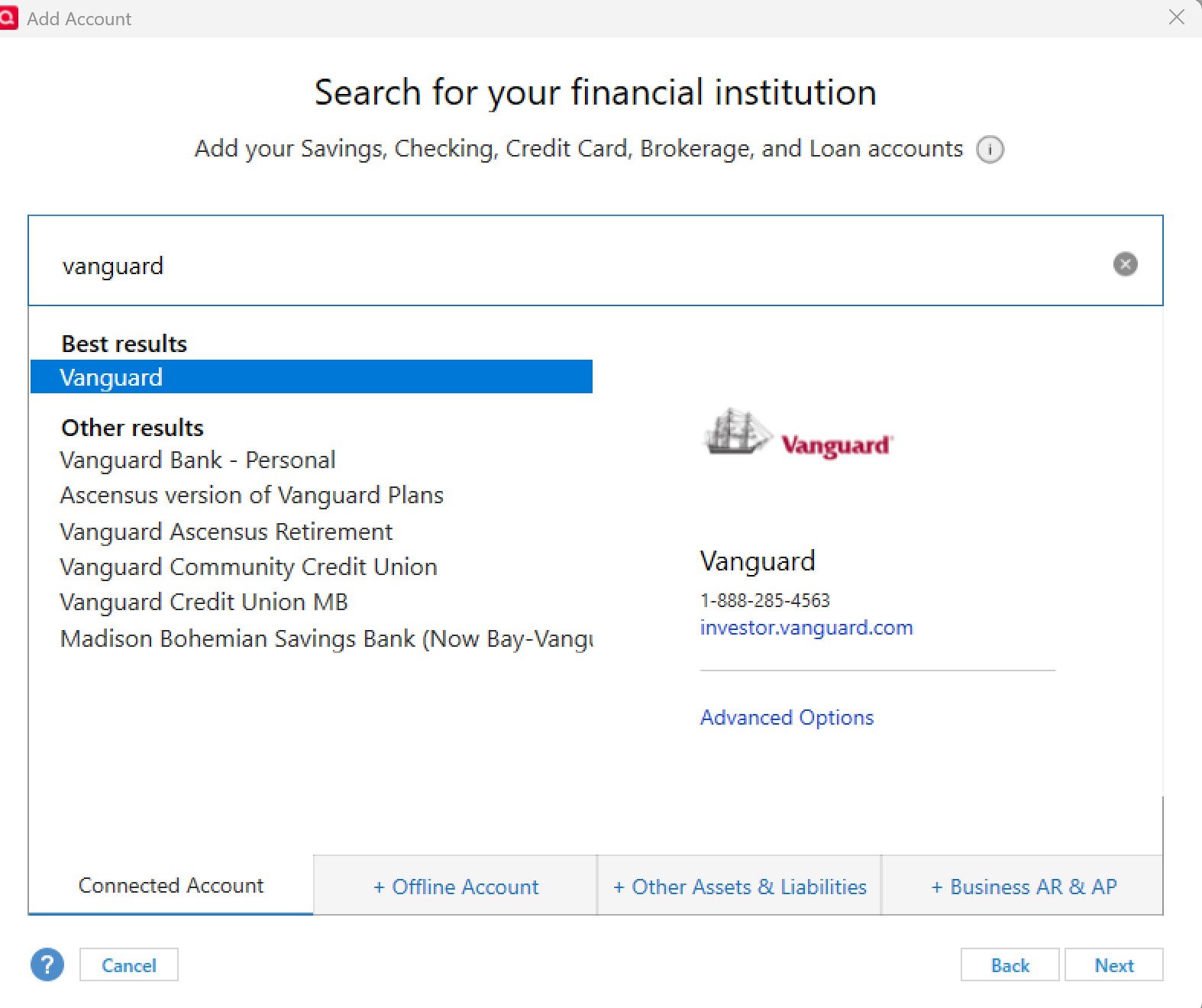
Before we do, please confirm that this is the Vanguard instance listed in our Financial Institution list that you are using, as shown in the image below:
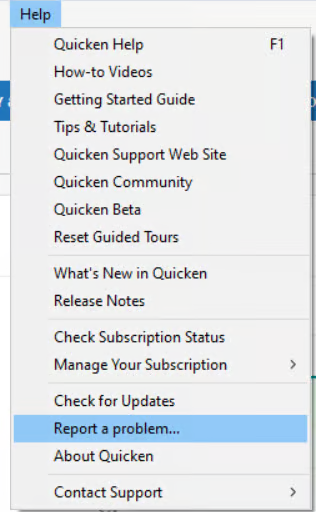
Additionally, we request that you navigate to Help > Report a Problem within Quicken and submit a problem report with log files and screenshots attached to help with the investigation.
It would also aid the investigation to include a sanitized file when submitting the problem report. A sanitized file removes personally identifiable information so you can comfortably share it with the Quicken team.
While you will not receive a direct response through this submission, these reports help our teams investigate the issue more effectively.
We apologize for any inconvenience in the meantime and thank you for your patience!
(CBT-937/CTP-15383)-Quicken Anja
Make sure to sign up for the email digest to see a round up of your top posts.0 -
Confirmed and done.
1 -
@SaaS_is_annoying Thanks! I’ll get your files added to the ticket. However, I noticed that only a screenshot and a sanitized file were attached. Could you also attach all the other log files as well?
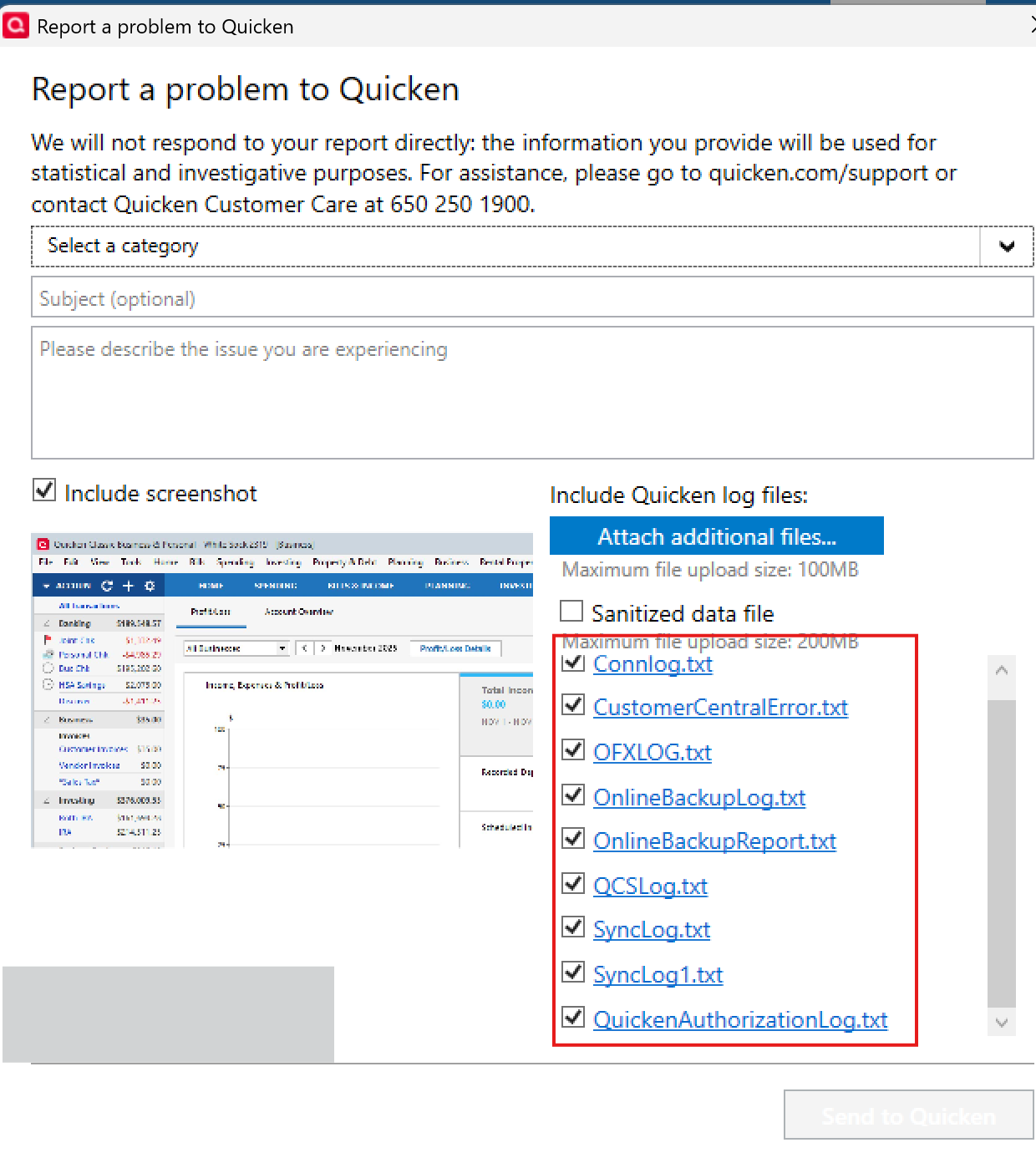
That will help our teams investigate more thoroughly.
Appreciate it!
-Quicken Anja
Make sure to sign up for the email digest to see a round up of your top posts.0 -
Sending now… on my first attempt the "report problem" tool was complaining about too many attachments; my guess (obviously wrong) was that the sanitized DF would have included all the others by default.
0 -
@SaaS_is_annoying Perfect, thank you! I got them all now, and will get them all attached to the ticket. 🙂
-Quicken Anja
Make sure to sign up for the email digest to see a round up of your top posts.0 -
Temporarily turn off the automatically add transactions for the Vanguard account, then go to the register and the phantom transaction should show up in the downloaded transactions tab. Deal with it there by matching, deleting or accepting as appropriate.
You can switch back after that. It might help to run a data file validation after you finish.
0 -
A OL-221-A error is caused by one of two things. Either the financial institution isn't on the list as a participating partner and you get a message like "Can't verify financial institution…" or Quicken thinks there is a syntax error in the QFX file. In both cases you there won't be any transactions to import.
BTW I believe the syntax errors are reported in the Connection log.
Signature:
This is my website (ImportQIF is free to use):0 -
I had same problem right after R65.17 update. I think something happened after the upgrade from Windows 10 to Windows 11 possibly something was changed. Everything worked fine after the Windows 11 upgrade for several weeks. I downloaded quicken install file from this website, uninstalled Quicken, deleted folder as described here in instructions, and reinstalled program. Everything loaded as usual after I logged back into my account when starting the program. Back in business, thank you Anja.
3 -
@MK , this has nothing to do with Win10 v Win11. Many users who have been on Win11 for years experienced this issue. Something that started with installation of R65.15 and R65.17 is causing various issues (msi error, duplicate transactions and QFX issues). The good news is that apparently re-installation fixes it. But that is something Quicken should investigate so that it does not linger into the next release.
- Q Win Deluxe user since 2010, US Subscription
- I don't use Cloud Sync, Mobile & Web, Bill Pay1 -
This update is an absolute disaster. When I update, my investment account doubles. Nice if were real. And I cant quite tell at what entry date in the account everything goes sideways.
If un/reinstall doesn't work, I'll call CS.
1 -
Anyone else getting this error?
Today when tried importing a downloaded a QFX file from Vanguard, I received the error message: "Quicken is unable to complete your request.[OL-221-A]"
A quick on-line search suggests this is a syntax error in the file from Vanguard.. Trying to determine if that is accurate and if it is an isolated problem or widespread.
0 -
I get error OL-221-A when i try to open the downloaded file in Quicken. I have contacted Vanguard and tried all their suggestions. I only have this issue with Vanguard. It was working in September.
Version R64.35
Windows 11 Enterprise
How do i resolve?
0 -
Hello All,
For those still experiencing the OL‑221 error specifically with Vanguard—even after uninstalling and reinstalling Quicken—and who are unable to connect via Direct Connect, please refer to my earlier response and submit your log files via Help > Report a Problem.
Submitting your log files and a sanitized data file will allow us to get your details and files added to the open ticket (CBT‑937/CTP-15383) for further investigation.
Thank you!
-Quicken Anja
Make sure to sign up for the email digest to see a round up of your top posts.0 -
If you select Help → Contact Support → Log Files… → Connection Log and go to the bottom of the file, it should show any syntax errors it found.
For what it is worth, I don't currently have any Vanguard accounts, but I do have an old QFX file from Vanguard and it imported without a problem which sort of suggests the problem is either Vanguard changed something or R65.17 change its syntax checking.
I did do a test where I purposely put in a syntax error, and it does give the OL-221-A and OL-221-B error message and this is in the connection log.

Signature:
This is my website (ImportQIF is free to use):1 -
@Chris_QPW Thanks for sharing that information with the thread—very helpful!
-Quicken Anja
Make sure to sign up for the email digest to see a round up of your top posts.0 -
Today I get the Quicken OL-221-A when trying to import a QFX file for one particular Vanguard account. I have uninstalled Quicken (including deleting the Quicken folder in Program Files (x86) and then reinstalled Quicken. That did not resolve the issue. Any other suggestions on resolving this issue?
1 -
I suspect that this something Vanguard changed and as such you would have to wait for them to fix it.
But it could be something that Quicken Inc changed in the recent updates. If that is the case rolling back to a pst release temporarily might work.
Maybe R64.23.
Signature:
This is my website (ImportQIF is free to use):0 -
Thanks for the suggestions. I ran the log file and this is at the end:
==== OSU End (20251126/08:03:49) ====
20251126 08:08:37: Not all required fields present. Object: REINVEST missing tag: INCOMETYPE
20251126 08:08:37:
20251126 08:08:49: Not all required fields present. Object: REINVEST missing tag: INCOMETYPE
20251126 08:08:49:
20251126 08:09:22: Not all required fields present. Object: REINVEST missing tag: INCOMETYPE
20251126 08:09:22:
20251126 08:10:35: Not all required fields present. Object: REINVEST missing tag: INCOMETYPE
20251126 08:10:36:
20251126 08:19:33: Not all required fields present. Object: REINVEST missing tag: INCOMETYPE
20251126 08:19:33:
20251126 08:26:45: Not all required fields present. Object: REINVEST missing tag: INCOMETYPE
20251126 08:26:46:==== OSU Start (20251126/08:37:26) ====
==== OSU End (20251126/08:37:32) ====
How do I use this info to resolve the problem?
The last time I successfully updated my Vanguard acct was just 4 days ago. I'm running ver65.17, and I think I downloaded an update after the last update. But I don't know what version I was running just before the update. Anyone know how I can look that up on my computer?
0 -
Well that certainly looks like Vanguard is generating the QFX file with syntax errors.
But I guess it could be Quicken not parsing the file correctly.
The problems seem to have started with R65.15 so I would try R64.23.
Signature:
This is my website (ImportQIF is free to use):0 -
I am also having the same problem:
==== Mini-OSU End (20251125/07:30:49) ====
20251125 08:00:20: Not all required fields present. Object: REINVEST missing tag: INCOMETYPE
20251125 08:00:21:
20251125 08:00:33: Not all required fields present. Object: REINVEST missing tag: INCOMETYPE
20251125 08:00:34:
20251125 16:48:31: Not all required fields present. Object: REINVEST missing tag: INCOMETYPE
20251125 16:48:32:
20251125 16:51:53: Not all required fields present. Object: REINVEST missing tag: INCOMETYPE
20251125 16:51:53:1 -
If anyone reverts back to R64.23 for this problem, I'm sure everyone would appreciate posting on this thread whether that worked or not.
Signature:
This is my website (ImportQIF is free to use):0 -
I almost always wait at least a few days, if not a week, before updating Quicken software but its been a while since there has been an issue so I said the h3ll with it and just updated. Murphy's law - I too have the OL-221-A error. Only Vanguard is a problem.
1 -
Me too. I sometimes wait longer than that. This time I jumped one or two updates and downloaded this crapola. 😤
1 -
Adding my voice to this. It happened after the update while attempting to download .QFX files from Wells Fargo and Citibank. I can't use "Report a Problem" because all that seems to do is give a blank screen (perhaps my data files are too big). Called Premiere customer support, and I was told the only solution was to uninstall and reinstall. I've been a quicken user since the Quicken 3 or 4 for Windows back in the 1990s. This fundamental of a problem shouldn't have happened, and I shouldn't need to reinstall. So manual entry of transactions, just like in the 1990s, it is.
Quicken — You need to test your patches better before releasing them!
Hopefully, adding my voice to the mix will help monitor the discussion.
0 -
Reporting the same problem with Vanguard activity downloads. Very frustrating Quicken. The fact we have to manually download Vanguard for the past year is bad enough. Now the manual download doesn't work either.
0




Categories
- All Categories
- 49 Product Ideas
- 35 Announcements
- 225 Alerts, Online Banking & Known Product Issues
- 18 Product Alerts
- 505 Welcome to the Community!
- 673 Before you Buy
- 1.4K Product Ideas
- 54.9K Quicken Classic for Windows
- 16.6K Quicken Classic for Mac
- 1K Quicken Mobile
- 824 Quicken on the Web
- 120 Quicken LifeHub