Generating invoices, software is changing customer info to Billing info
Recently updated to R65.17. While creating invoices the system is changing all the Customer info to the billing info. I went back to earlier created invoices and it has done the same to previously submitted invoices. I consider the invoicing feature completely unusable at this point, until this issue is resolved, no issues until this latest update. need help ASAP. I cannot bill customers.
Using Classic business and personal
Comments
-
Hello @rwhitney,
Thank you for letting us know you're encountering this issue. To help troubleshoot, please provide more information. Where are you seeing the customer information replaced with the billing info? If possible, please include a screenshot (with any personal information redacted). If needed, please refer to this Community FAQ for instructions on how to attach a screenshot. Alternatively, you can also drag and drop screenshots to your response if you are not given the option to add attachments.
I look forward to your response!
Quicken Kristina
Make sure to sign up for the email digest to see a round up of your top posts.
0 -
I'm having the same problem. The "Ship to" info is forced to match "Bill to". This is a huge deal and needs to be fixed.
0 -
Hello @dseayme,
Thank you for letting me know you're having the same issue. To help troubleshoot, please provide the information I requested in my earlier post:
I look forward to your reply!
Quicken Kristina
Make sure to sign up for the email digest to see a round up of your top posts.
0 -
Well, I described exactly what's wrong. I can't attach screenshots because I renamed the fields. In the Invoices > Forms, there are 2 fields. Bill to and Ship to. We are supposed to be able to make them different. After the latest update, we can't make them different. Quicken is automatically filling in the "Bill to" information in both fields.
1 -
The latest release is described here, and the item causing the problem is this: "FIXED Customer addresses now fill in correctly when creating invoices from the register."
0 -
Thank you for your replies,
Thank you for providing that additional information. It looks like you may have been editing your original post while I was responding to it, which is why I didn't see it initially.
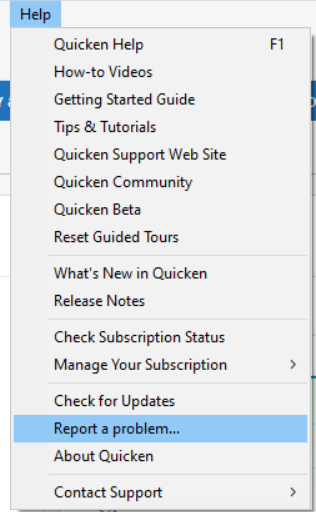
I was able to replicate the issue and forwarded it to the proper channels for further investigation and resolution. To contribute to the investigation, if you haven't already done so, please navigate to Help>Report a Problem and send a problem report with log files attached.
While you will not receive a response through this submission, these reports will help our teams in further investigating the issue. The more problem reports we receive, the better.
In the meantime, one possible work around is manually entering the information directly into the Ship To box.
We apologize for any inconvenience!
Thank you.
(CTP-15440)
Quicken Kristina
Make sure to sign up for the email digest to see a round up of your top posts.
0 -
Thank you Kristina. I am not able to manually enter the information directly into the Ship To box. It immediately reverts to the quicken pre-populating data containing the Bill To information.
1 -
Thank you for the follow-up,
Thank you for letting me know that possible work around doesn't work and for sending those problem reports with log files attached. It will help our teams investigate the issue.
Thank you!
Quicken Kristina
Make sure to sign up for the email digest to see a round up of your top posts.
0
Categories
- All Categories
- 56 Product Ideas
- 36 Announcements
- 223 Alerts, Online Banking & Known Product Issues
- 22 Product Alerts
- 701 Welcome to the Community!
- 671 Before you Buy
- 1.2K Product Ideas
- 53.7K Quicken Classic for Windows
- 16.3K Quicken Classic for Mac
- 1K Quicken Mobile
- 813 Quicken on the Web
- 111 Quicken LifeHub