Citizens Bank
While reathorizing account for the new connection method, Citizens website says complete but when it passes back to Quicken, I get a bad gateway and it never completes reauthorization so files do not update. Windows 11, latest Quicken Classic Deluxe build.
Comments
-
Hello @MarcColety,
Thanks for taking the time to report this issue — the “bad gateway” message during reauthorization shouldn’t be happening, so we’d like to gather a bit more information to help narrow this down.
Could you please share the following details?
- Where is your Quicken data file stored?
Is it on your local hard drive (C:), or is it located in a cloud-synced/external location such as OneDrive, Dropbox, Google Drive, or a USB drive? - Have you tried any troubleshooting steps already?
If so, what have you attempted? - Are you using a VPN when updating or reauthorizing? If yes, does turning it off make any difference?
- Do you have antivirus or malware protection software running that might interfere with the connection flow? If so, have you tried temporarily disabling it as a test?
- When did this issue first start occurring?
- Were there any recent system or software changes (Windows updates, browser updates, new software installed, etc.) around the time the issue began?
Additionally, if possible, please provide a screenshot of the exact “bad gateway” error you’re receiving in Quicken. This will help us determine whether the error is coming from the bank’s handoff, the browser session, or Quicken’s connection.
If needed, please refer to this Community FAQ for instructions on how to attach a screenshot. Alternatively, you can also drag and drop screenshots to your response if are not given the option to add attachments.
Thanks again—we’ll do our best to help you get this sorted out.
-Quicken Anja
Make sure to sign up for the email digest to see a round up of your top posts.0 - Where is your Quicken data file stored?
-
Storage: Data file is stored on Dropbox.
Troubleshooting: Validated Quicken file and attempted reauthorization twice.
VPN: Tried with and without VPN, same issue.
AntiVirus: Running both McAfee and AVS
When: The first time I got a notice from Quicken to reathorize the Citizens account for the new connection method.
System Updates: None within the last month.
Will try turning off antivirus and report back.
0 -
Same result with both anti-virus applications turned off.
FYI - When trying to screenshot the bad gateway message, the clipping tool just shows a black screen.
0 -
@MarcColety Thanks for the additional details—that helps a lot.
The biggest thing that stands out is that your Quicken data file is stored in Dropbox. We’ve seen many cases where files stored in cloud-synced locations can cause issues, especially during reauthorization flows, because the files are being actively synced while Quicken is trying to complete a secure connection handshake. It can also cause a range of other issues, including data damage and/or corruption.
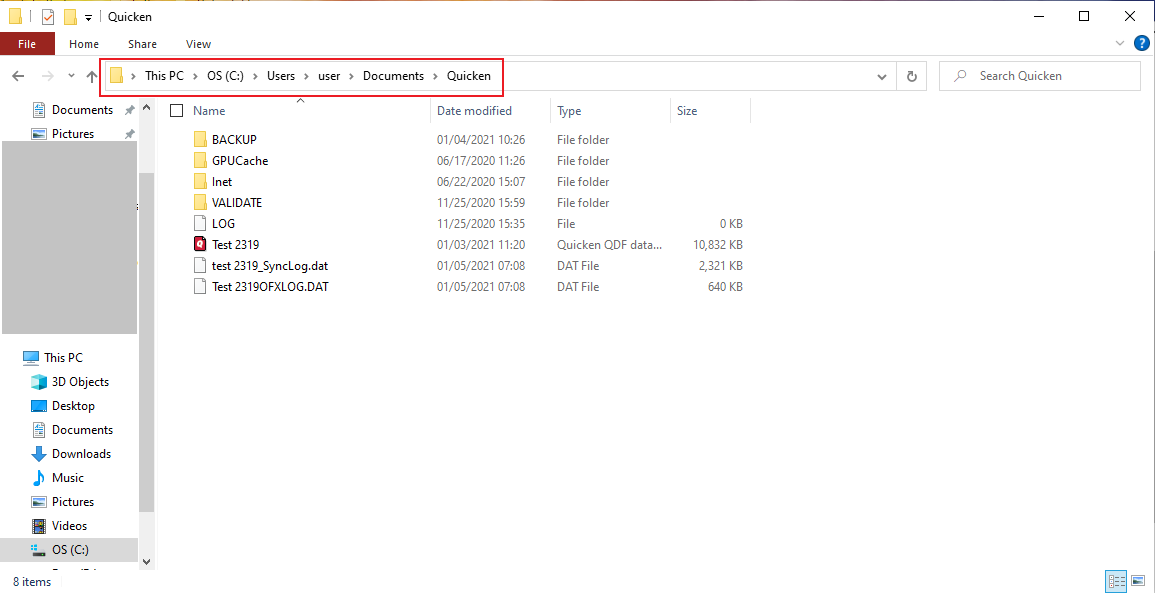
Before going further, I recommend moving the Quicken data file to your local hard drive (for example: C:\Users\[YourUserName]\Documents\Quicken).
Once moved, please try the reauthorization again and let us know if the “bad gateway” error still appears.
If that doesn’t resolve it, then temporarily disabling McAfee/AVS during the reauthorization (as you mentioned you’ll try) would be the next best step, since those can sometimes block or interrupt the redirect between Quicken > Browser > Citizens Bank > back to Quicken.
Thank you!
-Quicken Anja
Make sure to sign up for the email digest to see a round up of your top posts.0 -
Cannot switch to new connection method for Citizens Bank until this is resolved. After the 19th, Quicken says no connection available with old method.
After just going through this with Fidelity changeover, this could be the lsat straw for a 20 year Quicken user if not resolved in time. I have had this bank account for 45 years, am not switching to accomodate a software application. Hopefully we can resolve before this turns into a munual transaction account. There are dozens of transactions weekly in this account, not going to do that manually. Citizens has worked since day 1 for me using Quicken.
0 -
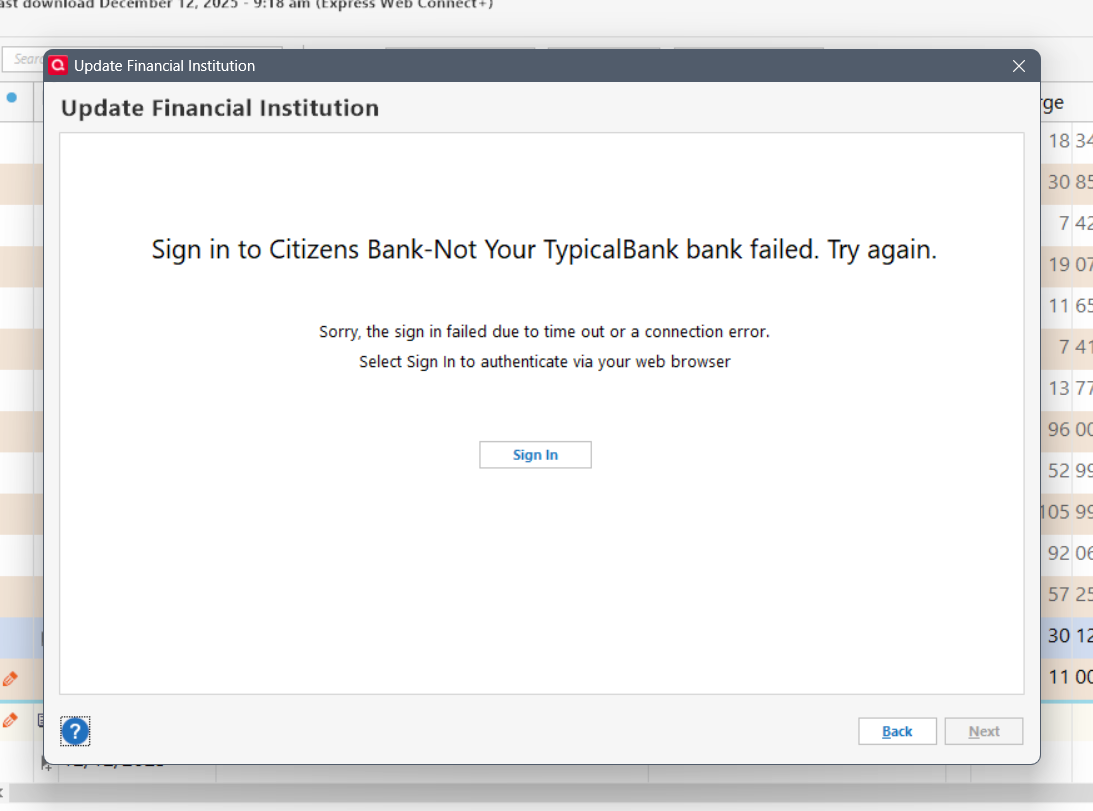
The bad gateway is not in Quicken, it is in my web browser. It happens immediately after the Citizens Bank page that says my new connection is active and then it never switches back to Quicken. If I force close the web page, this iw what I see in Quicken:
"Your connection has timed out"
0 -
Quicken notification after Citizens forced closed web page.
0 -
Web page after Citizens says your accounts are connected.
0 -
Anti Virus off and VPN off does the same thing.
Will try moving the Dropbox file to hard drive. NEVER had to do this in 20 years before.
0 -
Thanks for the update, @MarcColety—and I completely understand your frustration. I know this hasn’t been your experience over the last 20 years, but the newer reauthorization flows rely on a much stricter and more secure redirect process than older connection methods did, and cloud-synced file locations (Dropbox, OneDrive, etc.) are a common source of interruption during that final handoff.
Since disabling antivirus and VPN didn’t change the behavior, moving the data file to your local hard drive would be the next step.
Also, when you try again:
- Which browser are you using as your default?
Some browsers block or break the redirect back to Quicken.
If possible, please switch your default browser (our recommendation is Chrome for best compatibility) before attempting the reauthorization again. - After Citizens confirms activation, the browser should hand off directly back to Quicken. If that callback is blocked, it results in the “bad gateway” or the “connection timed out” message you’re seeing.
Once you’ve moved the file locally and tested with a different default browser, let me know how it goes.
-Quicken Anja
Make sure to sign up for the email digest to see a round up of your top posts.0 - Which browser are you using as your default?
-
I moved my file to my hard drive - same result!
0 -
I use Chrome exclusively.
0 -
Yes, I agree and it was what I was trying to explain without knowing the right terms, but it is that call back handing it back to Chrome where it fails every time.
0 -
Thanks for confirming you're using Chrome!
In that case, then here are a few other things we can try:
1. Test the reauthorization using a different default browser temporarily
Even though Chrome is generally the most compatible, switching the default browser just for the reauthorization can help identify whether the issue is tied specifically to Chrome’s handling of the redirect on your system.
If you’re willing, try setting Microsoft Edge or another browser (avoid Brave or DuckDuckGo) as the default browser:
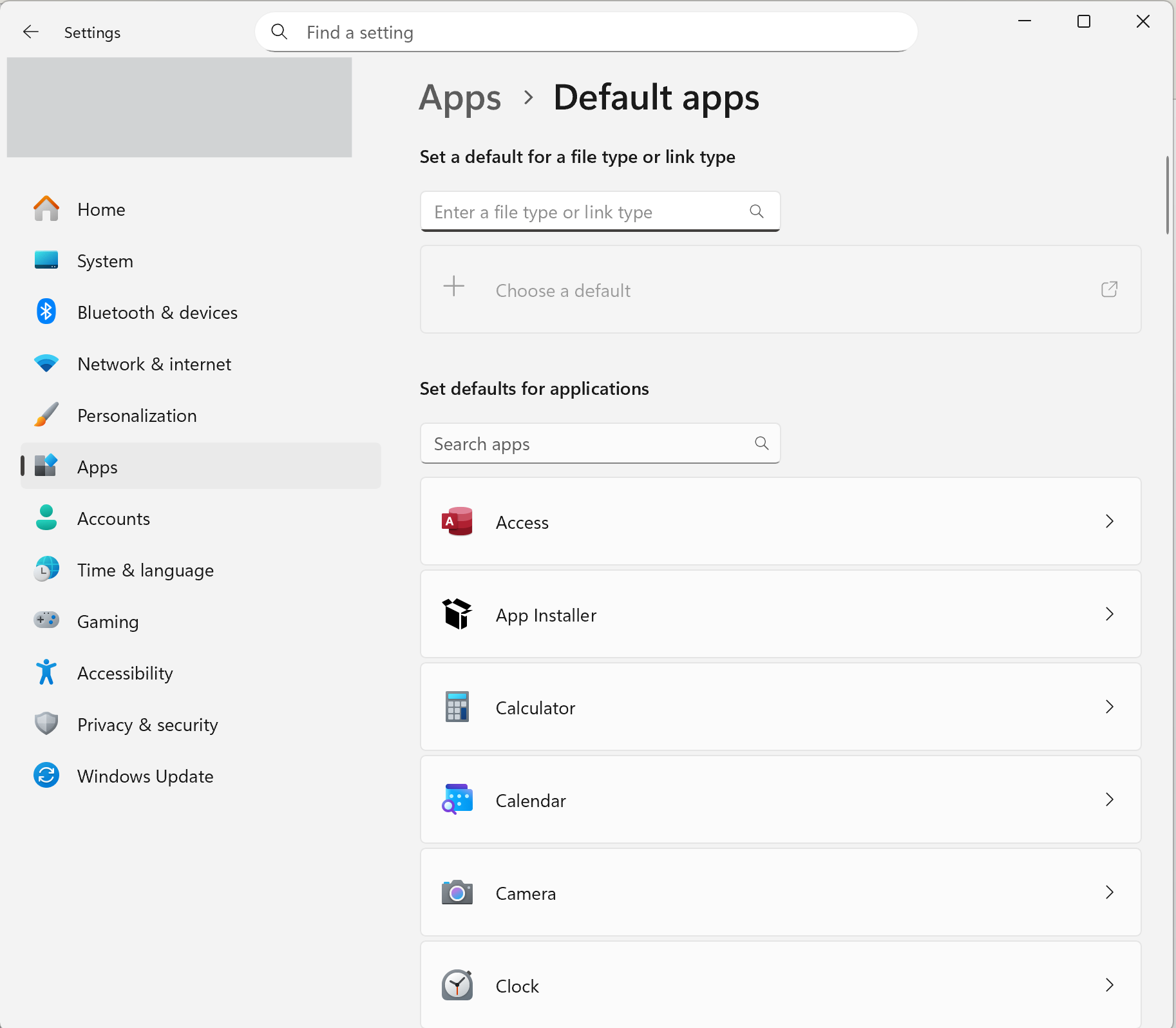
- Windows Settings > Apps > Default Apps > Set Edge as default
Then restart Quicken and attempt the reauthorization again.
2. Clear the default browser’s cache/cookies
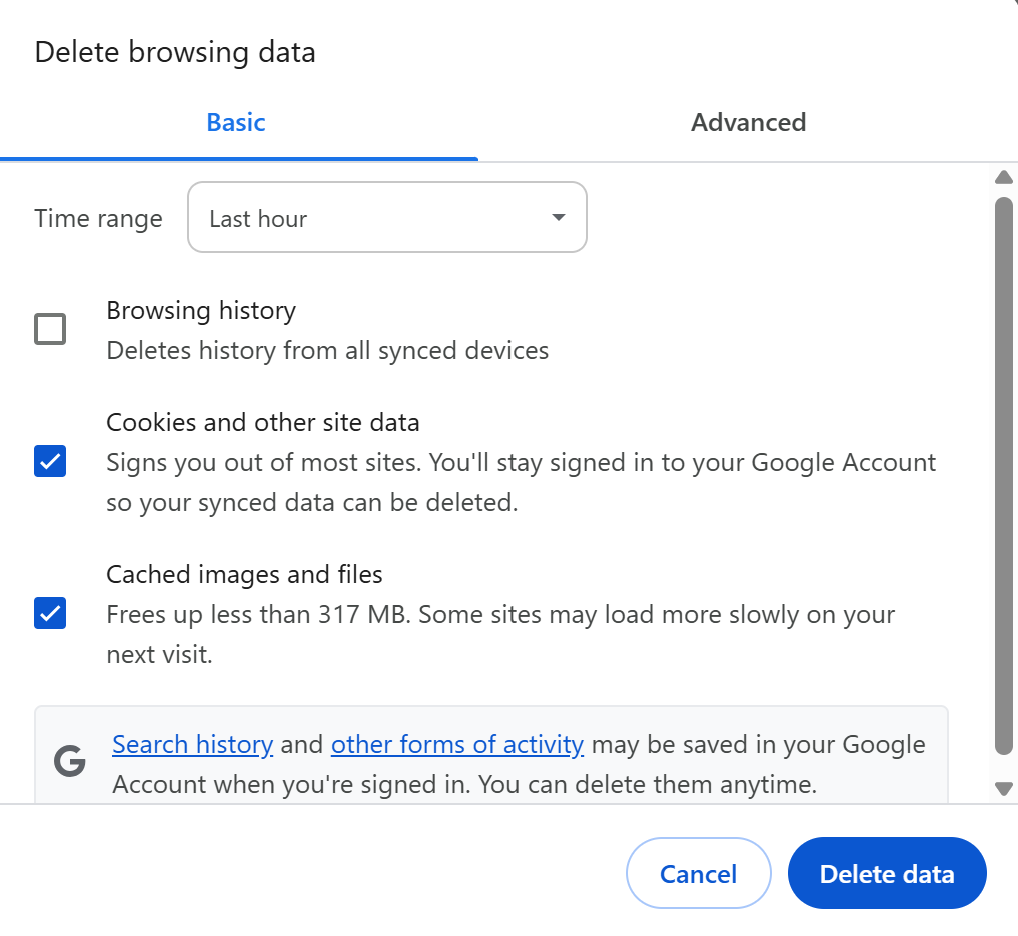
Sometimes an older or cached session with the bank can break the redirect:- In Chrome: Settings > Privacy and Security > Clear Browsing Data
(Select Cookies and Cached Images/Files)
Then fully close Chrome and try the reauthorization again.
3. Confirm no browser extensions are interfering
Ad blockers, script blockers, privacy extensions, etc., can prevent the redirect from completing.If you use extensions, try temporarily turning off any security/privacy extensions before retrying.
Hope this helps!
-Quicken Anja
Make sure to sign up for the email digest to see a round up of your top posts.0 - Windows Settings > Apps > Default Apps > Set Edge as default
-
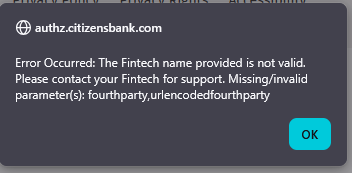
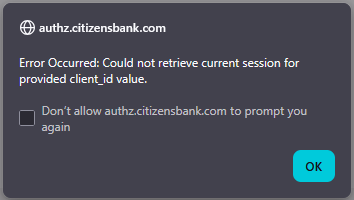
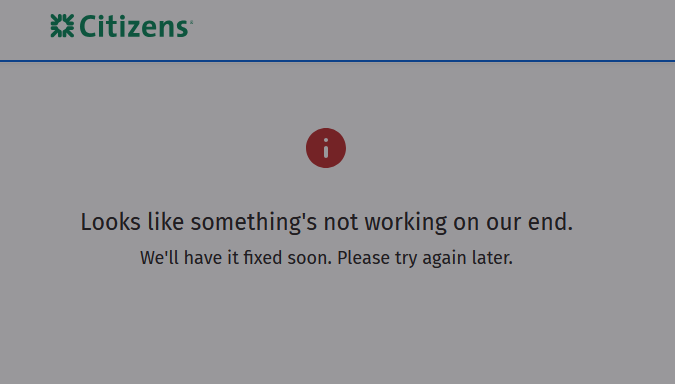
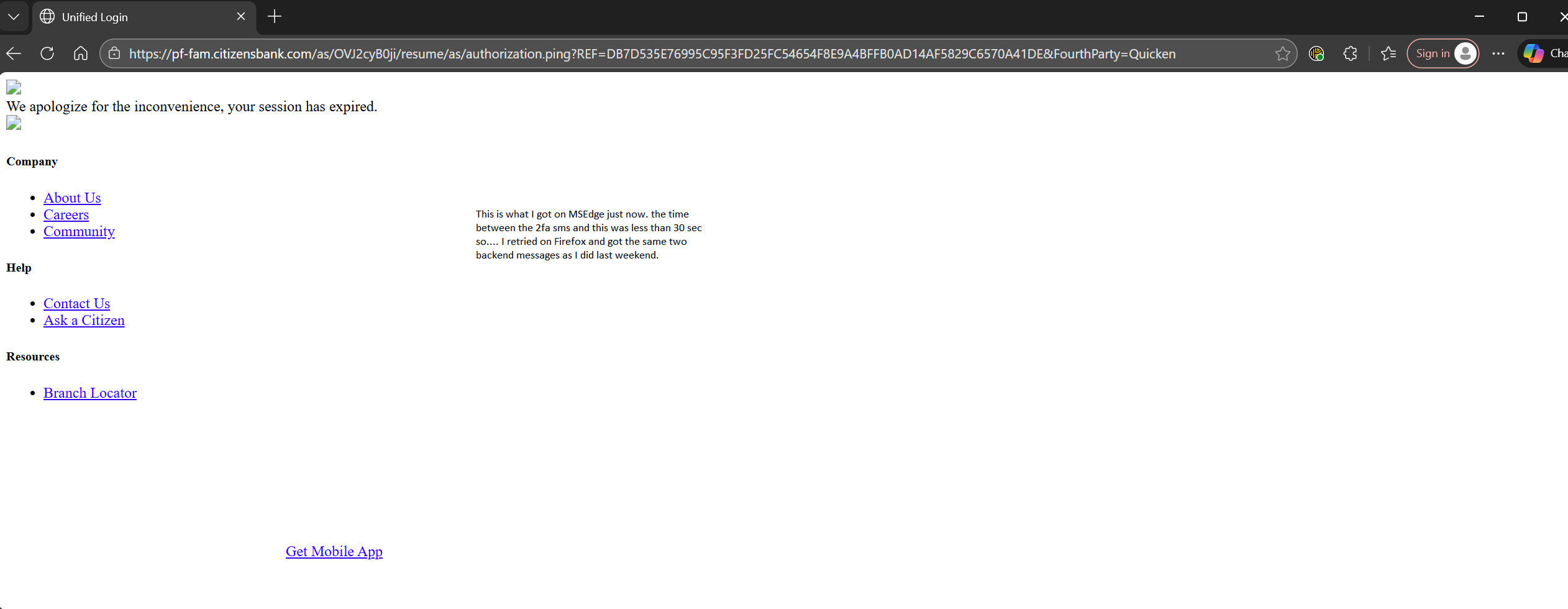
I ran into issues that look like they are on Citizens' end, which is not unexpected considering what their IT wonders did to destroy their Bill-Pay system:
0
Categories
- All Categories
- 60 Product Ideas
- 36 Announcements
- 216 Alerts, Online Banking & Known Product Issues
- 21 Product Alerts
- 704 Welcome to the Community!
- 671 Before you Buy
- 1.2K Product Ideas
- 53.9K Quicken Classic for Windows
- 16.4K Quicken Classic for Mac
- 1K Quicken Mobile
- 812 Quicken on the Web
- 115 Quicken LifeHub