Missing Button in Investment pop-up window

psobilo
psobilo Quicken Windows Subscription Member ✭✭✭
edited January 6 in Investing (Windows)

RELEASE R64.30 (09/25/2025)

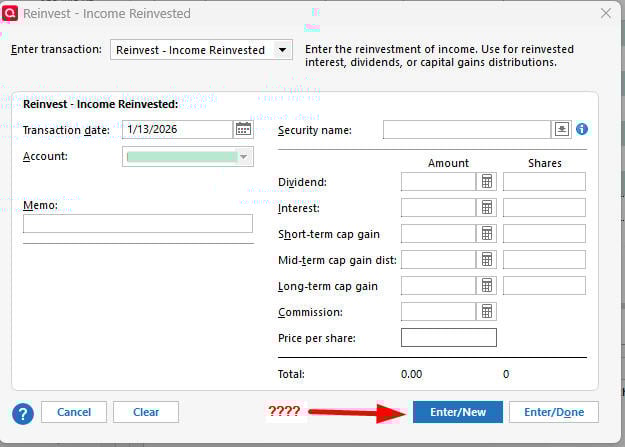
When entering multiple transactions in an investment account (in my case, SELL), there used to be 2 buttons in the lower right side of the pop-up window — ENTER/NEW and ENTER/DONE. When I would enter the data for a transaction, I could hit the ENTER/NEW button and the transaction would be entered and the investment data (investment, # shares, etc.) would be erased, but the pop-up screen would remain for the next transaction in that account. For the last transaction for the account, I would hit the ENTER/DONE button to complete the transaction entry and the pop-up window would close.

RELEASE R65.15 (11/20/2025)

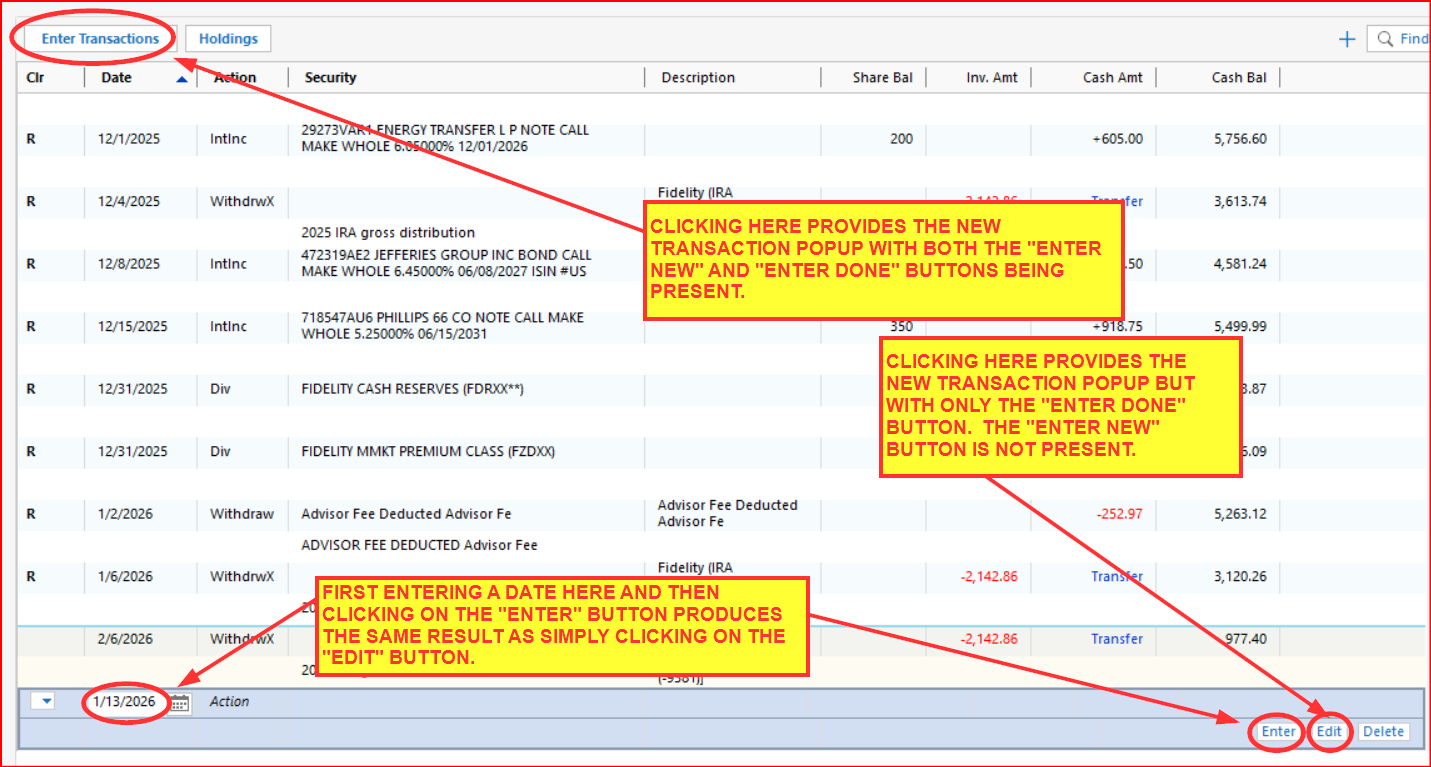
Under the same scenario, there is only 1 button in the lower right corner of the pop-up window — (ENTER/DONE). For each transaction in the same investment account, I have to open a new pop-up window and set the date for the transaction.

See attached photos.

Comments

  • Quicken Kristina
    Quicken Kristina Quicken Windows Subscription Moderator mod

    Hello @psobilo,

    Thank you for reaching out! To clarify, is the button still missing when you update to R65.29?

    I look forward to your response!

    Quicken Kristina

    Make sure to sign up for the email digest to see a round up of your top posts.

  • psobilo
    psobilo Quicken Windows Subscription Member ✭✭✭

    Yes. I have the latest release R65.29 installed, but the button is still missing. I was able to verify when the issue occurred by using my laptop and reinstalling Quicken, then stepping through the release updates until the button disappeared.

  • jfreilly3
    jfreilly3 Quicken Windows Subscription Member

    I have the exact same issue - same release R65.29. The ENTER/NEW button is missing. It was there in early December, the last time that I did multiple investment transactions.