Credit Card Payment Reminders

randomguy114
randomguy114 Quicken Windows Subscription Member ✭✭

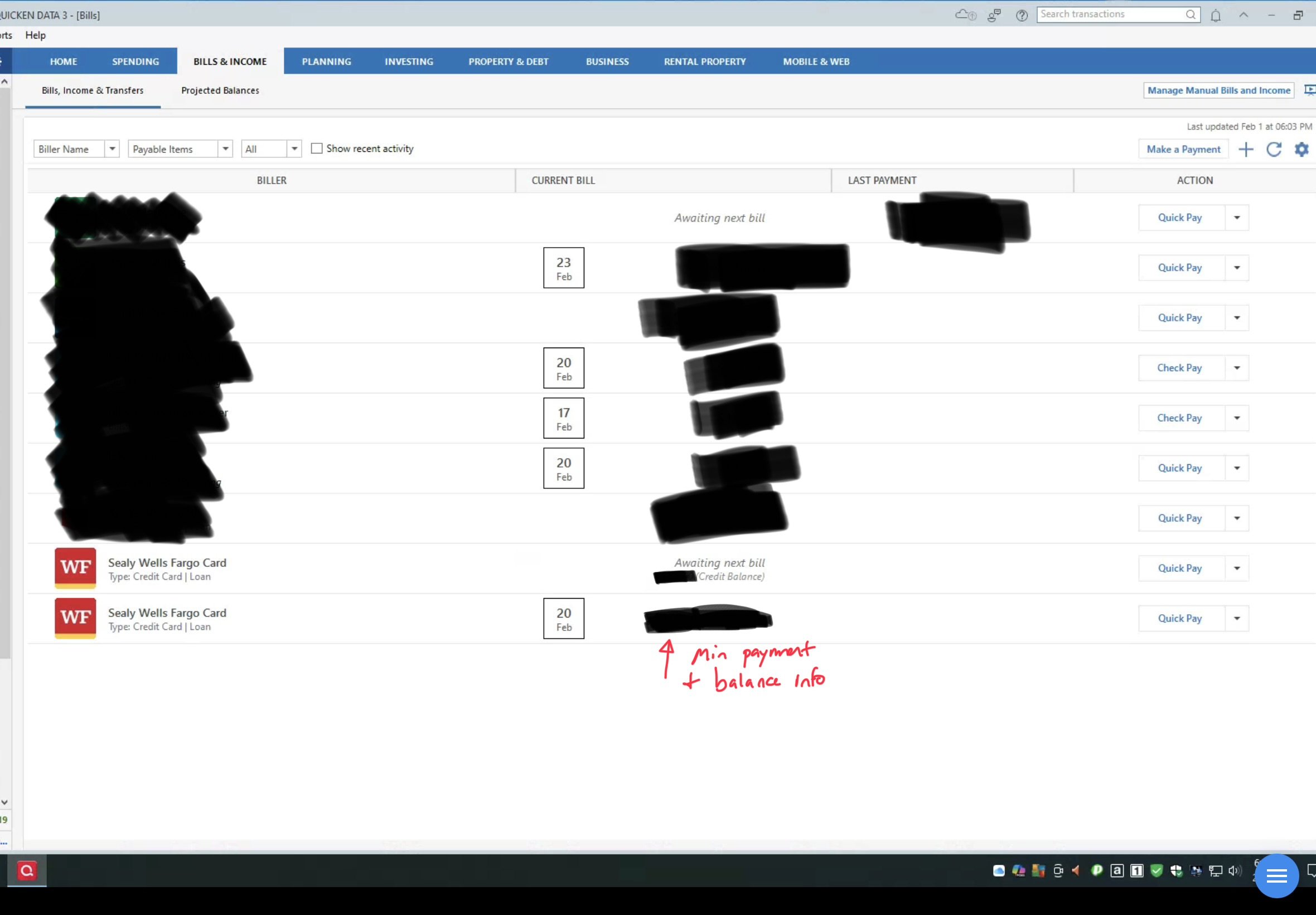
Using Quicken Classic desktop for Windows. I have a credit card and they do online billing. So I have them setup in my billing screen.

Question 1: They appear twice even though I only entered them once. I’m afraid if I choose one to delete, both will leave, and I’ll have to sign in again. How to fix?


Question 2: I don’t have a reminder set for them. If wanted to create one, is it a bill or a transfer? I actually have the credit card account setup as an account in Quicken, so before I started using their bill stuff, I set up the payment reminder as a transfer, but sure about now.


Thanks!

[Edited - Readability]

Answers

  • Quicken Kristina
    Quicken Kristina Quicken Windows Subscription Moderator mod

    Hello @randomguy114,

    Thank you for reaching out! To help troubleshoot, please provide more information:

    • Which financial institution is the credit card with?
    • You mentioned it appears twice. Are both identical?
    • If possible, please provide a screenshot of the duplicate biller (make sure to redact any personal information).
      • If needed, please refer to this Community FAQ for instructions on how to attach a screenshot. Alternatively, you can also drag and drop screenshots to your response if you are not given the option to add attachments.

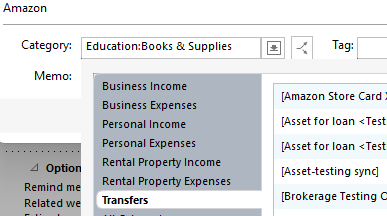
    To address your second question, if you're setting up a manual reminder, you could set it up as a bill, then set the category as a transfer category to the credit card.

    Screenshot 2026-02-01 at 4.34.34 PM.png

    That would set up the reminder to document transfer from the payment account to the credit card.

    I look forward to your response!

    Quicken Kristina

    Make sure to sign up for the email digest to see a round up of your top posts.

  • randomguy114
    randomguy114 Quicken Windows Subscription Member ✭✭

    See screenshot below.


    IMG_0009.jpeg