Why are reminders automatically appearing in register without category?
I'm not sure why this prior thread was closed without any resolution, but the problem persists.
https://community.quicken.com/discussion/7967187/reminders-automatically-appearing-in-register-without-category
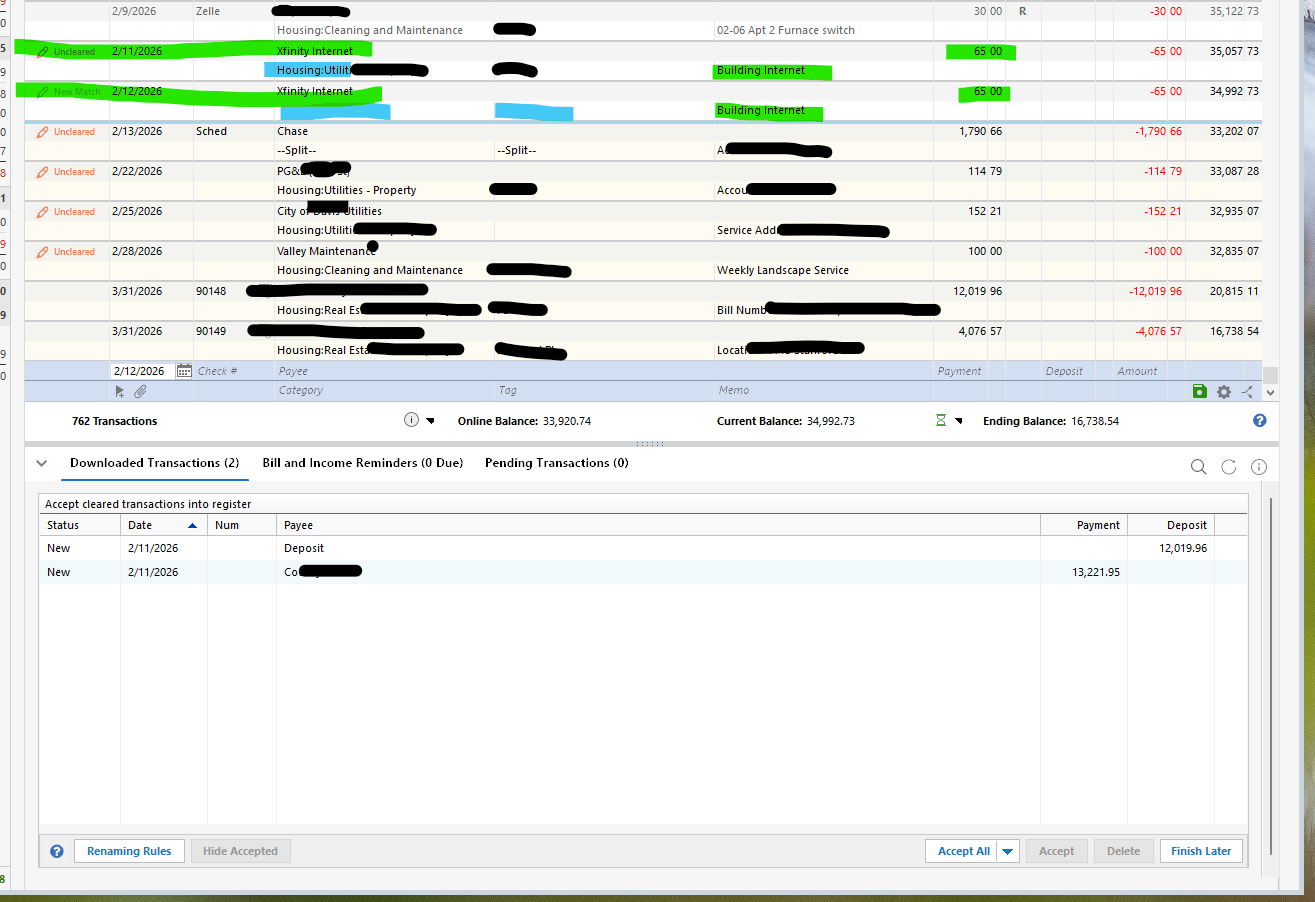
There are two problems here: 1) manual reminders are automatically being entered into the register, AND 2) they are entered without the category specified in the reminder.
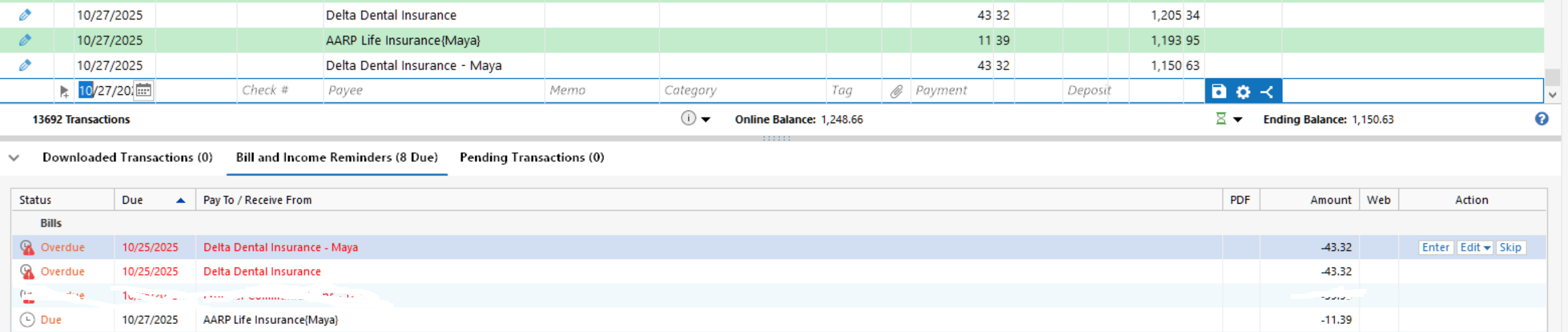
Specifically, starting a few weeks ago, presumably after an update, my MANUAL bill reminders started automatically entering themselves into my register, even though they are set NOT to. These transactions in the registers do not include the category they were set to in the reminder. In the register they have a blue pencil saying they were manually entered from a bill reminder. But they were not manually entered by anyone. When I actually manually enter a transaction from a bill reminder, it shows with a red pencil and says Uncleared until it's matched to a downloaded transaction.
It seems (though not 100 certain) this this situation occurs when a transactions is downloaded that Quicken believes matches to a reminder.
Answers
-
I spent hours on phone with support explaining to them what happened. They said they would investigate and follow-up. Never happened. I sent them an email asking what the status was and they said the case had been closed. I called and was told they would open another ticket for it. When I inquired about that later, they said the ticket was closed also. I'm still having the issure but I guess there are not enough people reporiting it for them to care about it.
Quicken Classic - R65.29, Windows 11 PRO current on updates
My data file is NOT being synced nor backed up.
1 -
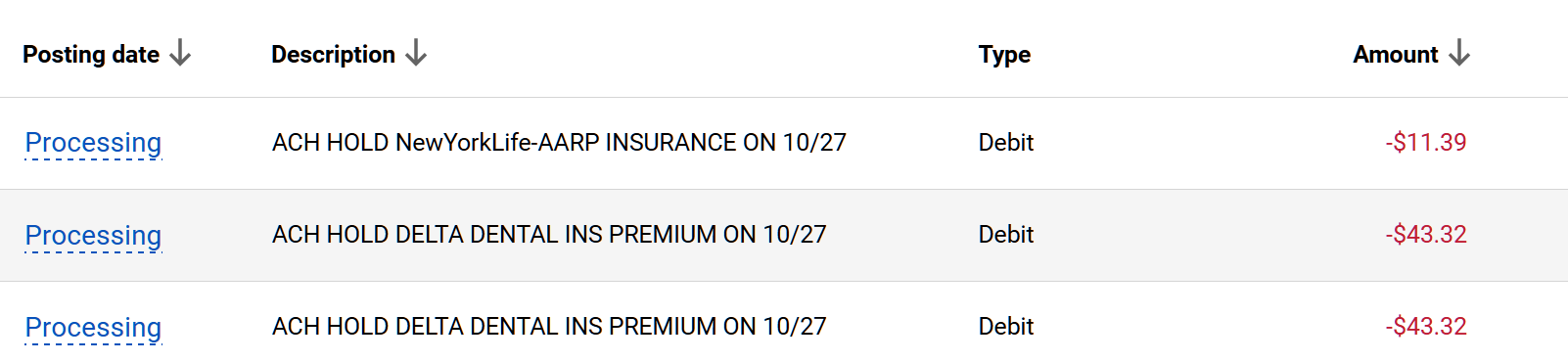
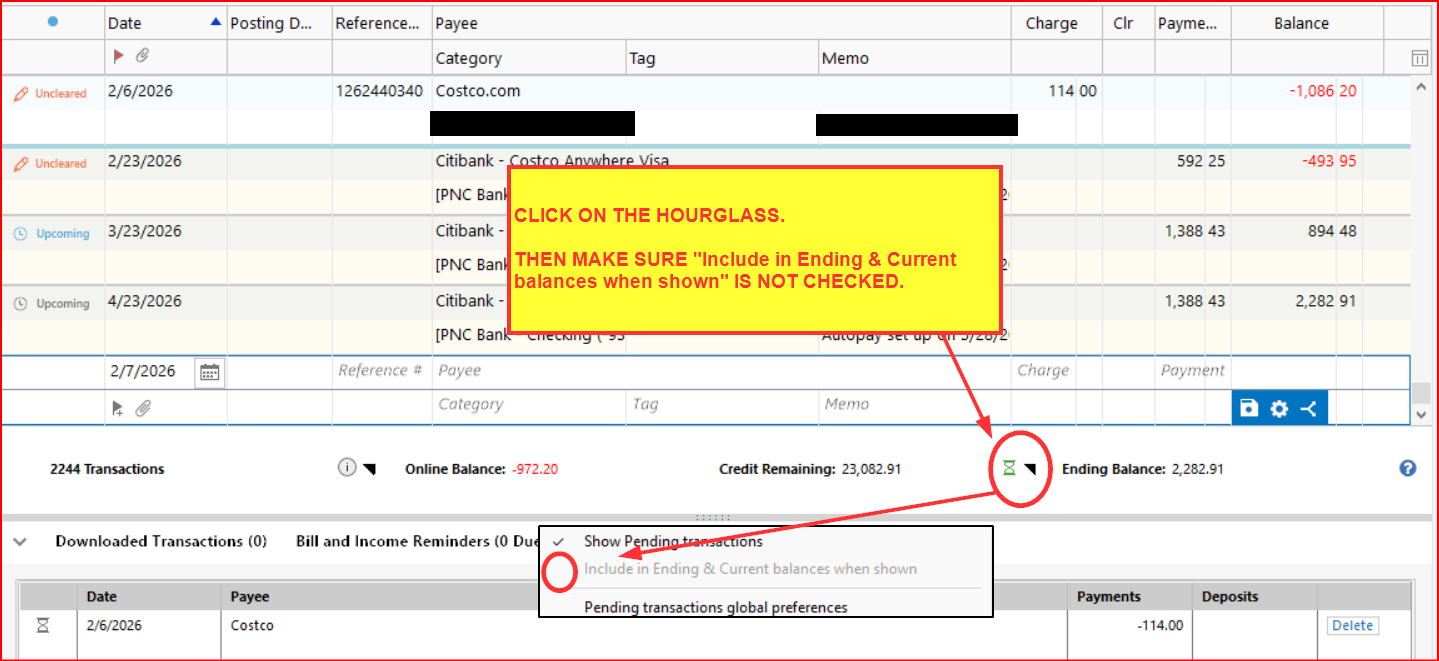
Specifically this has to do with Pending Transactions. When you have pending transactions turned on and a specific account selected, when a pending transaction occurs it causes the "reminder" to be inserted into the account register, without the category, even though the pending transaction itsel is not added to the register. The register is set to NOT show pending transactions in the register.
Quicken Classic - R65.29, Windows 11 PRO current on updates
My data file is NOT being synced nor backed up.
1 -
Here is my post from October;
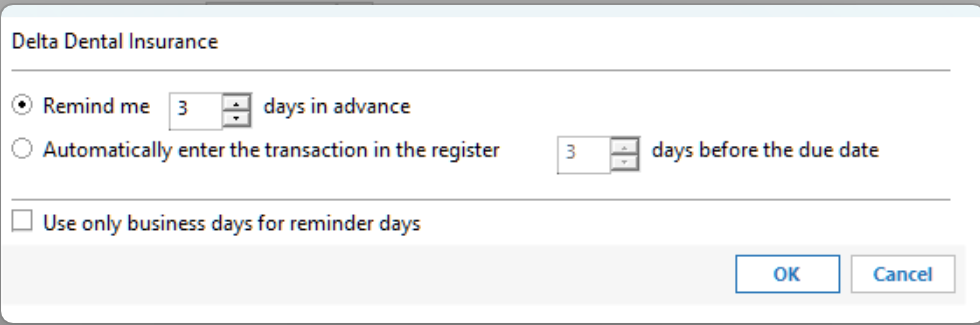
Greg BrownQuicken Windows Subscription Member ✭✭✭✭October 2025edited October 2025What's the status of this issue. I have to believe it was caused by one of the recent releases. I also included the bill reminder setting showing it is NOT set to automatically enter in the register…Also the blue icon indicates"Entered Manually on 10/25/2025" which did not happen. It says "New Match" "Matched to adownloadedtransaction in the last update on 10/27/2025". But as you can see, the transactions are still "pending" in my BofA account. The third reminder down in the screenshot below, the one I erased was set to "autopay". Not sure if that has anything to do with it. It is automatically charged to my account by Frontier Communications on the due date. The reminder does not get entered automatically, I enter it manually, as I do with the other reminders.Quicken Classic - R65.29, Windows 11 PRO current on updates
My data file is NOT being synced nor backed up.
0 -
I'm not sure why this prior thread was closed without any resolution, but the problem persists.
Post threads are generally closed out after about 1 month of no posting activity. That indicates the thread has become stale due to lack of interest or that the issue is no longer an issue. Those who wish to make sure a post thread stays open need to make sure someone adds a new post at least once every 2-3 weeks.
Over the last 1-2 months the Moderators have begun posting inquiries in apparently stagnant threads inquiring about whether or not the posted issue/question is still an issue/question and cautioning that the thread will soon be closed out for lack of activity. After a couple of such posts with no responses received the threads are then closed. That, I think, is a big improvement so people will know why threads are closed, even when there is no posted resolution.
Keep in mind that Quicken Community is first and foremost a users forum, not a formal Quicken Support channel.
Quicken Classic Premier (US) Subscription: R65.29 on Windows 11 Home
1 -
I had the same issues. I reported it. It seemed to resolve itself in recent days. Sorry, I do not use Quicken Support call center, as I mostly end up on the phone for over an hour, uninstalling, reinstalling, repairing file, moving file, creating new file, etc. and none of that ever works, because that's not the issue.
I always hope that the moderators of the forum will see activity with issues like this and create a ticket. Sometimes, yes. Sometimes, no. Oh well.
0
Categories
- All Categories
- 49 Product Ideas
- 35 Announcements
- 227 Alerts, Online Banking & Known Product Issues
- 18 Product Alerts
- 505 Welcome to the Community!
- 673 Before you Buy
- 1.4K Product Ideas
- 54.9K Quicken Classic for Windows
- 16.7K Quicken Classic for Mac
- 1K Quicken Mobile
- 825 Quicken on the Web
- 121 Quicken LifeHub