CC-800 Error After 2-Day Old Backup Restore
It seems that every time I restore a backup, I get the CC-800 error for 7 of my accounts and I have to go through the process of deactivating and re-linking. Is this is a new thing that started this year. The odd thing is that after a restore, a 'Syncing with Quicken Cloud' message appears for 10 seconds or so. I'm not even sure what Quicken Cloud is and I certainly don't intend to sync my data with Quicken Cloud. I see that others have this same problem. I have reported it to Quicken and nothing ever happens.
Comments
-
Hello @TinyElvis,
Thank you for your detailed explanation.
Regarding the CC-800 error
A CC-800 error commonly occurs after restoring a backup if accounts were previously deactivated or deleted before that backup was created. When this happens, the connection information stored in the file no longer matches what’s on the server, and the accounts must be reactivated.
To resolve this, please follow the steps below, which can also be found in this support article:
Step 1: Deactivate the affected accounts
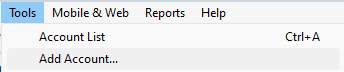
- Go to Tools > Account List
- Select Show Hidden Accounts at the bottom of the window (if available)
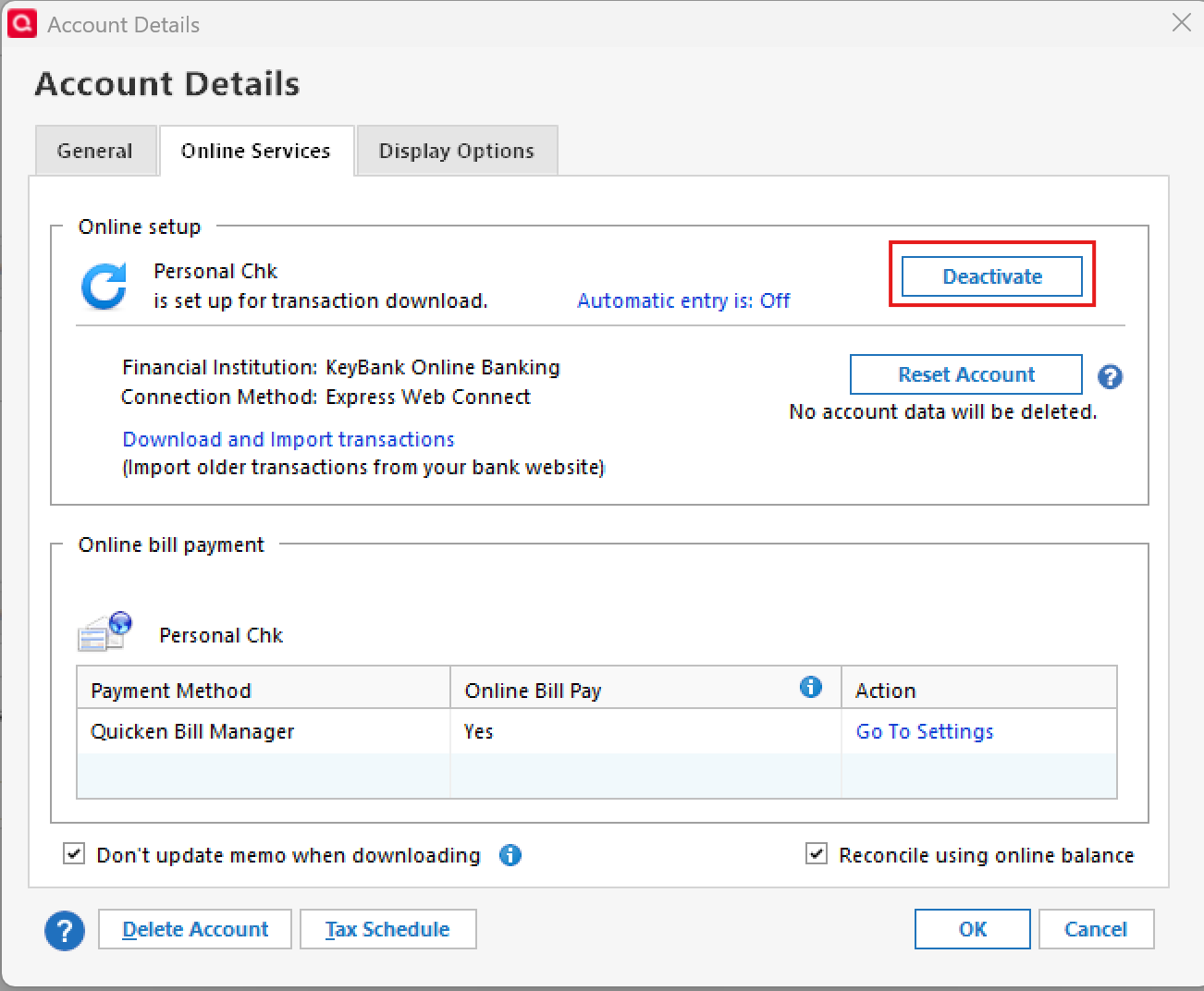
- Click Edit for each account receiving the CC-800 error
- On the Online Services tab, choose Deactivate
- Once all affected accounts are deactivated, close the Account List
Step 2: Reactivate the accounts
- Go to Tools > Add Account
- Sign in using your financial institution’s login credentials
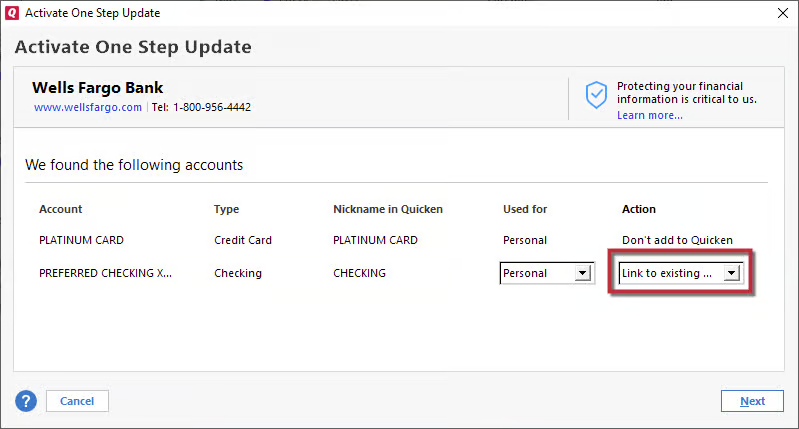
- When Quicken displays the list of accounts found:
- Select Link to existing account for accounts you were already tracking and choose the matching account
- Select Add to Quicken for any new accounts you wish to add
- Select Don’t add to Quicken for any accounts you do not want connected
This process should restore the online connections and clear the CC-800 errors.
If the issue persists after completing these steps, please contact Quicken Support for further assistance.
——About “Syncing with Quicken Cloud”The message you’re seeing after restoring is related to the Quicken Cloud, which is automatically associated with your Quicken ID.
The Quicken Cloud:
- Syncs data between Quicken Desktop, Quicken Mobile, and Quicken on the Web
- Enables mobile access and alerts
- Is not a backup service
- Cannot be used to restore your desktop data file
Your actual data file remains stored locally on your computer. For more detailed information, please review this support article.
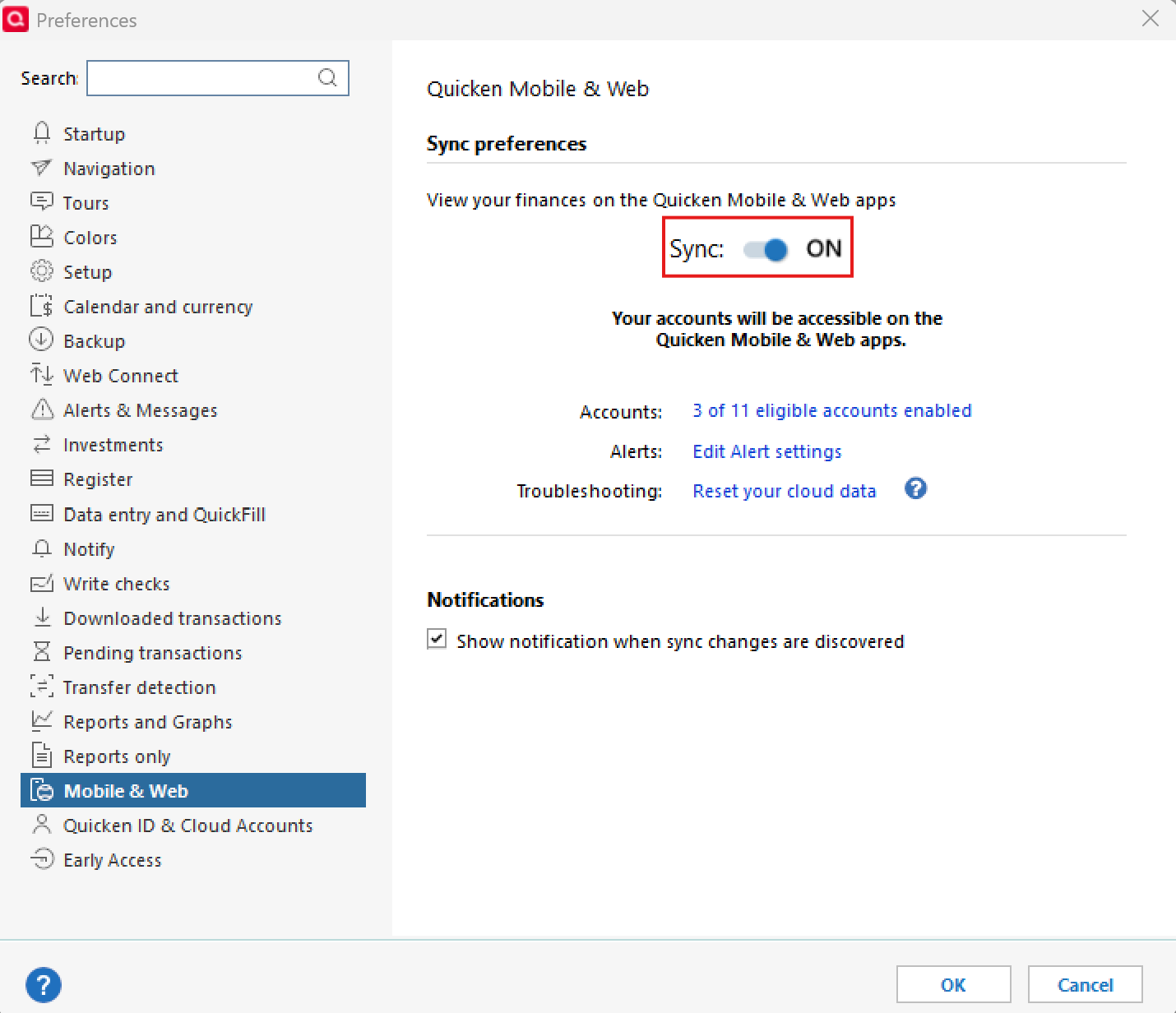
If you do not wish to sync with Quicken Cloud, you can disable it:
- Navigate to Edit
- Preferences…
- Mobile & Web
- Switch the toggle to OFF
This will prevent future cloud syncing.
I hope this helps clarify both the error and the cloud behavior you're seeing.
Thank you!
-Quicken Anja
Make sure to sign up for the email digest to see a round up of your top posts.0
Categories
- All Categories
- 50 Product Ideas
- 35 Announcements
- 238 Alerts, Online Banking & Known Product Issues
- 20 Product Alerts
- 506 Welcome to the Community!
- 676 Before you Buy
- 1.4K Product Ideas
- 55K Quicken Classic for Windows
- 16.7K Quicken Classic for Mac
- 1K Quicken Mobile
- 826 Quicken on the Web
- 121 Quicken LifeHub