Bank of America - Reauthorization Error [Edited]
Comments
-
Experiencing this exact same error. For now I told it to remind me later
0 -
I have gotten the message that I need to reauthorize my BOA accounts for the past 2 days. When I try, I get an error message on signing in. My login has not changed. I am able to log in on my mobile app and using Edge or Safari. Any idea when the connectivity for Quicken may be fixed? Thank you.
0 -
Having the same exact issue
0 -
Short version: I get the 400 error if I try to reauthorize through my Merrill account.
Because all my accounts (BOA and Merrill) are visible to my Merrill account, for fun, I tried reauthorizing by selecting Merrill. I was able to log in my Merrill account. Just like when I tried to log in through my BOA account, all my accounts (BOA and Merrill) were listed. I selected all of them and got the the final permission page, then again i got the "HTTP Status 400 – Bad Request" error page.
Both reauthorization paths appear to be broken.
Sorry for the rant, but gosh, wouldn't it be nice once in awhile that an FI change didn't cause heartburn.
2 -
Hello All,
Thank you for continuing to report this issue and updating the discussion with your findings.
We have forwarded this issue to the proper channels to have this further investigated. If you have not already done so, we request that you please navigate to Help > Report a problem within your Quicken program and submit a problem report with log files and screenshots attached in order to contribute to the investigation.
It would also aid the investigation to include a sanitized file when submitting the problem report. A sanitized file is a data file that removes personally identifiable information so you can comfortably share this file with the Quicken team.
While you will not receive a response through this submission, these reports will help our teams in further investigating the issue. The more problem reports we receive, the better.
Please let us know once you have sent them over so we can add them to the ticket. Thank you to everyone who has already submitted their log files.
Thank you.
[CTP-16464]
Quicken Alyssa
Make sure to sign up for the email digest to see a round up of your top posts.
0 -
I am on Mac Quicken with the exact same issues. Sent report as requested to Quicken.
1 -
I can not connect my checking account to Bank of America online
1 - The account is disconnected and has never been activated
2 - There are no existing 3rd party connection on Bank of America to revoke
3 - I have read all of the relevant link and followed all the instructions on: Quicken BofA
4 - I opened a ticket with Quicken support and I got no help at all
Here is a step by step of the error.
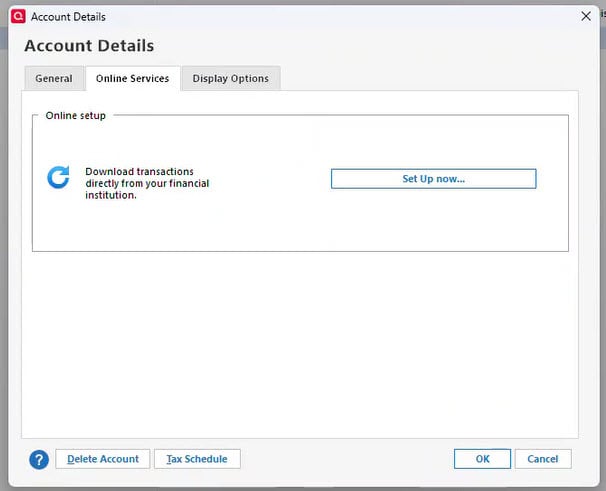
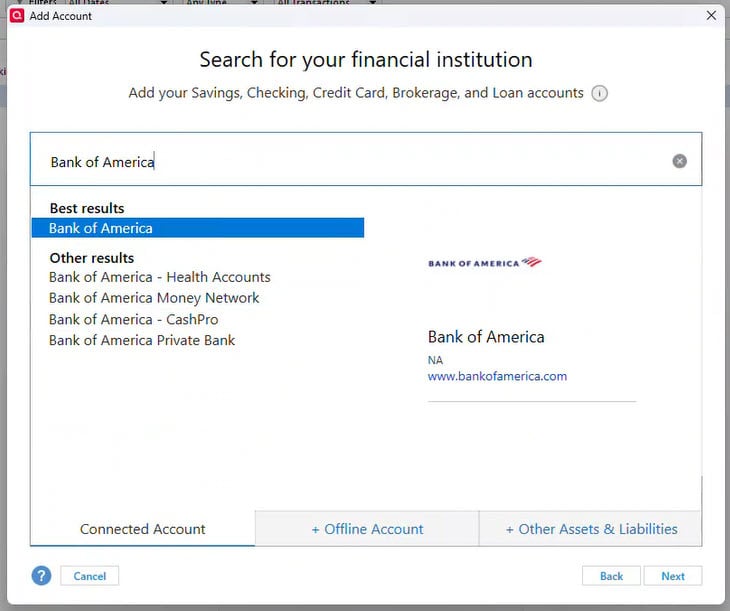
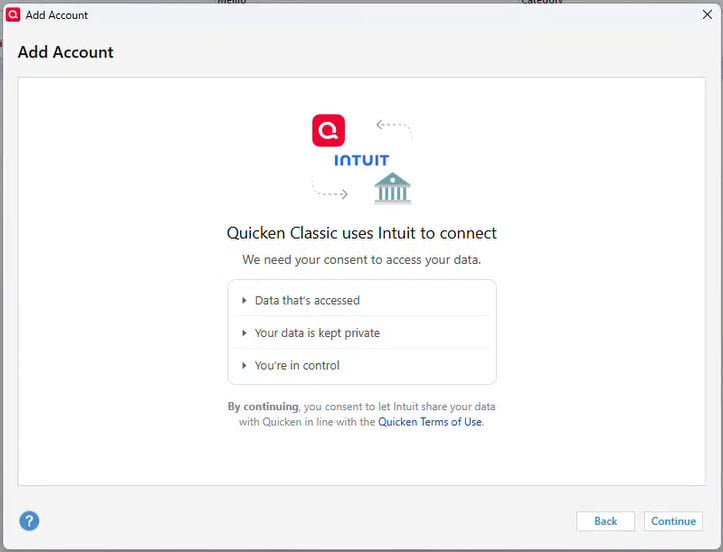
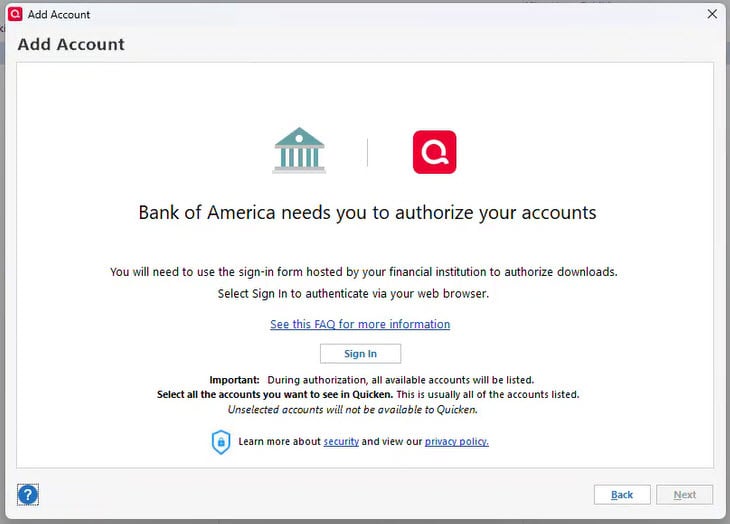
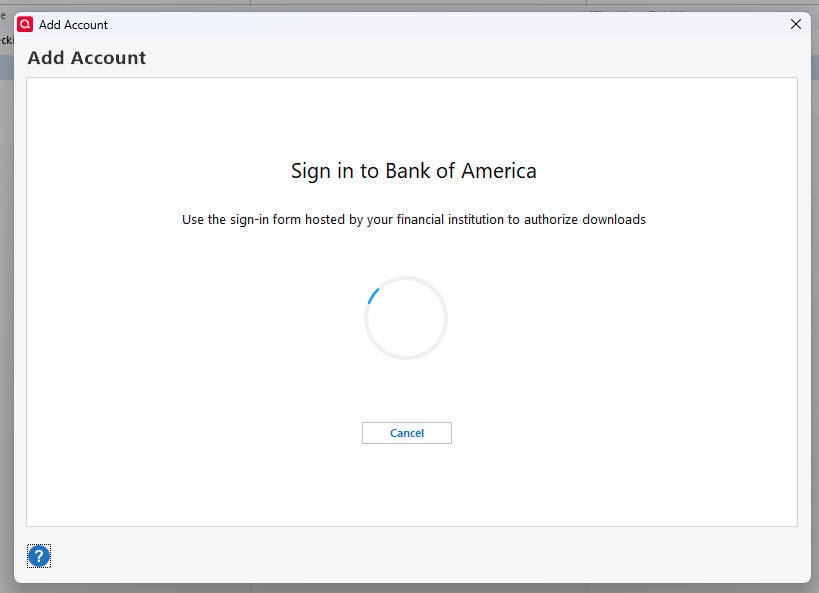
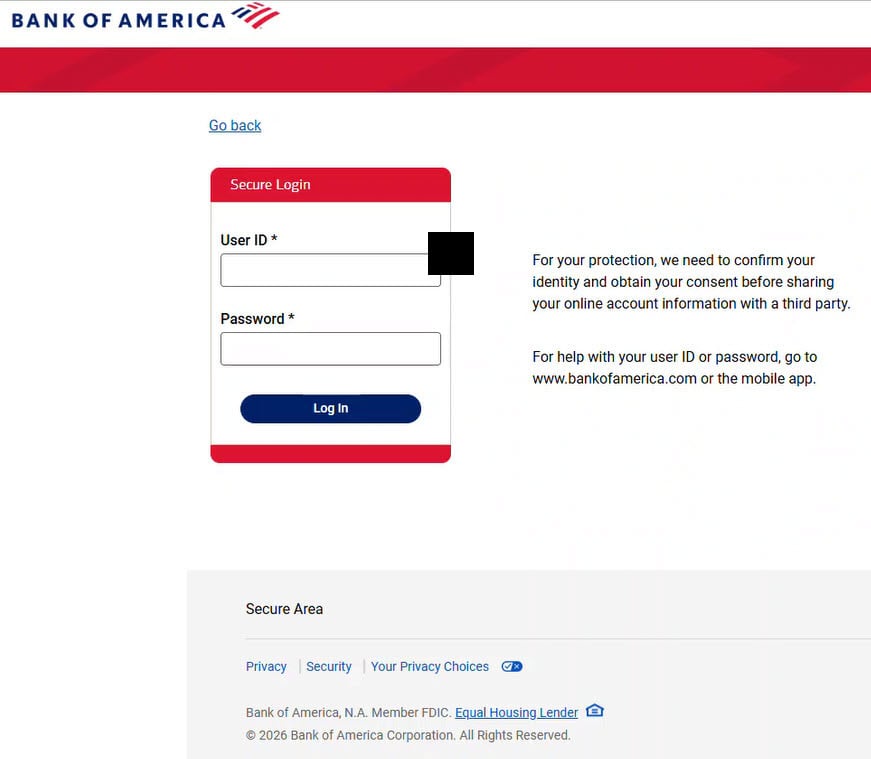
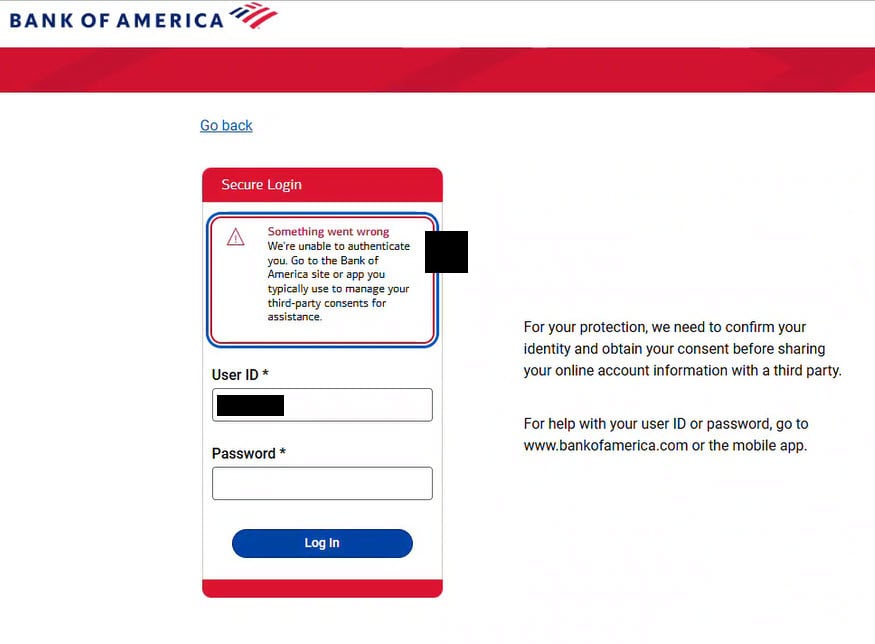
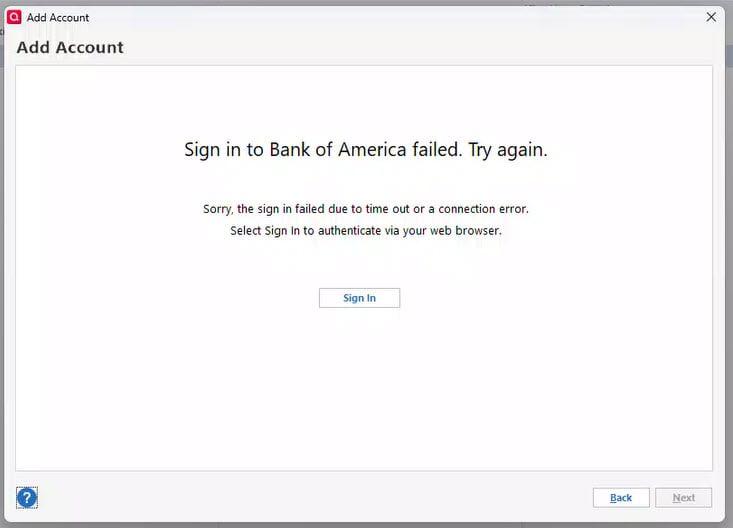
Is there anything else I can try or anything I am missing here? Support is completely useless so I am hopeful the community can possibly help. To say I am disappointed in Quicken is an understatement.
Thanks for any help or ideas!
[Edited-Screenshot Size]
2 -
Hello again,
The team handling this issue has returned with some feedback.
If you're seeing an HTTP 400 error, can you please try a different web browser to see if the error occurs there as well? For instance, if you are using Microsoft Edge as your default browser, try switching to Chrome.
Let us know your results!
They believe the error you are seeing is caused by attempting to add a delegated account. Meaning you are an authorized user of this account, but not the owner of it. This is unsupported. You must be the owner of the account to add it. In the past, these accounts would just not show up to add, but now you will get the error you mentioned.
If you are not attempting to add accounts that you are authorized users of, let me know, and I will report back to our team.
Thank you for sending that over. I will get it added. It looks like you got connected successfully. Is that accurate?
Looking forward to your responses!
Quicken Alyssa
Make sure to sign up for the email digest to see a round up of your top posts.
0 -
same problem even if I use add account drop down from the tools menu
0 -
I have completed the process five or six times now, every time it is successful, however every time I try to do a sync it makes me do the process again. What gives? Is this a BofA issue or Quicken? Always stuck in the middle. It gives no error, it seems to work fine, but I still am prompted to update my connection method when I click to do a sync update every time.
0 -
Hello All,
I have merged some of you into an existing thread for this issue.
Thank you for sharing that detailed account of the process you took to produce the error.
Thank you for sharing your personal experience with this issue.
We are aware that there are currently issues in this process, and we are working to get to the bottom of it as quickly as possible. We apologize for the inconvenience in the meantime and appreciate your patience.
Thanks again!
Quicken Alyssa
Make sure to sign up for the email digest to see a round up of your top posts.
0 -
I too have followed the new rules as to deactivate, REVOKE and to reactivate. I have the similar error message as most regarding the third party login. I also was surprised when trying to add an account that Bank of America or even zzz - BofA was offered in the list of institutions. Waiting for a fix ……..
1 -
Thank you for adding to this discussion.
Did you receive the HTTP 400 error? If so, were you able to try changing your default browser? If not, please do so and let us know your results.
Looking forward to your feedback!
Quicken Alyssa
Make sure to sign up for the email digest to see a round up of your top posts.
0 -
Thank you for trying that out and sharing your results.
I will pass this along internally to our team.
Thanks again!
Quicken Alyssa
Make sure to sign up for the email digest to see a round up of your top posts.
0 -
@Cyndi I also tried a fresh copy of chrome and still get the same problem:
Please try again later.
Care Code: user_not_eligible
Details:
user_not_eligible Connecting with partnerUid: bofa_fdx_consumer_prod for intuitProperty: quicken, intuitUserId: 123145878052544, intuitRealmId: 9341454209672645 on user authorization, error_code: server_error1 -
Thank you for trying those additional steps. I apologize for the confusion. The error you are receiving is different than most. Can you confirm if the scenario I asked about here describes your situation:
Let me know!
Quicken Alyssa
Make sure to sign up for the email digest to see a round up of your top posts.
0 -
Same problem - what's up
????
0 -
I followed Quicken's directions - I deactivated all my Bank of America and Merrill Edge accounts.
Then, I removed the Financial Institutions and Account #s from the Account Detail page on all my BoA and Merrill Accounts.
Then, I revoked all the Quicken (Intuit) access in BofA security.
I tried to Setup Downloaded Transactions again on all 5 accounts.
I still received the 400 error - Bad network error.
So, that didn't work. I do see that Bank of America gave access.
1 -
I believe I am the owner of the account, when we opened the account 50 years ago, both myself and my wife were on it, but I believe I am the primary owner.
1 -
I own the accounts and getting the errors.
again, here's the exact error:
Please try again later.
Care Code: user_not_eligible
Details:
user_not_eligible Connecting with partnerUid: bofa_fdx_consumer_prod for intuitProperty: quicken, intuitUserId: 123145878052544, intuitRealmId: 9341454209672645 on user authorization, error_code: server_error1 -
you show the same steps and results that I went through so many times. I came across a solution that worked for me in a post earlier in this thread from a user that got it from reddit. I had to do it before the sign up step. “Before this will work, you need to log into BofA's website and deny access to Quicken on the 10 minute pop-up. Then go into Quicken to reconnect and the login will work." This worked for me I hope it does for you.
1 -
@lalvarez1 thnaks that works
1 -
When you get this 10 minute authorization pop-up, you need to decline access to Quicken instead of approving. Confirm permanently deauthorize and then go back into Quicken to set re-authorize and reconnect accounts.
2 -
Use a web browser desktop to log into BofA. When you get the 10 minute authorization pop-up, you need to decline access to Quicken instead of approving. Confirm permanently deauthorize and then go back into Quicken to set re-authorize and reconnect accounts.
1 -
After I select share my data, I receive a HTTP Status 400 - Bad Request
When i open the third-party approval in the bofa security center it reads that I have an active third party connection with quicken
0 -
By declining the Quicken pop-up from within the B of A website, I was able to reauthorize without a problem. Thanks to all for the input.
2 -
I revoked access from the BofA website, based on a previous recommendation and now no longer get the pop-up on the BofA website. Trying to connect still does not work. This is there error I am getting (same as others have reported
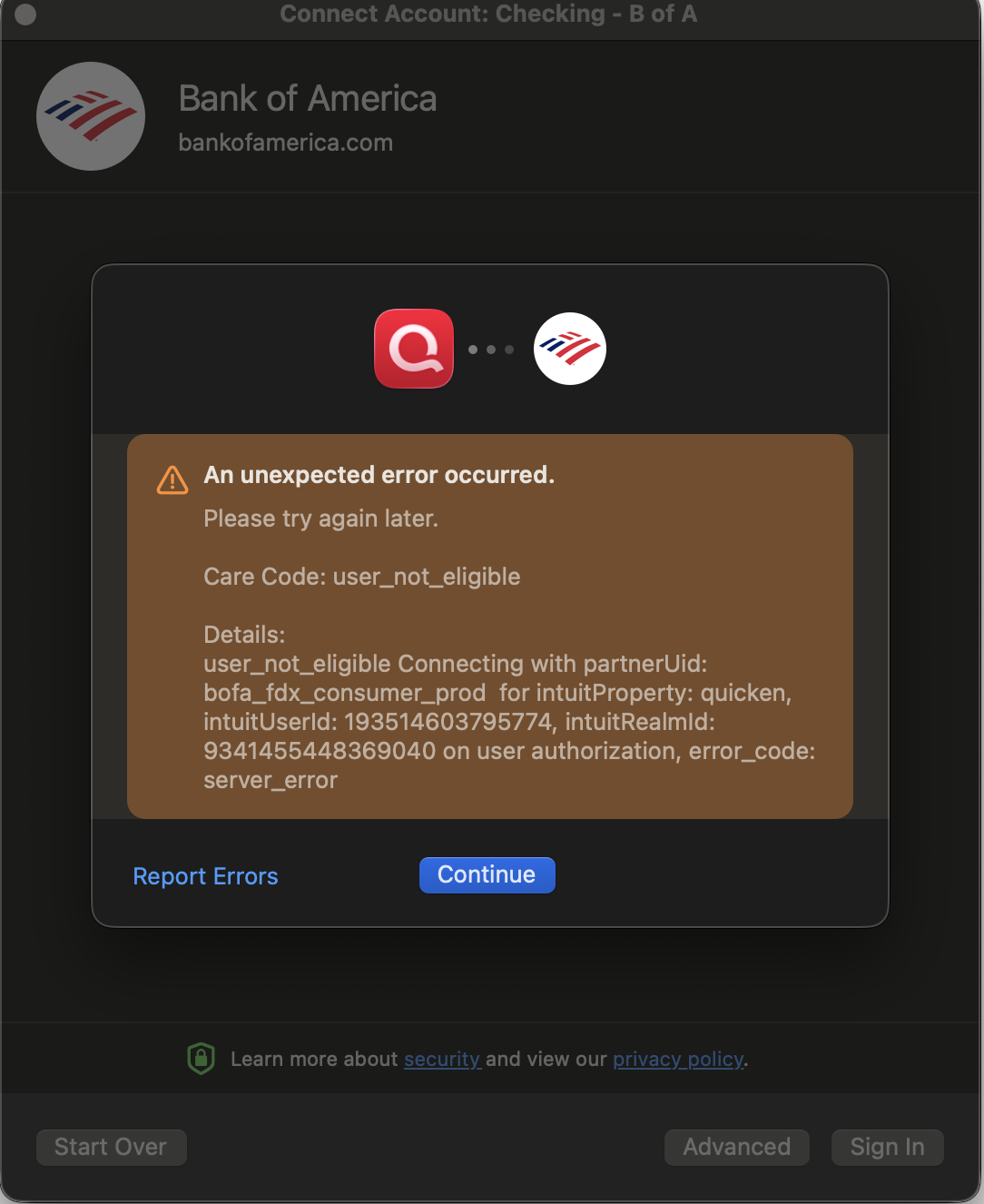
Tried just now and it still does not work. Has anyone else found a different solution or have any updates from Quicken.
0 -
I was able to authorize my BOFA accounts this morning after previously revoking access, although still the zzz connection. I did not receive the pop-up for the new connection. Interestingly, it gave me the option to add accounts that I do not own, but am a cosigner on. The two checking accounts populated new transactions properly and a subsequent OSU worked properly with no errors. I'll try the new connection when I get the prompt the next time, but I hesitate to revoke access again, given all the problems.
0 -
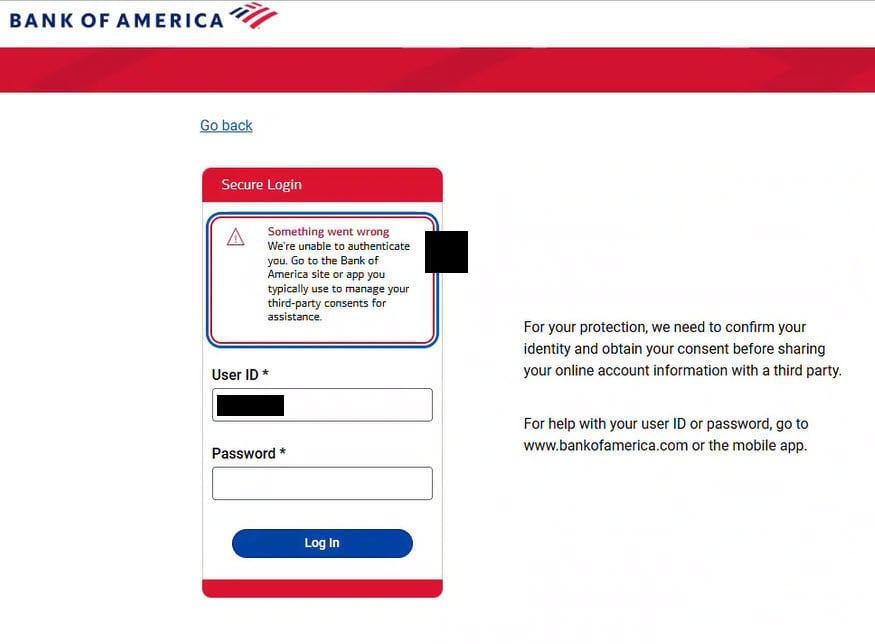
@Quicken Alyssa I tried to reactivate/add an account again this morning (2/27)
and continue to receive this error while signing in to my BofA. Are there any fixes yet for this issue?
 0
0


