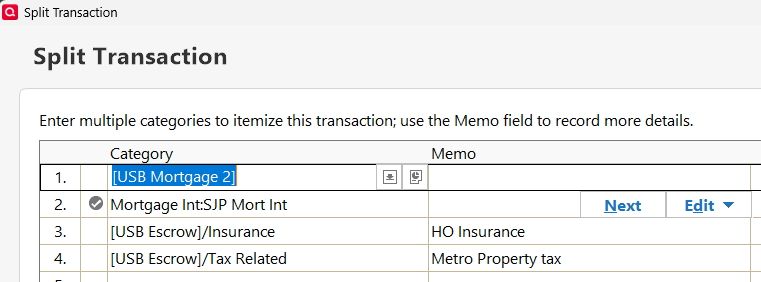
I browsed the community and didn't find the same problem. I am on Quicken Classic Deluxe, Ver R67.7, Build 27.1.67.7, Windows 11 Enterprise.
When I enter a Transfer transaction with splits in the register of the "originating" account, the receiving account register shows the new transaction in its register with the correct total amount, but the transaction does not include the splits. I tried reversing the transaction entry sequence by entering it in the account that was the receiving account and sending it to the account that was the originating account. Same thing happened (or didn't happen). The transfer is not complex, the categories (account names) and tags are the same for each of three splits. I identify the difference between the split lines with notes in the memo space. I tried to edit the transaction in the receiving account to add the splits manually. Quicken allowed me to enter the split transaction details in the pop-up Split Transaction window. Quicken accepted the completed split transaction window when I selected “OK”, but when I selected the save icon for the transaction (bottom right), an error message popped up telling me I had to go to the source transaction and make the edits there, where, of course, the splits already exist. The edits were automatically discarded. As a result, I am having to recreate a Quicken report manually on Excel to show the information as I want it presented.
I recently purchased a new laptop with Windows 11 and transferred my Quicken activity to the new laptop. I don't recall having this problem on my Windows 10 laptop.