Downloads from Schwab cause false error messages

I see a number of recent posts concerning the Quicken-Schwab connection. But since my issue differs somewhat, I'll start a new thread, and would like to know if others are seeing this.
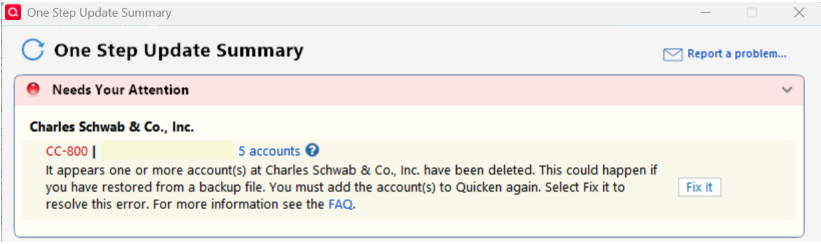
About a month or so ago, when updating my Schwab brokerage and bank accounts, I started receiving the CC-800 "Needs Your Attention" error message: "It appears that one or more account(s) at Charles Schwab & Co. Inc. have been deleted." Well that sure got my attention! It's a pretty scary proposition to think one of your accounts was deleted!
First thing I did was log into Schwab to check. Nope! All accounts still there, and appear to be fine. Nevertheless, since the Quicken error did not go away, I clicked the "Fix It" button, and followed the procedure to add the accounts to Quicken again. I did this one by one for each of my 5 accounts, multiple times.. but the error message persists.
(Furthermore, upon re-adding the accounts, I got very odd random and varied reports of the number of days of transactions being downloaded. That's another issue I've tried to address with both Schwab and Quicken. WHY?)
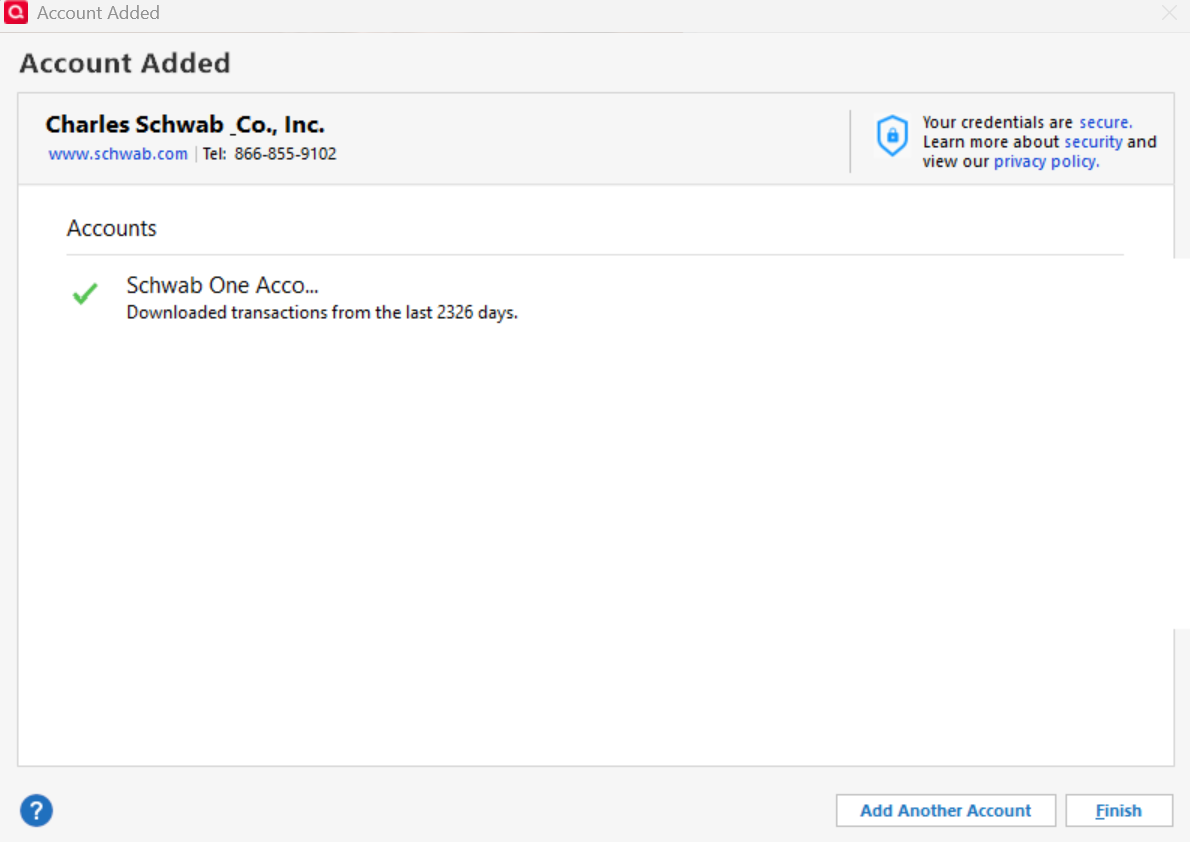
Thing it.. it's a FALSE error message. The transaction from each of my Schwab accounts are still downloading just fine. I can see that in the reconnection reports, and in the account registers. Why the persistent error message? Any other Schwab clients seeing this?
So, I contacted the Quicken live support agents, and they kept insisting that I follow the procedures I already tried, with no success. [Removed - Disruptive] All I ask is make this error go away. It's unnecessarily frightening users, at least it did me, and wasting time trying to fix a problem that should be done by Quicken.
[Edited-Removed Personal Information]
Answers
-
Hello @MikeD1,
Thank you for letting us know you're seeing this issue. To troubleshoot, since you're seeing the error, but your accounts are still downloading, I suggest that you check for any Schwab accounts that are closed/inactive on the financial institution side, but are still trying to connect in your Quicken.
To do this, first, backup your Quicken file, then navigate to Tools>Account List. If you have hidden accounts, there will be a Show Hidden Accounts option near the lower left corner of the window.
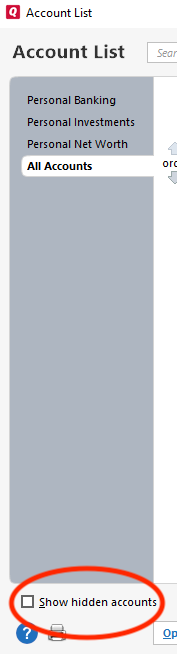
Select the Show Hidden Accounts option (if available), then review the account list to see if there are any inactive/closed accounts that are still trying to connect in Quicken. You can see if an account thinks it's connected by checking the Transaction Download column. If it shows the word "Yes" and a connection method, then Quicken thinks that account is connected.
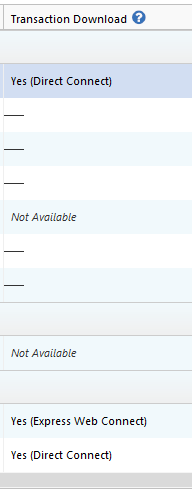
If you find any inactive/closed accounts that are still connected in Quicken, please deactivate those accounts, then test to see if the issue is resolved.
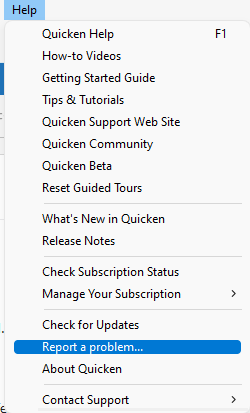
If the issue persists, or if there are no inactive/closed accounts to deactivate, then please navigate to Help>Report a Problem and send a problem report with log files attached (the problem report you sent earlier this month had only a screenshot attached).
If you send a problem report, please let me know you sent it, so I can check to see if the logs provide further insight into what is causing this error message.
I look forward to your reply!
Quicken Kristina
Make sure to sign up for the email digest to see a round up of your top posts.
0 -
Kristin, as I said in my original post.. been there.. done all that! I told the phone agents the same. NO HIDDEN accounts! I see the full list when I do the connection authorization from Schwab.
0 -
This is the same issue I'm having with Barclay's Bank. They recently redesigned their website and when they did I get the 'Accounts have been deleted' message. I use [Removed - 3rd Party Software] in tandem with Quicken and believe me, I've considered dropping Quicken all together (and I only subscribe when they run a promotion).
1 -
Thanks for the tip! I'll check out [Removed - 3rd Party Software].
0 -
Hi Krisitina,
I did use the Help>Report a Problem feature, when I first saw this problem. I never got a response.
But here's the thing that all the Quicken support people have ignored. I hadn't changed a single thing when the problem first appeared.
That's what made it so shocking. Please fix that bug! Quicken is erroneously reporting deleted accounts.
0 -
Thank you for your reply,
You do not receive a direct response when you send a problem report.
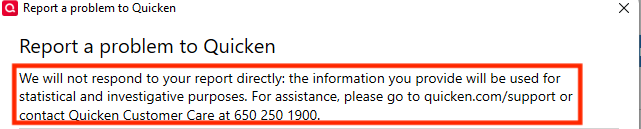
These reports are reviewed daily to track multiple reports of the same trending issues and/or for troubleshooting/escalation purposes. When multiple reports of the same issue are received, those reports are also investigated further. Reports that can be replicated or verified are then submitted as tickets to the proper channels.
That said, I reviewed the problem report you sent. It contained only a screenshot. To check for insights into what may be causing these false error messages, I would need to see the log files. Please send a problem report with the log files attached.
Thank you!
Quicken Kristina
Make sure to sign up for the email digest to see a round up of your top posts.
0
