Truist bank

Received Notice from Truist that I must De-Activate my Quicken accts by 6/25/25…Notice reads, Truist is Updating their Quicken system. Following the Update….customers will need to Re-Connect their Quicken accts. I do wonder if Truist…who today connects with DirectConnect…is converting to EWC+. Anyone know if this is so?
Answers
-
I've used EWC for Truist since they bought BB&T - didn't want to pay the extra fee for Direct Connect when I was with BB&T.
0 -
If the instructions referenced for reactivating the account are followed (https://www.truist.com/content/dam/truist-bank/us/en/documents/quicken-quickbooks-deact-react-guide.pdf), Step 8 ensures that it is a Direct Connection and not EWC+. I assume that only folks who have Direct Connect got this message since it seems to be related to a change in Bill Pay which I think needs Direct Connect.
0 -
What a [Removed - Language]… had a boatload of bills in the 'don't use' window.. that's a lot of time; plus ill have one due right as the new window opens.. probably have to mail a check as I'm sure everything will go smoothly on startup….😀
0 -
I agree - sometimes I think Truist doesn't fully appreciate the work they seem to cavalierly impose on some of their users but I realize that I'm only speaking from my own perspective. Ideally, this would have been totally transparent - relying on users to perform complicated operations ends up causing help desks being swamped, poor service as a result, and general user discontent. Perhaps there was a time deadline/resource shortage we don't know about and they did the best they could with what they had. But I sure wish it had been a totally automatic operation.
0 -
I just checked via the Truist website and as of early Sunday morning (6/29), looks like they have re-enabled bill pay. I didn't try re-connecting my accounts to Quicken (yet)
0 -
Hello All,
Is anyone still experiencing this issue?
Please let us know!
-Quicken Jasmine
Make sure to sign up for the email digest to see a round-up of your top posts.
0 -
I was not able to add my Truist accoount as documented. At first, I got a small blank window that looked like it was trying to get a TOS confirmation but couldn't for some reason each time forcing me to kill to get out of the hang. After trying it a few times, it now returns a OL-301-A general error (Truist rejected your request, try later) but at least it doesn't hang Quicken. Attached screenshot.
0 -
Based on this, I will wait to re-connect my Trusit Accts…until I see users reporting in this Post they have sucessfully connected…not unusual that a system Update is not completed and operational when Planned…in this case…6/30/25
0 -
This appeared to be a registration problem. Too bad they didn't include it in the instructions. You must cancel your Truist online subscription from the website and resubscribe/register. If you just reregister, the old registration will remain and the operation fails. My only problem now is that if "bring my payment information up to date" is checked, it will fail on that operation with a 0-393-A. Otherwise it works great. I'm waiting to actually send an online payment because I don't want that difficulty.
0 -
Might you have the time to lists the steps to delete the online profile…how to navigate to get to it at the Truist Site….
I recall now many years ago when I activated the DirrectConnect SunTrust\Truist Quicken connection having to complete some steps at the banks site before I could get a connection…but its been a long time ago…. And you are correct, Truist had the obligation to provide total and complete detailed instructions, to include how/when to, in what order…the steps needed to be completed at the Truist Site. I have there De-Activate/Re-Activate steps they sent regaining this Upgrade and nothing about performing any actions at their WebSite….
0 -
JohnA, THANK you for this. I was able to get dc to work after following your revised process.
denmarfl,
The subscription cancel/register is in your 'preferences' section of your profile on truist website. you have to cancel… then re-register… and keep that truist page active while you reconnect to truist. It failed once for me in quicken but "try it again worked".. after getting the download to work, you have to 'confirm my registration/register data file' on the truist page.
I haven't tried to upload bills yet, thats next.
0 -
no go on uploading bills. I entered two and tried to send. they are stuck in send.. and "your last connection was not completed… quicken will try to complete your connection.. " always fails with 'an error has occurred'.
So payments are stuck in send now. cant reset account because of stuck payments. Conn Log shows:
==== Mini-OSU Start (20250630/17:10:33) ====
20250630 17:10:33: QFN: Beginning send to https://eftx.bbt.com/eftxweb/access.ofx
20250630 17:10:34: QFN: End send to https://eftx.bbt.com/eftxweb/access.ofx, netstatus 0
20250630 17:10:34: Parse error. Current object: Null Object
20250630 17:10:34:==== Mini-OSU End (20250630/17:10:35) ====
20250630 17:46:40: QFN: Beginning send to https://eftx.bbt.com/eftxweb/access.ofx
20250630 17:46:41: QFN: End send to https://eftx.bbt.com/eftxweb/access.ofx, netstatus 0
20250630 17:46:42:==== OSU Start (20250630/17:47:05) ====
20250630 17:47:06: QFN: Beginning send to https://eftx.bbt.com/eftxweb/access.ofx
20250630 17:47:06: QFN: End send to https://eftx.bbt.com/eftxweb/access.ofx, netstatus 0
20250630 17:47:06: Parse error. Current object: Null Object
20250630 17:47:07:==== OSU End (20250630/17:47:08) ====
0 -
i talked to Truist support. They said there is a known problem on their end with updating payment info but they think it will be fixed quickly. I won’t try sending on online bill from Quicken until that works. In the meantime, the bill pay on the website looks like it will work if something must be sent today.
0 -
When you reactivated direct connect, did you first go to the Truist website and remove your quicken registration?
0 -
Not sure who this comment is for but as I indicated, yes, that’s how I got it to work downloading. It won’t update payment info though and Quicken indicated this is a known problem. To get OSU to work, one needs to uncheck this box for now.
0 -
And yes, I did that too per JohnA's comments (canceled first, resubscribed)
THe first download worked after that and I pulled all recent transactions since the shutdown. Then I tried the payments..that failed. I eventually was able to delete the payments and try again. but failed. I tried deactivating…removing all account info, reactivating… still no go.
But what I see now is even without payments.. "bring my info up to date" alone will fail. so not sure if download is really still working.
I tried to pay a few bills via the online truist site. the first seemed to go thru ok (and honored 2 day lead time for that biller. and spit back a confirmation. the second one failed with 2 day,, then said it was too late and showed me a 5/6 day window. I took the new date… and it spit back a confirmation.
JohnA, thanks again for the updated; I guess we'll see what happens. Sadly Ive been through a few of these conversions before… they always seem to go like this.
0 -
Speaking today with a Truist digital support agent, he told me that the bill pay part of the system is not working and he had no eta. You can reconnect through direct connect to download transactions. I've decided to let all the dust settle before I even connect
0 -
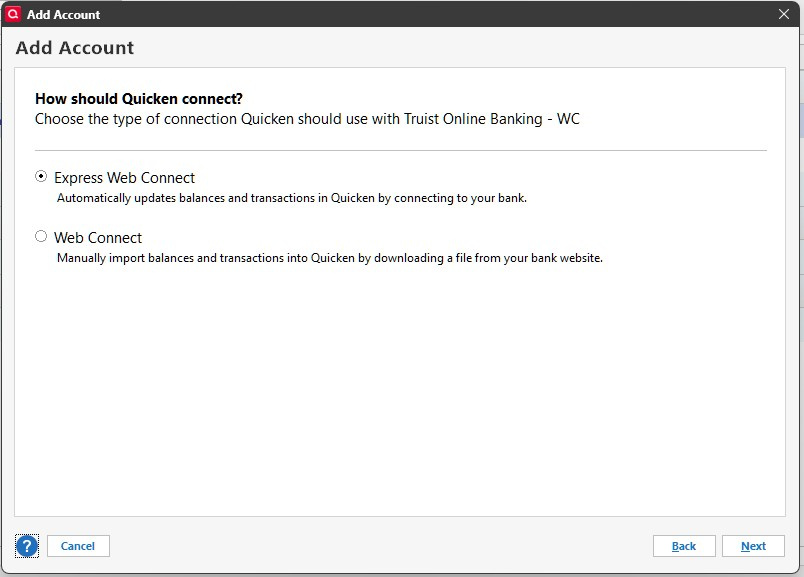
I'm can't seem to get the direct connect option when reactivating my Truist accounts on Quicken just express connect web option
0 -
During set up procedures did you select advanced settings so you could select direct connect
0 -
Make sure you follow the instructions, clear the bank name first and then search for Truist Online* - not any other Truist variant. I had Truist Online - DC (for Directly Connect) which saves the advanced option step. However if you just see Truist Online Banking, you need the advanced option to specify direct connect.
0 -
Yeah, there’s no option for Direct Connect under the advanced settings — only Express Web Connect and Web Connect. I’ve already disabled and re-enabled Direct Connect several times on the Truist website. It shows that Direct Connect is enabled and even says I’m being charged for it. But when I try to register my data file, I get the following error:
Record not found for OlbNumber
0 -
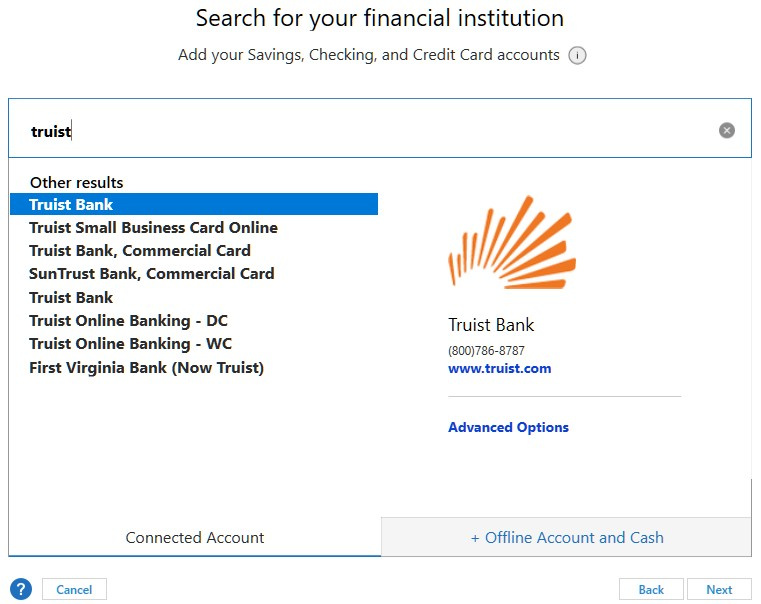
I've tried all the variants not one of them in advanced gives me the direct connect option any other ideas ?
 0
0 -
what is the financial institution name on the first screen?
0 -
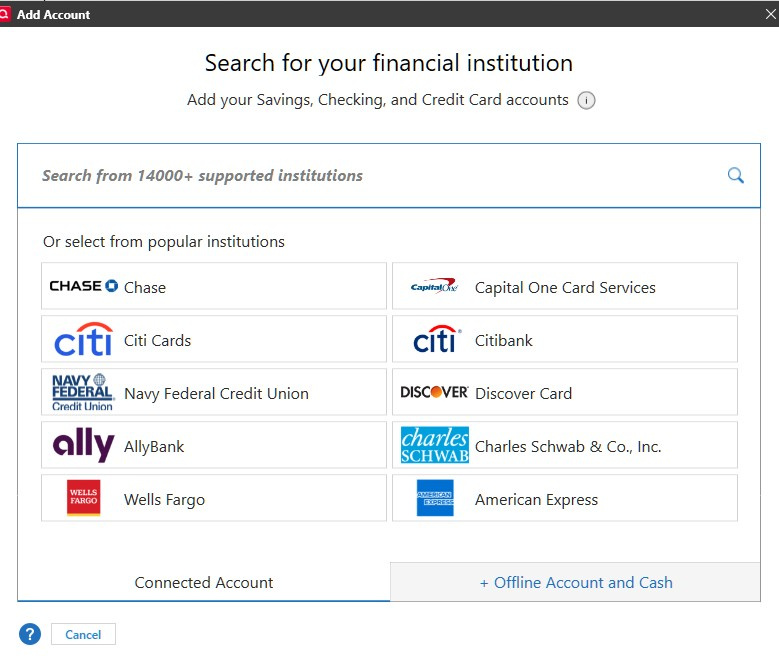
Thats it on the first screen
 0
0 -
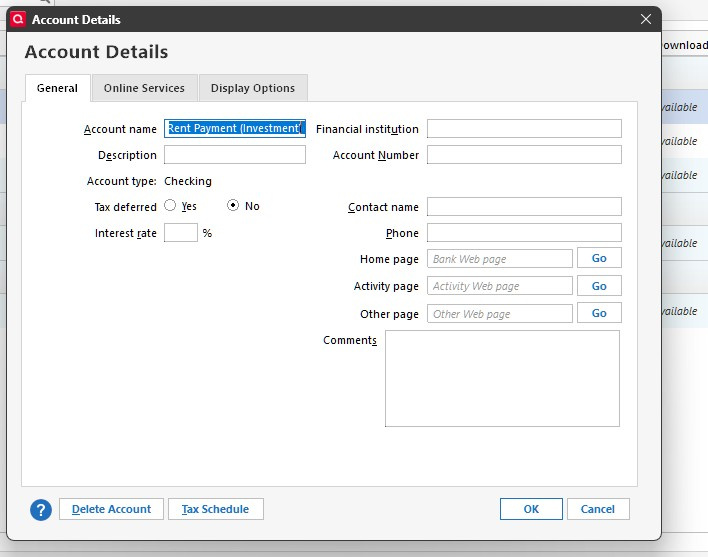
No, Tools/Account List/Edit. Should be a screen with properties like bank name on upper right.
0 -
I always clear out the right side start fresh again but on the left where it says rental payment it won't allow me if i try and clear that one it says this field can't be left blank
 0
0 -
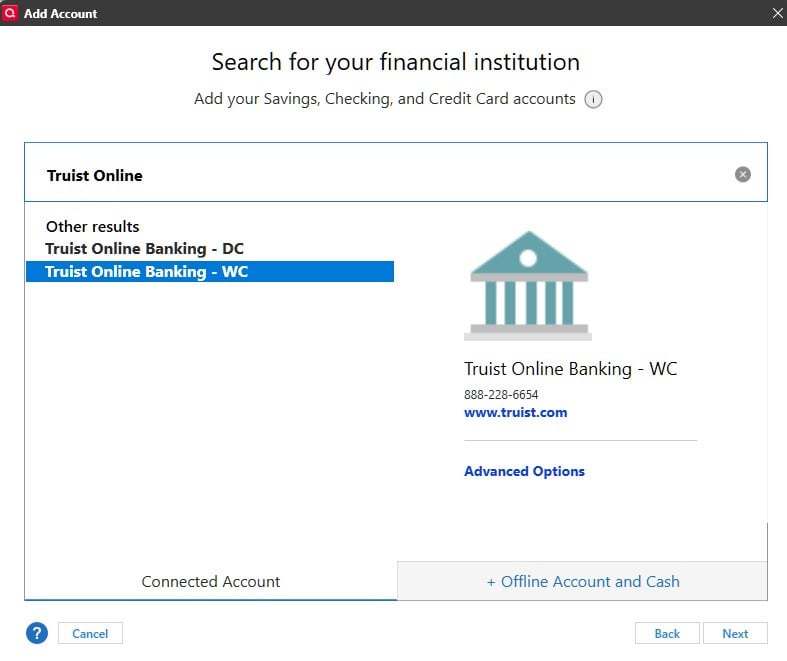
Ok good, that’s the General tab. Now select the middle tab (online services) and enable. When the list of banks come up, in the top box type “Truist Online” - Take a screenshot.
0 -
FWIW, after a few tries, I was able to do a full OSU (updated payment info) on Truist DC bringing payment info up to date. I was also able to send a bill pay which looks like it worked. Fingers crossed.
0 -
Hello All,
I would like to doublecheck to see if you are still experiencing this issue.
Truist did have online scheduled maintenance yesterday with user action required. You can view the created alert here.
Please let me know if you are still experiencing this issue!
-Quicken Jasmine
Make sure to sign up for the email digest to see a round-up of your top posts.
0 -
Ok so only Truist Online Banking -WC offers the advanced option and when you choice it theres no direct connect option under it
 0
0


