Quarterly reminders shifting later in the month

I saw this posted before but with no answers. I have a bill reminder setup to remind me quarterly on the 5th of the month. The date keeps changing back to the 31st so my bill will be late. I update it to remind me on the 5th then I close quicken classic and reopen quicken and its back to the 31st. This needs to be fixed. This only applies to Quarterly bill reminders and the reminders are not necessarily on a calendar quarter (Jan, April, July, Oct). Mine are Feb, May, Aug, Nov.
Comments
-
I've never used a Quarterly reminder, so in a test file I set one up, starting 8/5/25 and had Quicken enter them automatically for enough days such that I'd see the first 2 Reminders in the Checking Account. Closed Quicken, opened Quicken, and they did show up in the Checking Account properly:
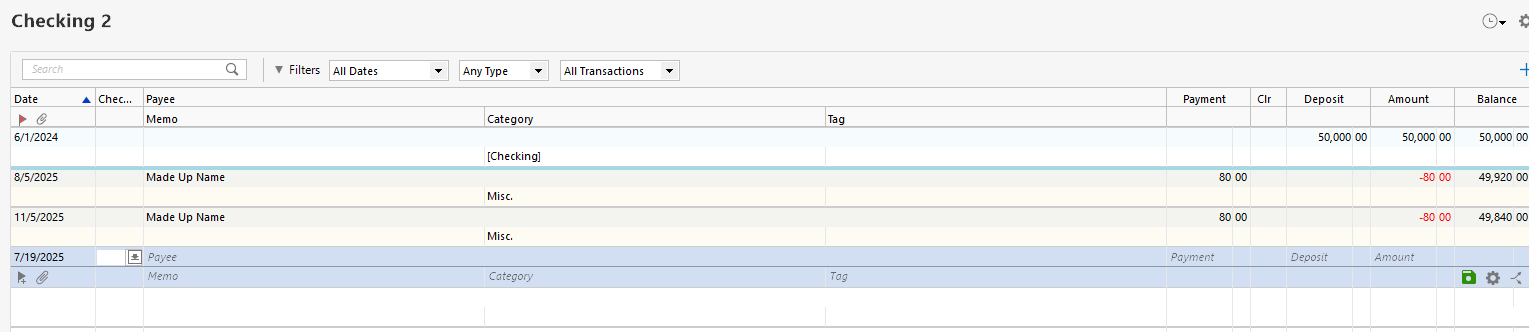
And the Reminder still was using that 5th of the month date:
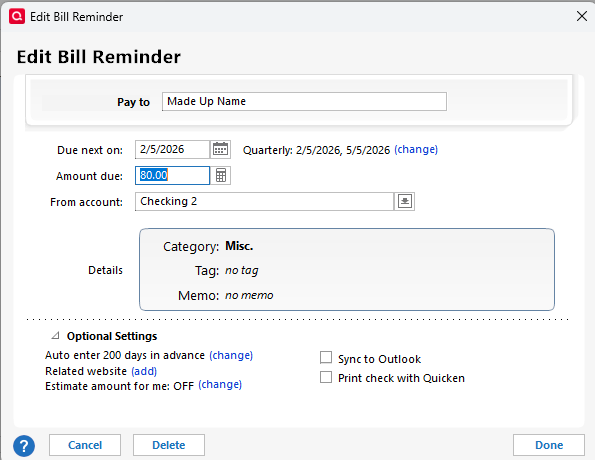
This is with Version 62.16 so not the "latest and greatest" version. Does the behavior you're seeing just now showing up, after an update, or is it an ongoing problem you've experienced through lots up Versions?
If the latter, that does suggest something "local" - maybe file corruption of some sort - is the problem. You might try a Validate and Repair.
0 -
For one of my reminders I have the same setup as shown by @Tom Young above. It has used the correct date in the past and shows correct future dates for the next few instances.
I'm using Q for Windows, R 63.21What version, edition level (Starter, Deluxe, etc.) and release (R xx.xx) of Quicken are you using?
US, Canadian or other country version?Can you please capture one or more images of the reminder's Edit Bill Reminder dialog showing the issue as well as any other image evidence of the date changing? Be sure to have sensitive information blacked out as necessary to protect your privacy and attach the image(s) here?
How do I post a screenshot in the community from a macHow do I post a screenshot in the community from windows
Please save images to files of file type PNG or JPG only. They're easier to work with than PDF files.
0 -
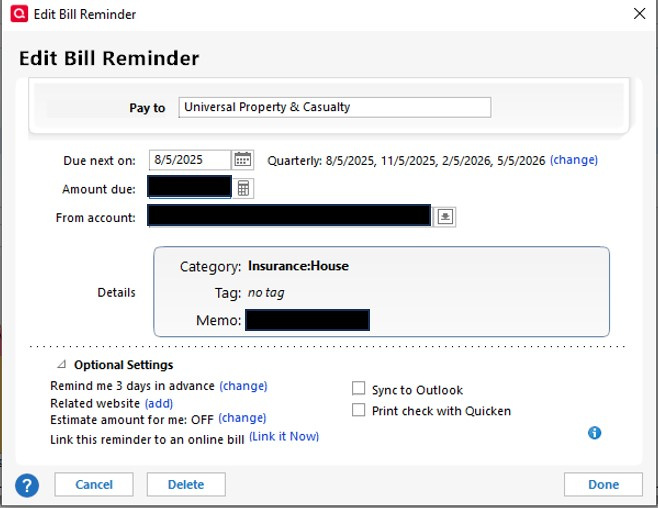
This has happened to me several times over the last few years. I can't identify any particular thing that changed that might have caused it. I will watch for it to happen again and post screen shots. Here is the current Bill Reminder,
 0
0 -
As a workaround, if you don't want this to happen again, change the reminder from Quarterly to
Monthly, every 3 months on the 5th day1 -
I have had this issue with bills with 1x or 2x per year frequency. My workaround was to add non-printing text to the payee to note the time frame. Then in periodic bill reviews, I would correct the date for any reminder that had a date slippage.
For example, an annual bill mid July would have payee Big Insurance Company {mid July}. When I found its date slipped to August or later, I would correct the date.
Now seeing @UKR ’s fix method, I think it sounds like a better approach.
Quicken user since Q1999. Currently using QW2017.
Questions? Check out the Quicken Windows FAQ list0

