Merrill Lynch Investments changed to EWC, failure updating from direct connect.
Answers
-
On 07/18 I received a notice to "Reauthorize" my Bank of America Accounts. I have 20 Accounts (both checking & investment accounts). When I finally was able to get to the process to Add or Link Accounts, I obviously wanted to LINK all accounts to my existing accounts. Unfortunately, the Link Accounts that were provided in the dropdown box was never the right accounts. It seemed to always be only (2 or 3) different accounts but NEVER the account, I needed. I even saw accounts that had been closed being shown. Therefore, I selected the option to IGNORE ALL ACCOUNTS which basically aborted this reauthorization process.
0 -
I was able to authorize and re-link my ML acounts at 11:35 am today sat
2 -
Forced to change the connection method for my five Merrill Lynch accounts, I did the login via browser window successfully, but back in Quicken, the "Link to existing account" option was never presented from the various dropdowns for any of these accounts. How do the Quicken people plan to fix that?
For now, I'm not changing anything.
And on a side note, I have five Merrill accounts. Quicken has downloaded everything from these accounts since the day each was opened. Not one of them is correct in Quicken; some are wildly inaccurate. Some want placeholders, others are looking for share prices. I have never edited anything in these accounts. Why they are off by so much baffles me. And, of course, I have no idea what to do about it.
Quicken user since the day after Microsoft abandoned its superb Microsoft Money product.
0 -
was able to get merrill reconnect, but it is still skipping one account..no idea why, but hopefully quicken is still working on a fix.
0 -
Like 'weikosteve' above, I was able to reauthorize my ML account about three minutes after his post… but not without some confusion/error.
The reauthorization process worked as it should have. Quicken then showed that transactions for the past 1905 days were downloaded. So far so good. I was next shown a window in Quicken titled 'Securities Comparison Mismatch'. Further detail showed 'ML DIRECT DEPOSIT PROGRM' Shares Reported : 110 Shares in Quicken: 0. ( I never did figure out what this meant.)
I clicked on 'Done' and was taken into the regular Quicken screens. All looked good, but upon comparing the ML account balance with what ML showed (when I logged in), the balances did not match. After studying the ML account's transactions in Quicken, I saw that one of my dividends from July 7th, which had already been downloaded several days ago, was showing up again, this time as a Deposit… causing my actual ML account and Quicken's records to disagree by the amount of that doubled up Div/Deposit
My solution was to simply delete the duplicate/erroneous Deposit entry.
All is good now.
0 -
In my CMA, I also had the share mismatch with ML Direct Deposit Program (MLDPP for short). The mismatch was equal to the whole-dollar amount of the cash in that account (I don't track cash in a separate account). So it looks like EWC+ may treat cash differently than it did in Direct Connect. I'll bet your 110 shares was equal to the whole-dollars of your cash.
I "fixed" the difference by manually entering a buy transaction for the "missing" MLDPP shares, using cash for the purchase and a very detailed memo. That corrected the MLDPP share balance, and corrected the cash balance.
It remains to be seen how end-of-month deposits of interest will be downloaded (increase cash? increase shares of MLDPP? or, ugh, having to manually enter the sweeps from cash into MLDPP like I remember having to do once years ago until they fixed it?) And then what do the transactions look like when you convert MLDPP to cash when you need to buy shares of something else to rebalance your portfolio? Under Direct Connect, MLDPP was just lumped into cash and buy/sells just happened transparently.
2 -
Not downloading the fractional shares would be really, really troubling. After converting to EWC+ this morning, I haven't had any transactions yet to see how fractional shares are downloaded.
I've been a Merrill client for over 20 years and this rings a bell that this had happened in the distant past after Merrill made a change to their systems. The fractional shares were stored in the memo field which didn't do anybody any good. At the time, I sent my account team a sharply-worded email that my relationship with them was at risk if they didn't work internal contacts to get it fixed. I had to manually edit the transactions until it got fixed. Let's hope that's not going to happen again.
0 -
jtemplin, your comment above was… "I'll bet your 110 shares was equal to the whole-dollars of your cash."
Well, you are correct. That's the exact whole-dollar cash balance in my account. Thanks!
0 -
I tried to add two new Merrill Accounts that were opening the end of June. The accounts were downloaded but none of the transactions from the start date were included. I got a list of the securities with no cost basis and asking me to do placeholders on each security. I want to be able to download all the transactions from the start date.
0 -
If they were to include "Reinvestment" and the number of shares as a memo, we'd have the necessary information. Until now, I've been manually adding the reinvestments using the data in the downloaded individual transactions. Now I'll have to log in to get the information.
This might otherwise cause me to drop ML but those investment accounts are the only way I can maintain sufficient balance in a linked account to qualify for Platinum Honors status. (Who keeps that much cash?) With that, the kickbacks on their credit cards are very good.
Nothing says other investment banks won't become just as bad. Notice that the public description of the intent Fidelity EWC+ connection has changed since the first announcement. It originally was described as supporting all investment account details. Now it's only for credit cards and investment details are available only with direct connect.
0 -
My wife and I have individual accounts at both BA and ML. Our BA accounts used EWC+ and our ML accounts used DC. I reset the connection on my wife's ML account and saw the BA accounts listed as available to link. I did not, at first, so as to not screw them up. The ML account linked okay with the exception of a dividend reinvestment transaction, the subject of the message above.
I reset that ML connection and enabled her BA accounts after authorization. I was able to link all of her BA/ML accounts on a single ML connection. That seems to work.
I then deactivated the DC connection to my ML IRA and attempted to reset the EWC+ connection of one of my BA credit cards, without deactivating it. After authorization I was offered to connect only my current BA accounts. I canceled, deleted that bank in account details, and tried again using "Bank of America - Quicken". The result was the same.
My next step was to set up online banking on the ML IRA using "Merrill Lynch" which, now, supports only EWC+. While all BA accounts were offered for connection after authorization, I did not select them. I want to keep the ML EWC+ connection separate from the BA EWC+ connection for comparison of my bank accounts to my wife's. I suspect that I will be able to consolidate all connections on the new ML EWC+, reducing the total number of BA/ML connections by half, but I want to test, first.
0 -
I changed my download method per the instructions, but I no longer have the reconcile shares option. I can reconcile cash in my IRA but not the holdings.
[Edited - Readability]
0 -
Can you see all of your securities transactions in a traditional account register format?
Or do you see a dashboard showing just totals for shares, cash and the account that looks something like this?
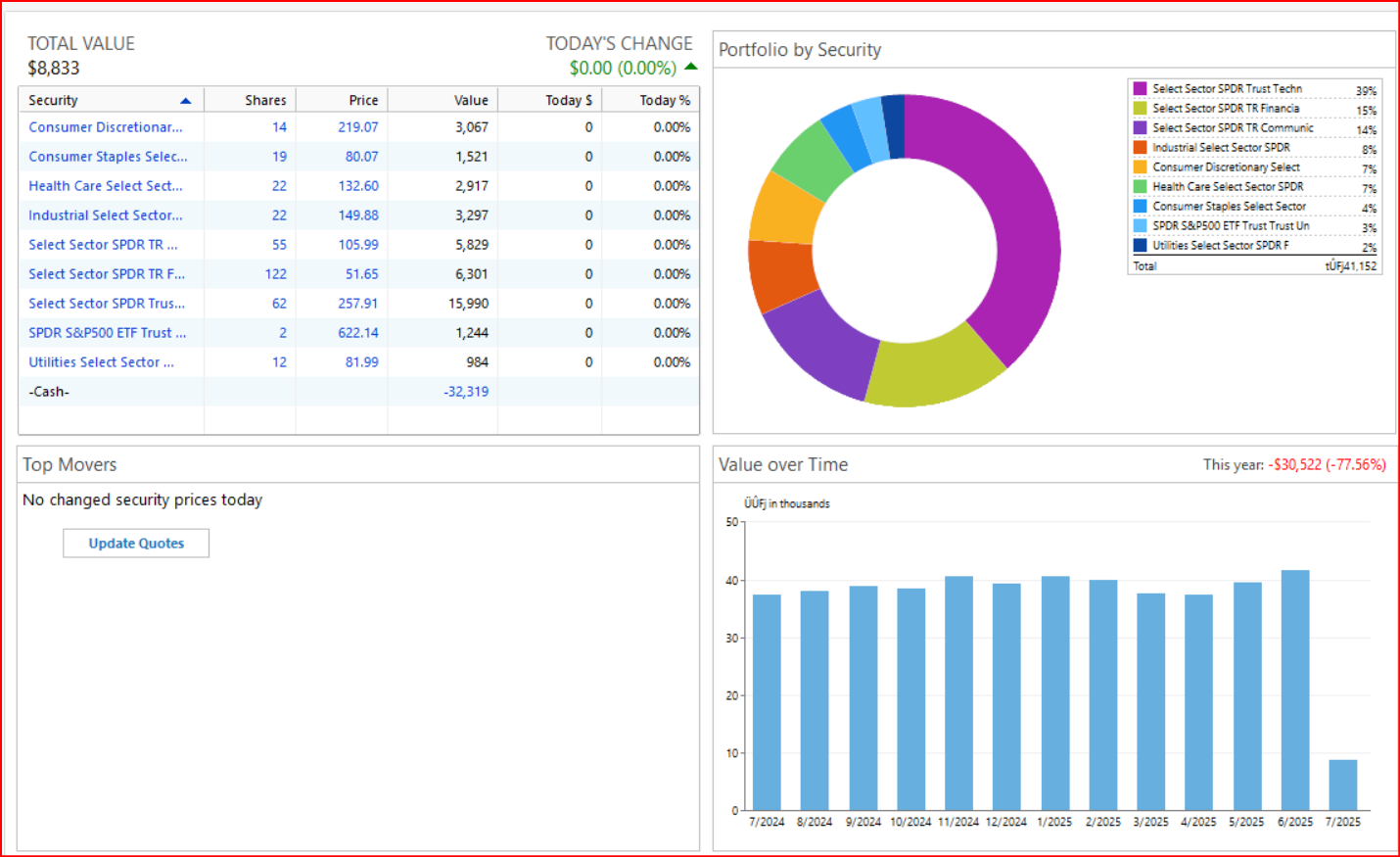
If you can see all of the securities transactions, then your account is set up for Complete Tracking and you should be able to do upper right Gear icon > Reconcile Shares. You should also be able to mark the securities transactions as reconcile status (blank, C or R). You are not seeing this?
If you are instead seeing a dashboard, then your account is set up for Simple Tracking and Reconcile Shares cannot be done because the transactions details are not present and never will be present while in this tracking mode. So, there are no shares transactions to be reconciled. Instead, each time you run OSU and download from the brokerage the brokerage will update the totals but no new transactions (other than Cash) will be downloaded.
Quicken Classic Premier (US) Subscription: R66.23 on Windows 11 Home
0 -
Thank you for your replies @SKeyser and @jtemplin,
So that we can further investigate the issue you mentioned with cash not reflecting correctly, please navigate to Help>Report a Problem and send a problem report with log files attached. Please include the name of any incorrect holdings and the date/Payee/amount for any incorrect transactions in the description.
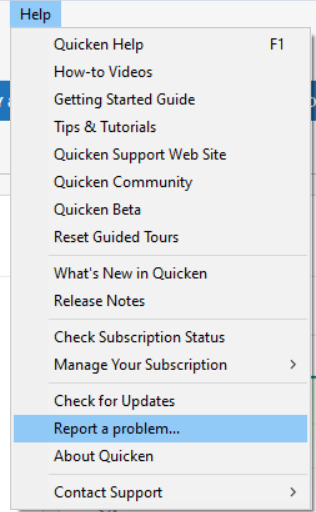
While you will not receive a response through this submission, these reports will help our teams in further investigating the issue. The more problem reports we receive, the better.
We apologize for any inconvenience!
Thank you.
(CTP-13877)
Quicken Kristina
Make sure to sign up for the email digest to see a round up of your top posts.
0 -
After multiple failures w/ this…reverted to backup file and using webconnect for 3 merrill accounts and 2 Bank of America accounts until this is fixed
0 -
Ok, today AM, I was able to connect almost all of my Merrill Lynch Investment accounts, EXCEPT for One Type. I have a ML Credit Line Account that would not Display an Account to Link to, during the Link process. All other accounts displayed a correct corresponding account. During the ML authorization process, ML did display this account to me to authorize in "Share the Data" but when I got to the next Quicken process to Link/Add/Ignore, this account, did not display as an option.
0 -
This content has been removed.
-
Well, I survived my first portfolio rebalance in my Roth IRA. All the buys/sells were in whole mutual fund or ETF shares, so I couldn't test whether fractional shares were an issue.
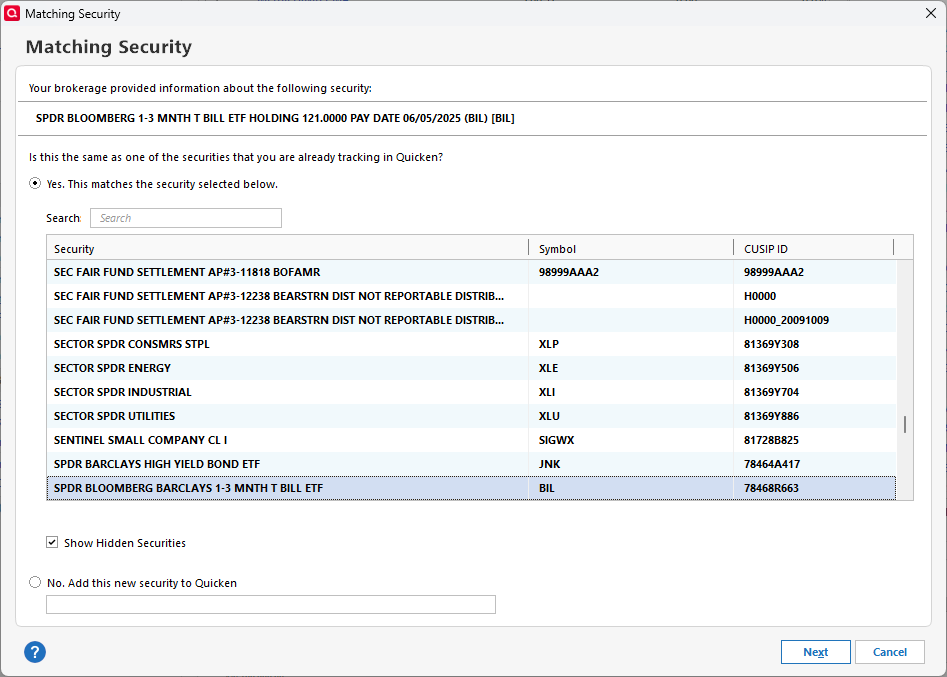
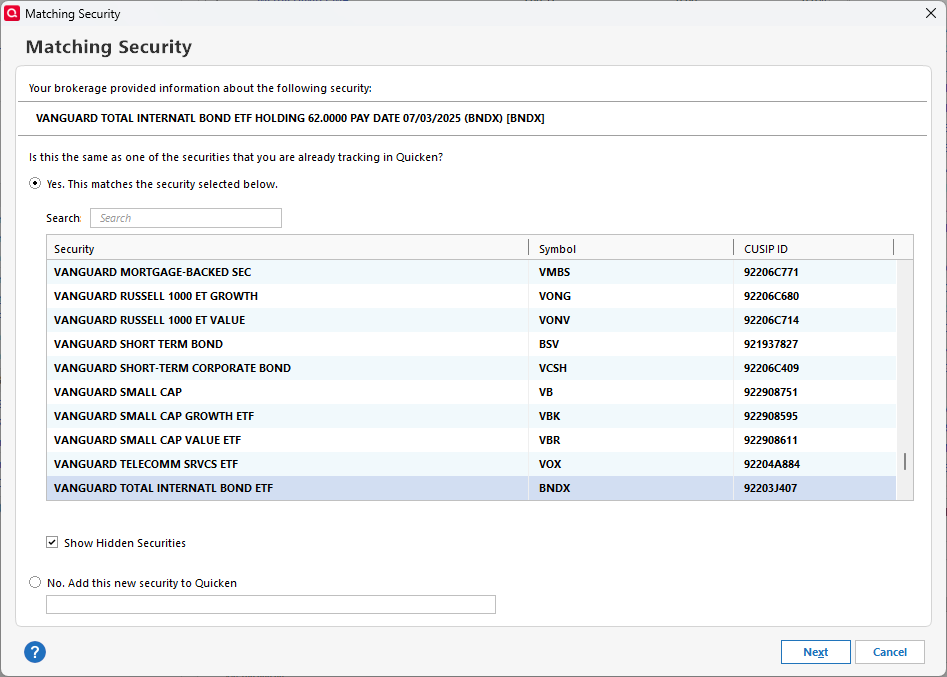
The one unusual thing I noticed is that for every buy (there were 17 of them), ML presented a strange way of identifying the bought security with an extended description that included the numbers of shares held and the pay date. I was able to accept the match Quicken thought, but I've never had to deal with that dialog except when a rebalance purchases a brand-new to me security appearing for the first time.
I wonder if this will happen for every buy in the future.
 1
1 -
I have five ML accounts: IRA, SEP, and three 529 funds. All of these accounts are wildly inaccurate in Quicken. Some want info for placeholder transactions conjured up by Quicken, others say there's a mismatch between what ML says I have and what Quicken believes I have. I have never, ever made a manual entry for any of these accounts, because I wouldn't have a clue what to enter to make then agree with ML's numbers. It's ridiculous
Quicken user since the day after Microsoft abandoned its superb Microsoft Money product.
0 -
Update to my post from July 19, 2025… Upon further review, it turned out that while my Merrill account was in balance, the detail entries were not. I made a stock sell and a purchase on July 23rd. The entries were correctly downloaded into Quicken. On the 24th those buy and sell entries were downloaded a second time, with new dates. The net effect was that my share counts were off, and while the net account balance was okay, the detail entries showed one stock equity as having twice the number of shares I actually owned, and the other equity (the one I sold) showed a negative balance (instead of effectively disappearing from my Merrill ledger.
I was able to resolve this by simply deleting (in Quicken) the duplicate Buy and the duplicate Sell entries.
Right or wrong, I attribute the double entry downloads to the transition to the new interface between Quicken and Merrill.
But now, every thing in my Quicken is okay, again.
0 -
While BofA one-step-updates have consistently worked, ML stopped working ages ago, so instead I download the transactions from ML into quicken format for the range needed and when I click the downloaded file they magically make it into the corresponding ML account in Quicken. Found it a lot less time-consuming than dealing with both ML and Quicken for too long without resolution. Was told the issue might be because they are Merrill Edge accounts versus another type. Haven't yet been asked to authorize for the new connection type but perhaps it will help.
0