New Merrill Connection - Matching Security Query and Repeat Downloads

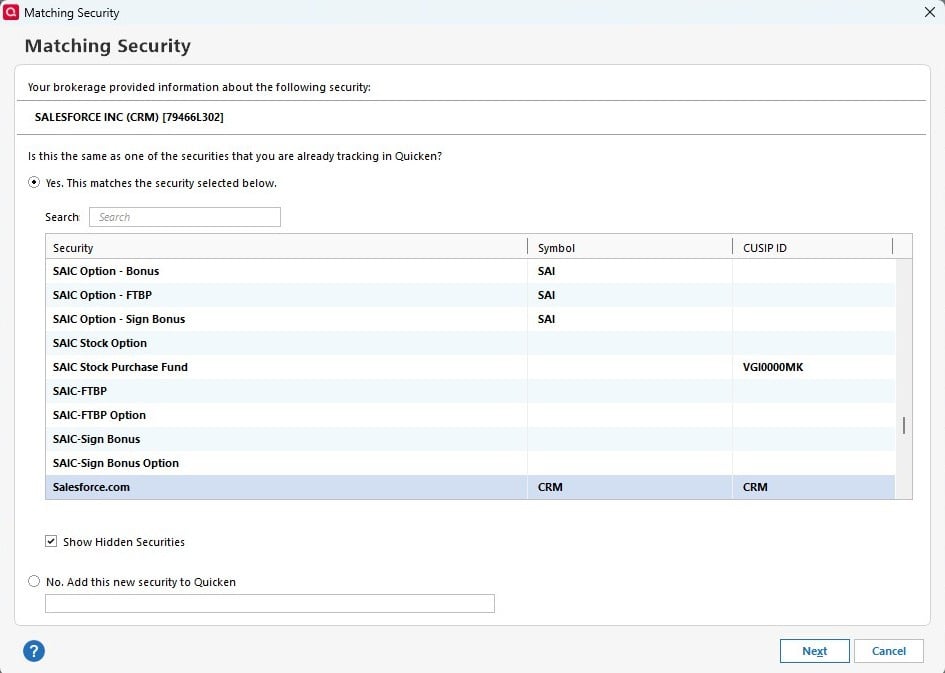
Quicken is asking if a security matches an existing security every time I do a One Step Update - typically for a security that is in a recent or downloaded transaction. Seems to be repeatedly doing this for the same securities - possibly if the security was traded on different accounts.
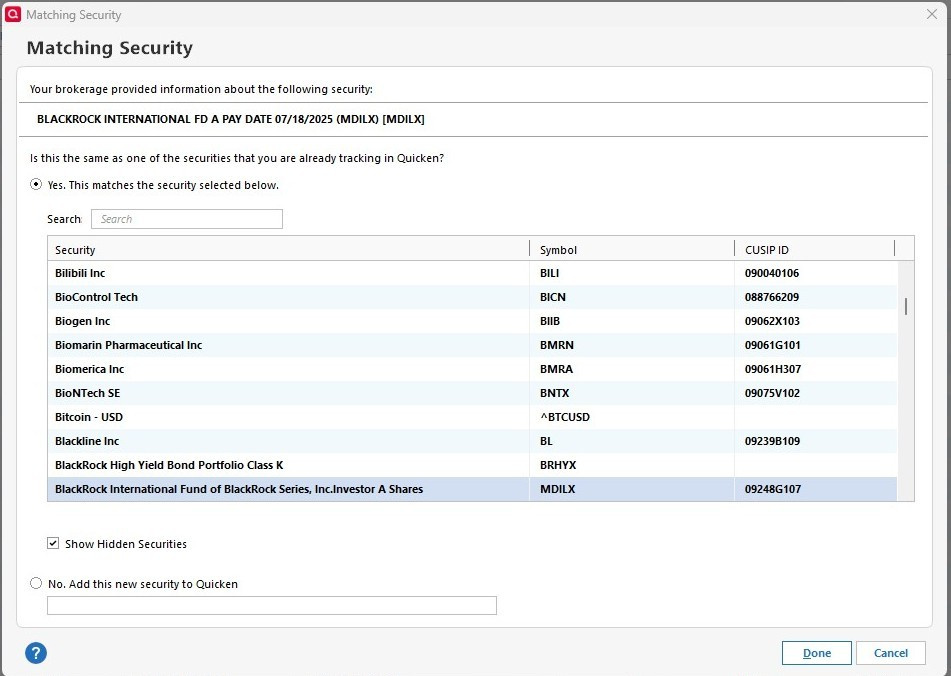
Quicken is also randomly downloading -or-
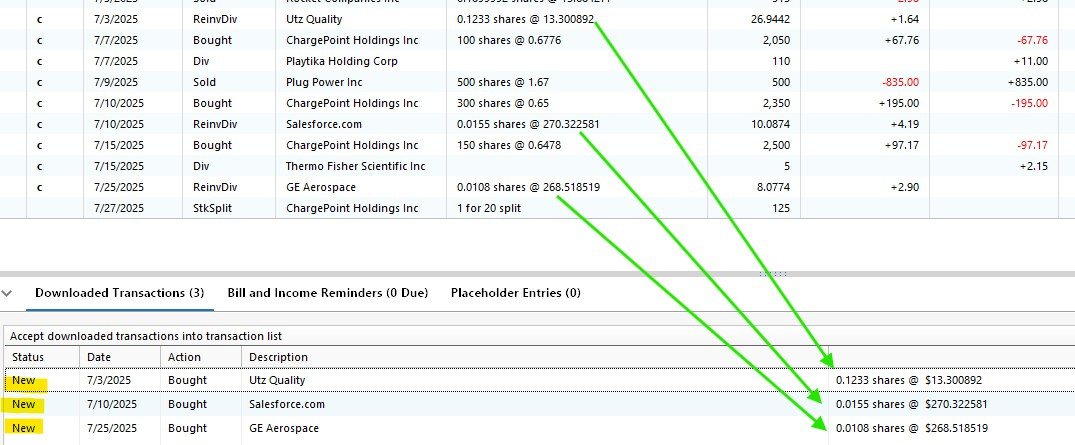
Merrill is sending old investment transactions that were already entered and cleared, but marking them New.
Comments
-
Hello @MangoMan,
Thank you for letting us know you're seeing these issues. To help troubleshoot, please provide more information. Which specific securities is it always giving you the security mismatch dialogue for (aside from the one in your screenshot and the one in the screenshot from the previous discussion)? Did this behavior start after the switch to Express Web Connect+?
For the duplicate transactions issue, does deleting the problem transactions correct the issue, or do the same transactions continually redownload? Are the duplicate transactions completely identical to the transaction that was already in the register? If not, what is different?
If possible, please provide a screenshot showing samples of the duplicate transactions and the original transactions in the register (please make sure to redact any personal information). If needed, please refer to this Community FAQ for instructions on how to attach a screenshot. Alternatively, you can also drag and drop screenshots to your response if you are not given the option to add attachments.
I look forward to your response!
Quicken Kristina
Make sure to sign up for the email digest to see a round up of your top posts.
0 -
Yes - This started immediately after the new connection method for Merrill was established. I will have to wait until there is new activity in one or more of the accounts before I can report back. My guess is it is trying to match up Merrill's name and CUSIP at least one time if the security is in a download (trade activity or dividend). It has happened a least 30-40 times in the past week. I will have to monitor and send more screenshots, but I don't see any other relation except account activity.
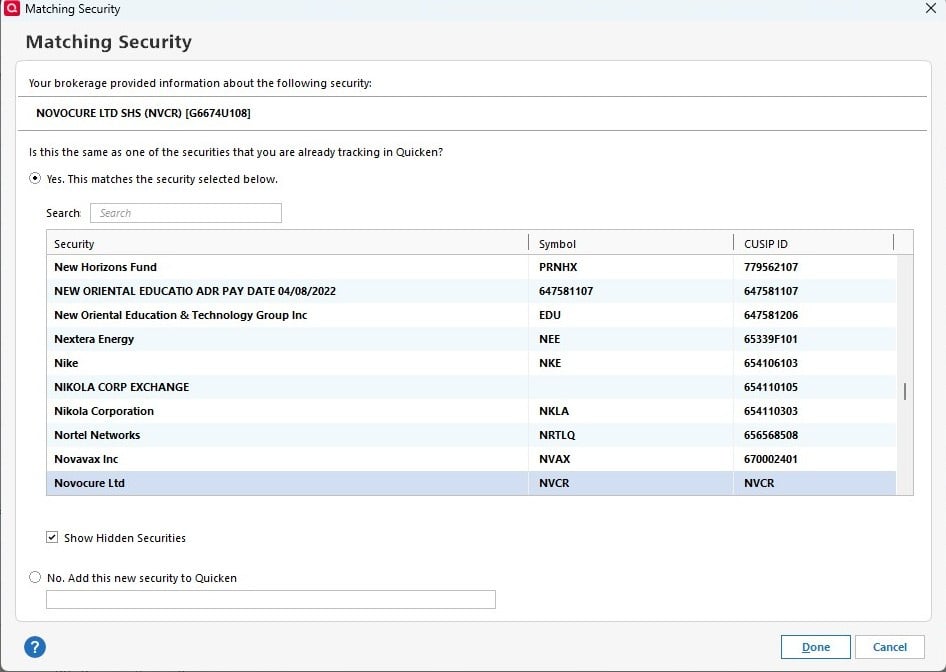
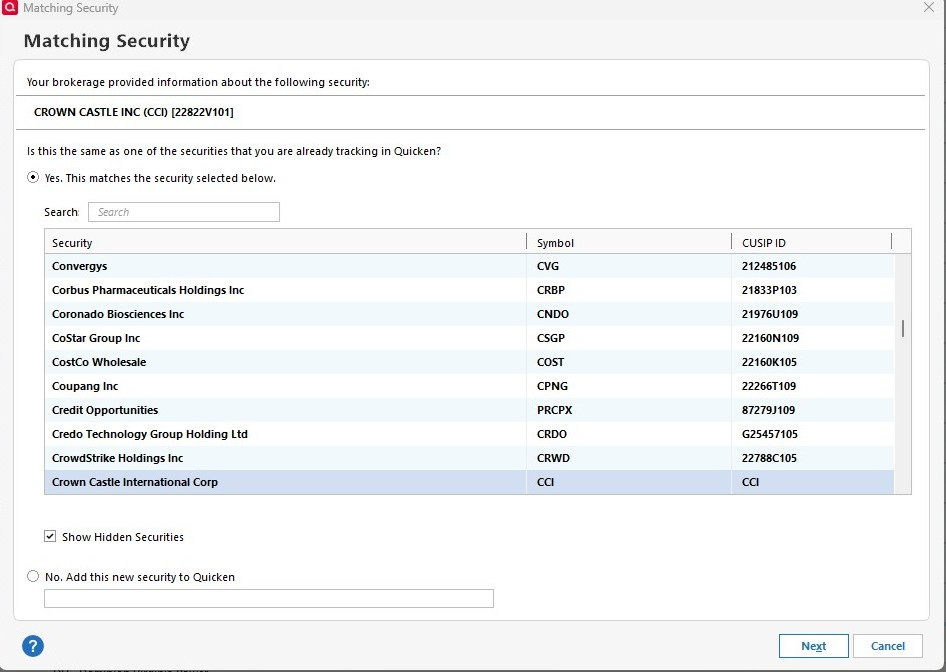
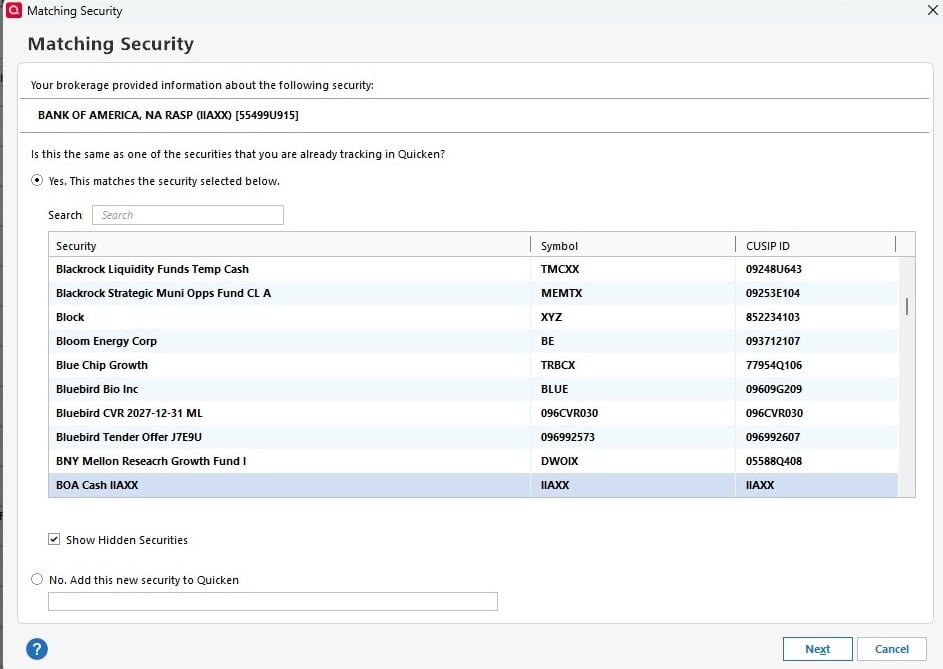
For the duplicate transactions issue, YES - deleting the problem transactions corrects the issue, but it is a lot of extra work to search and match up the downloads.
 0
0 -
Thank you for your reply,
I'll wait for you to post more information. Please also let me know what type of investment accounts you're seeing this issue with (IRA, 401k, Brokerage, etc.).
Thank you!
Quicken Kristina
Make sure to sign up for the email digest to see a round up of your top posts.
0 -
Issue is ongoing. It is an IRA.
1 -
I am also getting duplicate downloads from ML
(I hope Quicken is working with ML to help them get their coding corrected)
2 -
On the plus side - Transactions are coming in sooner than in the past and they fixed the 3 transaction Dividend Reinvestment issue.
2 -
Thank you for your replies @MangoMan & @miklk,
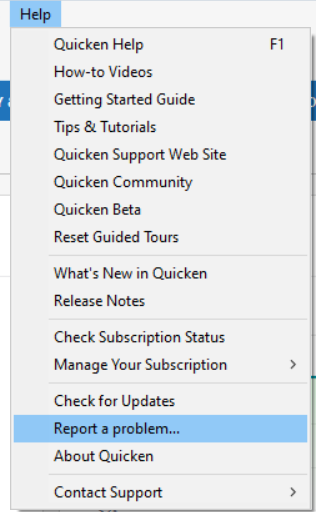
I reported the issue with duplicate downloads to the proper channels for further investigation and resolution. If you haven't already done so, please navigate to Help>Report a Problem and send a problem report with log files attached to assist with the investigation.
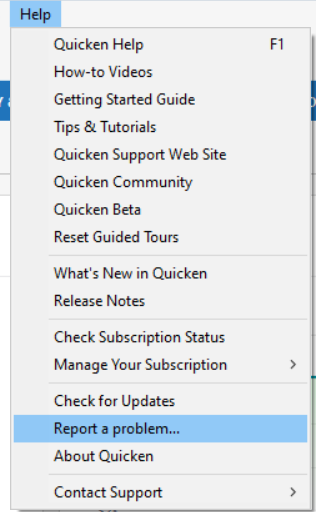
While you will not receive a response through this submission, these reports will help our teams in further investigating the issue. The more problem reports we receive, the better.
We apologize for any inconvenience!
Thank you.
(CBT-759)
Quicken Kristina
Make sure to sign up for the email digest to see a round up of your top posts.
0 -
I have the same securities matching issue with every ML download since the change to EWC+
1 -
Hello @jkl1,
Thank you for letting us know you're also seeing the securities mismatch issue. That issue has already been reported to our teams, and they are working to resolve it.
Thank you!
(CTP-13847)
Quicken Kristina
Make sure to sign up for the email digest to see a round up of your top posts.
0 -
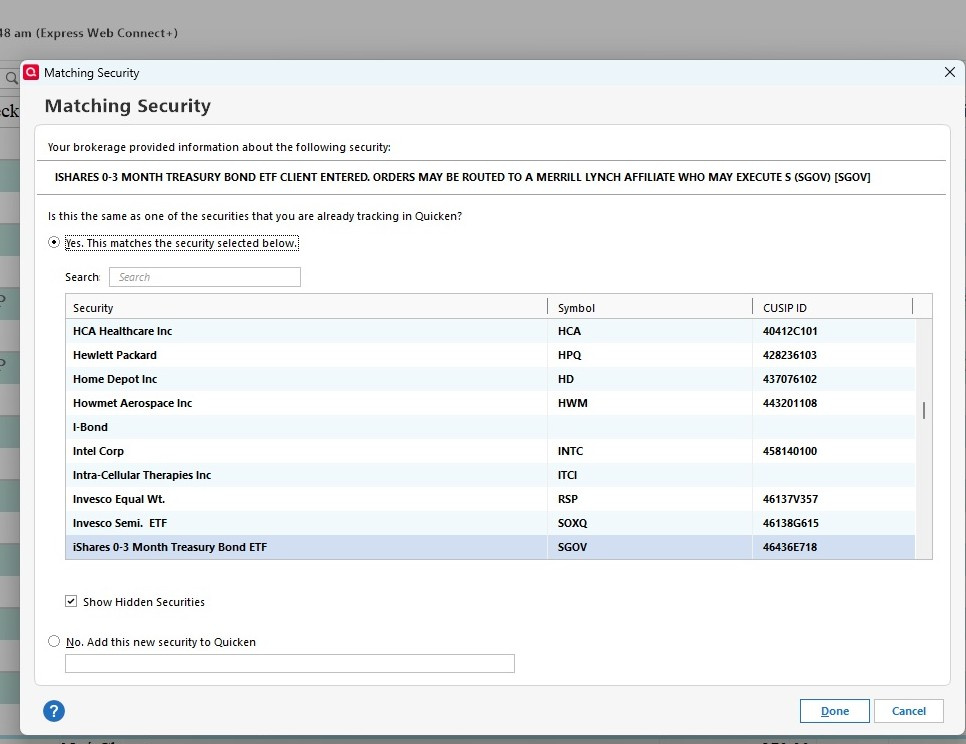
I have the same issue as described in this thread. All transactions (dividends, buys, and sells) elicit the prompt to match the security. I'm sharing just one example here. (Windows 11 Quicken R63.21)

Quicken Windows User since 1992
1 -
Hello @paladin,
Thank you for letting us know you're also seeing the issue with matching security prompts. Our teams are already aware of the issue and are working to resolve it.
Thank you!
(CTP-13847)
Quicken Kristina
Make sure to sign up for the email digest to see a round up of your top posts.
0 -
I am seeing the same issue and have been a quicken user since 1997 and using Merrill as my broker the same amount of time. THis problem started with the latest upgrade when Merrill changed to EWC.
1 -
Hello @Paul Freedman,
Thank you for joining the discussion! Which issue are you seeing? Are you getting duplicate downloads, prompts for matching securities, or both?
Thank you!
Quicken Kristina
Make sure to sign up for the email digest to see a round up of your top posts.
0 -
Kristina - Any idea when this will be fixed? It really is a hassle having to do the Matching Security and delete repeated downloads of old transactions (a month old), or getting Unknown Security downloads that have to be either corrected or deleted.
0 -
Wow - Brain Salad Surgery - That's an oldie for sure. Great 1st track.
0 -
I have the same issue as described in this thread with Merrill Lynch.
When is this going to be resolved?
0 -
I suspect the issue is more on Merrill's side, but I don't know for sure. Seems that with the new connection method Merrill is sending much more information.
In summary, we are getting:
- Month old, previously cleared transactions that we have to verify we already entered and now delete in the Downloaded Transactions window.
- Security Mismatch notices anytime there is a new or pending transaction (sale, buy, dividend)
- Multiple downloaded transactions for dividend reinvestments
- Deposit transactions - day 1
- Debit transactions - day 2
- Credit transactions - day 3
- Dividend Reinvestment (complete, only one needed) - day 3
1 -
Thank you for the follow-up @MangoMan,
The securities mismatch issue and the duplicate transactions issue have already been reported and are being worked on.
Have you contacted Merrill Lynch about the multiple transactions for dividend reinvestments issue?
Thank you!
(CBT-759 duplicate transactions issue, CTP-13847 securities mismatch issue)
Quicken Kristina
Make sure to sign up for the email digest to see a round up of your top posts.
0 -
@Quicken Kristina In my case the multiple transactions for dividend reinvestments have all been due to transactions still listed as pending on the ML website (and never included in manually downloaded QFX files) but downloaded to Quicken as if they are completed. They appear on the Download tab rather than the Pending tab, and thus do not disappear automatically after posting as pending transactions do from other institutions. These then have to be deleted manually, either before or after being accepted to the register.
1 -
Hello @lcdetwiler,
Thank you for sharing your experience. Do you have the pending transactions feature turned on? If it is on for that account, does turning that feature off prevent the issue from happening?
If it is not on, or turning if off doesn't prevent the problem, then the next step would be to verify how the information is being sent to us from Merrill Lynch. To do that, you would need to provide the following information:
- At least 3 samples of the pending transactions that have downloaded as posted in Quicken
- A problem report with log files attached (you can send a problem report by navigating to Help>Report a Problem in your Quicken file).
I look forward to your response!
Quicken Kristina
Make sure to sign up for the email digest to see a round up of your top posts.
0 -
Thank you - Yes, I have.
Other frustrating experiences are that when you use the Help>Report a Problem option
- You cannot create and include a screenshot if a message window is displayed (typically the message you want to report)
- So to get around this, you use the Windows Snip tool and save the image file, but then when you use the Help>Report a Problem option, complete the write up fully explaining the problem, attach the image file you took, and hit submit …. Quicken tells you it cannot submit the extra file (more than 10 attachments) without warning and you lose the detailed explanation of the problem you just spent 10 minutes completing.
Of course, Quicken gives you no warning or suggestions about which data files it needs in your submission. You also cannot copy the text in the problem description window once the 10 file error message pops up.
0 -
- No, I do not have pending transactions turned on.
- I am not reporting a new issue - this has been discussed elsewhere in this forum several times (see for example //community.quicken.com/discussion/7964465/transactions-downloaded-from-merrill-lynch-not-mapped-correctly/p2). I am merely pointing out that this has been at least sometimes a contributing factor to the multiple dividend transactions issue referenced by @MangoMan .
- I do not have any more pending transactions or dividend reinvestments scheduled until the end of the month. I could post some screenshots from an earlier occasion that I saved, but it would not necessarily help. Several other issues seem to have been resolved by Quicken/ML this week. We can hope this one is included.
- I will not submit log files - Quicken already has access to more of my personal data than I like with the new connection requiring Cloud Sync to be turned on (even though I am not using it for backup). Security breaches happen, despite everyone's best intentions.
1 -
Thank you for your reply @lcdetwiler,
Many of the reported issues with Merrill Lynch are either recently fixed or expected to be fixed in the near future. Please let me know if the issue persists in October.
Thank you!
Quicken Kristina
Make sure to sign up for the email digest to see a round up of your top posts.
0 -
To clarify the problems I reported earlier, there are three main problems I face which are similar to those reported elsewhere in this thread. The first issue, as alluded earlier, this new connection to Merrill is resulting in transactions being downloaded with a lot more information as it relates to the security itself resulting in bogus transactions being imported.
Here's an example.
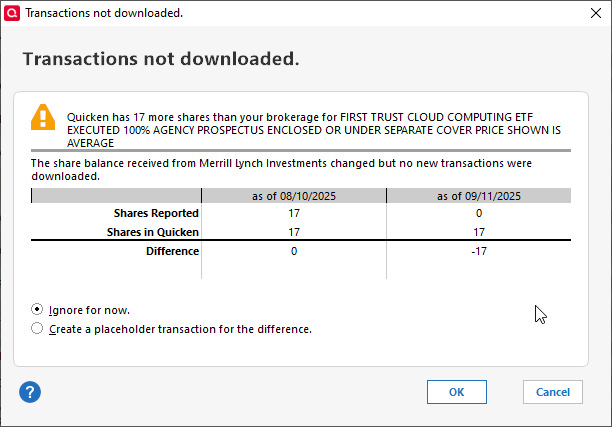
A discrepancy is created because through the new interface, Quicken now downloads a transaction whose security name is "FIRST TRUST CLOUD COMPUTING ETF EXECUTED 100% AGENCY PROSPECTUS ENCLOSED OR UNDER SEPARATE COVER PRICE SHOWN IS AVERAGE" and not just "FIRST TRUST CLOUD COMPUTING ETF" which is the actual security name. Thus, Quicken imports an entirely new transaction with an incorrect security name. When comparing holdings, Quicken correctly reports the discrepancy. This is not an isolated problem with one or two securities. Dozens of securities are being affected, and it takes hours to manually correct these errors.
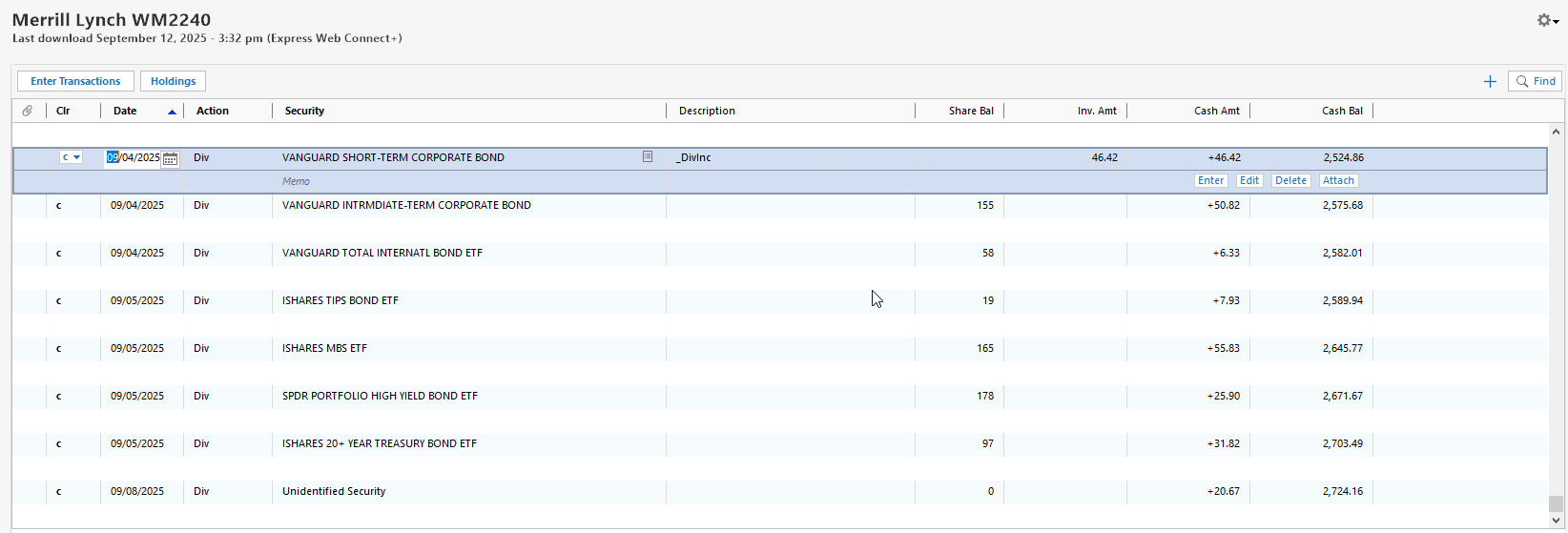
Here is a second problem…see below. Transactions are now being downloaded whose security title is "Unidentified Security"
A third problem. I too am being harassed with request after request to match downloaded transactions to existing securities during a One Step update. None of these problems existed prior to the connection change with Merrill. I have relied on this connection which has worked exceptionally well for over 10 years…that is until now. When can we expect reolution?
1 -
The dividend reinvestment problem still persists. It has been reported.
0 -
Thank you for your reply,
When did you last see the dividend reinvestment issue? There was a known issue between 9/20 and 9/22, but it should have been resolved. See this Community Alert for more information:
Thank you!
Quicken Kristina
Make sure to sign up for the email digest to see a round up of your top posts.
0 -
The dividend reinvestment issue is still present for downloads on September 23rd and 24th. For screenshots, see my post in this thread:
[Edited - Enabled Link]
0 -
Thank you for the update @lcdetwiler,
@MangoMan Is the issue you're seeing the same as what @lcdetwiler posted in that other discussion?
Quicken Kristina
Make sure to sign up for the email digest to see a round up of your top posts.
0 -
I am still getting issues with Dividend Reinvestments. It is really a pain - I will usually get a Deposit, a Credit, A Debit and then a few days later the complete Dividend Reinvestment transaction. It is just a lot of extra work to keep track of which transactions I can delete/ignore or making sure the Dividend Reinvestment transaction eventually shows up. I will try to remember and post a good example. Here, the Teradyne Debit and Credit just downloaded today.
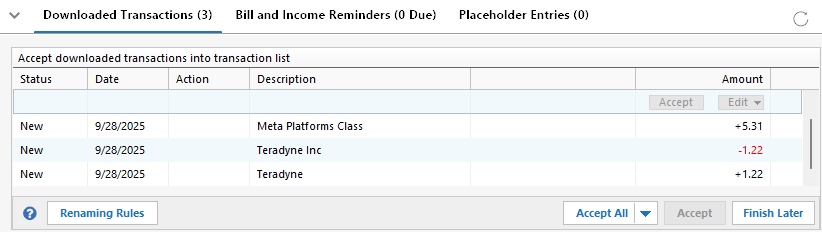
We should ideally get a single Dividend Reinvestment transaction if we are enrolled in the DRIP. Honestly, it is so much work right now to keep straight that I am planning to UNENROLL in the DRIP for all my accounts until the problem is fixed.
0 -
I have not seen the Securities Mismatch issue for a little while now.
0



