Frequency and reason for needing to update direct connection to banks and investment accounts

Does anyone know why Quicken asks frequently to re-sync or re-connect the Direct Connect connection between the Quicken app and bank accounts and/or investment accounts? Is this for security measures? Is there a way to remove the frequent re-syncing needs or would that disrupt security too much?
Comments
-
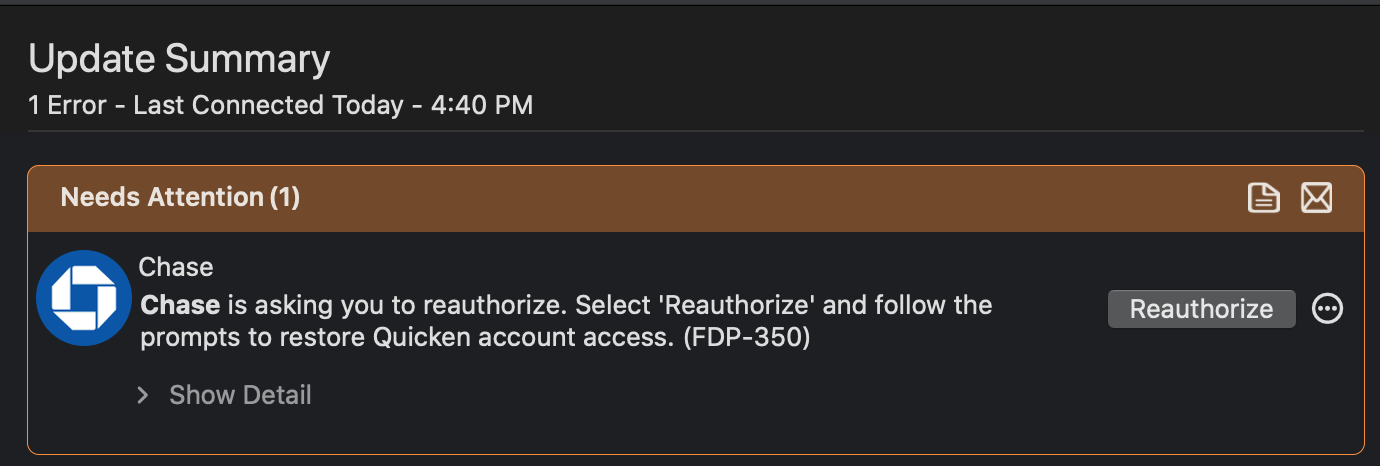
Like this….but it also shows for other accounts.
0 -
Hello @Creator1933,
Thank you for letting us know you're seeing this issue. To clarify, if you're connecting your accounts using Direct Connect, you should not get FDP-350 errors.
FDP-350 errors are associated with OAuth accounts (OAuth accounts are the accounts connected via Quicken Connect where you have to authorize through the financial institution's website when you add the accounts to your Quicken), and typically happen when the authorization token issued by the financial institution expires. The financial institution determines when the token expires. Most financial institutions set the interval to sometime between 90 days and 18 months.
I can see you've been getting this error with Chase more frequently than every 90 days. Have you had to restore from a backup file recently? Sometimes, restoring a backup file can cause the financial institution to want you to reauthorize the account(s).
Do you have your Chase account(s) connected in more than one Quicken file? If you do, then the issue may be caused by two different Quicken files fighting over the same authorization token.
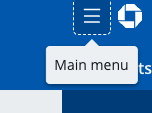
If neither of the above situations apply, then I recommend you start troubleshooting this issue by navigating to Chase's website and revoking Quicken's access. You can do this on Chase's website by clicking the 3 lines near the upper left to access the Main menu.
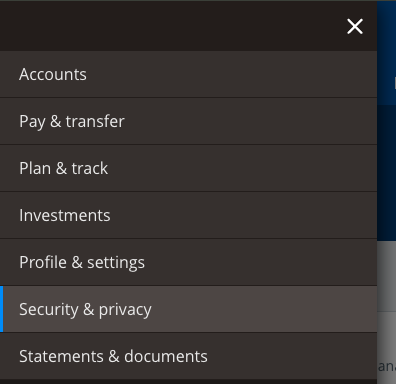
Then, select Security & Privacy.
Find the Linked apps & websites tile.
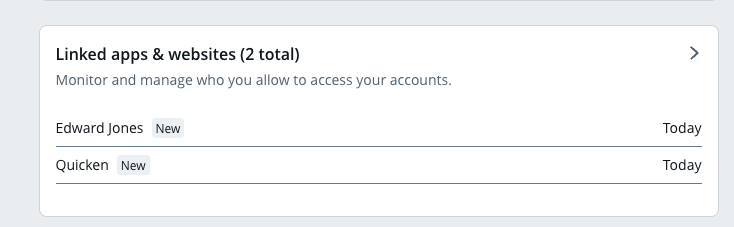
Click on Quicken. Then, click on Stop sharing data.
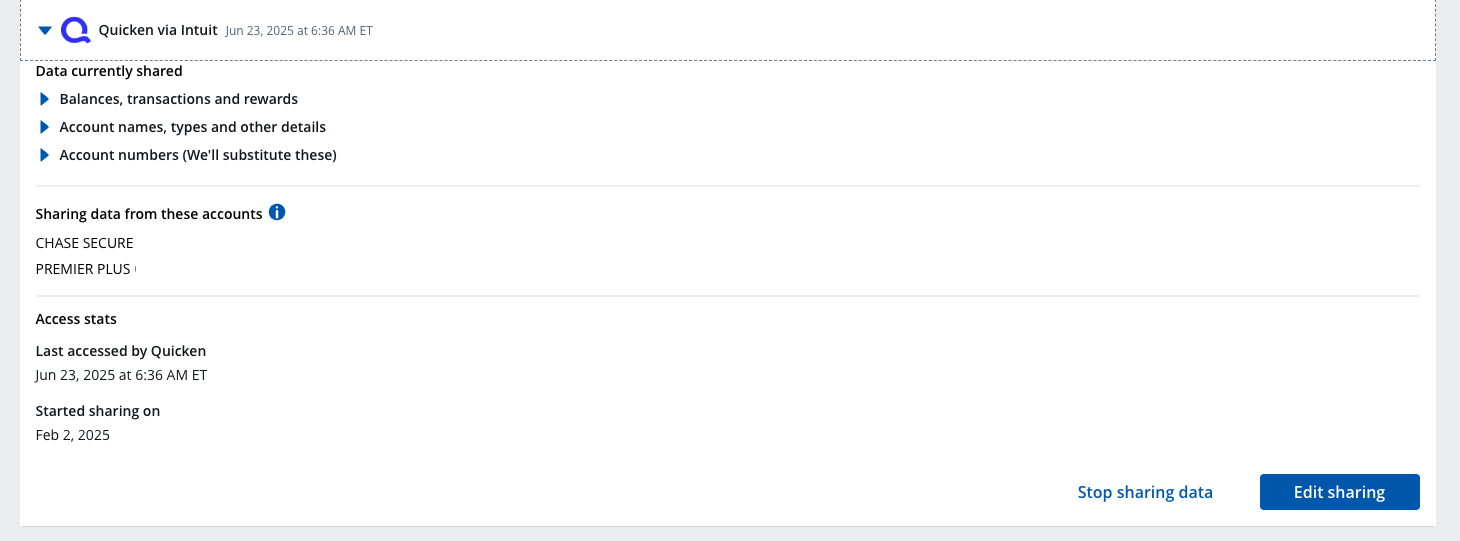
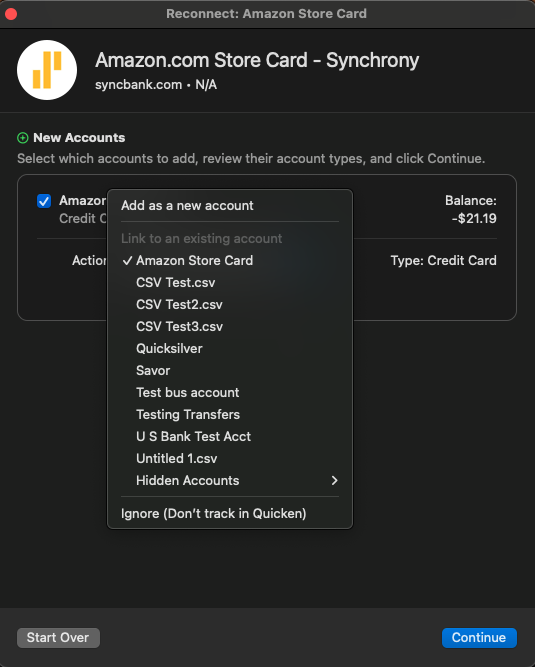
Once you have revoked permission through Chase's website, go back to your Quicken file. Backup the file, then deactivate your Chase account(s). Once the problem account(s) is deactivated, reconnect the account(s) by navigating to Accounts>Add Account… and following the prompts. Once you're back to the Add/Link screen, make sure to link the account(s) to the existing name in Quicken.
I look forward to your response!
Quicken Kristina
Make sure to sign up for the email digest to see a round up of your top posts.
0 -
Hi @Quicken Kristina - this is really helpful. So I have two laptops, each of which has Quicken on it.. One of them (my older laptop), I am a Quicken beta tester on. My newer laptop, is my 100% accurate account info and it's the new laptop's Quicken software where I want the Chase, Capital One, Synchrony, etc. tokens to be authorized.
I assume that the fix here would be to just use the repetitive account reauthorizations on only one laptop (my new laptop) and do not continue to go through the reauthorization process on my old laptop. Please confirm is this should fix it.
0 -
Thank you for your reply,
If the problem is being caused by having the accounts connected in two different files, then reducing it to only one file should correct the issue.
If you do need to have the accounts connected in the Beta file also, then you may be able to prevent the issue by using the Prepare File for Beta Testing option on the file menu.
Thank you!
Quicken Kristina
Make sure to sign up for the email digest to see a round up of your top posts.
0 -
[Removed - Beta]
0 -
Hello @Creator1933,
Just a quick heads-up — I have removed your most recent comment since it relates to beta testing. As a friendly reminder, discussing beta content in the public forum goes against the Beta NDA (Non-Disclosure Agreement) you agreed to when joining the beta program.
Thanks!
-Quicken Jasmine
Make sure to sign up for the email digest to see a round-up of your top posts.
0 -
@Quicken Jasmine - I do not see the Prepare File for Beta Testing option on the file menu. Can you please help me find it?
0 -
@Creator1933 Your posts about beta should be in a Beta category, but to address what you're saying, you need to do this in the Beta application after you have duplicated your file, not your live Quicken.app.
Quicken Mac Subscription • Quicken user since 19930


