Splits in reminder for paycheck get scrambled

Windows version R63.21, build 27.1.63.21. Paycheck setup with splits and amounts, but the categories/memos/amounts get all mixed up. I notice when the forecast graph gets way off. I have deleted and recreated the reminder. I saw another discussion where it was suggested to turn off sync. I haven't tried that yet, but it doesn't make too much sense to turn off a feature to make another feature work.
Comments
-
Hello @iamfrustrated,
Thanks for reaching out—this is a known issue that has been escalated and is currently being worked on. While there’s no ETA for a fix at this time, you can contribute to the open ticket by submitting your logs, and any relevant screenshots by going to Help > Report a Problem in Quicken.
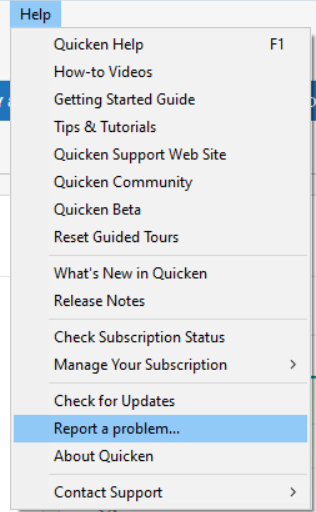
Be sure to include “Attn: CBT-746” in the title/subject field.
It would also aid the investigation to include a sanitized file when submitting the problem report. A sanitized file is a data file that removes personally identifiable information so you can comfortably share this file with the Quicken team.
While you will not receive a response through this submission, these reports will help our teams in further investigating the issue. The more problem reports we receive, the better.
We appreciate your help and patience as our teams work on this.
Thank you!
(CBT-746)-Quicken Anja
Make sure to sign up for the email digest to see a round up of your top posts.0 -
I am having this same issues with paychecks not showing the correct dates in the budget but showing correctly in future month reminders. I have reported to Quicken Support 3 times since February via the web tool and phone discussions with tech support for little to no change. I can tell you that the issue is tied to leap year (2024) and calendar mismatches in 2025.
I also see that the categories keep jumbling the splits for the deposit in future month reminders. Also reported last 3 months,,, What a mess! I have tried creating new files but no luck. Reset the cloud files,,, ,no luck. Disabling cloud sync,,, so far so good,,, maybe.
0 -
This is most likely the same issue as this one
This appears to happen whenever Sync is enabled, as required if you are using the companion apps or Quicken on the Web.
QWin Premier subscription0

