Tracking investments

Is there a way to just have the TOTALS update in the Investment section without all the individual transactions? I always go off the 1099's from the brokerage firm, etc. but it would be handy to see the total value of the investment account.
If there isn't a way to do the above, can I just delete all transactions and still have correct values for each investment account? I don't want a HUGE Quicken file if I can help it.
Answers
-
@lisaerin depending on what version of Quicken you are using, you can go to the General tab of Account Details and select Simple Investment Tracking for that investment account. The Simple Investment Tracking Method will give you the totals and summary you are looking for.
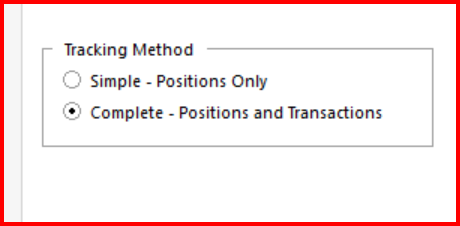
You can also click on Edit → Preferences → Investments and check "Default to Simple Investing for new accounts". This will make Simple Investment Tracking the default for all new investment accounts.
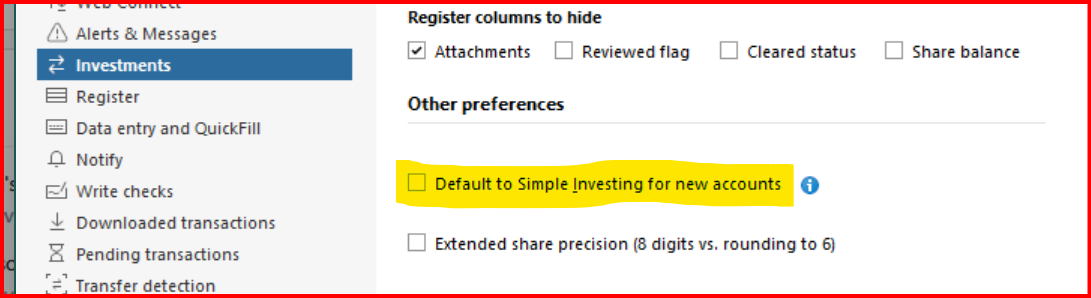
You may not have these options available to you if you are using an older version of Quicken. (Your profile indicates "Quicken Windows Other").
0 -
@lisaerin in any version of Quicken Classic you wouldn't be able to just delete your investment transactions. The transactions are necessary to build security positions and cash for your investment portfolio.
1 -
Hello @lisaerin,
Thanks for reaching out!
I agree with @CaliQkn — switching the account to Simple Investment Tracking will give you the totals you want without keeping all the individual transactions. Deleting transactions isn’t recommended, since they’re needed in Complete Tracking mode to calculate your positions and balances.
-Quicken Jasmine
Make sure to sign up for the email digest to see a round-up of your top posts.
1 -
@Quicken Jasmine I wanted to clarify that even if you use Simple Investment tracking, you can't delete transactions. Investment transactions are needed for either method for Quicken Classic.
I think the confusion is that investment transactions are not needed for Quicken Simplfi.
1 -
Let me take a stab at this.
@lisaerin Can you please explain why you are concerned about the size of your data file? How big is the file?
Are you experiencing slow performance or other issues? If not, the data file size generally does not matter, and deleting transactions may not make it significantly smaller.
If you have slow performance and have more than about 10,000 transactions in an investing account, archiving the investment transactions may improve the performance. This will move the transactions for securities that you no longer hold to a separate archive account so that the active account has fewer transactions to deal with. The old transactions will still be available for historical reporting.
If you switch to Simple mode, the transactions will be hidden and all you will see when you open the account is a dashboard. Quicken continues to track how many shares of each security you own so that it can track the balance as the share prices change. Since it stops downloading the detailed transactions, it will not be able to track your investment income, cost basis, or capital gains.
QWin Premier subscription1 -
@Quicken Jasmine @Quicken Kristina I wanted to circle back and first of all apologize to you both. Both of you are/were correct about transactions being able to be deleted in Simple mode. And the issue enters in only if you then try to switch back to Complete mode after being in Simple mode. I will admit that the Complete vs. Simple Investment tracking can get confusing.
@lisaerin If your version of Quicken allows you to switch to Simple Investment Tracking mode, then you can delete investment transactions. You will see security balance summaries and graphs in your account, but no transaction history.
But, if you switch to Simple mode, it should be considered permanent. Although you would be technically able to switch back to Complete mode, the transactional data will no longer be in the account so your cash and share balances will be zero, if you delete transactions. Even if you didn't delete transactions, your share and cash balances would not have been updated during the time the account was in Simple mode.
0 -
No worries, we appreciate you coming back to clarify and further assist other users!
-Quicken Jasmine
Make sure to sign up for the email digest to see a round-up of your top posts.
0

