how can i edit the security list?

i have two general motors bonds (one matured) the cuspid on both is incorrect. can this be updated?

Answers
-
You can't edit the CUSIP, there's no ability in Q to do so.
The most that you can try is to UNMactch the security from online, blank out the symbol and try re-matching it.
Q user since February, 1990. DOS Version 4
Now running Quicken Windows Subscription, Business & Personal
Retired "Certified Information Systems Auditor" & Bank Audit VP0 -
how do i UNMATCH? delete the transaction and re-enter?
seems I would have to delete both securities from the security list,, then re-add with the correct cuspid, correct? then re-add transactions…
0 -
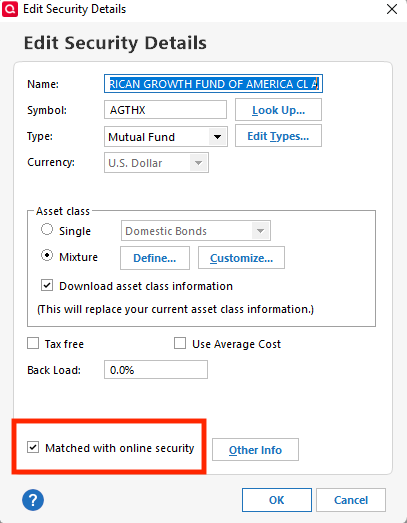
Go to the security detail view for the security, and uncheck "matched with online security".
Quicken Business & Personal Subscription, Windows 11 Pro
0 -
Clarification: From the Security Detail view, click on Edit Details. That is where the "Matched with online security" checkbox is located.
QWin Premier subscription1 -
Hello @leonard kearney,
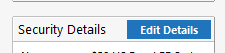
To illustrate, once you get to the Security Detail view (which you can access by going to Tools>Security List and clicking on the security), you will want to click the Edit Details button.
That will bring up the Edit Security Details window. Near the lower left, you will see the "Matched with online security" checkbox that @Jim_Harman is referring to.
I hope this helps!
Quicken Kristina
Make sure to sign up for the email digest to see a round up of your top posts.
0 -
thanks,, do i then re-match it to the correct security?
0 -
You can rematch the secuity via Tools Online Center. Choose the holdings tab and then hit compare to portolio. That should give you a prompt to match the security
Quicken Business & Personal Subscription, Windows 11 Pro
0



