Quicken Mac Business & Personal 08/27/2025 update 8.3.0 - invoice issue?

It's great to see that one can now customize business details that appear on a printed invoice.
However in my initial tests under Billed To, the clients company name is not missing — only the address and contact details are included. This also seems retroactive looking at some of my older invoices — no company names are visible.
Please advise.
Paul
Comments
-
Hello @Paul1,
Thanks for sharing the details about what you’re seeing.
To help us better understand the issue, could you provide screenshots of the invoices where the client company name is missing? If needed, please refer to this Community FAQ for instructions on how to attach a screenshot. Alternatively, you can also drag and drop screenshots to your response if you are not given the option to add attachments.
Please redact any personal or sensitive information before sharing. This will allow us to investigate further and provide more targeted guidance.
Thank you!
-Quicken Anja
Make sure to sign up for the email digest to see a round up of your top posts.0 -
The client company name shows up in the invoice detail/data entry screen.
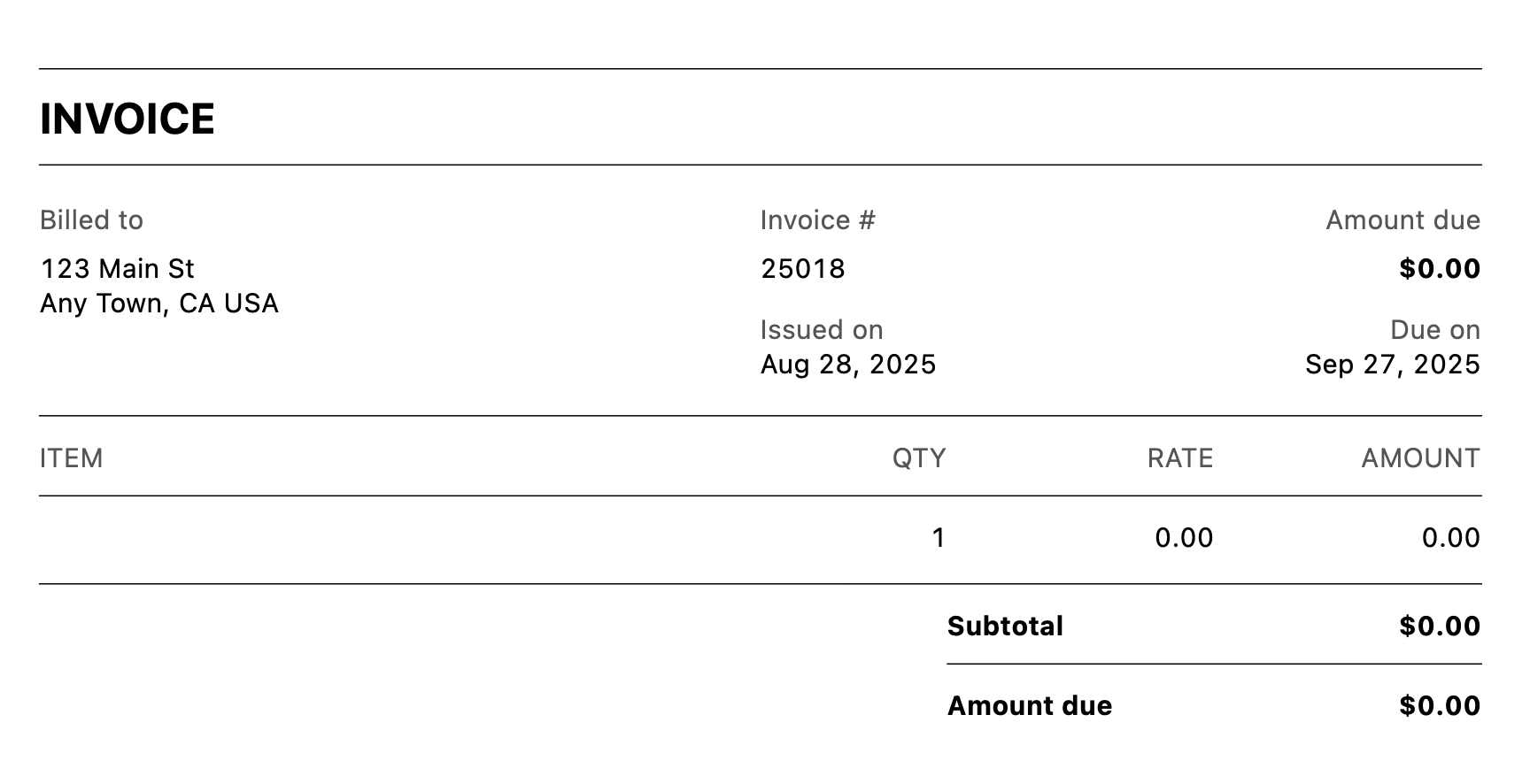
But it does not show up in the PDF of the invoice. Enclosed is an example:
 0
0 -
@Quicken Anja Just to confirm and possibly clarify what is being reported by @Paul1, there does appear to be a bug where there business name is omitted form invoices. Here are two screenshots to illustrate…
On the Enter/Edit Invoice screen, the company name is clearly visible:
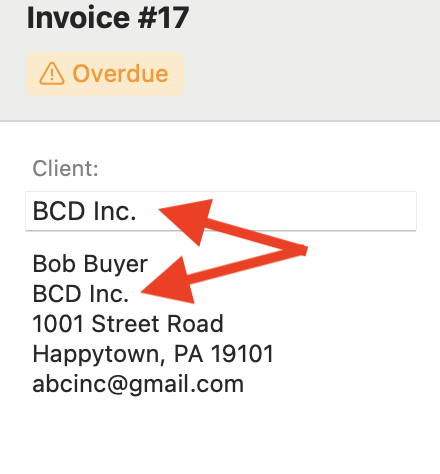
But when you view the PDF of the invoice, the Company Name is missing:
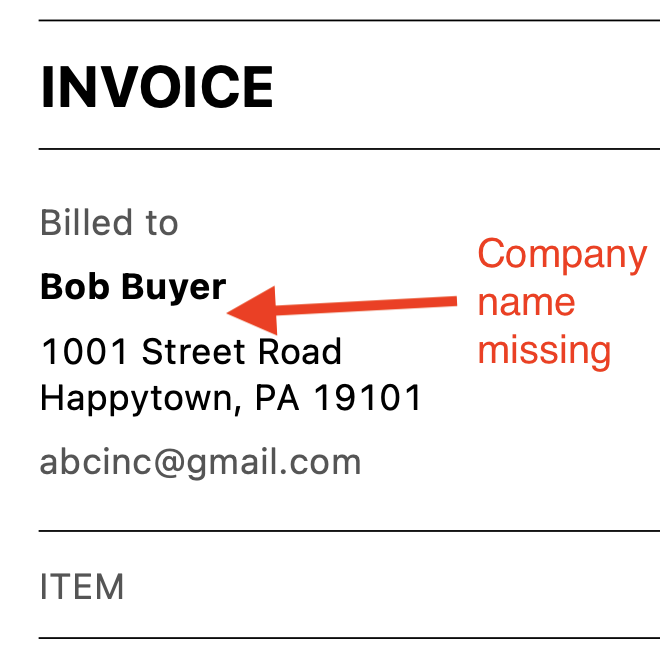 Quicken Mac Subscription • Quicken user since 19930
 -
Yep, that is the issue exactly!
0 -
@Paul1 and @jacobs Thank you both for the screenshots and clarification. I was able to test and replicate this issue on my end as well.
We will be forwarding this to the proper channels to have it further investigated. However, we kindly request that you also navigate to Help > Report a problem within your Quicken program and submit a problem report with log files and screenshots attached. This will allow your information to be included in the investigation.
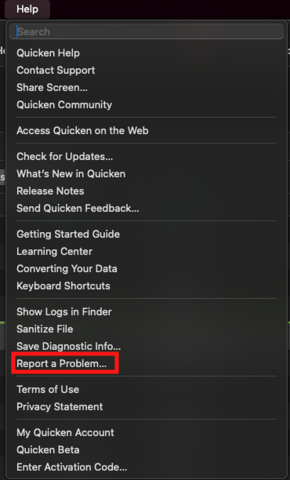
It would also be very helpful if you could include a sanitized file when submitting the report. A sanitized file removes personally identifiable information so it can be safely shared with the Quicken team.
Please note that you will not receive a direct response from this submission, but these reports play a critical role in helping our teams investigate and resolve the issue. The more problem reports we receive, the better.
We apologize for any inconvenience this causes in the meantime, and we truly appreciate your assistance in helping us get this resolved.
Thank you!
(CBT-791)-Quicken Anja
Make sure to sign up for the email digest to see a round up of your top posts.0 -
I am having issue with my business email and phone number not showing on the invoice, even though I have entered it in.
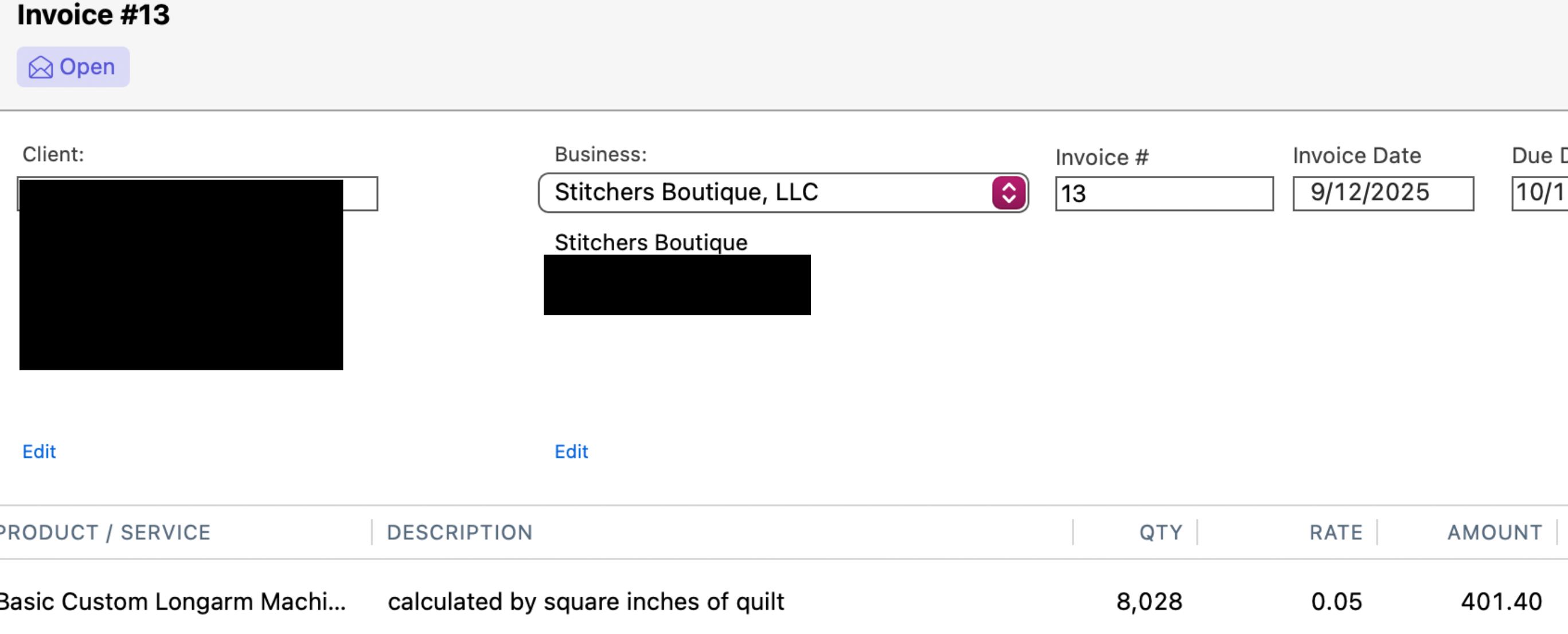

[Edited Screenshots for Privacy]
0 -
@Lindaread I think there is a bug, but there's also a work-around.
As your screenshot shows, you can enter your business information, including address, email, phone, and logo by selecting Manage Businesses > Edit Business from the main Business page. When you create a new invoice, it auto-populates with the company name and address, but not the phone and email.
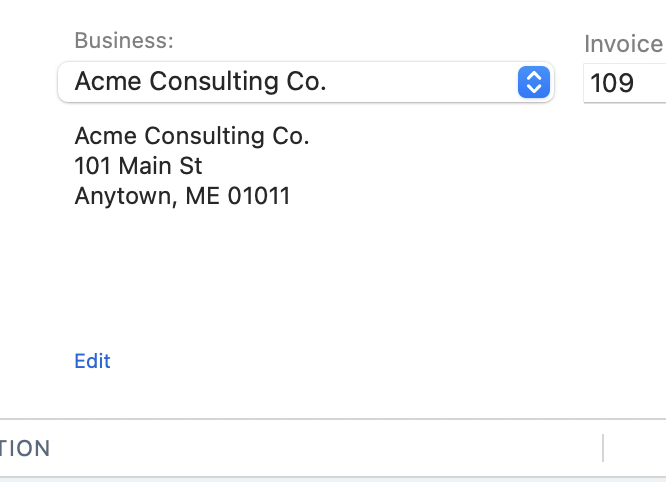
That sure seems like a bug; what's the point of having this information entered for the business if it isn't used?
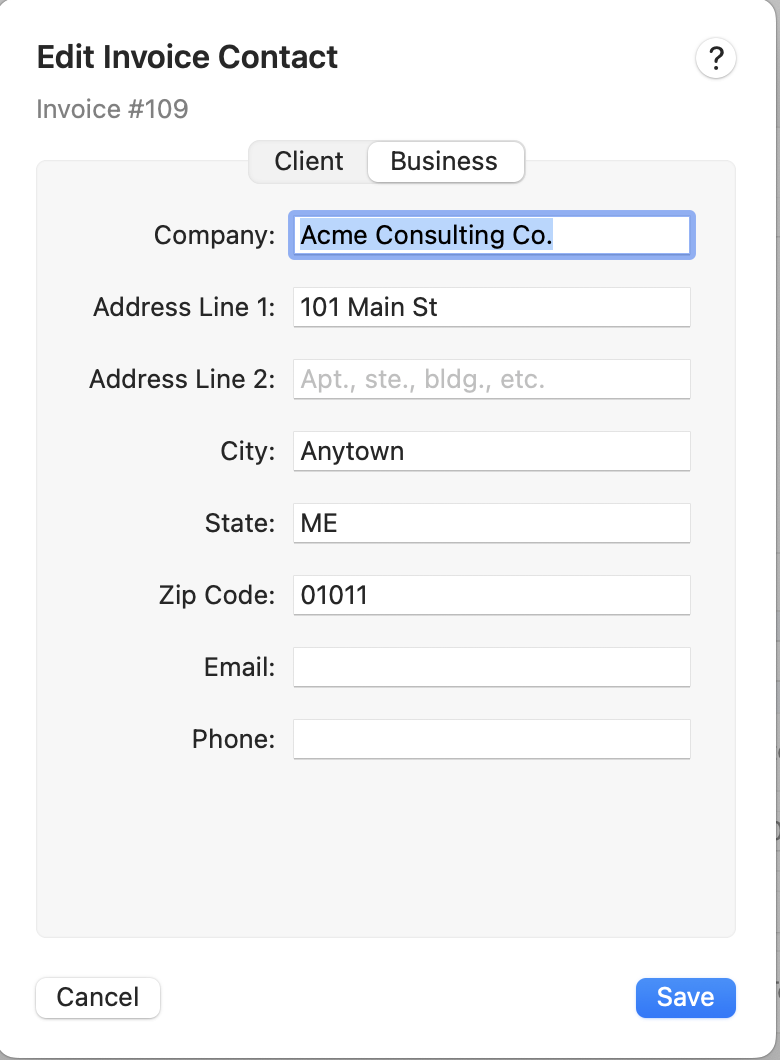
The less-than-satisfactory workaround is that you can click the Edit link below the Business info on the invoice, and in the pop-up window, you can enter your email and phone number:
Once you enter the two fields and click Save, the email and phone are visible on the invoice:
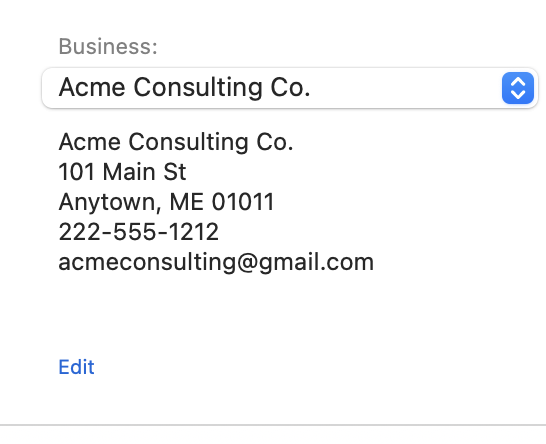
I think this should be fixed so that if there is an email and/or phone number for the business, those fields auto-populate new invoices.
Quicken Mac Subscription • Quicken user since 19930

