zzz-Fidelity Updates
Comments
-
Followup to my message on Oct 5:
After the FZDXX "Redemption" txn failed to download, I did 2 subsequent sell txns to confirm that I was still receiving anything. The first was from a mutual fund, and the second was from FZDXX. I downloaded both successfully the night of the trades, so that's not the problem. The balances resolved on Fidelity's site about 18 hrs later, and now Quicken Cash & FZDXX are in synch with the Fidelity Positions and Balances pages.
So, my "Sale" txn of FZDXX shares worked fine but the Fidelity auto-initiated "Redemption" did not. This situation was confirmed by @Robert in his post of Oct 5. I'm gonna do one more test tomorrow. I will buy enough shares of something to put SPAXX (cash) back in the red which should trigger another "Redemption" of FZDXX. If that one fails to download, it'll confirm that particular transaction isn't working correctly. I can't, however, determine whether the problem lies with Fidelity or Quicken or both. If someone can give me the name and location of the file that contains the downloaded transactions, I can give it a look.
Hey, Quicken folks - are you reading this? I'm doing real trades with real $ to help debug your application. You really need to fix this situation.
0 -
I had a similar problem as you prior to successfully converting to EWC+ three weeks ago. I took the same approach that you are contemplating "I guess I could experiment with different choices and see where I end up".
I ended up using only one Money Market and no FDIC. I use SPAXX for Fidelity CMA and Brokerage accounts and FDRXX for IRA and Roth IRA accounts as CORE with no problems. All accounts show "Reset Money Market securities/cash options".
1 -
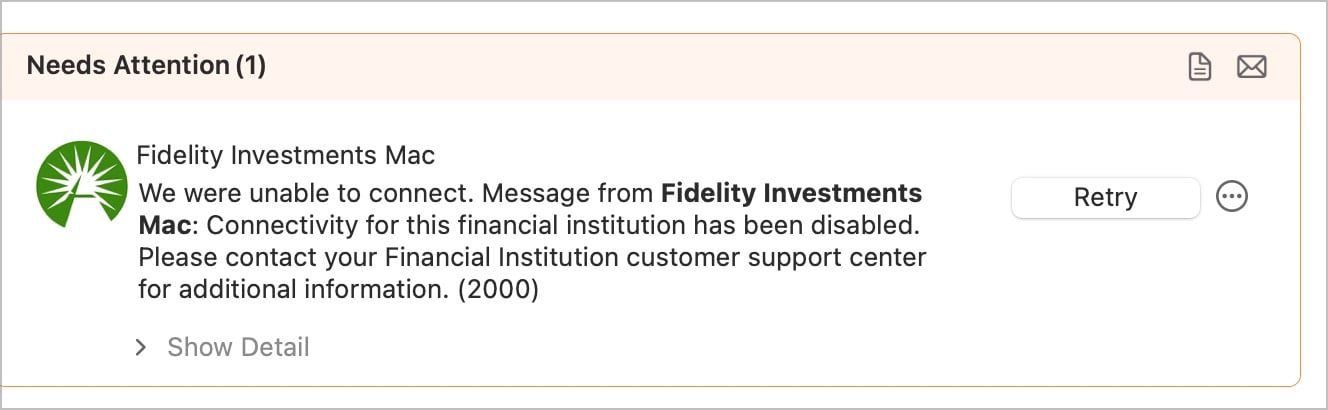
Any Quicken Mac Fidelity folks seeing new errors this morning? Still on DC. Still works in Windows. But cannot connect in Mac now this morning:
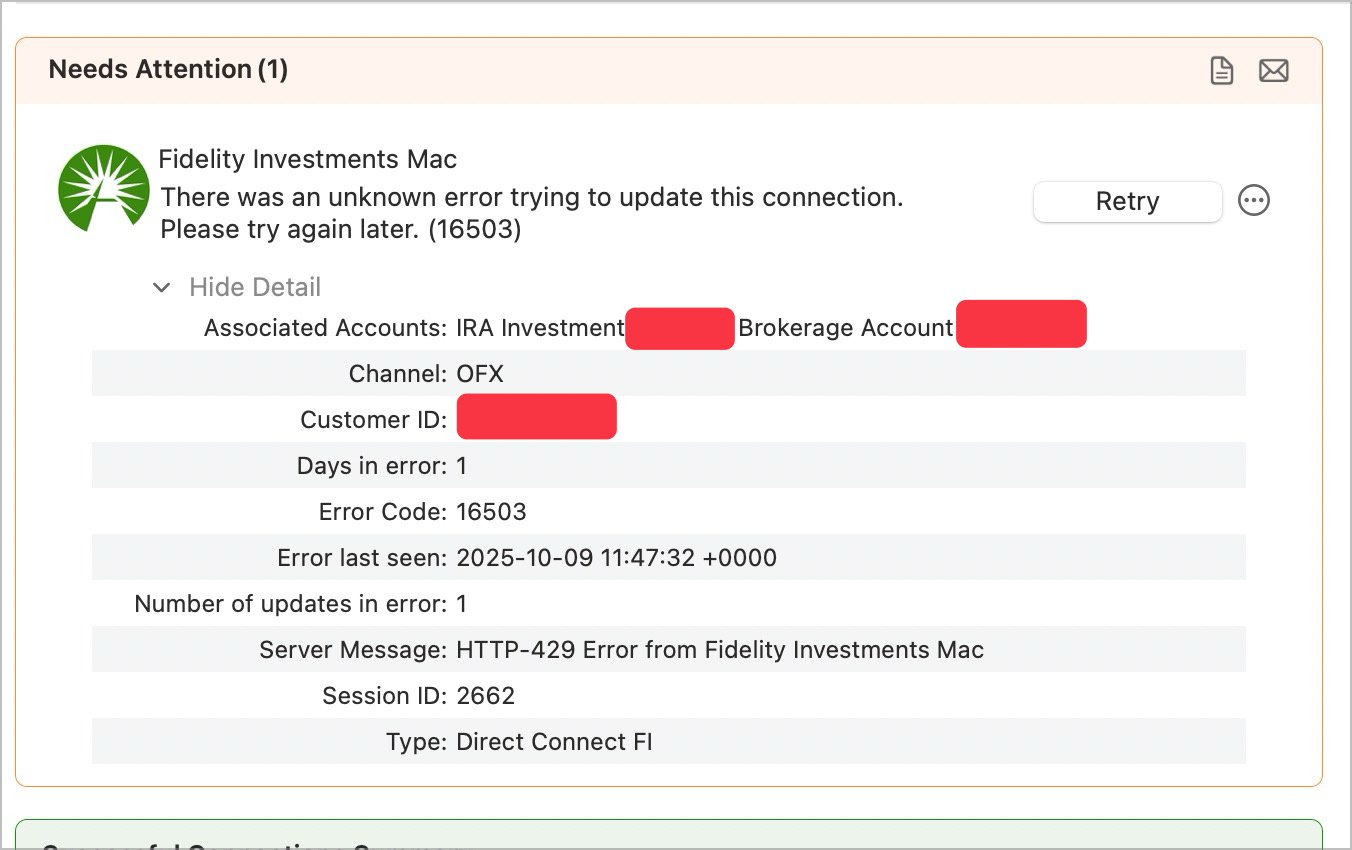
I could swear i saw another message Quicken Fidelity Mac no longer supported, but cannot get that to repeat.
0 -
0
-
IMO, Sweeps should always be represented only as Cash because they are truly savings accounts that the brokerage has contracted for with some bank. The only reason why Fidelity and other brokerages show Sweeps as shares on their websites is because brokerages cannot be banks themselves so they can't show it as cash that they are holding and instead show it as shares.
This is in contrast to MMFs which are actual securities and where the holdings are actually shares. And in Quicken, showing the Core Account MMF as Cash should be and is a user choice.
Quicken Classic Premier (US) Subscription: R66.23 on Windows 11 Home
1 -
What I posted yesterday in a different thread:
It's been a couple of weeks since I last posted about Fidelity EWC+ in my test files. At that time I'd reported that 6 of my 9 Fidelity accounts (including for brokered CDs) were correctly downloading transactions and their Core Account MMFs were being correctly reported as Cash Balance and not as Shares. As of today this is still the case….over 2 wks of trouble-free EWC+ downloading.
The other 3 accounts were having multiple issues but only with regard to Core Accounts, not with regard to other investment account transactions. Following is the current status of these 3 accounts.:
Rollover IRA:FZDXX, which is not a Core Account option, was being identified as the Core Account for this account. As of a week ago, this is no longer an issue. However, FDRXX, which is the Core Account MMF for this account, is being downloaded as Shares and not as Cash Balance…but the total account value is correct. In addition, there is no option to reset the Core Account for this account.Roth IRA:The same situation and status as with the Rollover IRA.Managed Rollover IRA:This account uses QIWSQ FDIC insured bank Sweep as the Core Account. Until today the issue has been that Quicken did not recognize QIWSC as the Core Account. To my pleasant surprise, this morning I was prompted to decide how QIWSC is to be shown in Quicken….as Shares(?) or as Cash Balance(?) I selected Cash Balance and quicken removed all by 71.8 shares of it and the Cash Balance was updated to show a discrepancy of $71.80. I could not Sell the 71.8 shares or QIWSC because Quicken showed no holdings of it so I entered a Remove Shares transaction for the 71.8 shares then Quicken showed the correct Core Account shares balance of 0.000. I also could not reconcile the cash balance in the account register so I entered a balancing adjustment for $71.8. Now this account is fully balanced on shares and cash. I am cautiously hopeful that this account is now no longer an issue with EWC+It appears to me that Fidelity & Quicken are now getting very close to resolution of the issues with EWC+.
I just ran OSU in my EWC+ test files, again, and there is no change to what I posted yesterday.
Quicken Classic Premier (US) Subscription: R66.23 on Windows 11 Home
1 -
@Boatnmaniac I agree. Remaining EWC+ transaction download issues mainly are related to Fidelity Netbenefits, i.e. 401(k)/403(b) accounts. Those continue to be quite substantial in nature and, unlike for Brokerage and IRA accounts, we haven't seen much progress there since our DC → EWC+ migration end of July!
0 -
Still get core MMF FDRXX not treated as cash.
Still get dividends into regular investment accounts treated as deposits with no assigned security.
Deluxe R66.23, Windows 11 Pro
1 -
@leishirsute Very sorry about your remaining Fidelity issues with Brokerage/IRA accounts.
My response was in reference to the above @Boatnmaniac posting:
"It appears to me that Fidelity & Quicken are now getting very close to resolution of the issues with EWC+."
As in his/her case, our earlier Brokerage/IRA issues are largely resolved, and have been for some time now. However, we continue to see significant outstanding issues with Fidelity/Quicken Netbenefits transaction downloads, which have been regularly reported to Quicken over the last two months. Unfortunately, we haven't yet seen much improvement, if any, as relates to 401(k)/403(b) Fidelity accounts.
0 -
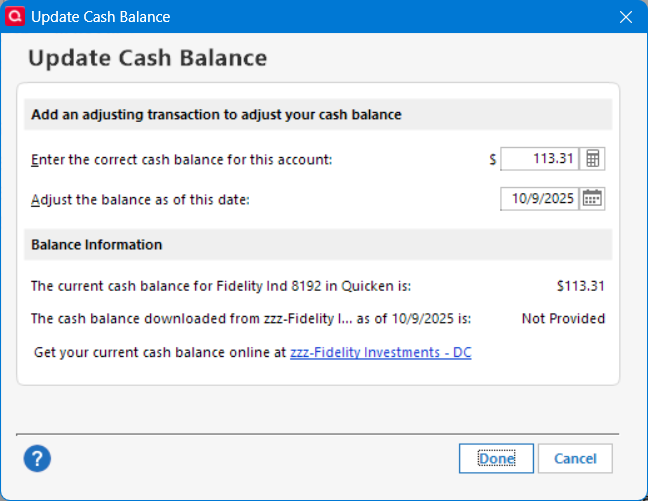
It is interesting to note the DC connection does not show the cash balance from Fidelity for all accounts. I don't know if it ever did, even though the core MMF is treated correctly.
Deluxe R66.23, Windows 11 Pro
0 -
Out of my 9 Fidelity accounts, 5 are IRAs and Roth IRAs that use FDRXX as the Core Account MMF.
- 3 of them correctly report the FDRXX values as Cash, not as Shares. It has been this working this way for nearly 3 wks, now.
- 2 of them report FDRXX values as Shares, not as Cash. Both accounts also hold FZDXX MMF shares. FZDXX is not a Core Account offering for me yet Quicken was previously designating them as the Core Account. About 2 wks ago this was corrected when FDRXX was designated as the Core Account MMF but it is downloaded as Shares with no option to reset it to Cash Balance. For me, this is not a deal breaker because the total values and actual holdings are correct. But it sure would be nice to have FDRXX shown in the Account Registers reported as Cash Balance.
I should also state that I have no Fidelity NetBenefits accounts. My comments are all regarding Fidelity Investments brokerage and IRA/Roth IRA retirement accounts.
Quicken Classic Premier (US) Subscription: R66.23 on Windows 11 Home
1 -
Agreed, the FDRXX income transaction can be manually fixed, but that kind of defeats the purpose of a using a program to automatically track such transactions. Also, the Tax Planner gives incorrect values unless the FDRXX income is manually fixed.
It is strange. Same as you, FDRXX was showing a the core account for about a week using EWC+, until a download changed it back to a security.
Deluxe R66.23, Windows 11 Pro
1 -
So was today the final Fidelity Direct Connect cut-off?
In Quicken for Windows using DC, I'm getting the error QL-927-A "Quicken is unable to establish an Internet connection."
My other accounts during OSU (most are EWC+ but Citi Cards is still DC) are updating fine, so perhaps this error means Fidelity has finally shut off their DC server.
Anyone else geting this error? I haven't seen anyone else mentions this yet.
Looks like it's time for me to reauthorize and set up EWC+.
1 -
I did a successful OSU on both my files (Fidelity DC connected and EWC+ connected) at 1:30pm PT today.
"No Matter Where You Go, There You Are"Windows 11 Pro, Quicken SubscriptionIntel Core i7-12700, 32GB Ram0 -
Wow. The fact you did both totally baffles me @Movie Nut . I cannot do either.
0 -
@qudtp Just updated with DC at 8:10pm EST after selecting "Remind me next time". However, there have been some posts on the Quicken for MAC that Fidelity is making some cutover changes that are causing intermittent errors.
Deluxe R66.23, Windows 11 Pro
1 -
Well, I just tried again Windows DC. It has no errors, seems like it has gone through but has not picked up an entry that has shown on the Fidelity web site since 6:00 AM today.
Mac is just a train wreck with Fidelity.
0 -
And Mac just connected via EWC+ for the first time. Still a transaction not yet down in Win or Mac, but connections seem to be working again.
0 -
Running only QWin. 4 unique data files (2 primary files with Fidelity DC and two Quicken copies of them with Fidelity EWC+). OSU run on each of the files this morning and again this evening. No connection or download issues with any of the OSUs.
I wonder why there is so much inconsistency in OSU results and in downloading with EWC+.
Quicken Classic Premier (US) Subscription: R66.23 on Windows 11 Home
0 -
Odd. I'm still getting the error. Kristina has opened a thread that says customers are getting OL-297-A with no option to re-authorize, but I'm still getting the prompt to re-authorize or remind me next time.
https://community.quicken.com/discussion/7966964/new-10-9-25-incorrect-error-in-fidelity-bofa-and-merrill-lynch-doesnt-prompt-migration#latest
Maybe she's talking about something else. Maybe if I clicked reauthorize some other problem would develop.0 -
My error happened several hours later. Have you tried more recently?
0 -
This morning, 7am EST, for the DC connected datafile. Quicken reported this error with OSU and with updating the individual account. I noticed that the "Remind Me Later" reauthorization pop-up has been displaying everytime the last few days.
The Fidelity EWC+ version of the datafile had no errors during download. However, incorrect transaction actions and cash balances remain for this version.
Is this the final cutover to EWC+? Even with several EWC+ issues still remaining?
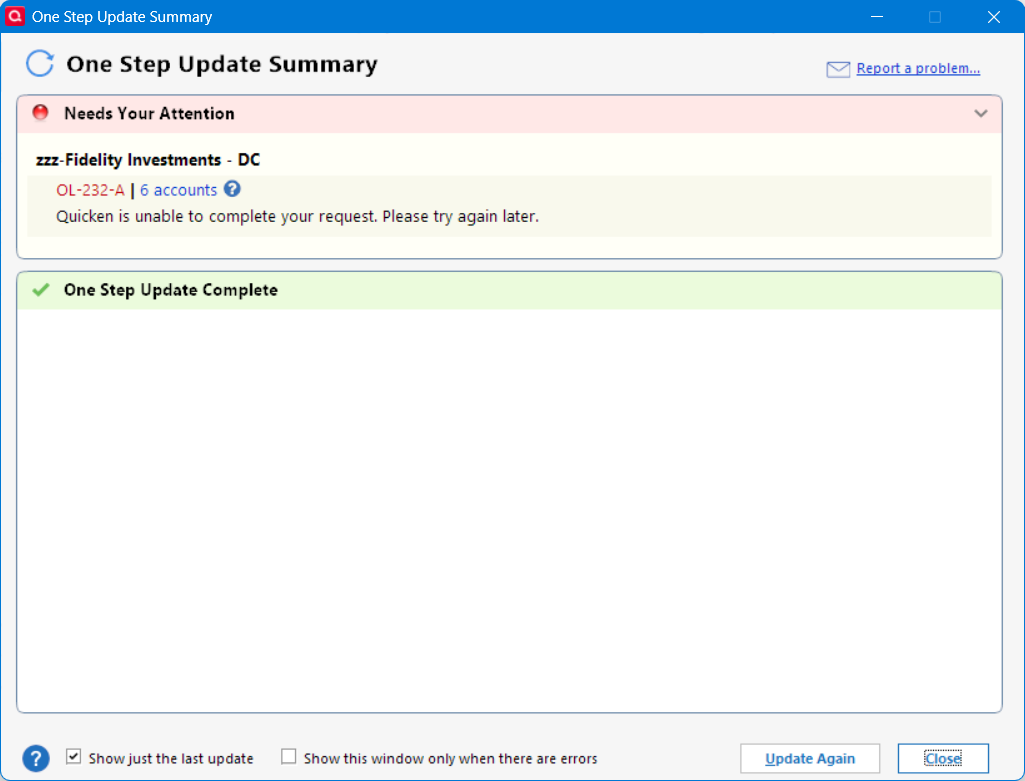
Update 720am EST: Good news. I followed the corrective instructions at :
and the DC connection works again.
Deluxe R66.23, Windows 11 Pro
1 -
zzz working now.
This OL-231 workaround made no difference for my zzz connection. After clicking through the Remind me later to upgrade, I get an error but it doesn't have an error message associated and doesn't persist in the summary window. That was same behavior as before I tried it, so I don't know if it had any impact.
I used a separate file to allow the change to the new download method and in addition to the duplicate transactions to delete, the cash management is still not right in some of the ira brokerage accounts while others are fine.
I also had a CD redemption where it correctly populated the 100 basis but got the quantity wrong. In other words it showed selling 7000 units when it should have been 70.
Back to the zzz connection, I tried again at 7:45 EDT and lo and behold my missing transactions appeared so it seems to have been an intermittent fault. I'm going to continue with the zzz method until more dust settles. I don't know whether the instructions for resetting the branding information had any impact but I doubt it.0 -
E-mail just receive from Quicken:
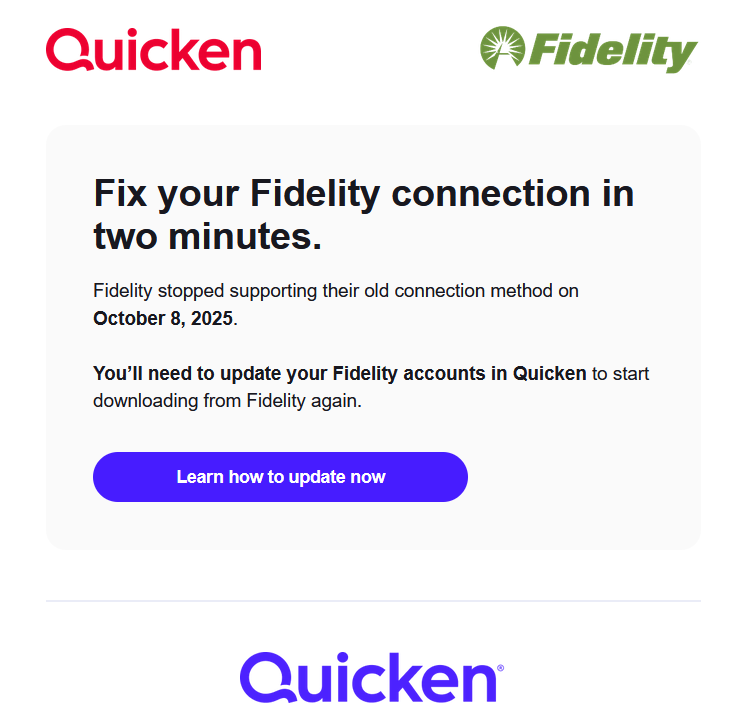
My OSU still worked this morning on zzz Direct Connect. I wonder how much longer?
1 -
Well, it looks like the forced migration is starting. I have not yet received this email but it is not uncommon for EWC+ migrations of this scale to be staggered with some getting notified before others.
It is also not unusual for there to be a "grace period" after getting notified before the old connection method is finally discontinued. Who knows if that will be the case with Fidelity connections or for how long the term of that grace period will be. Some grace periods for previous EWC+ migrations, if I remember correctly, lasted for about a month but that might or might not be the case with Fidelity. I guess we'll find out soon enough.
I will continue using the DC connection (and running EWC+ in test files in parallel) until it no longer works for me.
Quicken Classic Premier (US) Subscription: R66.23 on Windows 11 Home
0 -
As expected, Fidelity has initiated the phased process of making EWC+ mandatory for all accounts, based on information provided by @Quicken Anja in another thread. Best of luck and success!
0 -
OK, I was convinced even though not clearly indicated, that if I were ever to connect to Fidelity again in Windows, I needed to reauthorize. So now BOTH my Mac and Windows are EWC+.
Mac was seamless but Windows asked more questions and hiccuped a bit. Wanted me to confirm SPAXX for Cash. OK. Then changed a bunch of transactions to accomplish that. Then showed this message:
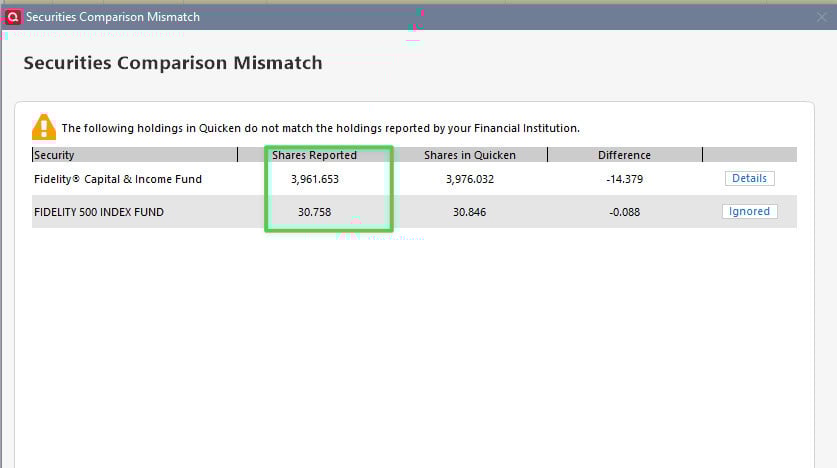
I believe the Reported are accurate. I had the choice to Ignore or Create Placeholder, which I never understood and I recall getting into trouble with in the past. So I ignored.
What should I do with this?
0 -
And now I see this. I did not "ask" for a placeholder. How do I correct this one?

What should the cost be?
Surprised Mac did not go through any of this.
0 -
@Bob. Sorry about the migration issues you are facing. This is what I meant with "unavoidable manual corrections following migration and EWC+ requiring higher levels of active user involvement and manual interventions going forward" in my above post a few days ago, based on our EWC+ experience since the end of July. For every user required manual Quicken corrections will look different, there is no general cookie cutter approach to resolve those, unfortunately. Wait until you'll get into pending Fidelity Netbenefits issues. Best of luck and success!
0 -
Hah. And thanks.
There must be a way to resolve these. I'll invoke my trusted Fidelity guru. @Boatnmaniac do you have advice for these two issues?
0