Quicken won't accept my qfx file from Bank of America

I have had problems with Bank of America for a year or more. This month, they simply will not accept my transactions, saying there is a verification problem of some kind for the QFX file. So, after messing around with it for an hour, i downloaded an import file and added it to my Bank of America credit card. It took me over an hour to manually set the transactions to cleared and add the category, so this is not an easy workaround. I noticed that my credit card now has a new subaccount name: Atmos Awards Ascent Visa. The username and password are the same. I tried to set up 1 step update, and the screen said everything was ok, and then another screen appeared that said Quicken was forbidden. I really need help with this.
[Edited-Readability]
Comments
-
I tried to reconcile my account after the import and the date was early September. Now I can't reconcile it.
I really need help. I have been using quicken classic for 10-20 years.
0 -
Hello @pattywagen,
Thank you for sharing your experience. I am happy to help.
The issue you are seeing when trying to import a QFX from Bank of America is outlined in this Community Announcement. But I am happy you found a way to get the transactions in.
When you say you are now unable to reconcile the account, what exactly is happening when you try? Are you receiving an error of some kind?
And the Quicken is forbidden message… Is it possible for you to get screenshots of what you are running into? If needed, please refer to this Community FAQ for instructions on how to attach a screenshot. Alternatively, you can also drag and drop screenshots to your response if you are not given the option to add attachments.
Looking forward to your response!
Quicken Alyssa
Make sure to sign up for the email digest to see a round up of your top posts.
0 -
Here are some screenshots. The first is when I tried to balance the account after I imported all the transactions. How do I update the download date?
The second is when I try to process the qfx file.
The third is when quicken says 1 step update is forbidden. I am sure it is caused by the fact that the account on bank of america has changed its name. How do I fix it?
0 -
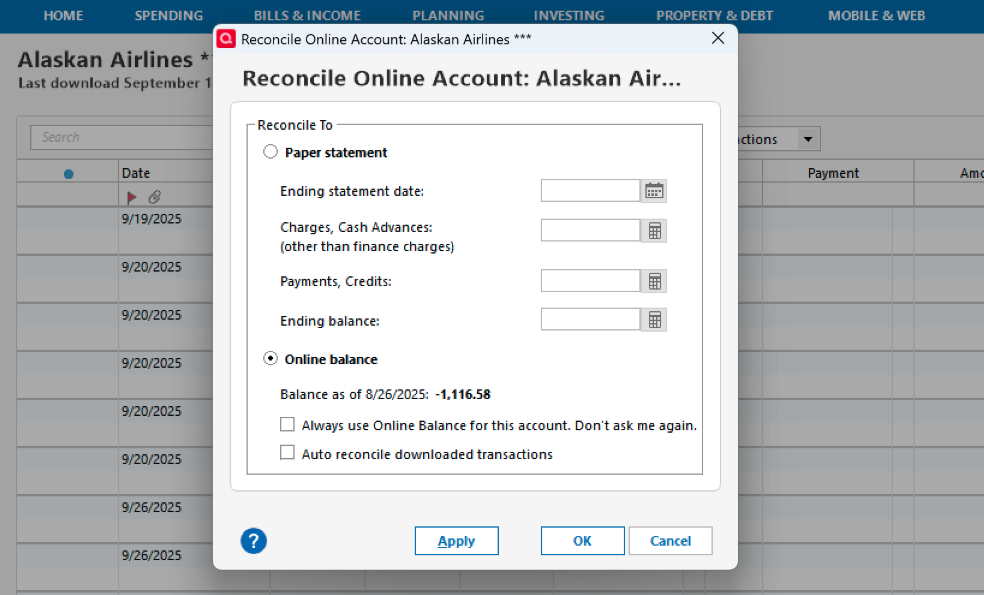
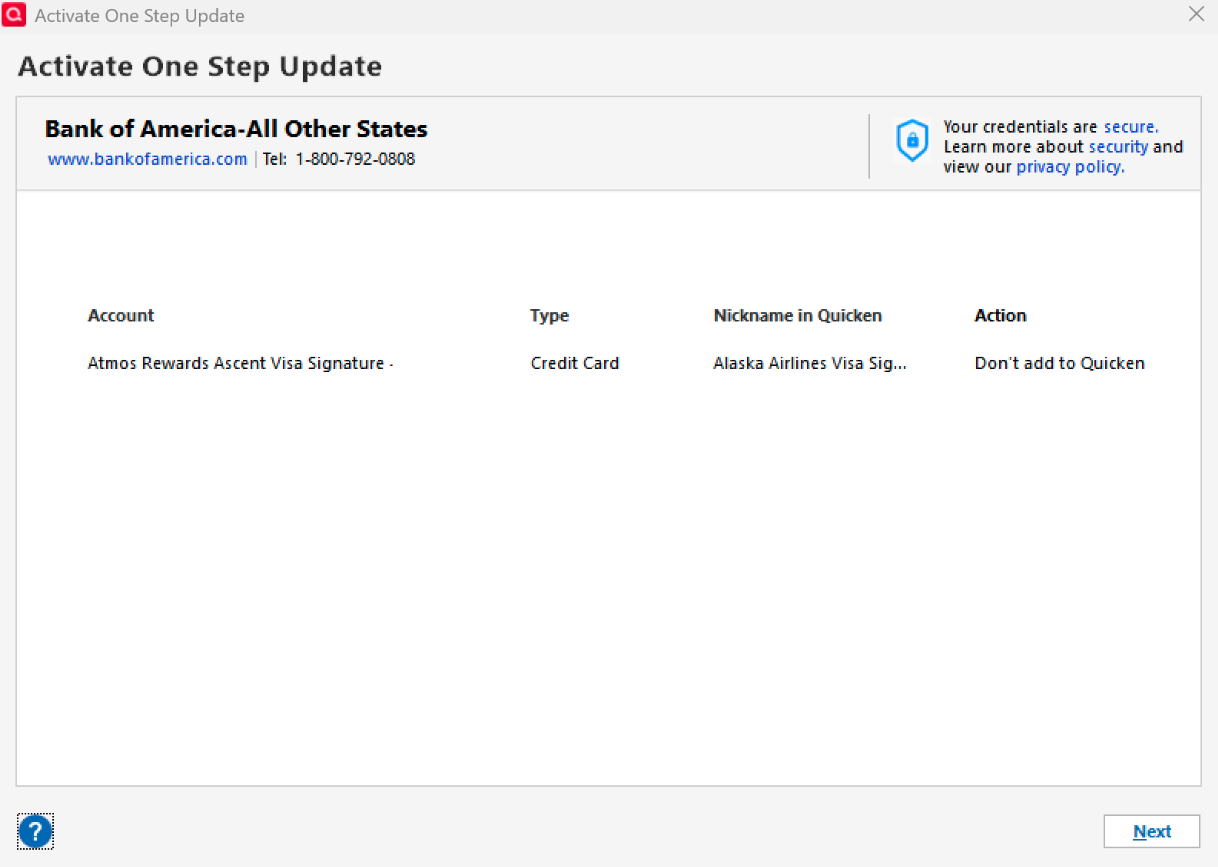
I forgot to attach the screenshots. Here they are.
[Edited - Removed Personal Information]
0 -
Hello @pattywagen,
Thank you for the additional details.
To change the download date, we need to have a successful download. However, it looks like you have successfully downloaded transactions after that date.
- Where is your file located?
- Is your file being backed up/synced by any third-party cloud services like iCloud, OneDrive, or Dropbox?
- You said this has been happening for a month. Is that correct?
The "Don't add to Quicken" that you are seeing is usually displayed when Quicken thinks the account is already connected in Quicken. To resolve this, you can disconnect the account and then reconnect it.
Let me know how it goes.
Quicken Alyssa
Make sure to sign up for the email digest to see a round up of your top posts.
0 -
Hi Alyssa,
This announcement that B of A has discontinued, as of 9/30/25, QFX imports (see ticket 11975451) appears to be highly exaggerated, as B of A has not informed its customers of such a move, continues on its website to offer QFX as one of the choices for downloads and, most importantly, has not changed the format of its QFX download files (the bank info in the header of a previously-imported QFX files is identical to one downloaded after the start of October.
Sounds like it is Quicken that has decided to stop allowing the import of B of A QFX files, doesn't it?
Any updates?
0 -
[Removed-Duplicate Post]
0 -
Hello @DaveManz,
Thank you for your post and for sharing your comments and concerns.
I understand how frustrating it can be when changes like this aren't clearly communicated. Please know that we relay information to our customers based on what is provided to us directly by the financial institution.
In this case, it’s possible that Bank of America simply hasn’t updated its website yet to reflect the change, and they may not have sent out a customer notice—unfortunately, I don’t have a way to verify that.
That said, the alert I linked is valid and reflects the most current information we’ve received.
Thanks again for taking the time to share your thoughts!
Quicken Alyssa
Make sure to sign up for the email digest to see a round up of your top posts.
0 -
Well, Alyssa, you managed to avoid the question. Based on a conversation with BofA, they tell me it is Quicken that has informed them of Quicken's plan to cease support of the Web Connect (.QFX) download option. BofA further states that they are waiting on Quicken to inform them of when all "their products/classes" have been transitioned off Web Connect before BofA removes it from their list of file download choices.
That sounds like this is a non-customer-friendly effort by Quicken to lessen the usefullness of their product and are ingenuously presenting the change as driven by BofA. BofA strongly disagrees with that contention.
What will it take to correct the notice about who is driving this degredation in Quicken, if not, restore the Web Connect feature? Who with the authority to consider this change may I contact to register my complaint?
Thanks,
Dave
-1 -
This is Bull on BofA's part. Or more likely the people that you are talking to don't know what they are talking about. It is always the financial institutions that are the ones dictating what they want to support.
Quicken Inc is a company of about 200 employees. Do you really think it has the ability to tell BofA what to do?
This is a financial institution push to what they feel is the better way to do it (no matter what you or I might think of that).
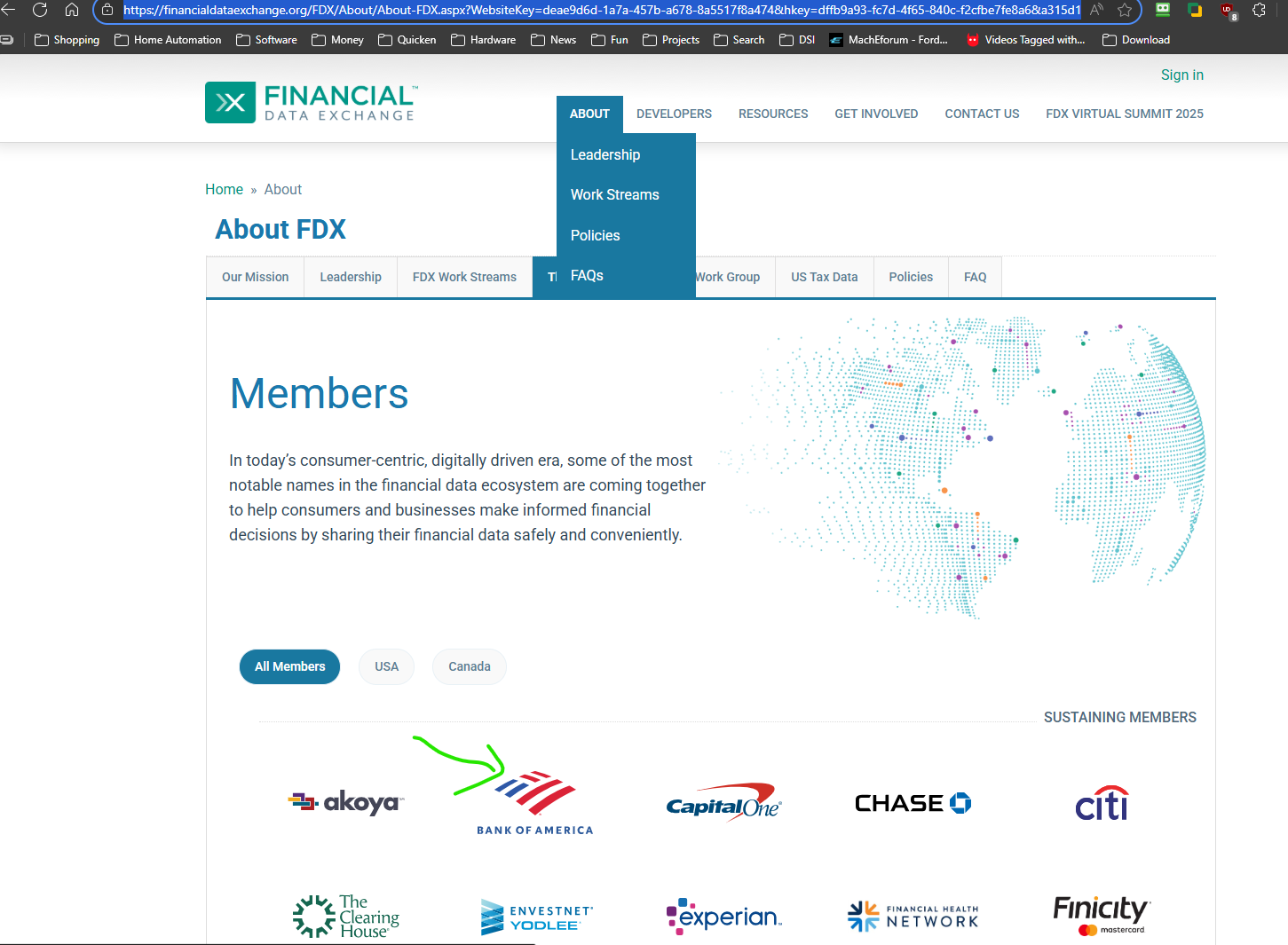
At its core the financial institutions have been trying to support many "aggregators" like Intuit (which Quicken Inc pays for "connected services") with differing ways to download the transactions and they want to change to one standard. And that standard is called FDX. Express Web Connect + is Quicken Inc's/Intuit's implementation of the FDX standard.
 3
3 -
Well, Chris, from the perspective of one who has used Web Connect since Quicken ceased direct download of my BofA transactions several years ago, it seems that BofA has a point.
Case in point, on 9/25 I downloaded BofA transactions using Web Connect and was successful at importing them into my desktop version of Quicken. On 10/2 I downloaded another set of BofA transactions using again the Web Connect file type download option. When I tried importing those transactions into Quicken, the import failed with a dialog box popping up stating that "Quicken is unable to verify the financial institution information for this download".
Since the bank's header information in both download files (9/25 OK file and the 10/2 failed-import file) is identical, it seems that it is Quicken that has changed how it is handling the import.
So, are you saying that, on import of a QFX file, Quicken first checks with BofA to validate the file? And that BofA is, as of end of Sept, rejecting that verification? If so, then why would BofA still be presenting the download option of "Web Connect"?
0 -
@DaveManz Strictly speaking what Quicken is checking is this file:
You will notice that it from Intuit. Quicken Inc pays Intuit for the connect services, they are the ones that directly deal with the customer. Intuit has no "motivation" to turn things on and off on their own, BofA told them to turn this off.
As for why BofA would leave the downloading of the Web Connect/QFX file on their website, take your pick, laziness, one hand not talking to the other, incompetence, …
I will also state that it could be a communication problem between BofA and Intuit, but I doubt it because if that was the case I would have thought that it would have been fixed long ago. It is trivial for Intuit to edit that file. And it isn't like no one has complained to BofA. And certainly, Intuit is aware of it, they changed the file and for sure Quicken Inc has queried them about it.
The bottom line is that if you want it, you need to convince BofA to tell Intuit to turn it back on. And note that the front-line people seldom know what it is going on at the backend and as such will claim it is a "Quicken problem" which is far from the truth. If anything, it is a BofA to Intuit communication problem.
I think this comment in the Quicken Mac forum is one of the best leads to get to the right people to complain about this:
1 -
Thanks, Chris, for info about Intuit and the financial institutions list (fidir.txt). However, in my case, the last change noted in C:\ProqramData\Quicken\Inet\Common\Localweb\Banklist\fidir.ini dates from 6/23/2024. And the lastest versions of fidir.txt on my PC are dated 7/2/2025; found, oddly, in two places; C:\ProgramData\Quicken\Inet\Common\Localweb\Banklist\2018 and C:\ProgramData\Quicken\Inet\Common\Localweb\Banklist\2019. (Are the folder names related to years?)
Comparing the "Bank of America - Quicken" entry in fidir.txt files on my PC; the most recent from 7/2/2025 and the other dated 10/29/2021, the lines are identical.
So none of these local fidir.txt files could have affected why between 9/25/25 and 10/2/25 QFX downloads would no longer be considered by Quicken to be from a valid financial institution. Is it that Quicken no longer relies upon the local copy of the fidir.txt but rather the Intuit sourced copy that you referenced?
But thanks for the lead as to who at BofA may help move this problem to solution.
From a more general perspective, thinking of account security, would you agree that the highest level of security in handling imports into Quicken from a FI, would be a simple CSV/QIF file? Given that Intuit, the FDX "aggregator" is not without recent record of data breaches?
Thanks by the way for the link to your website. That was helpful.
Dave
0 -
Hi again, Chris,
I downloaded the Intuit copy of the fidir.txt file and now see where the services listed for "Bank of America - Quicken" include "EXP_Web_Connect" and not just "Web_Connect". So I think I am in agreement with you about where the bottleneck is occurring.
Having realized that, it still does not remove Quicken from playing some part in the confusion and lack of productivity, as Quicken's dialog box warning about cannot-verify-financial-institution states "Try again later". Just how much later should one plan for? 😉
Dave
0 -
Yes, importing a text file of some kind would be the "most secure".
0


