Cannot connect to Fidelity

Trying to connect an account to Fidelity - which worked until a few weeks ago - message prompt to reestablish credentials and authorize the account. After the Fidelity login screen the message is "The page you requested is currently unavailable. Please try again later." A Quicken support person said in a chat yesterday that Fidelity is fixing the problem and it would be ready last night. That hasn't happened.
Help, please?
Comments
-
Hello @DrGm28,
Thanks for reaching out!
Could you please share a screenshot of the error message? Make sure to blur or crop out any personal information like account numbers or usernames before posting.
If needed, please refer to this Community FAQ for instructions on how to attach a screenshot. Alternatively, you can also drag and drop screenshots to your response if you are not given the option to add attachments.
Thank you!
-Quicken Anja
Make sure to sign up for the email digest to see a round up of your top posts.0 -

Screen shot.
1 -
Thank you for your reply,
Since this issue appears to be happening on Fidelity's website, it is possible something is interfering with communication between Quicken and Fidelity. Please make sure any browser extensions you use are paused/temporarily disabled. You may also want to try temporarily setting a different browser as your default. If you use a VPN, please turn it off while authorizing your Fidelity accounts. Sometimes, antivirus software has features that interfere with communication, such as a safe banking feature that moves banking sessions to a custom web browser. If you have an anti-virus with that feature, please pause that feature.
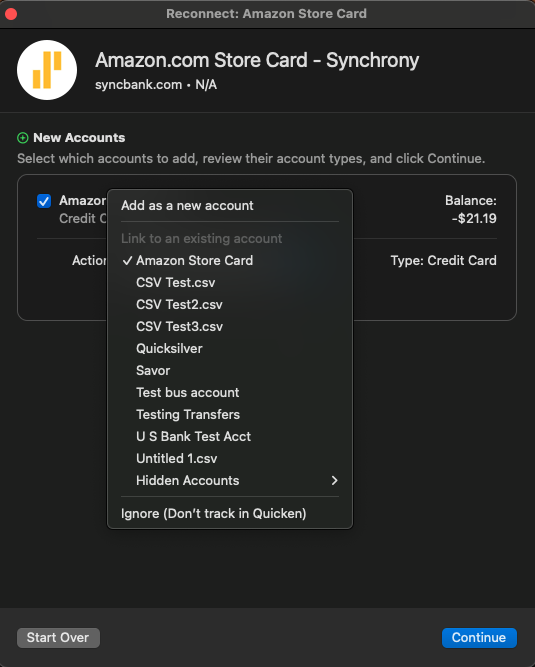
If the issue still persists, please backup your Quicken file, deactivate the problem account(s), then navigate to Accounts>Add Account… and follow the prompts, making sure to carefully link to the correct account in Quicken.
If none of the above troubleshooting resolves the issue, then you may want to contact Fidelity's support directly, since the issue is happening on their website.
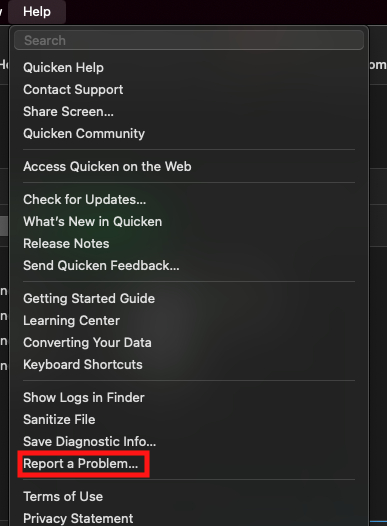
That said, since multiple users have been reporting this issue, we have also reported the problem on our end. To help investigate the issue, please navigate to Help>Report a Problem and send a problem report with log files attached.
Thank you!
(CTP-14930)
Quicken Kristina
Make sure to sign up for the email digest to see a round up of your top posts.
0 -
I have tried all of the suggestions above and none worked. I didn't have any problem until a couple of weeks ago.
1 -
Thank you for your reply,
If none of the troubleshooting suggestions resolved the issue, then please follow the instructions from my earlier post to report the problem.
Thank you!
Quicken Kristina
Make sure to sign up for the email digest to see a round up of your top posts.
0 -
I have spoken to Fidelity. Since this is a 401k account, they say I should be connecting to "Fidelity NetBenefits." That option is not available on the drop-down list. The only option is "Fidelity Investments." So that's the problem - is there a fix or workaround?
2 -
I am having the same issue… i get the following error after Quicken open the Fidelity netbenefits site, put username and pass
Warning The page you requested is currently unavailable. Please try again later.
0 -
George@ - I think the problem is that we are NOT logging into the Fidelity Netbenefits site. Quicken is only giving us the option for Fidelity Investments, and that's another site altogether.
0 -
Hello @George@,
Thank you for letting us know you're also encountering this issue. If you haven't already done so, please follow the troubleshooting steps recommended in my earlier post, and if the issue persists, please follow the instructions in that post to send a problem report with log files attached.
Thank you!
Quicken Kristina
Make sure to sign up for the email digest to see a round up of your top posts.
0 -
Kristina - just a reminder that I have followed EVERY suggestion. Nothing works. Quicken needs to provide a drop-down menu item for Fidelity NetBenefits in addition to Fidelity Investments. 401k participants cannot log into Fidelity Investments - regardless of whether or not we are connecting through Quicken. We must go through NetBenefits. It is a different URL.
0 -
Thank you for your reply @DrGm28,
The issue has already been reported to our teams for further investigation and resolution. My post earlier today was responding to another customer who is seeing the same issue. Since they did not confirm if they had done the troubleshooting yet, I recommended they try it.
Thank you!
Quicken Kristina
Make sure to sign up for the email digest to see a round up of your top posts.
0 -
I'm having the same problem and get the same message for a week now. Also Fidelity Net Benefits 401K It is a different website and needs to be fixed on Quicken's end.
0 -
Thanks for the quick reply Kristina. I changed my default browser to Edge from Chrome. disabled all extensions. no firewall. got the same error. also deactivated and tried to reactivate with same.
During the setup process, Quicken opens the default browser and prompts for user/pwd. after that, it redirects back to the site below with the error
https://login.fidelity.com/ftgw/Fas/Fidelity/RtlCustSSO/OutboundSSOOIDC/authorizeResume
Warning The page you requested is currently unavailable. Please try again later.
1 -
Kristina - sorry for the response meant for George. Note that his URL points to fidelity.com. That will not work. Even if 401k participants try to log in to Fidelity.com on the web, our credentials will not work. It is a different site. Quicken needs to get us (401k participants) to the NetBenefits site, please.
1 -
Still having the same problem. When will quicken set up a way to connect to Fidelity NetBenefits?
0 -
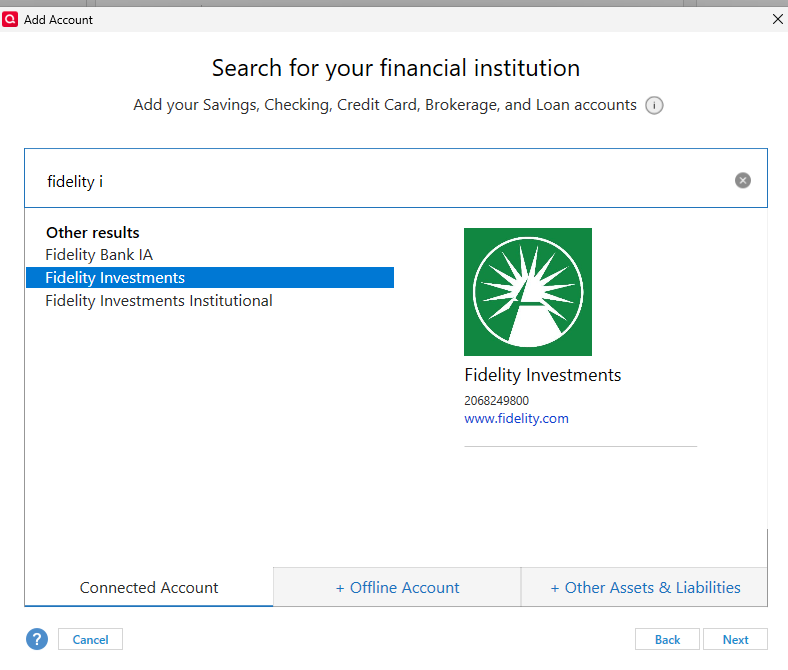
I have accounts with both Fidelity and a 401(k) with Fidelity NetBenefits. When I start the Add Account process in Quicken, I choose Fidelity Investements and none of the other choices.
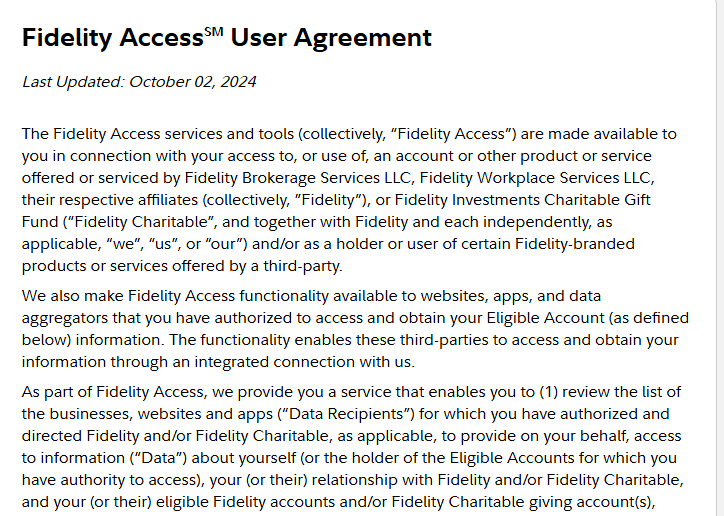
After logging in, I am presented with the Fidelity Access User Agreement and must check the two boxes at the bottom before agreeing to the terms.
At this point I am presented with a list of accounts that includes all of my accounts including the NetBenefits 401(k) account but it is not identified as such specifically. I then check all of the accounts that I want to add. For some reason, old closed accounts are list too but I just ignore them.
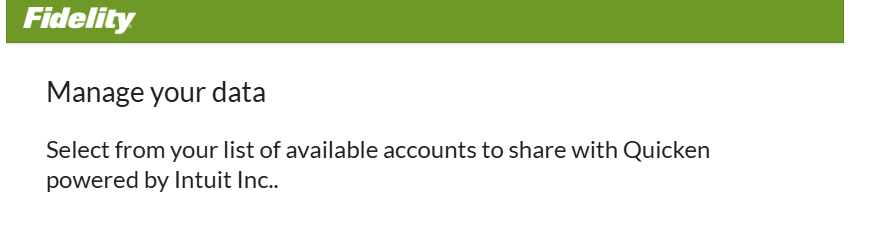
I suppose things may be different if someone only has a NetBenefits account. Are you folks seeing a different process?
1 -
thanks for posting this. i do not see the same splash screen.
0 -
If I try to add an account and select Fidelity Investments, it goes straight to a log in screen. And as said earlier, that site will not accept a login for a 401k account. Seems a simple and straightforward solution for Quicken to add the NetBenefits site. Not sure why they aren't responding to that request.
Kristina - any thoughts?
0 -
I'm having the same issue as outlined above with similar screenshots, etc. Quicken needs to provide us folks access to the Fidelity NetBenefits site in addition to the other Fidelity sites. The "conversion" process had me change my password to Fidelity which was totally uncalled for. Fidelity NetBenefits was an option before when these accounts were created way back when.
This link works for us NetBenefits customers:
https://nb.fidelity.com/static/mybenefits/netbenefitslogin/#/login
This link DOES NOT work when the NetBenefits Quicken customers want to link their accounts:
https://digital.fidelity.com/prgw/digital/login/full-page?AuthRedUrl=https://login.fidelity.com/ftgw/Fas/Fidelity/RtlCustSSO/OutboundSSOOIDC/
PLEASE FIX THIS MESS! It is VERY frustrating!
1 -
confirm this is the URL… would be great if Quicken can provide a regular update on progress.. it is not clear if a ticket is open and employees are working it.
0 -
WORKAROUND!!!
Since Quicken didn't offer a solution, I called Fidelity and learned that they are not working on providing a discreet NetBenefits login. So here's an easy solution - similar to what @cyberphile posted above. Go to www.fidelity.com and sign up for a no minimum, no cost account. It will take about three minutes. You can use the same login credentials that you use for NetBenefits. Once you have established the account, go back to Quicken and a) close (and hide) your 401k account, and then b) add a new account, using the Fidelity Investments drop-down. You'll be sent back to the www.fidelity.com web site to log in. Use your usual credentials. It will now show you the new account you just set up on Fidelity, AND your 401k account. Click the 401k and you should be good to go. Add the new one if you plan to keep track of it, of course.
Honestly, I was surprised … but it worked!
1 -
Thank you for the follow-up @DrGm28,
Thank you for sharing the work around! To clarify, you had Fidelity NetBenefits accounts only before trying the work around, but as soon as you created an account with Fidelity (non NetBenefits), that allowed you to get connected?
Thank you!
Quicken Kristina
Make sure to sign up for the email digest to see a round up of your top posts.
0 -
@Kristina - correct. I only had the 401k (NetBenefits) account before the workaround.
1 -
thank you. the workaround worked. I opened a cash management account and they are linked to the same username so now everything dowloads.
0 -
While I appreciate the discover of a workaround, this still a terrible user experience and should not require me to create another account, that I do not want, to just get back the functionality I previously had for downloading my NetBenefits data. When can we expect an ACTUAL fix from Quicken and Fidelity?
1 -
Okay, here's another workaround that does not involve having to create an additional Fidelity account. I wanted to see if I could still just log into Netbenefits normally in my browser, which I could via https://netbenefits.fidelity.com. I was surprised when Windows then flipped me back to Quicken, which complained that I took too long (because it had been sitting there while I came to this thread looking for answers).
Playing a hunch, I tried activating it again and this time my browser went to the User Agreement page. After clicking the necessary boxes, I ended up automatically flipped back to Quicken where I could finish the account setup, linking it to my existing Quicken account.
Though I'm not 100% sure of this recipe in retrospect, if you're looking for a solution I'd say try logging into netbenefits.fidelity.com in your default browser before trying to set it up in Quicken. Ideally this brings you to the User Agreement and you can finish normally.
Despite my finally crossing this hurdle, Quicken and Fidelity really ought to sort this out. It's a frustrating user experience.0 -
Hello @tale,
Thank you for sharing your experience and the work around you found.
This is a known issue which has already been reported to our teams for further investigation and resolution.
Thank you!
(CTP-15247)
Quicken Kristina
Make sure to sign up for the email digest to see a round up of your top posts.
0 -
I tried the work around from @tale but unfortunately it didn't work for me
0 -
Hello @joecoolfiftyfive,
Thank you for sharing your experience. This issue is already a known issue, which has been reported to our teams for further investigation and resolution.
Thank you!
Quicken Kristina
Make sure to sign up for the email digest to see a round up of your top posts.
0 -
@Quicken Kristina -thanks for the note that you are still working on it but it's been 8 weeks (for me) and still no solution. Also, as we get closer to the end of the year and the number of transactions (not to mention wanting to do other things besides hand enter data) increase it is becoming a pain in the neck to keep using Quicken.
0

