Oakmark Funds & Janus Transaction Download - Issues with Password [Edited]

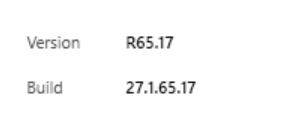
Twice in the last 3 days, I've had issues downloading transactions from Oakmark Funds in Quicken Classic (Version R65.17, Build 27.1.65.17, Windows 11 Home).
When I run One Step Update, I don't get an error, just a dialog box asking me to enter the password for Oakmark Funds. I've verified the password on the Oakmark website, and when I try to change or reset the password in the password manager in quicken, I get an error that Oakmark cannot use my password.
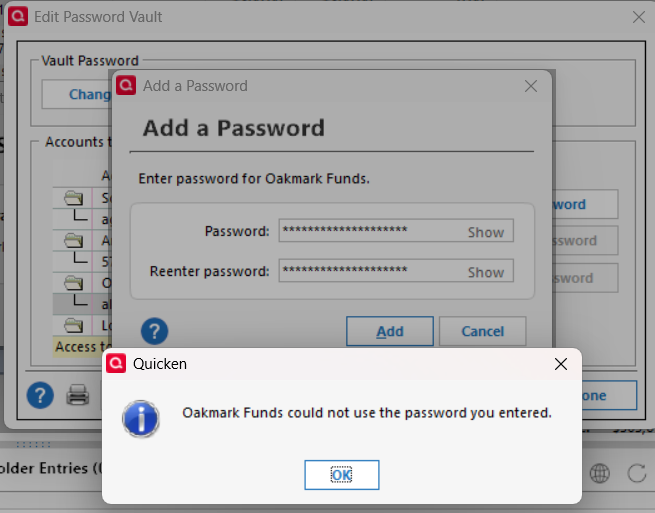
If I deactivate and reactivate the online services for the Oakmark account in Quicken, using the exact same password that Quicken rejected in the password manager when I tried to save it, Quicken gets the fund information from Oakmark and I can link it to my quicken account.
Problem is that I've had to do this twice in the last 3 days.
Hope someone has some insight. Thanks!
Comments
-
Hello @algee99,
Thank you for reaching out. To help troubleshoot, please provide more information. You mentioned this started about 3 days ago. Was there anything else that happened around the same time, such as a program/computer update or a program/computer crash? Do you keep your Quicken file directly on your local hard drive? Is the file synced with any cloud service, such as OneDrive, iCloud, or Dropbox? Does this happen only when using the credentials saved in the password vault? If not, what else triggers it?
I look forward to your reply!
Quicken Kristina
Make sure to sign up for the email digest to see a round up of your top posts.
0 -
I don't recall anything happening around that time. No program crashes, etc. Quicken did update recently, but I can't recall exactly when that happened in relation to the problem with Oakmark transaction downloads.
I keep my quicken file on my local drive and it is not synced with a cloud service. I always keep my passwords in the password vault in Quicken, have done so for many years.
If I remove the Oakmark password from the quicken password vault and then try to do a transaction download, Quicken prompts me for a password for Oakmark. When I enter it, I get this error, even though I typed in the correct password.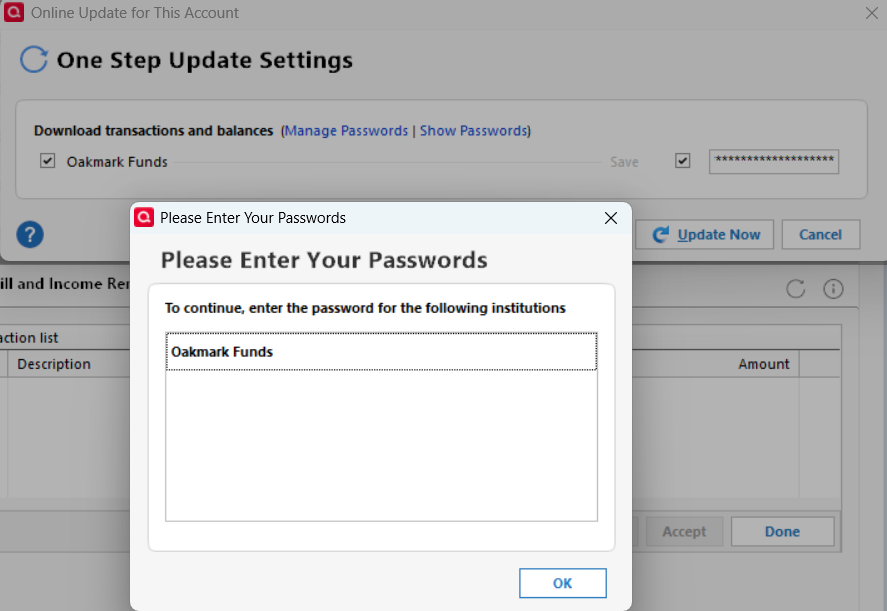
If I edit the account, and reset the online services, typing in the same password used above, Quicken is able to communicate with Oakmark and retrieve the info for my account.
I didn't get screen shots of the following: After the reset, I try to download transactions and get a similar dialog asking me to 'Please enter your passwords'. Click OK and the one step update screen shows for a few seconds, but doesn't show any financial institution data. After it goes away, I try to update the Oakmark account again. The dialog opens asking me to enter my password for Oakmark, which I do and then click the 'Update Now' button, and the transaction update succeeds with no errors.
When I try to update the password in the Quicken password vault, I get an error saying that I can't have a password longer than 8 characters, which seems a bit insecure, since my longer password workes fine for logging into the Oakmark website.
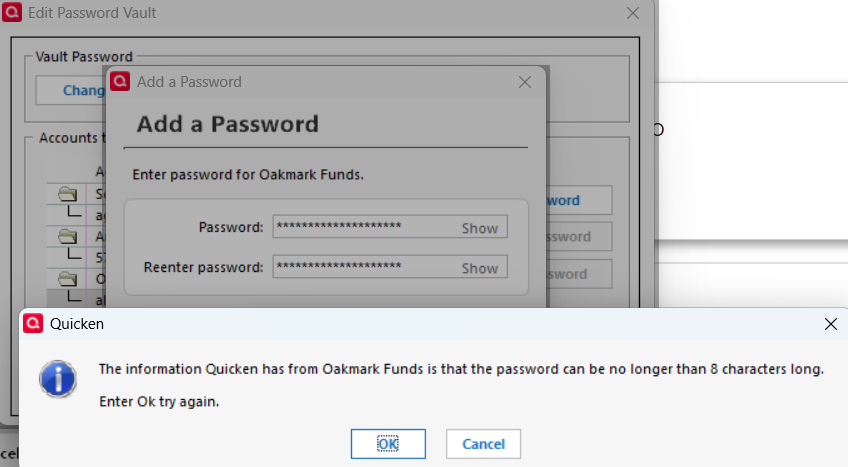
I'd try a shorter password, but the Oakmark website says my password must be 10 characters or longer. This is a problem, since they insist on 10 chars, but Quicken says they insist on 8 chars.
0 -
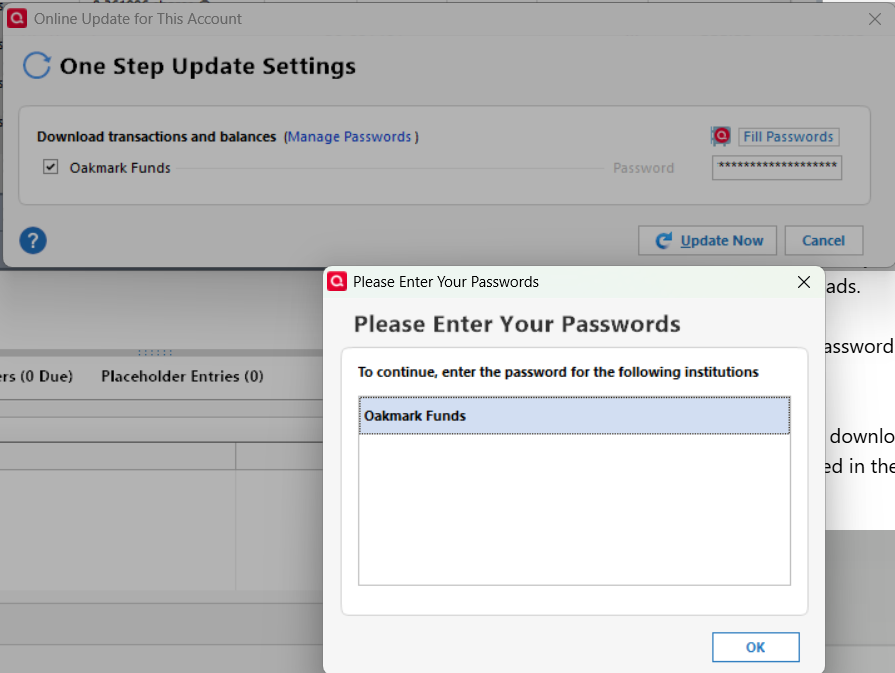
Adding a follow-up: Today, I removed the password from Quicken's password vault and then tried downloading transactions from Oakmark by itself. Quicken asks for Oakmark's password and then gives me this error (as if I didn't enter a password?)
 0
0 -
I'm posting this because I'm really frustrated. Ever since the update last week, whenever I've attempted to update my accounts, Quicken has asked for the password for Oakmark Funds. This is ridiculous — when I go into my personal vault, the stored password for Oakmark is right there. But I can't proceed. I suppose my easiest option is to import a backup copy of Quicken made before the update - but annoying to say the least to have this glitch!!
0 -
Thank you for your replies,
The behavior you describe makes me suspect this may be a file specific error. I suggest that you try validating your data file. Please save a backup file prior to performing these steps.
Validate:
- File
- Validate and Repair File...
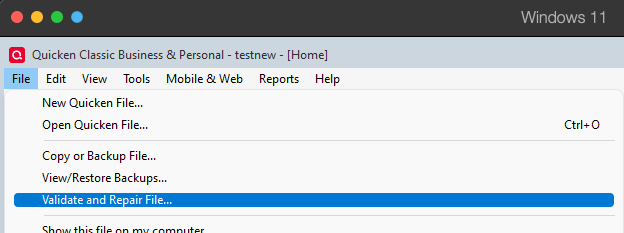
- Validate File
- Click OK
- Close the Data Log
- Close Quicken (leave it closed for at least 5 secs)
- Reopen Quicken and see if the issue persists.
Thank you for letting us know you're encountering this issue also. Please let us know if restoring the backup file corrects the issue!
Please let me know how it goes!
Quicken Kristina
Make sure to sign up for the email digest to see a round up of your top posts.
0 -
I'm having the same frustrating issue of Quicken asking for a password for Janus, but then not being able to enter the password. It's already in the vault and won't I can't download any transactions unless I delete the online connection and set online services up again. I deleted the online connection yesterday and reset the connection by linking to www.janus.com and it worked. Then today the same error occurred again.
I noticed that the limited data (no transaction history) occurs when setting up the download using the current website of www.janushenderson.com. It's surprising that using the pre-merger website of www.janus.com works to download the transaction history when resetting the connection, but then stops working after the initial setup.
This is a disappointing issue that will hopefully be resolved soon.
1 -
I validated and super validated my data file. There were no errors in the validation logs.
I did not close quicken and restart after the validation as you suggested because I missed that step. When I tried to update transactions for Oakmark, I got the same password errors as before.
What has worked for me the past few days (temporarily) is to reset the online account in the 'Edit Account' dialog.
After I do that, I try to update transactions and see this error dialog:
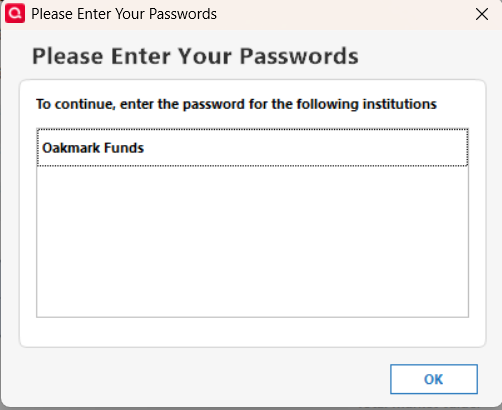
If I click OK, I see the standard transaction update window, where Quicken is attempting to update, but there is no named financial institution. After a few moments, the windows closes with no message or error indications.
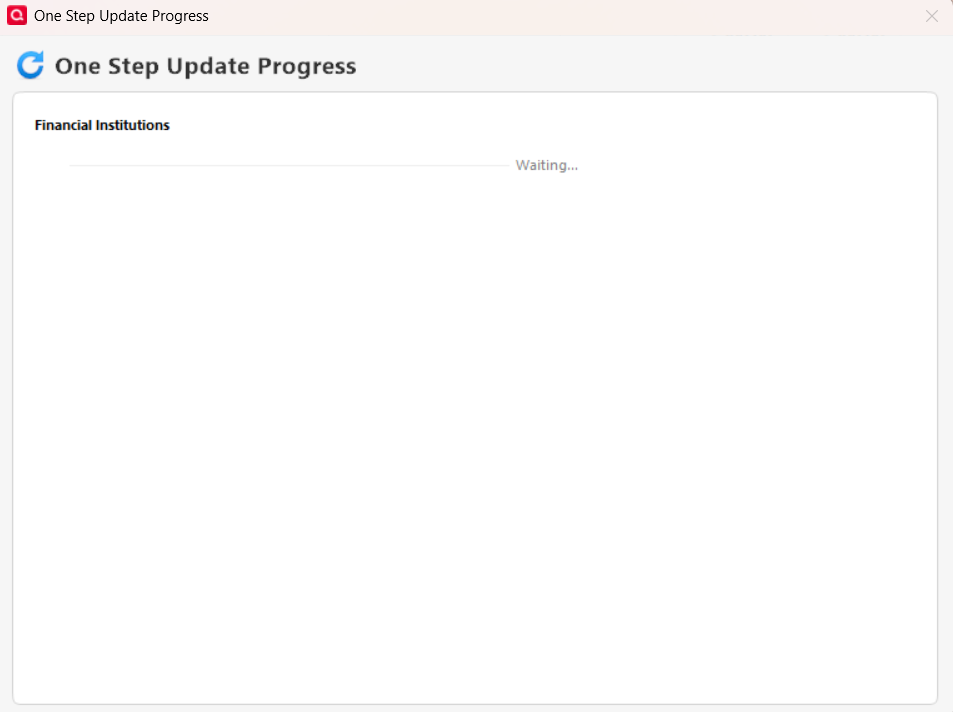
If I update transactions again, it appears to work, with no errors.
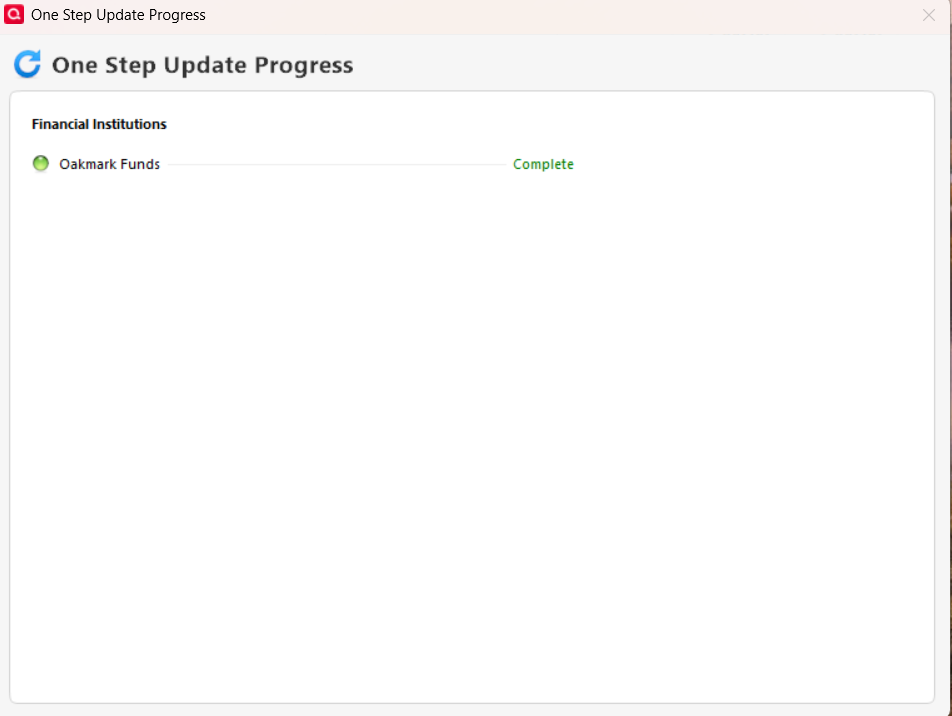
I have since shut down quicken and an hour or so later tried the transaction download again, and it still works.
I'll see what happens this evening and tomorrow after a system reboot, see if it stays fixed or not. In the past, it was fixed until the next day, but I never ran file validation before resetting the online account. So, that's something different, maybe a fix? We'll see.
Thanks for your help so far.
0 -
I'm a software developer by education and trade (45+ years of experience) and I am 100% sure that this is a bug in Quicken Classic for Windows and has nothing to do with Janus. Here's why:
- As multiple people have mentioned, the bug is that Quicken immediately asks for the Janus password, even though it is stored in the vault and Quicken provides no mechanism for the password to be entered.
- Deactivating online services for the Janus accounts and then activating them again immediately fixes the problem. Yes, the first time with the new connection mechanism is slow, but then after that it is very fast. You can even do additional updates without triggering the bug in the same Quicken session.
- If you get into a situation where you have to enter the password vault's password again, such as closing Quicken and coming back in, the bug is triggered again and you have to deactivate and activate the Janus accounts again.
- The bug was introduced by a recent software update and appeared immediately after the update was completed. It was not timed to anything that changed at Janus.
It's very easy to point the finger at Janus Henderson, but I can assure you that the problem is internal to Quicken. Please take your user's feedback seriously, they know what they are talking about!
In the meantime, for those affected by the bug, here's an easy workaround: when you reactivate the accounts for online services, do not check the box to store the password in the vault. The next time you go to do an update, enter your vault password and on the next screen, there will be a place to enter the Janus password. Enter it, but again, do not check the box to save it in the vault. The update will complete successfully, but you will have to enter the password every time.
Clearly the Quicken bug has to do with the use of the password vault for Janus Henderson accounts.3 -
It is failing again this morning. Same issue, try to do one step update and get the dialog that I need to enter the password for Oakmark.
Once I do a reset of the online services for Oakmark in Quicken, and help Quicken link the account to the correct Oakmark account, things work fine for one step update. It'll probably work fine all day, like it did yesterday, and then I'll have to do the online reset again tomorrow.
0 -
I am currently having the same problem with Janus and also the Oakmark fund. I deactivated and then reactivated the accts and updates worked. However as musicfan stated soon as I attempted the next update in Quicken the same Janus & Oakmark fund passwords need to be entered. I've left a message to Quicken, but it seems they don't have a IT fire response team to address such issues?
1 -
I have the same issue and Quicken behavior with Oakmark Funds beginning in the same time period. I did the same account reset several times and got the same result.
This is the only account with the password issue, all other accounts update without issue.
Quicken Classic Premier, last update to R65.17 on 11/25/2025
Windows 11 version 24H2 installed 1/20/2025
Last windows updates
2025-11 Security Update (KB5068861) (26100.7171) installed 11/12/2025
Windows Malicious Software Removal Tool x64 - v5.137 (KB890830) 11/11/2025
2 -
Same issue here as algee99 and NZP7294 with Quicken behavior during the same time period with Janus password in my case.
2 -
It turns out that my workaround, described above, doesn't work after a day has passed. It starts asking for the password again, even if you have entered it in the field in the update screen. Clearly a Quicken bug!
1 -
Thank you for your replies,
I can see that all of you are on version R65.17. Just in case this is an issue introduced by the recent update, please backup your Quicken file and try rolling back to R65.15 or R64.30. For instructions on how to do this and the links to download the patches, please use this article:
Thank you!
Quicken Kristina
Make sure to sign up for the email digest to see a round up of your top posts.
0 -
Same Issue here
1 -
gproyoal says they reverted to 2 earlier versions of Quicken and still encountered an error from Janus. That indicates the biggest problem is with Janus.
0 -
Quicken version R65.15 had the same Oakmark password errors, but R64.30 did not have any errors.
What I did was revert to R65.15 yesterday, after I had reset the Oakmark connection. The Oakmark download worked fine, as it always seems to do after the reset, even after I had reverted to the earlier Quicken release.
This morning, however, on R65.15, I received the same Oakmark password error. I then reverted to R64.30 and tried the update again. No errors and no reset needed.
I will need to check tomorrow to see if it continues to work without errors.
1 -
Thanks Kristina for your fup. Clearly this is a bug caused by R65.15.
0 -
So far, Oakmark updates correctly using R64.30. I'll hold there for a little while, then try upgrading Quicken versions, see if the error comes back.
0 -
After the last Quicken App update I was unable to download from Janus and kept getting the following and nowhere to enter the password:
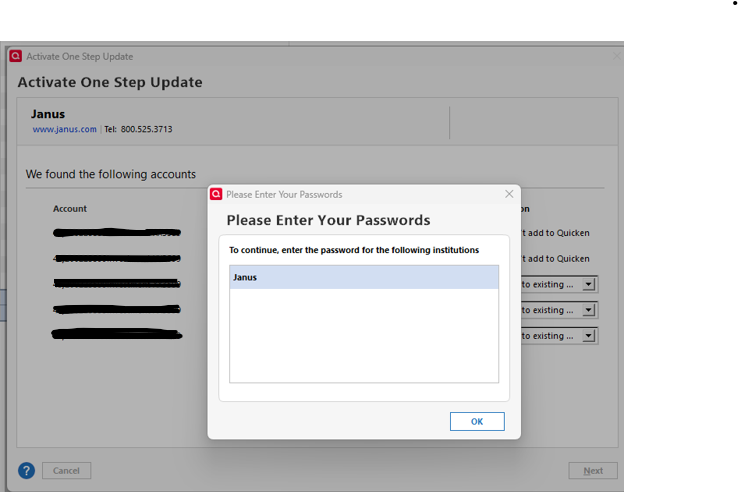
I had a password in the vault already, but logged into Janus and created a new password. That didn't help.
Then deleted the password from the vault, deactivated online access and reset the accounts. After re-adding online acces, the same prompt still came up.
I was able to get rid of this prompt by finding all the fidir.txt files, making a backup, removing the highlighted line below and re-adding online access.
 0
0 -
Hello All,
Thank you for taking the time to visit the Community to report this issue, though we apologize that you are experiencing this.
We have forwarded this issue to the proper channels to have this further investigated. In the meantime, we request that you please navigate to Help > Report a problem and submit a problem report with log files attached and (if you are willing) a sanitized copy of your data file in order to contribute to the investigation.
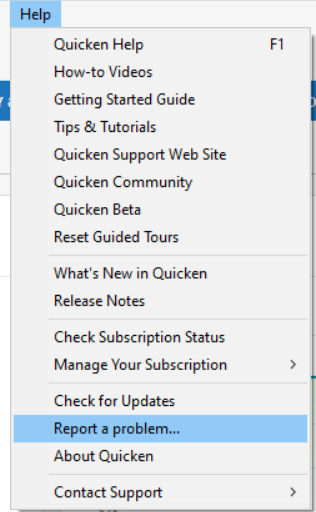
While you will not receive a response through this submission, these reports will help our teams in further investigating the issue. The more problem reports we receive, the better.
We apologize for any inconvenience!
Thank you.
(CTP-15582)
Quicken Kristina
Make sure to sign up for the email digest to see a round up of your top posts.
0 -
I agree with Musicfan. This is a problem in Quicken and it centers around the use of the password vault and Quicken's password requirements for Janus.
First there are 2 entries in the FIDIR.txt file for Janus. One supports detailed transactions from Janus.com through Direct Connect. The other JanusHenderson.com and only supports Express Web Connect and only position summaries.
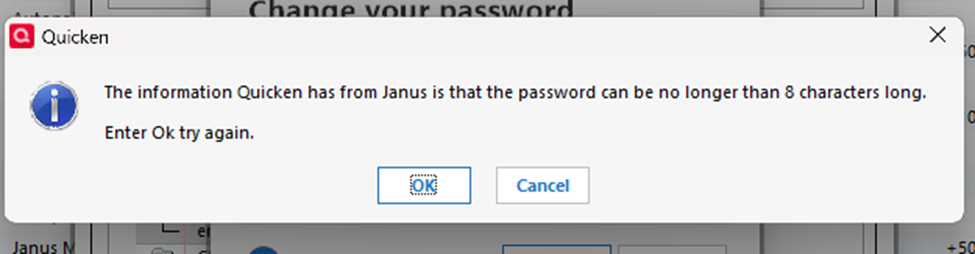
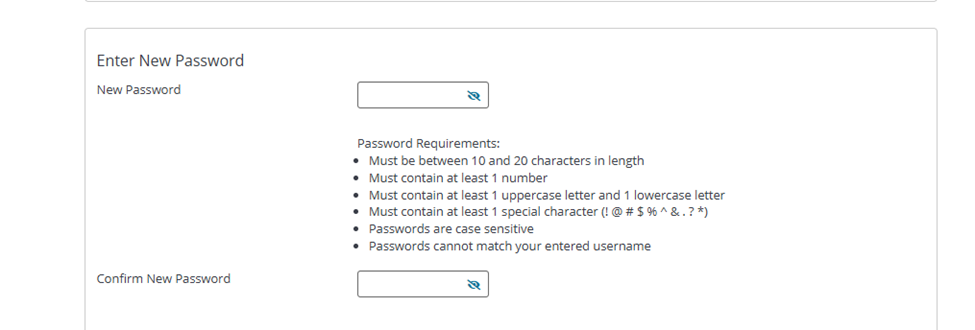
Accounts can be successfully added through either the Janus.com or JanusHenderson.com using the same credentials. But subsequent updates for transactions requires the password either entered or from the vault but summary positions from JanusHenderson uses the password stored by the aggregator. For some reason, after the last update, the Quicken software no longer likes the passwords used by the Janus site. It appears the software's process attempts to do an edit and doesn't like what it sees so it fails immediately. The initial setup of the downloads bypasses that process. One example - when trying to edit the Janus password in the vault Quicken indicates the password can't exceed 8 characters but Janus says it has to be between 10 and 20 Characters. Here are snips from Quicken and the Janus site. And I know this is a change because I have changed my Janus password this year.
Quicken message:
Janus requirements:
 1
1 -
@Quicken Kristina I was going to submit a problem report, but examining some of the log files, they contain information about my accounts, including account numbers etc. Pretty obvious when reading the xml data in the logs.
Now that I know that, I'm no longer willing to submit problem reports anymore. Even with a sanitized data file, there is too much information in the files, and I regret ever submitting problem reports like that.
I'll just stay on release R64.30 until the next release. If the future releases fail the same way, I'll just keep reverting back to R64.30.
1 -
I am on R65.17. I deactivated and re-activated my Janus account and it is now working.
@Quicken Kristina Can you clarify weather this was fixed by Quicken making a change or Janus making a change?
Thanks,
Marc
 0
0 -
I’m grateful to algee99 for the suggestion to patch back to R64.30. Everything is working smoothly again. As an individual user, I don’t need the extra features and changes geared toward business use, so this version suits me fine.
Going forward, I’ll wait a few weeks before installing any new release to see whether other users report bugs or issues. I’m disappointed in Quicken’s latest update and the time it took to read through the threads and roll back to an earlier version.
2 -
Same issue as everyone else with Janus downloads.
The version of Quicken Classic Deluxe I am running is B75.19 Build: 27.2.75.19 Windows 11 Home
I've spoken with JanusHenderson. Their suggestion was to open another browser and sign in to Janus account before Quicken download. Obviously, that did nothing. Hoping Q will finally fix this ongoing issue.
0 -
just adding I am another Janus user with this problem. I deactivated the account and activated and it worked for one time, but still have the problem ongoing. As December is a heavy month for dividends and Capital gain distributions, I am hoping Quicken will address this.
0 -
I have to take that back…it worked yesterday, but it's not working today. It tells me that I need to re-enter my password. When I enter my password, which is already in the vault, it tells me that Janus cannot accept that password.
Marc
0 -
I have been having the same problem with Oakmark Funds, and others with Janus like you. Deactivating and reactivating the account or just resetting the account works for that same day and then fails the next day.
Some others and I have had success by reverting back to Quicken for Windows release R64.30 per the instructions provided by @Quicken Kristina earlier in this discussion.
Once the next release after R65.17 comes out, I'll try upgrading and see if the issue is fixed, but for now, I'm sticking with R64.30.
1 -
R65.17 Premiere w/Win 11 Pro - I am having the same problem with Janus. Resetting the account solves the problem. Once the account has been reset, the problem does not appear on that day on subsequent OSU.
The problem appears again the next day.
I am not using Vault.
I have validated the file.
I have logged out of Quicken & logged back in. Problem remains.
Janus is the last Direct Connect account in the OSU list. This may be relevant.
I have rolled back to R64.30.
0
