Bill Pay is ridiculously buggy

I add a Bank of America credit card. Went through the whole setup… Account added, bill and reminder set. I can see the credit/balance in Bills. Great, I click on Quick Pay, it asks to enter some info one time… fine, account number and zip code - correct.
Then "Something went wrong. Please try again"
And basically that's the end of it. Cannot pay my card - keeps getting the same error. I removed the account, did the whole dance again. Same problem.
This is with Bank of America!!!! If Bill Pay doesn't work with this giant bank, what the hell is this thing useful for!?
Comments
-
Hello @Eddie Paz,
Thanks for sharing all the details! We apologize for the frustration this is causing! To help us troubleshoot this Bill Pay issue, could you provide a screenshot of the error message when it appears? That’ll help us see exactly what’s going on.
If needed, please refer to this Community FAQ for instructions on how to attach a screenshot. Alternatively, you can also drag and drop screenshots to your response if you are not given the option to add attachments.
Also, a couple of quick questions:
- Where is your Quicken data file stored? Is it on your local hard drive (C: Drive) or on a cloud-based/external drive (e.g., OneDrive, DropBox, USB, etc.)?
- Have you attempted any troubleshooting steps so far? If so, what have you tried?
Once we have this info, we can dig into possible causes and next steps.
Thank you!
-Quicken Anja
Make sure to sign up for the email digest to see a round up of your top posts.0 -
The file is on local drive (C:)
Removed the biller and added it
1. Quicken detects account biller automatically (I've also tried it manually adding online biller)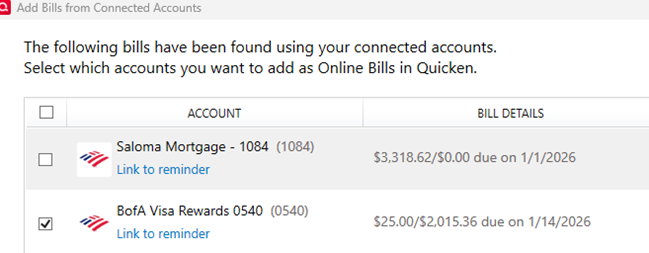
2. Biller is added successfully
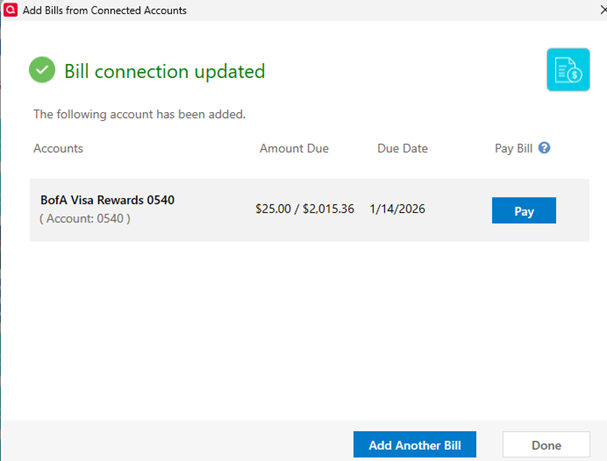
3. I see it on the list and I select Quick Pay

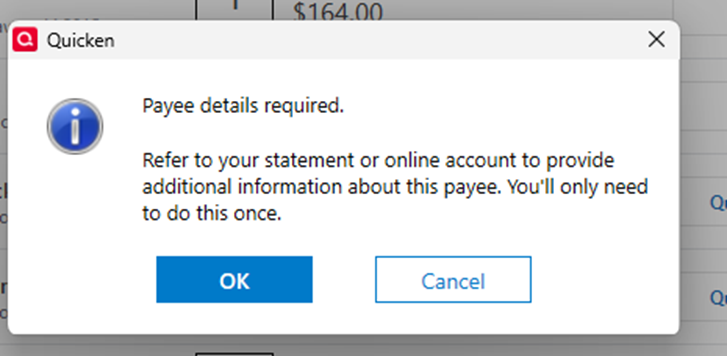
4. I enter the info as shown in my statement, and I find the correct address
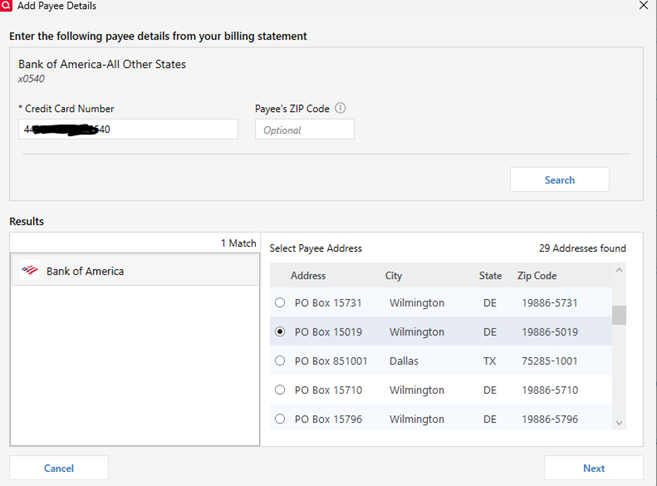
5. I click Next and I get
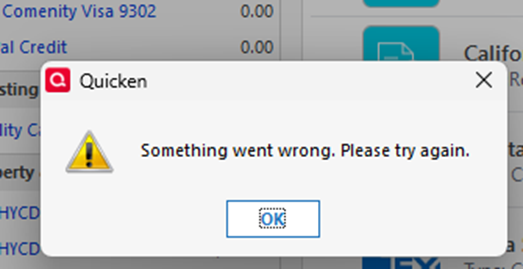
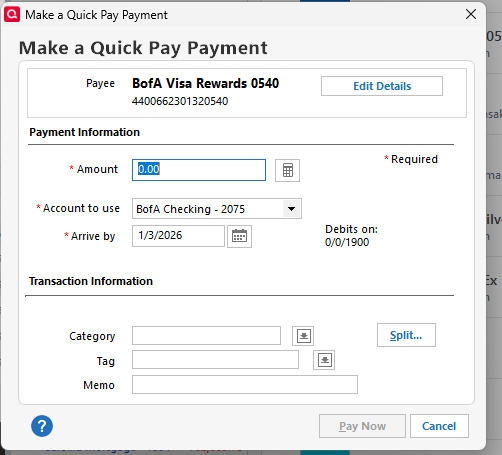
6. Now shows "Awaiting next bill" as others have pointed out, and the same error shows every time
 0
0 -
I also reported the problem from Help → Report…
0 -
This process started in Bill Manger after this release:
Version R65.17 (US Versions, November 2025)
Quick Pay is BROKEN!!!!!!
0 -
It is!!! to the point that I don't trust it at all. I got an email just today that I have a new bill from a vendor that has been showing "Awaiting next bill" for days, and still does.
It's too bad. One of the reasons I upgraded to Premium in December.
0 -
Until Quicken and the new service provider they had to migrate to can iron out the wrinkles, I recommend falling back to a known good process that has been around for decades. Not all of the previously available functions are available at this time.
For now, please consider this alternative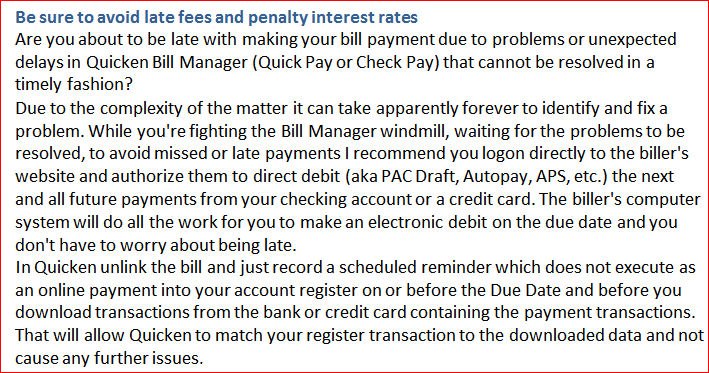 0
0


