PNC Direct Connect with Quicken Still not working December 22

I just got off the phone with Quicken Support who confirmed that many users of PNC Direct Connect still cannot download transactions to Quicken. They advised that Quicken and PNC are working jointly to correct. There is no estimated time for a fix.
Comments
-
Update: With the most recent Quicken update, the issue may now (finally) be resolved. Will see if the fix sticks.
0 -
Hello @Eawittjr,
Thank you for letting us know that you were encountering this issue, and that the latest update seems to have resolved it.
If the issue returns, please let us know!
Quicken Kristina
Make sure to sign up for the email digest to see a round up of your top posts.
0 -
I have updated Quicken and Deactivated and Reactivated to reconnect with PNC Direct and it still does not work. I will neither download transaction nor upload payment instructions.
0 -
Hello @IDG,
Thank you for reaching out! According to our Community Alert, R65.29 should correct this issue. If you are using R65.29 and the issue is persisting, then please provide more information. Do you see any error messages/codes when you try to connect/update your PNC account(s)? If you have more than one account with PNC, is this impacting all of them?
I look forward to your reply!
Quicken Kristina
Make sure to sign up for the email digest to see a round up of your top posts.
0 -
I am using R65.29. I receive no error messages. I have 2 PNC accounts and it impacts both.
1 -
Thank you for your reply @IDG,
I forwarded this issue to the proper channels for further investigation and resolution. Please navigate to Help>Report a Problem and send a problem report with log files attached. Please also include at least 3 sample transactions which should have downloaded into Quicken, but have not, and are not in your Quicken file at all (not even manually entered).

While you will not receive a response through this submission, these reports will help our teams in further investigating the issue. The more problem reports we receive, the better.
Please post to this discussion to let me know when you send the problem report.
Additionally, if you haven't already done so, please try following the steps in our article on missing transactions/transactions not downloading:
When I check our internal tools, I can see your most recent attempts to update your accounts were using Express Web Connect instead of Direct Connect. Did you accidentally change connection types when you deactivated and reconnected your accounts? Do the transactions download with the current connection, or are you still seeing the same problem?
We apologize for any inconvenience!
Thank you.
(CTP-15882)
Quicken Kristina
Make sure to sign up for the email digest to see a round up of your top posts.
0 -
Regarding the reported "PNC Direct Connect with Quicken Still not working December 22", please be aware that this issue may be affecting many, if not, all Quicken-PNC Direct Connect customers since PNC made changes in late Nov/early Dec. I followed all instructions and suggestions from Quicken and PNC. Even had my PNC PIN reset. I also made sure that the Direct Connect accounts are indeed configured and activated as Direct Connect and not as Wed Connect. Because of the length of time of this issue, I had to manually extract and import hundreds of PNC transactions to keep up.
Is there anything new to try on my end?
Can the Quicken teams please provide an update and ETA on how they and the PNC team the issue of no transactions being downloaded?An update as of Jan 3, 2026The PNC Quicken level three support team shared that the Quicken - PNC transactions download is fixed but there may be some Quicken users with "residual" issues. They recommend for those to please call them at 1-800-162-2035 and once you get a human ask to be transferred to the PNC Quicken team. They will guide you through the specific steps you may need help with.
To the Quicken team - Please work proactively with banks before changes are implemented to prevent impacting users. This time was extra painful during the holidays.
1 -
1/7/2026 Having same exact problem with PNC downloads. Spoke with PNC Support, and went thru several steps like commented here, deactivate, recreate setup, etc., nothing worked. When updating with Direct Connect, it shows like it is doing something then returns with red Error and immediately closes update window… no message... nothing. They had me create a new Quicken Test account. I then setup the direct connect with PNC, did an update and it downloaded some future payment requests that I had sent to PNC mid-December so it did something, but when I went back to me real account still no change. I sent them CONNLOG.TXT and OFX Log files and they opened a support ticket and said tech support will contact me in 1-3days.
2 -
If you have not already done so you might want to try doing the following. Most who have said they tried doing it have confirmed back that it resolved the PNC DC downloading issue for them.:
Make a Quicken Copy of the data file (File > Copy or Backup File > Create a copy or template > follow the prompts making sure the copied file has a unique name so it does not overwrite the original file.). This process deletes the PW Vault, breaks the connection with the previous Cloud Account and creates a new Cloud Account specific for this copied file. It also breaks all Online Services connections so all accounts need to be set up for downloading, again. The original data file will not be affected by this process in any way so you can always revert to it and everything will be as it is now.
Open the Copied file and go to Tools > Add Account > PNC Bank - Direct Connect > Advanced Options > select Direct Connect > follow the prompts to complete the reauthorization process making sure to LINK the downloads to the accounts already in the file.
When I completed this process back on 11/15 I got the following results and since then, except for 1 instance for a day in December, downloading with DC from PNC has been working every day.:
- All PNC accounts are now connected with DC.
- There were some duplicate transactions (not many for me) that needed to be manually deleted.
- Accurate Online Balances are now shown below the registers.
- The PW Vault shows "Yes" for PNC Bank - DC as it should.
- I was able to send 2 Bill Payment to PNC and PNC downloaded the check numbers and the Lightning Bolts confirming the Bill Payment commands were accepted.
Note: Making this copied file will break download connections for all of your financial institutions in the copied file, not just PNC…the download connections in the original file will be unaffected. If this fixes the PNC DC downloading issue for you, then you will also need to set up the download connections for all of your other non-PNC accounts. Once that is completed you will be able to used this copied file as your main data file.
Did this resolve the issue for you?
Quicken Classic Premier (US) Subscription: R66.23 on Windows 11 Home
0 -
my problem w q r65.29 and pnc is that i dont het a 'send check' option. i typically pay all my bills using that with direct connect. this has been going on for many months. i have a ticket with quicken and also w pnc, but pnc says the fix is forthcoming…and has been saying that for 2 months. no luck. the ability to write checks directly from quicken is important to me. not sure where the problem lies, but as a customer of both quicken and pnc i would hope it will be solved asap, and as well that there will be better communication to customers
0 -
Are you saying you have the DC connection set up but you are not able to send bill pay commands to PNC?
If so, check the Online Services tab of Account Details. Is Bank Bill Pay enabled? If not, enable that.
Quicken Classic Premier (US) Subscription: R66.23 on Windows 11 Home
0 -
Hello @EHonda,
I sent you a DM. To view it, please click the envelope icon near the upper right.

Thank you!
Quicken Kristina
Make sure to sign up for the email digest to see a round up of your top posts.
0 -
This issue with PNC Bank Direct Connect is STILL NOT FIXED!! I talked to their Tier 3 or 4 team, and she told me PNC has NOT resolved the issue, so I'm going to have to use WebConnect, but doesn't support Quicken's online Bill Pay feature!! I have to login to PNC's website to pay any bills. I'm thinking about switching banks. Does anyone know which banks support Quicken's online bill pay option?
1 -
I did the exact same steps that edman did with my accounts, and created a new file, etc. But it did NOT work, and I'm still without the Quicken online bill pay option. This is a MAJOR inconvenience, and I'm NOT AT ALL HAPPY WITH PNC!!!
0 -
Did you see my response to @edman where I suggested taking some steps that have worked to restore the DC connections for many users? @edman did not reply so I do not know if it worked for them or not. But have you tried following those steps?
Quicken Classic Premier (US) Subscription: R66.23 on Windows 11 Home
0 -
@casm84 -
I'm thinking about switching banks. Does anyone know which banks support Quicken's online bill pay option?
There are still a fair number of banks that support DC with Bank Bill Pay. There is a list of them that can be viewed in this Support Article: .
It should be noted that this list is a bit out of date and there are a few banks that should be added to it. (I requested this list be updated a little while back but so far it has not been.)
Also note that some of these banks (not all) require unique logins for DC connections and some banks will also charge a monthly fee for it. Check with the bank to see if either or these things apply. (Quicken never charges a fee for DC Bank Bill Pay.)
There is another bank (other than PNC) that I use DC Bank Bill Pay with: Old National Bank. ONB does not charge a monthly fee for this and they allow the use of the online account login when setting up the DC connection.
Quicken Classic Premier (US) Subscription: R66.23 on Windows 11 Home
0 -
same problem using current quicken software subscription, direct connect gets me my data, but i cannot send checks and must go online at pnc to pay vendors. cant find resolution. didnt try boatnmaniac suggestion, as someone who did said it didnt work. any othersuggestions?
0 -
For those who have confirmed that DC is set up and downloading, that downloading is not being done via EWC+, and yet do not have the Bank Bill Pay feature working: Go to the Online Services tab of Account Details. Make sure that Bank Bill Pay is enabled there.
If it still is not working, it might be a good idea to double check and confirm that Bill Pay has been enabled for your online PNC account.
Quicken Classic Premier (US) Subscription: R66.23 on Windows 11 Home
0 -
Over the last several months, I have had the same PNC direct connect issues as everyone else in this thread, but recently I was able to deactivate my PNC checking account and successfully reactivate it with direct connect. It appears that I now can send checks to pay bills via Quicken and new entries on my account at PNC appear to be downloading to my account on Quicken. BUT, I cannot reconcile my Quicken account. When I try to do that using my online balance, it shows the date for my online balance as 11/13/25 and no new entries.
0 -
Hello @ddashorn,
Thank you for letting us know you're seeing this issue. To troubleshoot, please start by following these instructions from our article on missing transactions/transactions not downloading:
Be sure to follow these steps in order:
1. Go to Edit > Preferences > Downloaded Transactions. The option Automatically add to banking registers needs to be unchecked.
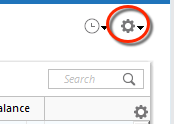
2. Refresh your online account information by clicking the Actions Gear Icon on the upper right of the register, and select Update Now. Follow the on-screen instructions to complete the update.
3. Confirm that the Sort Order in your account is by Date; just click the top of the Date column in your account register. It's possible the transactions are in your register, but not where you thought they'd be.

4. Click the Reset button at the top of the register. This will confirm that there's no filtering in your account register.
5. Try refreshing your login session: To do this, go to Help > Refresh Sign in. After completing the log-in process, trying running a One Step Update again.
6. Go to Actions (Gear Icon) > Register Columns > Check Downloaded Payee in the account register. This allows you to search by Payee to confirm the transactions haven't been renamed unexpectedly.
7. Go to Tools > Account List and check Show Hidden Accounts at the bottom left. Confirm the missing transactions haven't been added to a hidden account by clicking on the name of any account that appears with a check mark in the Hidden column.

Please let me know how it goes!
Quicken Kristina
Make sure to sign up for the email digest to see a round up of your top posts.
0 -
Kristina,
I have tried your fix twice now and it was not successful either time. I followed your instructions exactly, except with respect to Step 4. Your picture shows a "reset" button at the top of the register. My register does not have any such reset button. I though perhaps I could add one by using the gear icon at the top right, but if you can do that there, I was not able to figure it out. But, just in case it would serve the same purpose, I used the reset button in the Online Services window when you edit an account in the Account List. That didn't help. Any other suggestions? Thanks. ddashorn
0 -
I have numerous conversations with Quicken and PNC. Same issue, nothing fixes the Direct Connect problem. I am using Quicken for Mac. I am convinced the problem resides at PNC after their systems change/upgrades. My "ticket" currently resides at PNC Quicken Team as of November 12. If there is something that changes I'll try to report back. I've run all the bells possible at both Quicken and PNC.
0

