Add a field for check # in the Business Receive Payment window (Q Mac)


When an invoice is paid by check, I always like to add the payment method and if paid by check, the check number of the check along with the payment amount. It is not possible to do this in Quicken as there is no field to include a check # or payment method in the Receive Payment Window.
Comments
-
Hello @Michael Erb,
Thank you for taking the time to visit the Community and post your Idea request.
Ideas are reviewed by our Development and Product teams to see what features people would like to have available in the future. This way other users who have the same or a similar request can vote on your idea by clicking the up arrow (see example below).

Please, be sure to add your own vote as well.
Thank you!
Quicken Kristina
Make sure to sign up for the email digest to see a round up of your top posts.
0 -
I would like to reiterate the importance of being able to track what method is used to track payments, and if paid by check, the ability to add the check number. The lack of this ability increases the time it takes for me to process payments.
0 -
What's that "Check Number" field in the upper left corner of "Customer Payment" form used for?
Q user since February, 1990. DOS Version 4
Now running Quicken Windows Subscription, Business & Personal
Retired "Certified Information Systems Auditor" & Bank Audit VP0 -
@NotACPA The screen shot posted above is NOT from Quicken Mac; it's from some other business software. (I'm guessing it's from AccountEdge Pro, formerly MYOB, for Mac.) Quicken Mac doesn't even use the same terminology; for instance in Quicken Mac, there are not customers, there are clients. The Quicken Mac payment screen is titled "Receive Payment" and looks very different:
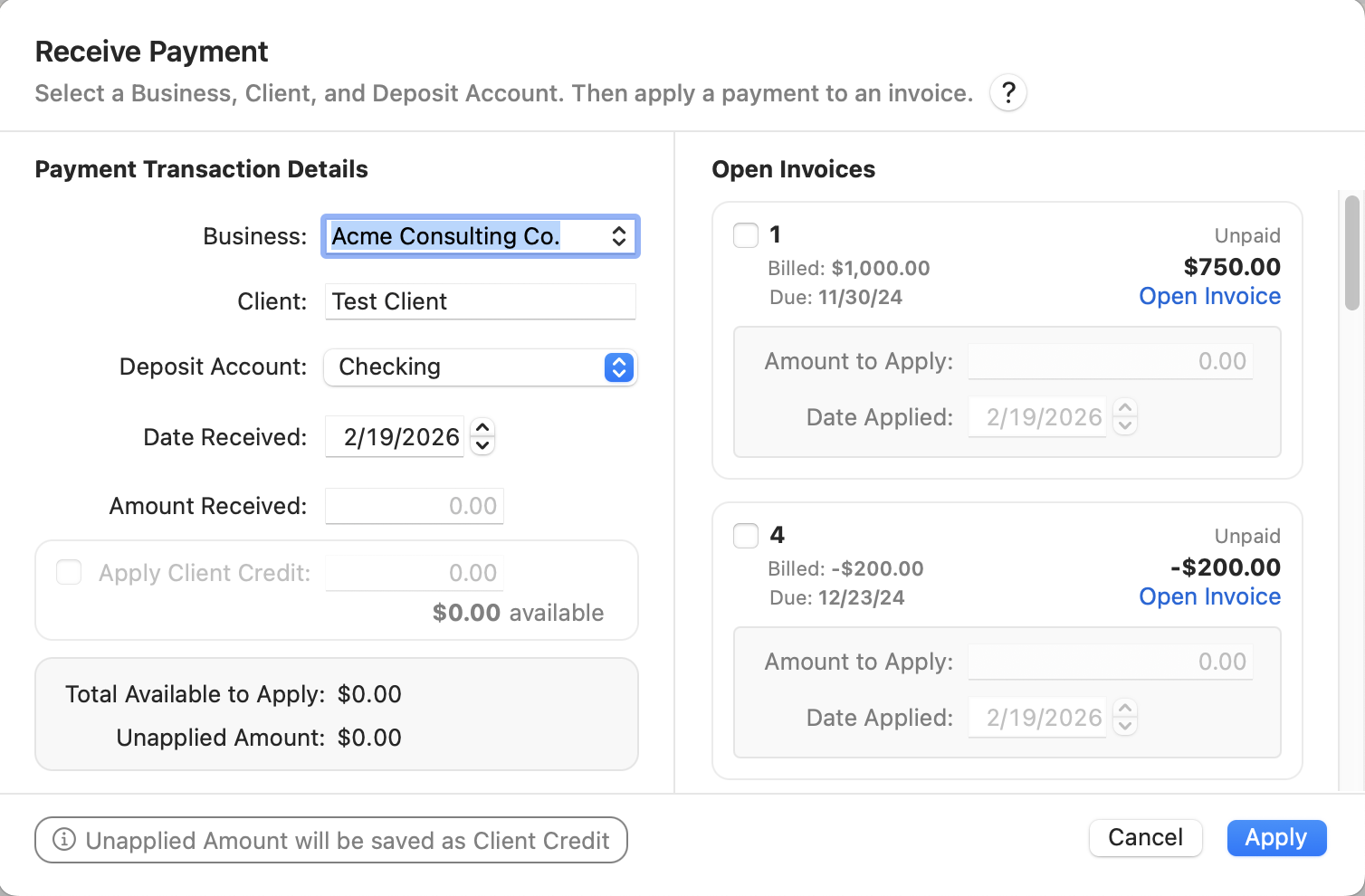
And it has no place to document a payment type or check number, as is requested here.
Quicken Mac Subscription • Quicken user since 19930 -
@jacobs thank you for the clarity you brought to my request.
Yes, the screenshot I posted in my original message was from AccountEdge. I posted it to illustrate what is missing from Quicken, namely the lack of a field to specify the method of payment.
0


